
Photo Selection Software for School Photographers (2026)

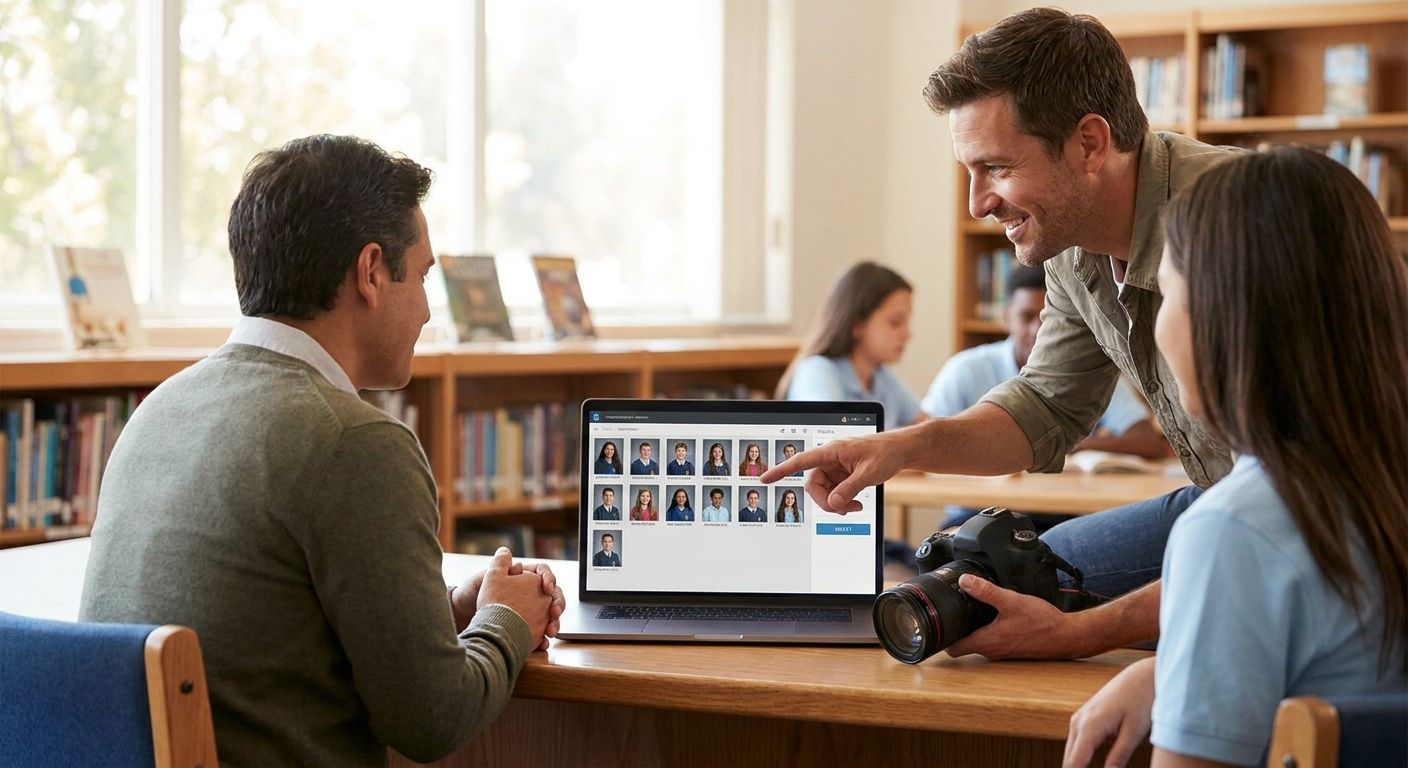
Photo selection software for school photographers is a culling and delivery system that sorts, tags, and routes thousands of student portraits to parents without you opening each file one at a time. Wedding and portrait tools assume dozens of images per client; a single elementary school picture day produces hundreds of students shot in five-minute blocks, each needing to land in the right parent's inbox with zero mix-ups.
TL;DR
- Photo selection software for school photographers must sort by class roster, not by shoot date, to avoid parent mix-ups.
- FotoOwl auto-matches student faces and pushes proofs to parent ordering pages same-day — best for multi-school photographers.
- Manual culling in Lightroom still works for single-school shoots under 200 students; past that, hours pile up fast.
- School-specific platforms like PhotoDay handle roster imports natively; generic wedding galleries do not.
Why photo selection software matters for school photographers
A single picture day at a mid-size elementary school can run 300 to 600 student portraits in a morning, shot in rapid succession with minimal retouching time between subjects. The bottleneck isn't the camera — it's what happens after: matching each face to a name on a roster, building individual proof sets, and getting order links to parents before the school's ordering window closes.
Generic client-gallery tools built for wedding albums don't have a concept of "class roster" or "grade level." You end up exporting spreadsheets, renaming files by hand, and emailing proofs one classroom at a time. That workflow scales to one school. It breaks at five schools running picture day in the same week, which is normal for photographers who contract with a district.
FotoOwl's AI photo gallery software for school photographers is built around this exact problem: face recognition sorts frames by student, and parents get a private link to only their child's photos. That's the segment-specific need — not just "share photos fast," but "share the right photos with the right parent, at scale, before the ordering deadline."
Sort by roster before you sort by anything else
The first move on any school shoot isn't editing — it's structure. If your import folder is organized by camera card instead of by class, every downstream step gets harder.
- Import photos into folders named by class or homeroom, not by time shot
- Keep a spreadsheet of roster names synced to your shot order before the shoot starts
- Shoot a placeholder card (name, grade, teacher) at the start of each class block for manual cross-reference
- Flag any student photographed twice (retakes, absentee makeups) with a distinct tag
- Reserve a "staff and faculty" folder separate from student folders — schools order these differently
Automate face matching instead of eyeballing rosters
Once photos are captured, matching 400 faces to 400 names by hand is the single biggest time sink in school photography. This is where automation earns its place — not as step one, but once the shoot structure above is in place.
- Run a first manual pass to catch obvious errors (wrong grade folder, blurry shots) before automation touches the set
- Use face recognition to auto-cluster repeat faces across retake sessions
- Cross-check auto-matched names against your roster spreadsheet for a 5-10% manual QA sample
- Face recognition photo sorting for school events removes most of this manual matching once rosters are loaded
- Keep a manual override list for students who don't match cleanly (siblings with similar features, twins) — this always exists in real datasets
Build parent-facing ordering pages, not shared folders
A shared Google Drive folder is not an ordering system. Parents need a page that shows only their child, with package options and a checkout flow, not a folder of 40 classmates to scroll through.
- List package tiers clearly (digital-only, print bundles, class composite add-ons) before the shoot, not after
- Set an ordering deadline visible on the page itself — schools run tight reprint schedules
- Send the ordering link through the channel parents actually check: email misses spam folders, SMS and WhatsApp get opened faster
- Include a re-order path for grandparents or split households who need a second link
- How to set up online ordering for school picture day photos covers the deadline and reminder sequencing in more depth
Route proofs for approval before anything prints
Schools frequently require an administrator sign-off before parent links go live — a wrong composite or a missing class roster gets caught here, not after 300 orders are placed.
- Build a single admin review link that shows every class folder in one dashboard
- Require sign-off on class composites separately from individual portraits
- Set a 24-48 hour review window so ordering doesn't stall past the school's own deadline
- Log who approved what, in case a reprint dispute comes up later in the year
Price packages by grade level, not a flat rate
School photo packages vary more than most segments — kindergarten parents order differently than high school seniors do. Flat pricing across the whole school leaves money on the table and confuses ordering pages.
- Offer a base digital package and a print-add-on tier separately
- Price senior portraits and yearbook packages as their own tier, not bundled with lower-grade pricing
- Bundle sibling discounts automatically when the system detects the same last name and address
- Keep a no-frills single-print option for budget-conscious families — schools care about this more than most B2C clients
Deliver and remind without manual follow-up
Ordering windows close fast, and parents forget. Automated reminders recover orders that would otherwise lapse.
- Send a reminder 48 hours before the ordering deadline
- Send a final reminder the morning the window closes
- Track which parents haven't opened their link at all versus opened-but-didn't-order — these need different messages
- Cloud storage for school photographers keeps the full-resolution originals backed up in case a parent orders a reprint six months later
See FotoOwl on a school gallery
Face-matched student proofs and parent ordering links, live in one dashboard.
Comparison: options for school photographers in 2026
| Option | Best for | Key limitation |
|---|---|---|
| Manual culling (Lightroom/Photo Mechanic) | Single-school shoots under 200 students | No roster matching, no parent ordering built in |
| Generic wedding-style client galleries | Photographers who occasionally shoot one school | No class-folder structure, manual name matching |
| School/sports-specific ordering platforms (e.g. PhotoDay-style) | High-volume district contracts with standard package tiers | Built around print fulfillment, less flexible on custom galleries |
| FotoOwl AI-powered school gallery | Photographers running face-matched proofs across multiple schools | Face recognition needs clean, well-lit shot capture to match reliably |
Verdict: FotoOwl is the strongest fit for photographers running picture day across more than one school in the same season, where manual face matching stops scaling. Single-school, low-volume shooters can stay on manual culling through 2026 without losing much time.
Common mistakes school photographers make
- Treating school galleries like wedding galleries. One shared link for 400 students means every parent scrolls through classmates' kids — a privacy problem, not just a UX one.
- Skipping the pre-shoot roster sync. Matching names after the fact, instead of before the shoot, turns a 20-minute task into a multi-hour reconciliation job.
- No offline capture plan. School gyms and cafeterias often have weak WiFi; a platform that requires live upload during the shoot stalls the whole day.
- Flat pricing across every grade. Senior portraits, kindergarten packages, and staff photos all need separate tiers — one price sheet undersells the segment.
- No reminder sequence before the ordering deadline closes. Parents who forget don't reorder later; the sale is lost the day the window shuts.
FAQ
What is the best photo selection software for school photographers in 2026?
FotoOwl is built specifically for school picture day, with face recognition that matches student photos to parent ordering links automatically. Platforms built for wedding or portrait clients lack the class-roster structure schools need.
Can face recognition really sort student photos by class?
Yes, face recognition clusters repeat faces across retake sessions and cross-references them against a roster you load before the shoot. Manual QA on a small sample is still recommended since siblings and lighting changes can cause mismatches.
How much does school picture day software cost?
Pricing varies by platform and package volume; check current plans directly on the provider's site since most don't publish flat rates for multi-school contracts.
Do parents need an app to order school photos?
No — most modern ordering pages work through a browser link sent by email, SMS, or WhatsApp, with no app download required.
Is Lightroom enough for school photography culling?
Lightroom handles culling and basic editing fine for a single school under 200 students, but it has no built-in roster matching or parent ordering, so you still need a separate delivery system.
How do photographers avoid sending the wrong child's photos to a parent?
Private, individually-generated ordering links tied to face-matched folders prevent cross-classroom mix-ups, unlike a single shared gallery folder.
What's the difference between school photo software and general event gallery software?
School software adds class-roster imports, grade-level pricing tiers, and administrator approval steps that general event galleries don't include.
Can one platform handle picture day across multiple schools at once?
Platforms with multi-gallery dashboards, like FotoOwl, let a photographer manage several schools' rosters and ordering windows from one login instead of juggling separate tools per contract.
One last thing
The schools that cause the most reorder disputes aren't the biggest ones — they're the ones where a single photographer handles data entry for five classrooms manually between shoots. Automating the roster-to-face match before the ordering link goes out removes the one step where school photography workflows fail most often in 2026.