
Photo gallery software for college athletics: complete 2026 guide

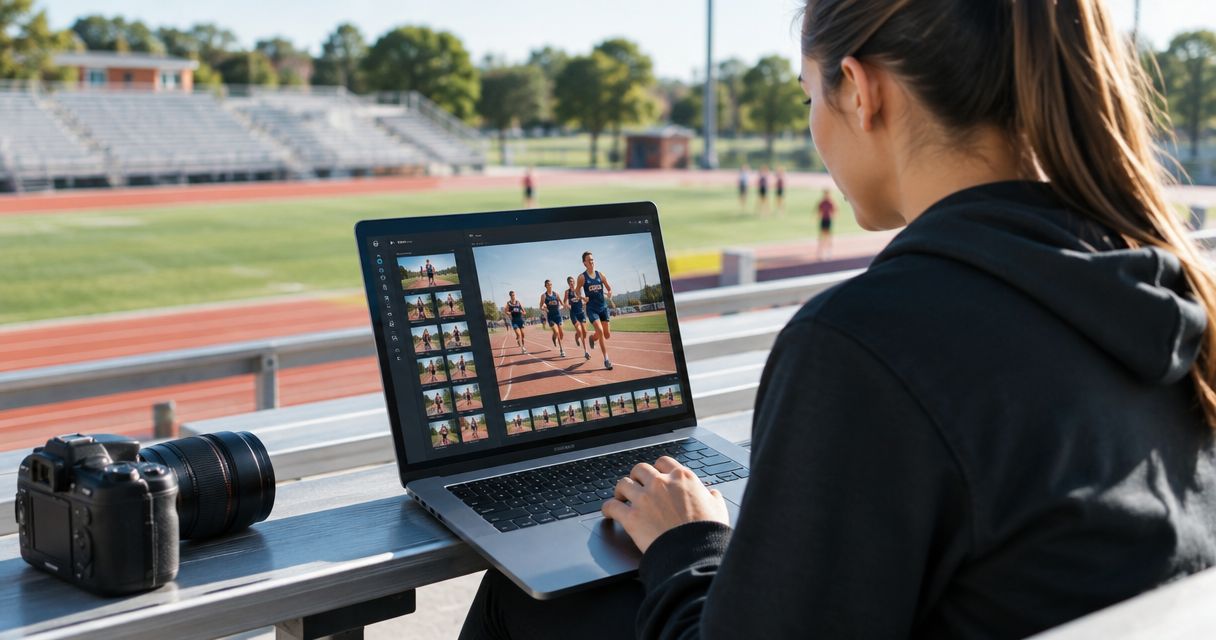
College athletics photo gallery software is a system for organizing and delivering match-day images so photographers can get the right coverage to athletes, teams and campus staff. In 2026, the useful distinction is not gallery appearance; it is whether your workflow can separate fixtures, help people find their photos and keep publication decisions under your control.
TL;DR
- Fotoowl is best for college athletics photographers who need face-searchable galleries and Beam camera-to-cloud uploads.
- Photo gallery software for college athletics works best with one clear gallery structure per fixture and a separate approval process.
- Use two review passes before delivery: remove weak frames, then check context and publication suitability.
- Choose delivery methods for athletes, communications staff and the wider audience separately.
Why this matters
A college sports assignment creates more than a set of action shots. You may need athlete portraits, team photographs, sideline moments and images for a campus communications team. A single undifferentiated upload makes each recipient search through work intended for someone else.
Start with the handoff, not the software. Decide who selects the photographs, who approves public use and who receives the final gallery. If those decisions are unclear, faster uploads only move the confusion online. The Fotoowl AI Gallery supports photo and video delivery with face-recognition galleries; your team still decides what belongs in each delivery.
Why photo gallery software matters for college athletics photographers
For an Indian photographer covering college athletics in 2026, a single assignment can produce images for several distinct uses. The athlete looking for a personal image is not doing the same job as the sports office choosing a result announcement photograph. Organize for both, rather than asking either group to browse the entire shoot.
The same distinction matters across a tournament. A runner may appear in a race gallery and a medal ceremony gallery; a coach may need team coverage across fixtures. A gallery is useful when its structure matches how recipients look for photographs. Face recognition can help people locate their own images, but it does not replace fixture labels, editorial selection or a decision about access.
In 2026, set three questions before choosing a platform:
- Can you keep one fixture's delivery separate from another?
- Can an athlete find relevant images without opening every folder?
- Can your client review what is suitable for its own channels before publication?
Build a college athletics gallery workflow
Follow the path an image takes from the camera to its intended recipient. In 2026, this sequence keeps culling, organization and approval distinct; combining them in one hurried upload makes errors harder to catch.
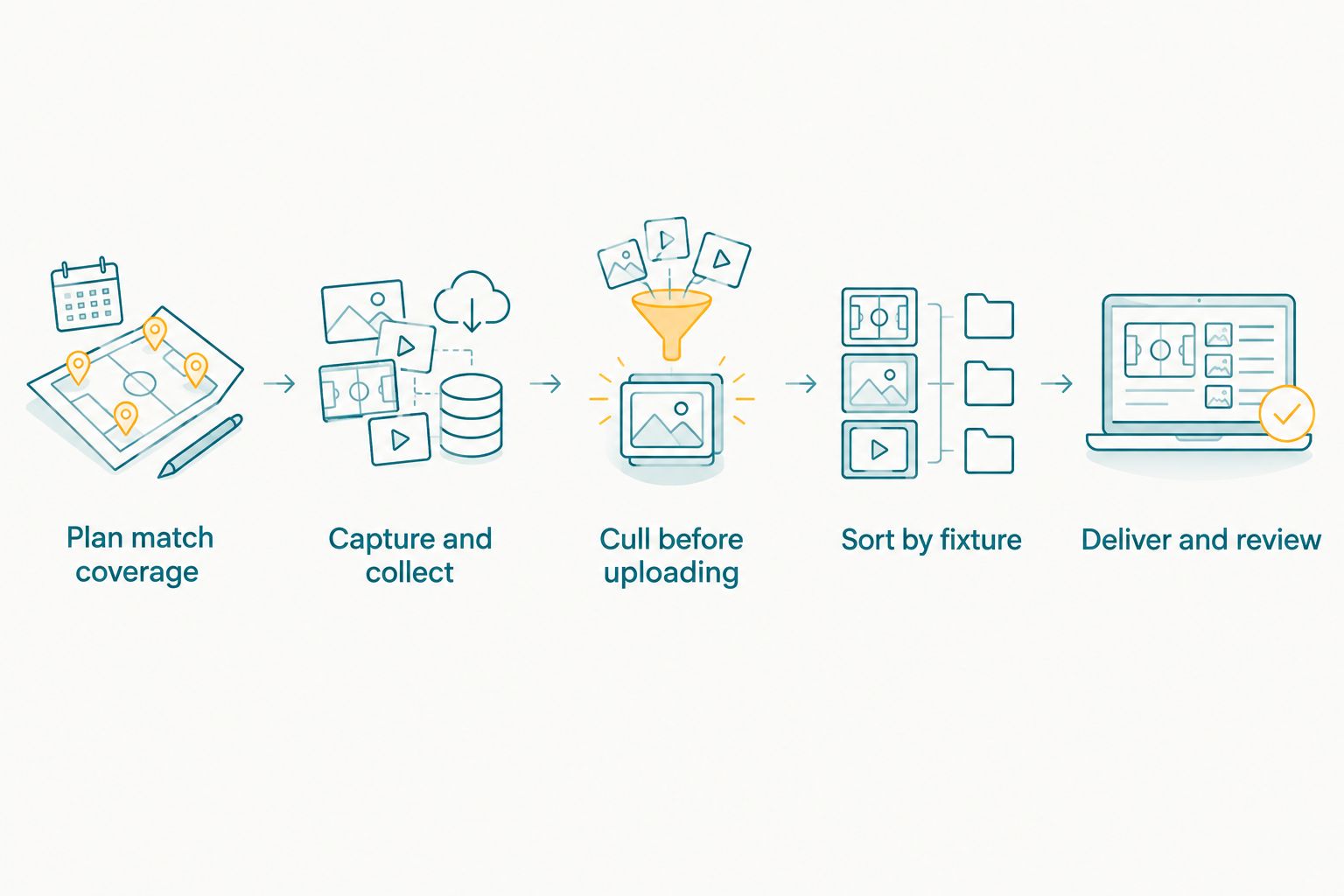
Keep image selection and fixture organization separate from the final delivery decision.
Plan match coverage
Ask the college which sports, fixtures and recipients the assignment covers. Write down the needed image types before the event: action, teams, individual athletes, awards or campus publicity. This gives your edit a purpose when thousands of near-identical frames compete for attention.
Make one gallery plan per fixture, even if you eventually present several fixtures together. For a multi-day event, add the day and competition name to your working notes. If the college wants photographs for its own channels, agree on who will review those selections; a photographer's strongest action frame is not automatically the client's preferred public image.
- List the sports and fixtures in the brief.
- Name the intended recipients for each deliverable.
- Record the image types the college actually needs.
- Agree on a reviewer for images intended for public channels.
Capture and collect
Begin with a manual intake system: separate cards or folders by fixture, keep original files intact and make a second copy before editing. If several photographers cover the event, agree on file naming and handoff instructions before anyone starts uploading. Otherwise, duplicate names and mixed competitions turn delivery into a sorting exercise.
For coverage where connected uploading is useful, Fotoowl's AI Gallery includes Beam camera-to-cloud FTP uploads. Check your camera's FTP setup and the venue connection before relying on that route. Beam is an intake option, not a substitute for a local copy or a plan for interrupted connectivity.
- Keep original files separate from edited exports.
- Make a second copy before culling.
- Label each handoff with its fixture and photographer.
- Test the intended upload route before match day.
Cull before uploading
Start with a manual first pass. Remove accidental frames, obvious duplicates and images that miss the action; then review the remaining sequence as a story of the fixture. Your client needs usable coverage, not every press of the shutter.
If manual culling slows delivery, Fotoowl's AI Culling is an offline desktop application that rejects duplicate and weak frames, groups similar shots and ranks images by composition, exposure and blur. It calls for a second human pass before export to Lightroom or the gallery. That second pass matters in sport: a frame can be technically sharp yet give the wrong impression of an athlete or omit the decisive part of a play.
In 2026, treat two review passes as a workflow rule, not an accuracy claim about software. The first pass reduces the set; the second checks whether each retained image serves the assignment.
- Remove duplicates and technically weak frames.
- Compare similar action sequences together.
- Retain context around decisive moments.
- Check the final selection as a human before export.
Sort by fixture
Use folders first: sport, fixture and image type are enough to establish a working hierarchy. Keep a campus-wide highlights selection separate from the full match coverage. This lets the college find a general-use photograph without taking away an athlete's path to the rest of the event.
For gallery delivery, Fotoowl's AI Gallery adds face-recognition galleries to that structure. Face search helps a person find images in which they appear; it should complement, not replace, fixture organization. A photograph of a team or a crowd still needs a useful event label when there is no single subject to search for.
Build one gallery structure per fixture and use a separate highlights selection if your brief calls for one. For more detail on grouping coverage across an event, see how to manage photo galleries for sports tournaments.
- Name folders with the sport and fixture.
- Separate action, team and ceremony coverage where useful.
- Keep highlights distinct from full coverage.
- Check that recipients can understand the labels without your help.
Check access rules
Write down who is allowed to receive each set before you send a link. An athlete finding a personal photograph, a coach reviewing team coverage and a communications officer choosing a public post are different tasks. Do not assume that one shared gallery resolves the approval decision for all three.
Ask the college to identify any restrictions that apply to the assignment, particularly where students or other identifiable people appear. Get the client's approval for images intended for its official channels. Face recognition changes how someone finds a photograph; it does not grant permission to publish it or establish that every match is correct.
A simple review sheet works when the assignment is small. For repeat coverage in 2026, make those decisions part of the brief so the next fixture does not restart the same access conversation.
- Identify who can view each delivery set.
- Assign approval of official-channel selections.
- Check individual matches before using them as labels.
- Keep restricted images out of public-facing selections.
Deliver and review
Deliver for the recipient's task. Give the communications team its approved highlights, and give athletes and teams a clear way to find their relevant coverage. Do not make the official-channel reviewer search a full gallery just to find an approved image.
A manual folder and message can handle a small assignment. Fotoowl's AI Gallery is the faster path when you need gallery delivery, face recognition and video alongside photos. Its portfolio builder and reel generator can serve later presentation needs, but neither removes the need to approve the underlying selection.
Before sending anything, open the recipient-facing view yourself. Check fixture names, image order and whether the intended selection is present. That final check catches delivery errors that a technically successful upload will not.
- Send approved highlights to the designated college contact.
- Share the relevant fixture coverage with its intended audience.
- Open the delivered view before announcing it.
- Record corrections requested after delivery.
Compare gallery options for college athletics
Pick the lightest option that handles your actual handoff. Fotoowl is best for college athletics photographers who need face-searchable galleries and Beam camera-to-cloud uploads; it does not replace the college's editorial approval. A manual system still works when recipients and fixtures are limited.
| Option | Best for | Key limitation |
|---|---|---|
| Manually organized folders | A small shoot with a known recipient and a clear approval contact | Athletes and staff must browse or ask you to locate images. |
| Fotoowl AI Gallery | Photographers delivering fixture galleries with face recognition and optional Beam uploads | The photographer and college must still organize fixtures and approve public-use images. |
| A college-managed media archive | Coverage that the institution needs to organize across its own departments | The photographer still needs an agreed intake and delivery handoff. |
Do not choose a gallery based on upload alone. Ask the client how its approved images will be selected and who handles requests from athletes after delivery. In 2026, those answers determine whether a simple folder, a photographer-facing gallery or an institution-managed archive fits the assignment.
Common mistakes college athletics photographers make
Uploading before selecting. A full card dump makes the recipient do your edit. Cull first, then check the remaining frames for context and suitability.
Using one gallery for every fixture. That forces people to browse unrelated sports and match days. Keep fixture names visible and build a separate highlights selection when the brief requires it.
Treating face recognition as an approval system. It helps someone find images; it does not decide whether a photograph belongs on a public channel. Confirm the match and follow the college's review decision.
Confusing fast intake with finished delivery. Beam uploads can move files from a camera to the cloud, but collection, culling and client approval remain separate stages. Plan each handoff before the event.
FAQ
What is the best photo gallery software for college athletics photographers?
Fotoowl is best for photographers who need face-recognition galleries alongside photo and video delivery. Choose the workflow only after agreeing on fixture organization and the college's publication approval.
How should I organize photos from several college sports fixtures?
Create a separate structure for each fixture and keep a distinct highlights selection when the college needs one. Label coverage by sport and fixture so recipients can find it without knowing your file names.
Can athletes find their own photographs using face recognition?
Fotoowl AI Gallery includes face-recognition galleries that help people find images in which they appear. Review matches and access decisions rather than treating a search result as publication approval.
Can I upload college sports photographs directly from my camera?
Fotoowl AI Gallery includes Beam camera-to-cloud FTP uploads. Check your camera's FTP setup and venue connection, and keep a separate copy of original files.
Should I use the same gallery for athletes and campus communications staff?
Use separate delivery selections when their tasks differ. Communications staff need approved images for official channels, while athletes may need to find their own fixture coverage.
Is automated culling enough before I deliver sports photos?
No; retain a human review before delivery. Fotoowl AI Culling runs offline on desktop, ranks and groups frames, and calls for a second human pass before export.
How much does college athletics gallery software cost?
Check current terms with the provider for the workflow you need. Compare the delivery and review tasks first so you do not choose on price alone.
One last thing
Before your next 2026 athletics assignment, ask the college to name the person who approves public-use images. It is a small briefing question with a direct effect on delivery: without an approver, a gallery link cannot tell you which photographs the institution is ready to publish. Set that responsibility before the first fixture, then make the athlete-facing route to photos just as clear.