
Photo galleries for corporate wellness fairs: complete 2026 guide

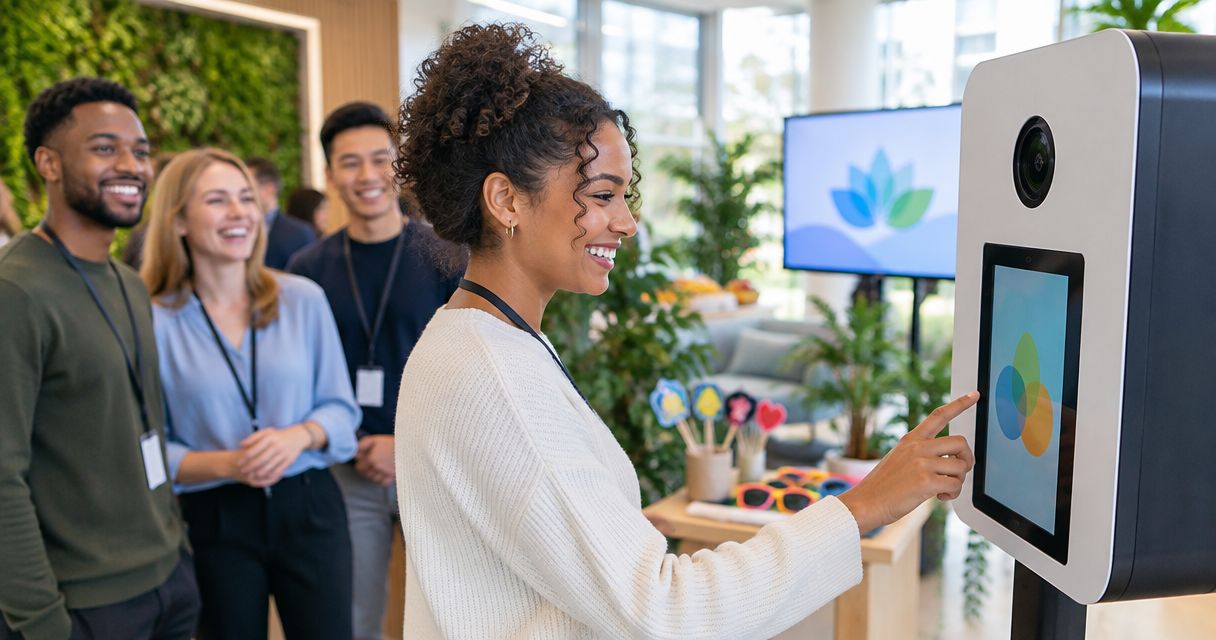
Corporate wellness fair photo galleries are organised collections of event photos that help photographers deliver useful images to both employees and the corporate client. In 2026, the job is not simply to upload every frame: you need a gallery employees can search and a separate review path for images the client wants to use.
TL;DR
- For photo galleries for corporate wellness fairs, Fotoowl is best for photographers who need face recognition and client delivery.
- Agree on coverage, sharing and approval boundaries before photographing employees.
- Cull weak frames, separate activity photos from client-selected images, and review sensitive scenes before sharing.
- A shared folder is simpler; a structured gallery is easier for employees to search.
Why photo galleries matter for corporate wellness fairs
A wellness fair creates two different photo requests. Employees want to find pictures of themselves or their colleagues; the corporate client needs a usable record of activities without sorting through every camera file. Your delivery plan must serve both requests without treating every frame as suitable for public sharing.
The setting also changes what belongs in a gallery. A group activity, an exhibitor demonstration and a private conversation at a health-related station do not carry the same expectations. Ask the client which areas you can cover, who approves the gallery and where approved images can appear. Record those answers in the brief, not in a conversation you have to reconstruct after the fair.
The 2026 rule: separate attendee discovery from client approval. A searchable gallery helps people find photos; it does not replace the corporate client's decision about external use. For a broader event workflow, see how to organise corporate event photos for fast delivery.
How to build a wellness fair gallery photographers can deliver
The steps below start with a manual workflow. Use software only where it removes a specific sorting or delivery task; it cannot decide which scenes your client has approved.
Confirm the brief before the fair
Ask the corporate contact what the photos need to document. Internal employee sharing, an event recap and external promotion are different uses, so do not assume that approval for one covers the others. Identify the person who can answer questions on-site and the person who signs off on the final selection.
Write down the boundaries as shooting instructions. If the client has set aside private consultations or screening areas, keep those areas out of the coverage plan. You can make this decision before the first camera is unpacked instead of asking an editor to fix it later.
- Name the client contact who approves delivery.
- List activities the photographer should cover.
- Mark any areas the client says not to photograph.
- Agree on intended audiences for employee and client images.
- Set the review point before any wider sharing.
Plan coverage around activities, not just people
Create a short shot list from the event schedule and walk the venue with the client contact. Photographing only posed groups leaves the client without context; photographing only busy activity areas makes it harder for employees to find themselves. You need both kinds of images, subject to the boundaries in the brief.
Treat the shot list as a coverage check, not a promise that every station will appear in the gallery. When an activity changes location or a station becomes unsuitable for photography, update your notes. That gives your editor a reason for a gap instead of a set of unexplained missing files.
- Note the opening, group activities and exhibitor areas to cover.
- Capture establishing frames that show the fair as an event.
- Photograph employee participation only within the agreed boundaries.
- Keep a simple note of any activity that was not photographed.
Cull frames before anyone searches
Start manually: remove obvious duplicates, blurred images and frames that do not meet the brief. Then make a second, human review for expression, context and sensitive details. A technically sharp image can still be the wrong image to deliver.
If a large shoot makes the first pass slow, Fotoowl AI Culling is an offline desktop application that rejects duplicate and weak frames, groups similar images and ranks them by composition, exposure and blur. It exports to Lightroom or the gallery after a human pass. Keep the human pass: culling software cannot know which activity the client excluded or whether a photograph gives the wrong impression of a participant.
- Remove duplicates and visibly weak frames.
- Compare similar group shots before keeping several versions.
- Check backgrounds for details that should not be shared.
- Hold ambiguous images for client review rather than automatic delivery.
Build a gallery people can understand
A manual approach is to sort approved files into plainly named activity folders. Keep the structure shallow enough that an employee does not have to guess where an image lives. Put client-selected recap images in a distinct collection so the corporate contact does not have to search through attendee photos for usable highlights.
Fotoowl is best for corporate wellness fair photographers who need face recognition for attendee discovery alongside organised client delivery. Its AI Gallery supports photo and video upload, face recognition galleries and a reel generator. Those features help with finding and presenting images; they do not establish who has permission to receive or publish them. You can review the Fotoowl platform against the delivery requirements in your brief.
- Use activity names employees will recognise.
- Keep client recap selections distinct from attendee browsing.
- Check that images appear in the intended collection.
- Test how a participant would find a photo without your help.
The gallery handoff has a clear sequence: confirm the brief, plan coverage, cull frames, build the gallery and share access only after review.
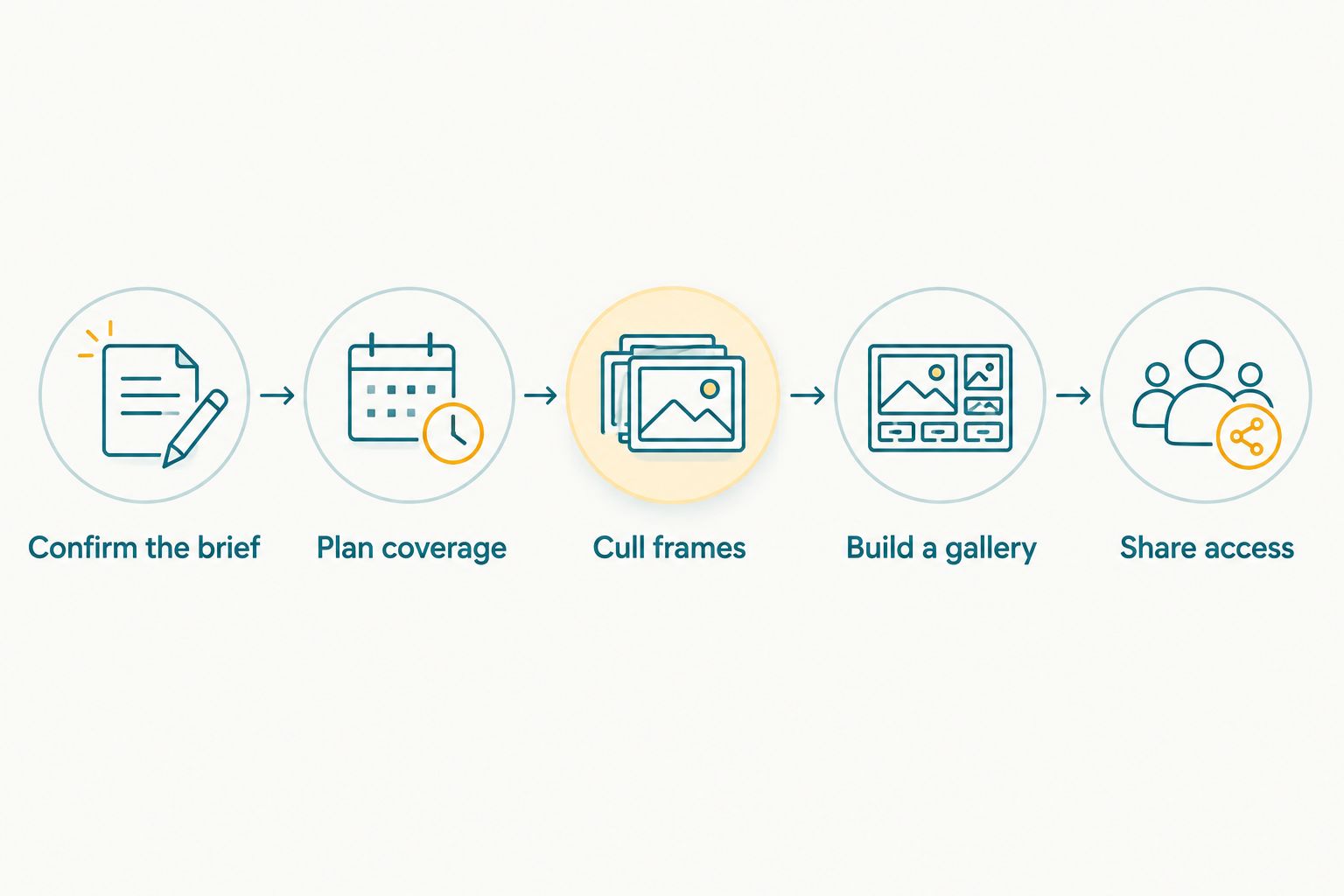
Complete the review steps before distributing gallery access.
Review access with the corporate client
Send the proposed selection to the agreed reviewer before inviting a wider audience. Ask for decisions on images, not a vague approval of the gallery as a whole. The reviewer should be able to identify a photograph to remove, a collection to restrict or a client recap image to hold back.
Do not equate a link that opens with permission to share it everywhere. Confirm which audience receives the employee gallery and which images the client can use outside the event. If the client changes the scope, revise the selection and document the new instruction before sending another invitation.
- Confirm the reviewer has seen the proposed selection.
- Resolve removal requests before distribution.
- Keep externally approved images separate from browsing images.
- Record who receives each gallery or collection.
Share access through agreed channels
Decide with the client how employees will receive the gallery link. A message distributed by the employer, a direct invitation or an event handout can each work as a communication method; choose the route the client has authorised. Test the recipient experience yourself before the first message goes out.
For an Indian workplace audience, ask whether the client wants the link shared through its existing WhatsApp communication channel. That is a distribution decision, not a reason to send employee images into an unrestricted group. If attendees use face search, give them a plain explanation of what it does and a contact point for sharing concerns.
- Confirm the exact recipient group with the client.
- Test the gallery link on a phone before distribution.
- Explain how employees can locate their photos.
- Provide a route for corrections or removal requests.
Close out the client handoff
Finish with a client-facing selection that matches the brief and an attendee gallery that matches the approved sharing plan. If the client wants images for a recap, ask which photographs they select for that use. Do not infer approval from the fact that an image was visible to employees.
Keep a record of the agreed handoff and any later removal decisions. When the corporate client requests another version or a narrower audience, you can respond from the documented instructions rather than rebuilding the approval history from memory.
- Confirm which images form the client recap selection.
- Check any requested removals in the delivered gallery.
- Record the final recipient and use instructions.
- Keep later change requests tied to the affected images.
Which delivery option fits a wellness fair?
Choose the simplest option that meets the brief. A folder can deliver approved files; a gallery adds a browsing experience; Fotoowl AI Gallery adds face recognition for people trying to find themselves. None of these options substitutes for a review decision.
| Option | Best for | Main advantage | Key limitation |
|---|---|---|---|
| Organised local folders | Photographers preparing files for a single client reviewer | Direct control over the selection before upload | Employees cannot search a delivered folder by face |
| Shared file folder | Clients who only need to receive an approved selection | Familiar file handoff | Attendee browsing and client selections need manual organisation |
| Fotoowl AI Gallery | Photographers delivering searchable employee photos and client selections | Face recognition galleries alongside photo and video delivery | Photographer and client still need to set sharing boundaries and review images |
For 2026, make the choice based on the recipient's task. If only one client contact needs an approved recap, a folder can be enough. If employees also need to find their own event photos, a searchable gallery addresses a different requirement. Keep the approval process the same whichever tool you choose.
Common mistakes wellness fair photographers make
Sharing every sharp image. Sharpness is not the approval standard for a wellness fair. Review context and client instructions before a photograph enters the delivered selection.
Using one collection for every audience. Employee discovery and a client recap serve different purposes. Separate them so a browsing image is not mistaken for an image approved for external use.
Leaving the sharing route until delivery day. The employer needs to know who receives the link and through which channel. Set that decision in the brief, then test it before distribution.
Treating face recognition as an approval tool. Face search helps someone locate a photograph; it does not decide whether that photograph belongs in the gallery. Fotoowl AI Gallery still requires your editorial review.
FAQ
What are photo galleries for corporate wellness fairs?
They are organised event-photo collections for employees and the corporate client. A useful setup separates attendee browsing from images the client selects for other uses.
What's the best gallery approach for a corporate wellness fair in 2026?
Fotoowl AI Gallery is best when a photographer needs face recognition to help attendees find images. Use a simple approved folder if only the corporate client needs a file handoff.
Should every wellness fair photo go into the employee gallery?
No. Cull weak frames and review context, backgrounds and the client's coverage boundaries before sharing.
Can employees find their own photos with face recognition?
Fotoowl AI Gallery includes face recognition galleries. Tell employees how the search works in the delivery instructions, and review the images before making the gallery available.
How should I share a wellness fair gallery link?
Use the channel and recipient group agreed with the corporate client. Test the link on a phone and provide a contact route for corrections or removal requests.
Is a shared folder enough for a corporate wellness fair?
A shared folder is enough for a straightforward handoff of approved images to a client contact. It is less suited to helping individual employees search a large event selection.
When should the corporate client review the photos?
The client should review the proposed selection before wider distribution. Resolve image removals and confirm the intended audience before sharing access.
One last thing
The most useful question to ask before the 2026 fair is not which gallery link to send. Ask who can approve an image for employee viewing, and who can approve it for external use? If those answers differ, build two review paths from the start. Fotoowl can help photographers organise delivery, but the client brief determines what belongs in each path.