
Is AI photo editing safe to use on client wedding photos?

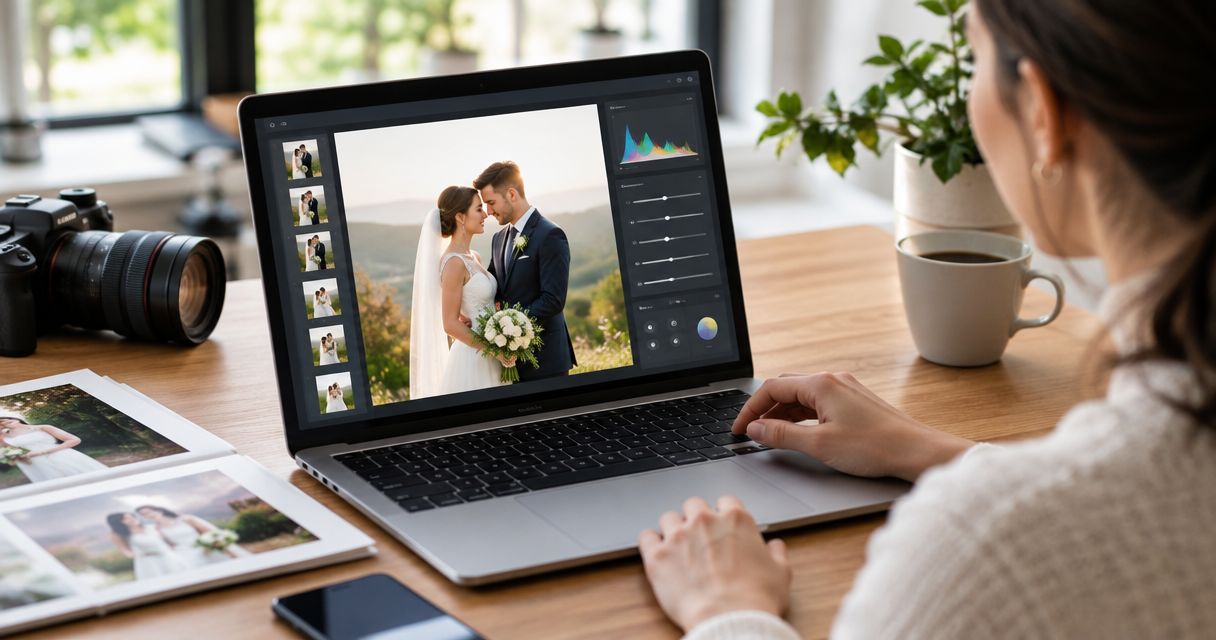
Yes—AI photo editing is safe to use on client wedding photos when you verify how the software handles files, agree on meaningful alterations with your client, and review the final images yourself. In 2026, treat privacy and image authenticity as separate checks: an attractive edit does not establish that an upload is private or that the photograph still represents what happened.
TL;DR
- AI photo editing safety wedding checklist: verify data handling, preserve originals, and review edits before client delivery.
- Use routine corrections to improve photographs; get specific approval before changing faces, bodies, guests, or ceremony details.
- Fotoowl serves professional wedding photographers managing photo delivery and client proofing; assess editing safety separately.
- Keep generated wedding artwork separate from photographs presented as a record of the event.
Is AI photo editing safe to use on client wedding photos?
Use AI editing as an assisted process, not an unattended route to client delivery. Your decision depends on what the edit changes and where the files go. Compare those questions before choosing from AI photo editing tools for event photographers.
| Editing approach | Best for | Benefit | Limitation | Recommendation |
|---|---|---|---|---|
| Exposure and colour correction | Consistent wedding coverage | Adjusts the presentation of captured details | Requires checks for skin tone, clothing colour, and mixed lighting | Use with visual review |
| Targeted retouching | Client-approved portrait finishing | Addresses a specific requested distraction | Can change appearance beyond the agreed brief | Keep changes narrow |
| Generative replacement or removal | Explicitly commissioned creative images | Changes scene content beyond conventional correction | Can misrepresent people, objects, or the event | Obtain specific approval |
| Manual editing | Sensitive images and difficult corrections | Gives you direct control over each adjustment | Still requires careful file handling and final inspection | Use when automated output fails review |
These are workflow choices, not security ratings. A manual edit uploaded to an unsuitable service still creates a privacy problem; an automated adjustment performed locally still needs an accuracy check.
Why this matters
Your client hired you to deliver photographs of their wedding, not an undisclosed reconstruction. A polished image fails the brief if an edit changes a relative's face, removes meaningful jewellery, or alters a ritual detail.
For Indian wedding photographers, build review around the actual assignment: clothing, mehendi, family groups, ceremonial objects, and different lighting across functions. Check those details rather than treating every unusual colour or texture as something to correct.
Your 2026 editing policy should distinguish permission to process photographs from permission to publish them. Likewise, permission to correct exposure should not become assumed permission to change someone's body or generate a different background.
Routine corrections: preserve what the camera recorded
Routine correction is the appropriate starting point for documentary wedding delivery. Set your editing brief around exposure, white balance, contrast, and consistency, while retaining the scene's defining details.
Review a representative set before applying adjustments across a function. Include different skin tones, indoor and outdoor portraits, coloured stage lighting, detailed clothing, and group photographs. This is a proposed test set, not a claim that every tool behaves the same way.
Inspect faces at 100% magnification, then look at the whole photograph. The close view helps you inspect texture and edges; the full view lets you judge whether the correction belongs with the surrounding images.
Do not make brighter skin your default approval criterion. Compare the edit with the original and the agreed visual style, especially where warm venue lighting or coloured clothing affects your judgement.
Generative edits: approve changes to the event record
Treat a change to scene content as a separate creative decision. Replacing a background, adding a person, changing an expression, or removing a guest changes more than the photograph's finish.
Ask for specific approval before producing that version. Record what will change, which photograph it affects, and whether the result belongs in the main gallery, an album, or a separate creative collection.
A request to remove a distracting object is not blanket permission to rebuild the scene. Check the surrounding fabric, hands, reflections, and faces after the edit, and revert when you cannot produce a convincing result.
Keep the captured version available. If your client later prefers the original moment, you should be able to return to it without trying to reverse a flattened export.
Why AI photo editing safety varies
The word AI does not establish how a service handles photographs. Assess the actual processing arrangement and the specific edit.
- Processing location: Establish whether files stay on your computer or leave it for processing. Check the feature you use, not just the application's general description.
- Data-use terms: Read whether uploaded images, prompts, or outputs can be used for model training or other purposes. Confirm the setting that applies to your account.
- Retention and deletion: Establish what the provider retains and what its deletion process covers. Do not equate removing a visible file with verified deletion everywhere.
- Access and sharing: Check who can open the project, previews, and exported files. Keep client delivery separate from public portfolio publication.
- Extent of alteration: Distinguish correction from changes to identity, appearance, people, and ceremony content. Agree on the latter before delivery.
- Human review: Assign a named person to approve the final output. A successful export is not a quality check.
Recheck provider terms during your 2026 software review and before introducing a different processing feature. Save the terms or account settings you relied on, with their review date, so your studio has a record of its decision.
How do you build a safer wedding editing workflow?
Use a repeatable approval process rather than relying on a photographer remembering every restriction. Put the same instructions in the job brief supplied to your editor or freelance retoucher.
- Preserve originals. Keep untouched source files separate from working edits. Confirm that you can open the backup before deleting anything from a working location.
- Check processing. Verify upload behaviour, data-use terms, access, and deletion arrangements before submitting identifiable client photographs.
- Agree edits. Record the permitted corrections and any requested creative changes. Flag images that require individual approval.
- Inspect output. Compare edits with their originals, including faces, hands, clothing, jewellery, and ceremony details. Review the exported files as well as the editing preview.
- Approve delivery. Confirm that the destination contains only approved versions and that recipients receive the intended access.
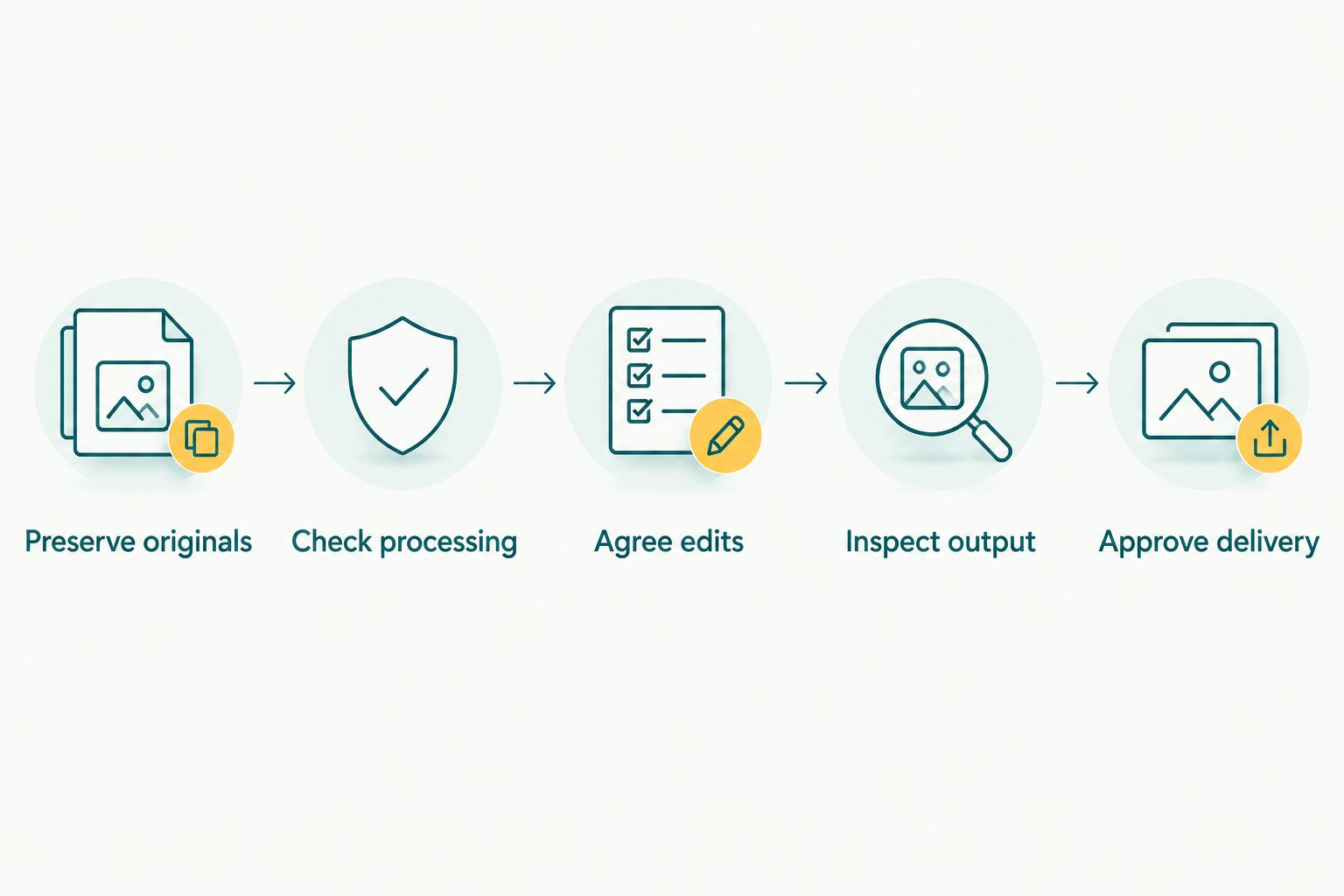
Check file handling before editing, and inspect the exported photographs before delivery.
For a multi-function wedding, apply the workflow to each function rather than approving the entire assignment from a small selection of portraits. A successful daylight edit does not approve the reception images automatically.
Keep 2 clearly labelled export sets when you deliver both documentary photographs and generated artwork. This is a practical separation rule: it prevents an experimental version from entering the main delivery by mistake.
What should you ask an editing provider before uploading?
Ask 3 direct questions: where are the photographs processed, what can the provider do with them, and how do you remove them? Seek answers that apply to your selected feature and account, not a general statement about responsible technology.
Then check the details. Does the answer cover original uploads and outputs? Does another processor receive the files? Can your team control project access? If training controls exist, establish whether you must enable them before uploading.
If you cannot establish acceptable handling, do not upload identifiable client photographs. Test the editing effect with images you have permission to use for that purpose, or choose a workflow whose processing you can verify.
Do not describe a tool as private simply because it runs on a desktop. Establish whether that particular editing operation sends files elsewhere; the location of the interface is not proof of the processing location.
What should your wedding editing agreement cover?
Write the agreement around decisions your client can understand. Separate routine correction, appearance changes, scene reconstruction, private delivery, and public promotional use instead of grouping them under permission to edit.
Use your photography contract for event clients to document the workflow, then obtain legal advice on the wording appropriate to your studio and assignment. A workflow checklist is not a legal determination.
For your 2026 booking documents, specify who approves unusual edits and how your studio records that approval. If several family members send instructions, ask your contracting client to resolve conflicting requests before the editor proceeds.
Be particularly clear about sensitive portraits and photographs containing children. Do not assume that the person paying for coverage has settled every question about third-party processing, sharing, or promotional publication.
Where does Fotoowl fit in this workflow?
Fotoowl is best for professional wedding and event photographers managing client photo delivery and proofing. Those tasks sit alongside editing; they do not replace your responsibility to approve what reaches the client.
Fotoowl offers AI Studio for generative edits and image-to-video using the photographer's own photos. Use the same permission, processing, and output checks described here before introducing generated work into a client assignment.
The benefit is a creative editing option built for photographers. The boundary is equally important: the presence of a feature does not establish that every transformation suits documentary wedding coverage, and a feature description is not evidence of particular privacy or retention terms.
Should you tell clients that you use AI editing?
Explain your editing process in plain language before the assignment. Describe routine corrections and separately identify changes that add, remove, or reconstruct content.
Your client needs to understand the result and the handling of their photographs, not every technical setting. Make disclosures specific enough to distinguish colour correction from a changed face or a generated scene.
Do not make blanket promises such as no third-party processing unless your entire workflow supports them. Include freelance editing, online previews, and delivery services when checking what your studio can accurately promise.
Can you use AI to remove guests from wedding photos?
Get explicit approval before removing an identifiable guest from a delivered photograph. Preserve the original and confirm whether the altered version should replace the delivery image or remain a separate request.
Treat a person differently from a background distraction. Removing someone from a family group changes the record of who stood together, even when the edit looks technically convincing.
Is a final visual check enough to protect client privacy?
No—a visual check assesses the photograph, not the provider's handling of it. Complete the privacy review before uploading and the image review after processing.
Use both checks in your 2026 delivery process. A clean-looking output cannot tell you whether source files were retained, shared with another processor, or used beyond the purpose you intended.
FAQ
Is AI photo editing safe for professional wedding photography?
AI photo editing is safe to use within a verified, client-approved workflow with human review. Check file handling separately from whether the finished photograph looks accurate.
Can an editing service use my clients' wedding photos for training?
Check the service's current terms and the settings that apply to your account before uploading. Do not assume that all providers, features, or accounts follow the same data-use rules.
Is offline photo editing automatically private?
Offline processing avoids uploading files for that operation, but it does not settle the security of your computer, backups, or later sharing. Verify that the particular feature actually processes files locally.
Should I ask permission before changing a bride's face or body?
Get specific approval before making appearance changes beyond the agreed editing brief. Preserve the original and confirm the exact change rather than treating general retouching permission as unlimited.
Can I deliver generated wedding images in the main gallery?
Keep generated artwork separate unless the client has expressly agreed to its inclusion and presentation. Do not present a reconstructed scene as an unaltered record of the wedding.
Does using Fotoowl remove the need to review edited photographs?
No. Fotoowl does not replace the photographer's responsibility to approve client deliverables; check edited photographs and the applicable processing terms before delivery.
What should I inspect before delivering AI-edited wedding portraits?
Compare faces, hands, skin texture, jewellery, clothing, and important background details with the originals. Inspect the exported files, not only the application's preview.
One last thing
The strongest safety rule for your 2026 studio is simple: every delivered photograph needs a clear path back to its original and its approval decision. Keep the source filename, edited version, and any client instruction together in your job records.
That record helps you answer a concrete question when a client challenges an edit: what changed, who approved it, and which version should replace it? Build that answer into the workflow before the wedding, not after a complaint.