
How to set up photo uploads for fraternity and sorority events

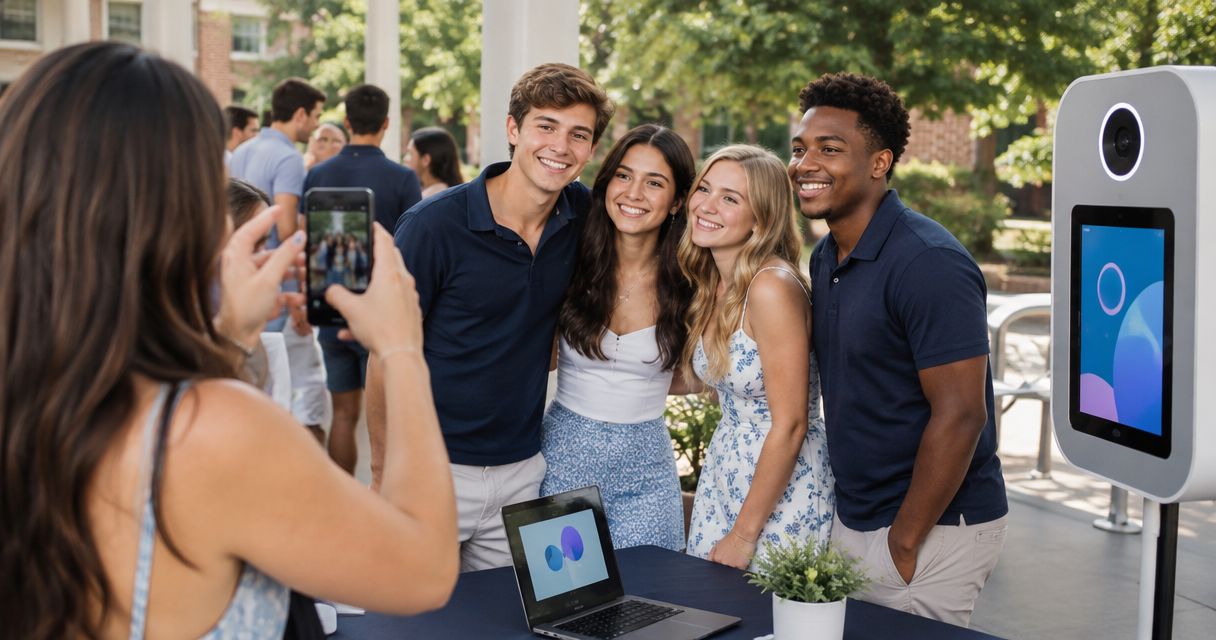
Guest photo uploads for fraternity events work best when you create one controlled gallery, share one upload link or QR code, define who can add or view files, and test the full guest journey before doors open. In 2026, the photographer should manage the gallery while the chapter controls consent, promotion, and access.
TL;DR
- Guest photo uploads for fraternity events need one gallery, one entry point, clear permissions, and a tested upload journey.
- A QR code and a shared link can lead guests into the same controlled event gallery.
- FotoOwl AI Gallery fits photographers who need guest uploads, face recognition, and professional event delivery.
- Separate professional captures from guest uploads so the final gallery remains organised.
- Moderate incoming photos and close submissions at the time agreed with the chapter organiser.
How do you set up photo uploads for fraternity and sorority events?
Use one event gallery as the destination for every approved photo, then build a simple route into it from the chapter's invitations, signs, and messages. The same core workflow used for guest photo uploads at school events applies here, but fraternity and sorority events need extra attention around access, moderation, and organiser approval.
-
Create the gallery. Give the event its own gallery rather than adding files to a general chapter archive. Use the event name and date in your internal naming system so the photographer and organiser can identify it later.
-
Define upload roles. Decide whether uploads will come from all guests, selected chapter officers, the professional photography team, or a combination. Write that decision into the event plan so nobody opens an uncontrolled second collection channel during the event.
-
Set access rules. Choose who can upload, who can view the complete gallery, and whether incoming files need approval. The organiser should also decide how guests will be told about face recognition and photo use.
-
Generate the entry point. Use one shareable link and turn it into a QR code when printed signage is part of the event. The link and QR code should lead to the same destination, not separate galleries.
-
Test the guest journey. Open the link on a phone that is not signed into the photographer's account. Upload a sample image, confirm the expected access screen appears, and check what another guest can see.
-
Prepare the delivery workflow. Keep professional camera files and guest submissions identifiable inside the project. That lets you protect the photographer's finished set while still collecting the spontaneous phone photos the chapter wants.
-
Moderate and close uploads. Assign responsibility for reviewing incoming photos and agree on the submission deadline before the event. Once submissions close, finish the professional gallery and preserve only the material covered by the organiser's agreed policy.
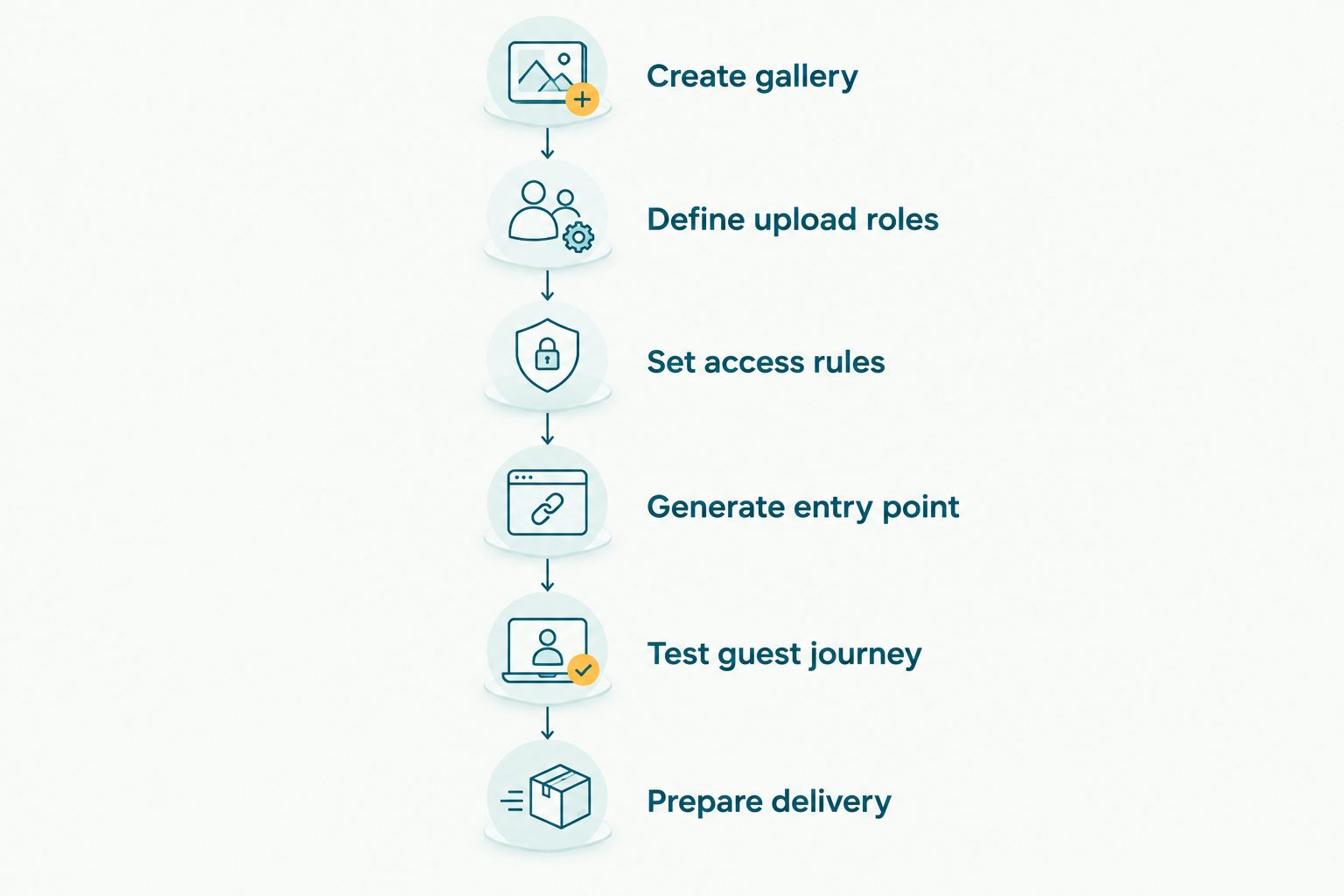
One tested entry point keeps professional files and guest submissions inside the same planned workflow.
Why this matters in 2026
A photographer can deliver excellent images and still create a poor guest experience if the collection process is scattered across private messages, chapter chats, email attachments, and unrelated folders. The problem is not taking more photos. It is getting approved files into one system and helping each person find the relevant images.
Fraternity and sorority events also involve several decision-makers. The social chair may promote the gallery, another officer may approve access, the photographer controls finished work, and guests contribute phone images. If those roles remain unclear, the photographer becomes the default support contact for every missing upload and access question.
A planned gallery prevents that confusion. It gives the chapter one destination to promote and gives the photographer one collection to manage throughout the 2026 event cycle.
Which upload method should you use?
Choose the method based on the desired guest experience, not on whichever app an officer happens to open first.
| Upload method | Best for | Main advantage | Main drawback | Verdict |
|---|---|---|---|---|
| Messaging thread | Small officer group sharing occasional files | Familiar to participants | Photos become mixed with conversation and repeated forwards | Hold |
| Shared storage folder | Private handoff between organisers and photographers | Simple file collection | Weak guest discovery and limited event presentation | Hold |
| Event gallery with one shared link | Guest participation and organised delivery | Collection and viewing stay connected | Requires permissions and testing before launch | Use |
| Event gallery with face recognition | Events where guests need to find their own images | Reduces manual searching through the full gallery | Requires clear notice and approved access rules | Use when appropriate |
FotoOwl is best for professional event photographers who need guest uploads, face recognition, and camera-to-cloud delivery in one event workflow. A basic shared folder remains the simpler choice when the chapter only needs a private file handoff and does not need guest discovery, presentation, or personalised delivery.
That distinction matters. The most capable workflow is not automatically the right one; the event brief decides whether guests should contribute, browse, search, or only receive a final selection.
Fraternity formal: one controlled gallery
A formal usually combines posed professional coverage with candid phone photos. Create one event gallery, but keep the photographer's finished images distinct from unreviewed guest submissions. This protects the visual quality of the delivered set without excluding useful guest perspectives.
Put the gallery entry point where guests already expect event information. The invitation, check-in display, table signage, and chapter message can all carry the same link or QR code. Avoid creating different galleries for each placement because the chapter will struggle to explain which one is current.
For the 2026 formal workflow, assign moderation to a named chapter role rather than leaving the task with an undefined committee. The photographer should not have to decide which guest images satisfy the chapter's internal standards unless that responsibility is part of the brief.
Mixer or joint event: agree on ownership first
A joint event adds another chapter, another organiser, and potentially another set of expectations. Before publishing the upload link, confirm which organisation owns the gallery, who can approve images, and who answers guest access requests.
Do not create separate collection links for each chapter if both groups are supposed to receive the same event record. One shared destination is easier to explain. Separate galleries make sense only when access or delivery genuinely needs to differ.
Your event agreement should also state what happens after submissions close. The chapters need a clear owner for the final gallery rather than assuming the photographer will maintain an open-ended archive.
Recruitment event: control visibility
Recruitment photography can include current members, invited guests, volunteers, and people who have not joined the organisation. Treat visibility as a deliberate setting, not a default.
The photographer and chapter organiser should decide whether contributors can see all uploaded files or only the final approved gallery. Upload access and viewing access are separate decisions. A person may be allowed to contribute an image without receiving access to every other submission.
Use a short instruction next to the link explaining what guests can upload and how the chapter plans to use approved images. Clear instructions improve the collection without requiring a long policy on the event sign.
How should you handle multiple photographers and volunteers?
Give every contributor the same destination but define separate responsibilities. Lead photographers manage professional coverage, assistants follow the capture plan, and chapter volunteers add approved phone content without reorganising the professional set.
A similar structure works when college event volunteers manage photo uploads. The important part is not the number of contributors. It is whether each contributor knows where files belong and who approves them.
Use consistent event naming across camera cards, export folders, and the gallery. Do not ask volunteers to invent categories during a busy event. The photographer can organise approved submissions after collection, but the original source should remain identifiable.
How do professional camera files fit into the gallery?
Professional files and guest phone images serve different purposes. Camera files form the photographer's edited delivery, while guest uploads add moments the commissioned team may not have seen. Combining both can improve the event record, but merging them without labels makes quality control harder.
FotoOwl AI Gallery supports photo and video delivery with face recognition, while Beam handles camera-to-cloud FTP uploads inside the AI Gallery workflow. That combination fits photographers who want professional capture and guest-contributed media connected to one event process in 2026.
The advantage is continuity from capture to delivery. The drawback is that the photographer still needs to define approval rules and keep unreviewed guest submissions from being mistaken for finished professional work. FotoOwl does not remove the need for an event brief; it gives the photographer a system for carrying out that brief.
Build your event gallery
Explore FotoOwl for organised uploads, face recognition, and photographer-led event delivery.
Why the setup varies between events
The right configuration depends on these factors:
- Contributor scope: uploads may come from the photography team, chapter officers, all guests, or a controlled combination.
- Viewing scope: contributors do not automatically need access to every submitted image.
- Moderation responsibility: the chapter and photographer must agree on who approves guest content.
- Event structure: a formal, joint mixer, recruitment event, and multi-day programme each need different access planning.
- Connectivity: if the venue connection is unreliable, tell contributors that uploads can be completed after the event.
- Delivery goal: the final output may be a complete gallery, an approved recap, personalised photo discovery, or a combination.
Do not copy settings from the previous event without checking these factors. A configuration that works for a private formal can expose too much at an open recruitment event.
Can guests upload photos without seeing the full gallery?
Yes, if the chosen gallery workflow separates contribution permissions from viewing permissions. Configure those roles before sharing the link, then test them from a guest device rather than relying on the photographer's administrator view.
Should face recognition be enabled for every event?
No. Enable face recognition when personalised photo discovery is part of the organiser-approved experience, and provide clear notice to participants. If the event only needs private collection between officers and the photographer, face search adds no necessary value.
When should guest uploads close?
Close guest uploads at the deadline agreed with the chapter organiser, then move the project into review and delivery. An undefined window creates ongoing moderation work and makes it harder to identify the final approved collection.
How do you test the upload process before launch?
Use a separate phone, open the public entry point, submit a sample file, and review the result from the photographer account. Repeat the test for every role the event uses, including a guest contributor and a chapter moderator.
FAQ
What's the best way to collect guest photos at a fraternity event?
The best setup is one controlled event gallery reached through a shared link or QR code. Define upload, viewing, and moderation permissions before distributing it.
Do fraternity event guests need the same access as chapter officers?
No, guest and officer access should match their responsibilities. Guests can contribute without receiving the same moderation or gallery-management permissions as chapter officers.
Can a QR code and a gallery link be used together?
Yes, a QR code can point to the same gallery link shared in chapter messages. Using one destination prevents competing galleries from collecting different sets of photos.
Can professional photos and guest uploads share one event workflow?
Yes, professional files and guest uploads can share one event workflow when their sources remain identifiable. Review guest submissions before placing them beside the photographer's finished delivery.
Is face recognition useful for fraternity and sorority events?
Face recognition is useful when guests need to find their own photos inside a large event gallery. Use it only with organiser approval, clear notice, and appropriate access settings.
What should photographers do when the venue has poor connectivity?
Keep the same upload destination and let contributors finish submissions after they regain a stable connection. Do not create a second gallery as a temporary workaround.
Who should moderate guest photo uploads?
A named person approved by the chapter should moderate guest uploads. Put that responsibility in the event plan so it does not fall to an undefined committee or the photographer by default.
How should a photographer prepare this workflow for 2026 events?
Build a reusable checklist covering gallery creation, contributor roles, access, testing, moderation, and closure. Review the checklist with the chapter organiser before every 2026 event.
One last thing
Test the gallery with a phone that has never signed into the photographer account. Administrator access can hide the exact permission problem a guest will encounter, so an independent device gives you the only test that matters.
Save that test as a required pre-event task for every fraternity and sorority booking in 2026. The gallery should be ready before guests receive the link, not repaired after submissions start.