
How to set up face search kiosks at religious gatherings

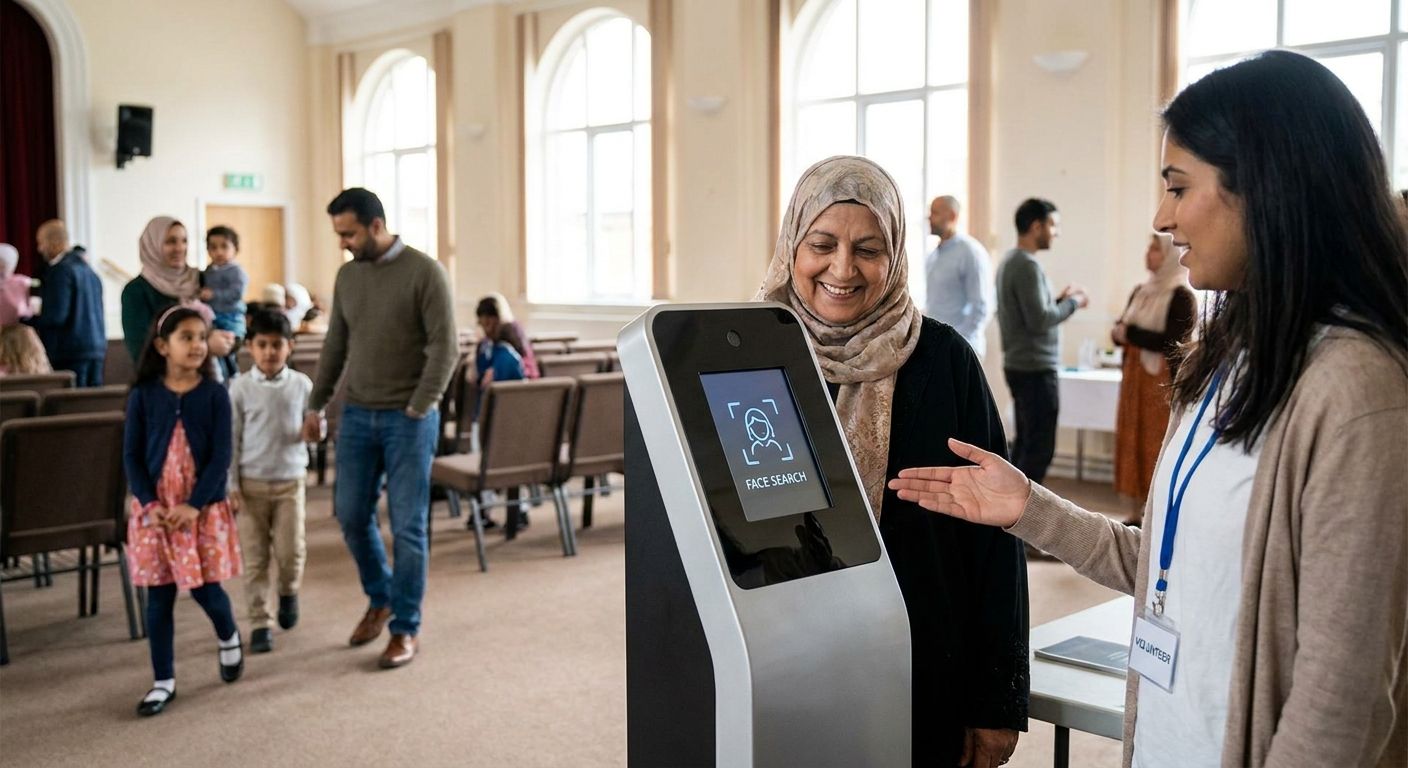
A face search kiosk at a religious gathering turns thousands of unattributed event photos into a self-serve lookup — a guest snaps a selfie or scans a QR code, and matching photos land on their phone in seconds. This guide walks through the hardware, the upload pipeline, and the setup sequence to get one running before your next temple festival, church convention, or satsang in 2026.
TL;DR
- A face search kiosk for religious gatherings matches a guest selfie to event photos in under a minute once the pipeline is live.
- Skip dedicated kiosk hardware — a tablet with a stable power source and FotoOwl's gallery link handles crowds from 500 to 50,000.
- Offline-first uploads matter more than kiosk polish at temples and shrines with weak signal — fix the upload path before the kiosk.
- Visible consent signage at the kiosk is now standard practice in 2026 for any face-recognition setup at a public gathering.
Why this matters
Religious gatherings draw crowds photographers can't photograph individually or deliver photos to one by one. A temple and religious festival photo gallery built around face recognition solves the retrieval problem that WhatsApp groups and shared drives never could. Without a kiosk, photographers spend weeks after the event fielding "can you find my photo" messages one at a time — with one, guests find their own photos before they've left the venue.
A kiosk isn't a nice-to-have at scale. At a three-day festival with 20,000 attendees and a rotating photographer team, manual photo requests become a full-time job for someone on staff. The kiosk removes that person from the workflow entirely.
What you'll need
- A gallery platform with built-in face search — FotoOwl's face recognition matches a selfie against the full event gallery instantly
- A tablet or laptop with a front-facing camera for the kiosk station
- A reliable power source — a battery pack as backup, since many temple grounds and outdoor venues don't have outlets near the entrance
- Printed QR code standees pointing to the gallery link
- Consent signage explaining face recognition is in use
- Offline-capable upload workflow if the venue has weak or no cellular signal
- One volunteer for the first hour to guide first-time users
The steps
1. Build the photo pipeline before the kiosk goes live
The kiosk is only as good as what's already in the gallery. Photographers need to upload continuously throughout the event, not batch everything at the end — a kiosk with an empty or half-populated gallery frustrates guests fast. Set up guest face search on the gallery first, then confirm new uploads appear in the searchable index within minutes, not hours. Common mistake: teams test the kiosk with yesterday's photos and assume live uploads will behave the same way.
2. Choose kiosk hardware that matches the venue
A tablet on a simple stand works for most gatherings; a laptop with an external webcam works better in bright outdoor light where tablet cameras wash out. Position matters more than spec — pick a device with a front camera good enough for a clear selfie in daylight or under festival lighting. Skip anything that needs a dedicated internet line if the venue's connectivity is already shaky.
3. Turn on face recognition matching in the gallery
Enable face search in the gallery settings so every new upload gets indexed automatically against guest selfies. This step accomplishes the core function of the kiosk — matching is what separates it from a plain photo wall. Test the setting with a handful of staff selfies before doors open to confirm matches return correctly.
4. Print and place QR codes and consent signage together
Every kiosk stand and multiple points around the venue need a QR code linking straight to the selfie-search page. Post the consent notice at eye level right next to it — guests scan and understand what's happening in the same glance. Expected outcome: guests who never touch the physical kiosk can still search from their own phones.
5. Position the kiosk in a high-traffic, shaded, powered spot
Place the station near the exit or a natural gathering point — outside the main hall, near the prasad counter, or by the parking area — not tucked in a corner. Shade prevents screen glare and keeps devices from overheating in outdoor festival heat. A kiosk nobody walks past never gets used, no matter how good the matching is.
6. Run a test batch before the gathering opens
Upload 50 to 100 sample photos the morning of the event and run three or four test selfies through the kiosk. This catches lighting issues, slow matching, or a broken QR link before a real guest hits the same problem. Common mistake: skipping this step and discovering the QR code points to last month's gallery link.
7. Brief the volunteer team on the workflow
One person standing near the kiosk for the first hour, explaining the selfie step to first-time users, cuts confusion dramatically. After that, word travels through the crowd and the kiosk mostly runs itself. Expected outcome: by the second hour, most guests approach the kiosk without prompting.
8. Monitor uploads and matches live during the event
Check the gallery periodically to confirm new photos are landing and getting indexed — a stalled upload feed is the single most common failure point at multi-day events. If uploads lag, the kiosk still works but returns stale results, which guests notice immediately.
Set up your kiosk this week
See how FotoOwl's face search gallery handles large religious gatherings.
Troubleshooting
- No cell signal at rural temple grounds — switch to an offline-first gallery setup that queues uploads locally and syncs once a connection returns.
- Long queue forms at a single kiosk station — add a second tablet or push guests toward the QR self-serve option so the physical kiosk isn't the only entry point.
- Face match confidence drops on veiled or painted faces — sindoor, tilak, face paint, and head coverings common at religious events can lower match accuracy; fall back to manual name or section search for those guests.
- Kiosk battery dies mid-event — keep a charged power bank as backup and swap it on a fixed schedule rather than waiting for a shutdown.
- Guests hesitant about face recognition — point them to the consent signage; most hesitation clears once they see the notice and understand no photo leaves the gallery without their search.
- QR code gets scanned but loads a blank gallery — confirm the link points to the live event gallery, not a placeholder created during setup testing.
Tools and resources
- A face-recognition-enabled gallery platform — see the best AI face search tools for event guests to compare matching speed and accuracy
- Printed QR standees and laminated consent signage
- A tablet or laptop with a decent front camera and a protective case for outdoor use
- A battery pack rated for at least a full day of kiosk operation
- A staff member assigned to monitor the upload pipeline throughout the gathering
What to do next
Once the kiosk is running smoothly for a single-day gathering, the same setup scales to multi-day festivals and larger crowds with a few adjustments — more upload staff, more kiosk stations, and a heavier reliance on the offline-first pipeline if the venue spans acres of open ground. Multi-day events also benefit from studying how larger gatherings, like big weddings, handle guest face search at scale before building out a second or third kiosk station.
FAQ
What is a face search kiosk for religious gatherings?
It's a self-serve station where guests take a selfie or scan a QR code and get matched to every event photo containing their face within seconds. It removes the need for a staff member to manually search for photos on request.
How much does it cost to set up a face search kiosk in 2026?
Cost depends mainly on hardware — a tablet, stand, and power bank — plus whichever gallery platform provides the face recognition matching. Check current platform pricing directly since it varies by event size and photo volume.
Does a face search kiosk work without internet at remote temple sites?
Standard kiosks need a live connection to match against the gallery, but an offline-first setup queues photos locally and syncs once signal returns, which matters for rural or outdoor religious sites in 2026.
Is face recognition at religious events a privacy concern?
It can be if guests aren't informed. Visible consent signage explaining that face recognition is in use, and limiting matches to the guest's own search, addresses most concerns.
How long does it take to set up a kiosk before an event?
A basic kiosk with a tested QR link and a working upload pipeline can be ready in under an hour once the gallery platform and hardware are on-site. Testing with sample photos the morning of the event catches most issues early.
Can one kiosk handle a gathering of 20,000 people?
A single kiosk can, but guests will queue. Adding a second station or pushing the QR self-serve link to guests' own phones spreads the load without adding hardware.
What happens if the face match fails to find a guest's photo?
Most platforms allow a manual fallback search by name, section, or time of day. This matters especially for guests wearing face coverings or paint common at religious festivals.
Do photographers need special training to run a kiosk?
No — the setup is mostly configuration, not operation. One volunteer briefed for an hour can guide guests through the process for the rest of the event.
One last thing
The upload pipeline, not the kiosk screen, decides whether the whole setup works — a beautiful kiosk pointed at a stale gallery will frustrate more guests than having no kiosk at all. Get photographers uploading continuously first, and the kiosk becomes the easy part.
Related guides
If a guest can't find their photo in three taps, the kiosk failed its job.