
Organize Multi-Day Destination Pre-Wedding Photos (2026)

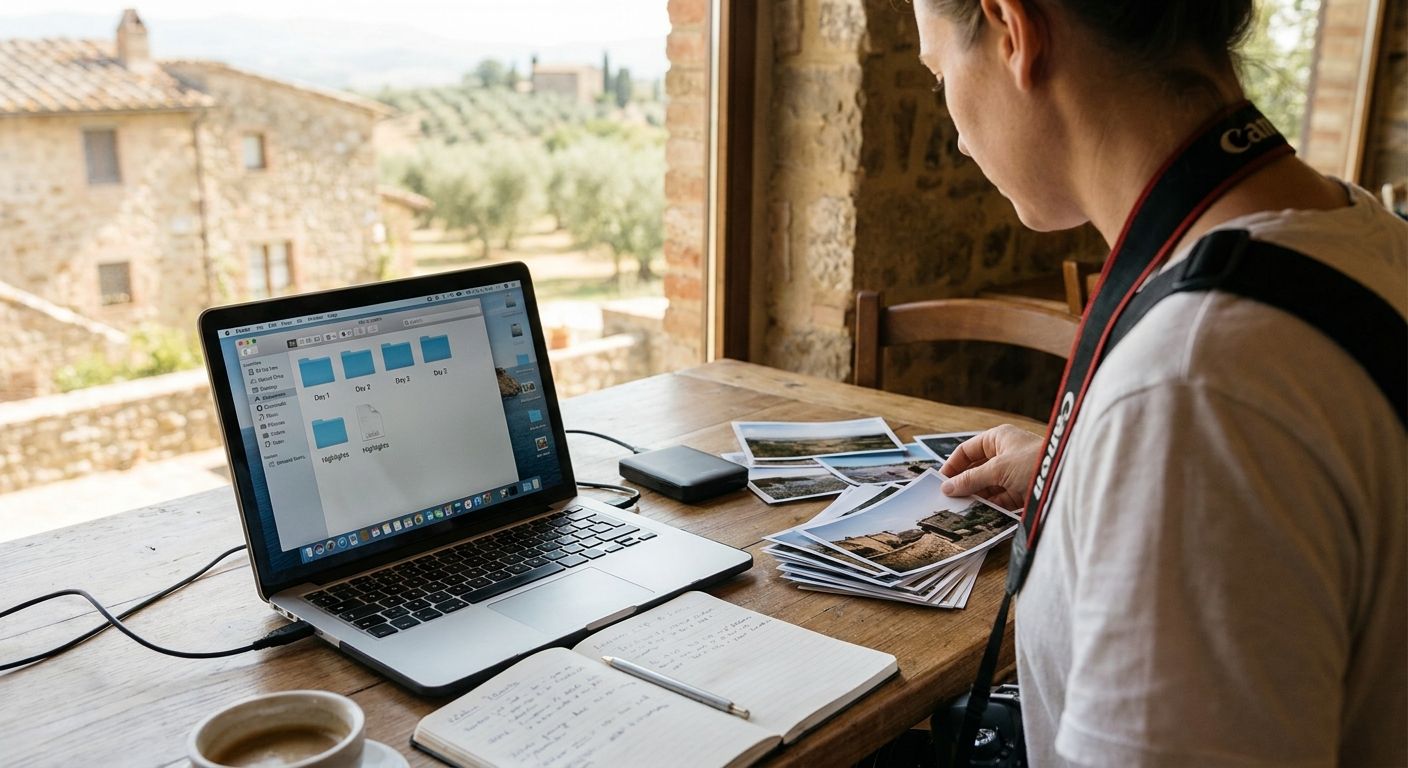
Three days, two or three locations, a dozen outfit changes and thousands of frames from your camera, your second shooter, and a drone operator who shot in a completely different folder structure than you did. Multi-day destination pre-wedding shoots produce a mess fast unless you build the system before the flights are booked.
TL;DR
- Set up a day-by-day, location-by-location folder structure before day one — retrofitting it after 3,000 frames costs hours.
- Back up every night on location using the 3-2-1 rule: never wait until you're home to protect files.
- Use face recognition to group a couple and their crew across all shoot days instead of manually tagging thousands of images.
- Deduplicate before delivery — burst mode across multiple days multiplies near-identical frames fast.
- Deliver through one cloud gallery link, not a stack of folders, when you organize multi day destination pre wedding shoot photos for 2026 clients.
Why this matters
A single-day shoot is forgiving. You cull that night, back up once, deliver within a week. A multi-day destination shoot breaks that rhythm — different lighting per location, different outfits per day, and often a different second shooter joining for one leg of the trip only.
Without a system, photographers lose hours re-sorting files after the trip instead of editing. Clients also wait longer, because disorganized folders mean the photographer has to reconstruct the shoot order before selects can even start. Building the pre-wedding shoot photo gallery workflow correctly on day one of a multi-day trip saves that entire reconstruction step.
What you'll need
- A folder-naming convention decided before departure (date, location, shooter initials)
- Two SD/CF cards per camera body, minimum, for in-field redundancy
- A laptop or tablet capable of nightly backup and quick culling
- Portable SSD or two for the 3-2-1 backup rule (three copies, two media types, one offsite/cloud)
- A cloud gallery platform that supports face recognition and bulk uploads for the final delivery
- A shared drive or app the second shooter and drone operator can upload into directly
The steps
1. Build the folder structure before the trip, not after
Create the full folder tree the night before you fly: one top folder per shoot day, nested by location, nested again by shooter (you, second shooter, drone). A three-day shoot across two cities needs at least six subfolders ready before a single frame is captured.
This matters because renaming folders after 3,000+ images sit in one dump folder takes real time you don't get back. Common mistake: dumping all cards into one folder "to sort later" — that "later" usually happens at 1 a.m. two days before delivery.
2. Back up on location, every single night
Copy every card to two separate drives before you sleep, and push a compressed set to cloud storage if venue wifi allows. This is the 3-2-1 rule in practice: three total copies, two different storage media, one copy off-site.
Destination shoots carry higher loss risk — lost luggage, damaged laptops, stolen bags — than a local wedding where your studio backup is an hour away. Skipping one night of backup on a three-day trip means one bad flight home could cost a full day's shoot.
3. Cull with a first-pass rating system, same day
Rate images 1-3 stars the same evening you shoot them, while the shot list and lighting conditions are still fresh. Waiting until day three to cull day one means you're relying on memory for context you no longer have.
A fast first pass — rejecting blinks, focus misses, and duplicate poses — typically cuts a day's take by 40-60% before real editing even starts. Common mistake: trying to do final selects on location instead of a quick reject-only pass; save deep editing for when you're home.
Simplify multi-day shoot delivery
See how one gallery link replaces folder chaos for destination shoots.
4. Merge and rename files by day and location once you're back
Back at your desk, merge each day's culled folders and rename files with a consistent pattern: date, location code, sequence number. This is what makes a 3-day, 4,000-frame shoot searchable instead of a scroll-fest.
Consistent naming also matters when a client asks for "the sunset shots from the second day" six months later — you find them in seconds instead of re-opening every folder.
5. Group faces across all shoot days automatically
Running face recognition to sort wedding photos across the entire multi-day set groups every frame of the couple, family members who joined one day, or a stylist who appeared only at location two — without manual tagging each folder separately.
This step is what turns three disconnected day-folders into one coherent story the couple can browse by person, not just by date.
6. Deduplicate before you touch the final edit
Burst mode across three days of shooting produces hundreds of near-identical frames — same pose, half-second apart, three separate times. Run a duplicate pass before final selects so you're editing 800 distinct images instead of 2,000 that are 70% repeats.
Skipping this step is the single biggest reason multi-day edits run long: editors spend hours choosing between frames that are functionally identical.
7. Deliver through one cloud gallery, organized by day
Upload the finished set to a single cloud gallery with day-based sub-albums rather than sending three separate zip files from three separate locations. Clients reviewing a destination wedding cloud gallery can browse chronologically, download by day, and share specific albums with family without you managing separate links.
One link also means one delivery date to track instead of three staggered ones, which matters when a couple is waiting to post their favorites in 2026.
8. Confirm access before you close the project
Check that every stakeholder — the couple, their families, the venue if contracted — has the access level they need before marking the project done. A missed permission on day-two-only family photos is the most common post-delivery support request on multi-day shoots.
Troubleshooting
- Files from two shooters have overlapping filenames — rename by camera serial or shooter initials before merging, never after.
- Client can't find a specific outfit change across three days — this is the exact gap face-recognition grouping and day-based albums solve; a flat folder dump can't answer that question.
- Drone footage sits in a separate app entirely — export drone stills into the same day-folder structure the same night you shoot them, not at final delivery.
- One location has no reliable wifi for nightly cloud backup — carry a second local drive and sync as soon as you reach the next location with connectivity.
- Culled selects don't match what the couple actually wants — send a same-night preview of top picks from each location so you catch preference mismatches on day two, not after final delivery.
- Delivery date slips because editing three days of content feels like three projects — treat it as one project with day-based checkpoints, not three separate deadlines.
Tools and resources
- A cloud gallery platform with face recognition and day/album organization for final client delivery
- A duplicate-detection tool to run before final edits, not after
- A shared upload channel for second shooters and drone operators so nothing sits on a separate device
- WhatsApp-based delivery for quick previews between shoot days, keeping clients engaged before the full gallery is ready
What to do next
Once the multi-day set is organized, the next decision is how the couple actually receives it. A single organized gallery link, broken into day-based albums with face-search built in, turns a three-day shoot into one clean deliverable instead of three separate downloads competing for the couple's attention in 2026.
FAQ
How do I organize multi day destination pre wedding shoot photos without losing track of locations?
Build one folder per shoot day, nested by location, before you start shooting in 2026 — not after the trip ends. Renaming a flat dump of 3,000+ mixed files afterward costs far more time than setting the structure up front.
What's the best way to back up photos during a multi-day destination shoot?
Follow the 3-2-1 rule every night: three total copies, on two different storage types, with one copy off-site or in the cloud. Waiting until you're home to back up a three-day trip risks losing an entire leg of the shoot to lost luggage or device failure.
Should I cull photos each night or wait until the trip is over?
Cull the same night you shoot, while lighting and shot-list context are still fresh. Waiting until day three to review day one means relying on memory instead of what actually happened on location.
How does face recognition help with multi-day wedding shoot organization?
Face recognition groups every frame of the couple and their crew across all shoot days automatically, without manual tagging per folder. This turns three disconnected day-folders into one browsable story organized by person.
How do I remove duplicate photos from a multi-day shoot before delivery?
Run a duplicate-detection pass before final selects, since burst mode across multiple days produces hundreds of near-identical frames. Cutting duplicates first means editing hundreds of distinct images instead of thousands of near-repeats.
Is it better to deliver destination wedding photos as folders or a gallery link?
A single cloud gallery with day-based albums beats separate zip files from each location. One link means one delivery date to track and lets family members browse or download specific days on their own.
How long should I keep raw files from a destination pre-wedding shoot?
Most photographers keep raw files for at least 30 to 90 days after final delivery in case of re-edit requests. Destination shoots warrant the longer end of that window since reshoots aren't a quick local drive away.
What's the biggest mistake photographers make organizing multi-day shoots?
Dumping every card into one folder to sort later is the most common error, since that sorting inevitably happens under deadline pressure. Building the day-by-day structure before the first frame is shot avoids the problem entirely.
One last thing
The photographers who deliver multi-day destination shoots fastest aren't necessarily faster editors — they just never let three days of chaos accumulate into one folder. Structure on day one beats speed on day ten every time.