
Cloud storage platforms for photographers ranked by price in 2026

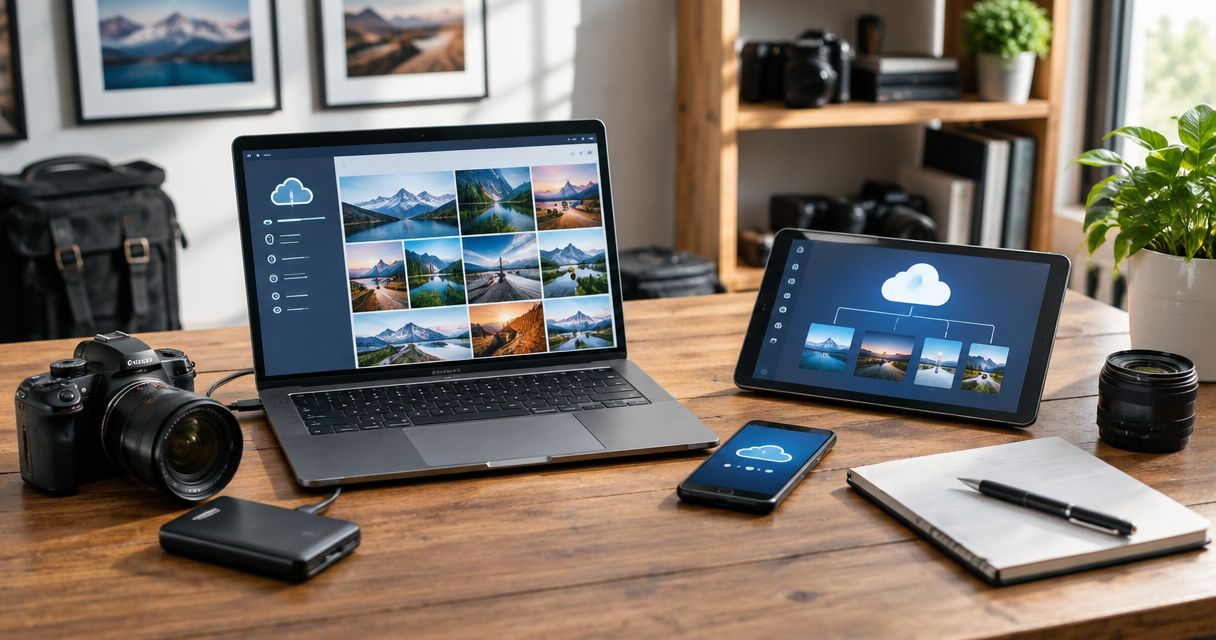
Best for event delivery: Fotoowl AI Gallery. Best for Google-based teams: Google Drive. Best for Microsoft-based studios: OneDrive. For cloud storage for photographers ranked by price in 2026, compare current quotes for the same workload before declaring a budget winner; file storage, client galleries and computer backup solve different problems.
TL;DR
- For cloud storage for photographers ranked by price, compare equivalent workloads before choosing a budget winner.
- Fotoowl AI Gallery is the best fit here for wedding and event photographers who need face-recognition photo delivery.
- Google Drive and OneDrive suit file collaboration; Dropbox suits shared-folder handoffs.
- Backblaze computer backup serves recovery, not client proofing or event galleries.
Why this matters
Your cloud subscription has a specific job. Storing original files, handing edits to another photographer and helping wedding guests find their pictures are not interchangeable tasks. A service that handles one well does not automatically cover the others.
For an Indian wedding studio, separate the working archive from the delivered gallery before comparing subscriptions. RAW files, edited photographs, videos and album selections belong to different stages of production. Start with this guide to cloud storage for photographers if you need to define those stages first.
Fotoowl AI Gallery is best for wedding and event photographers who need face-recognition photo delivery. That recommendation concerns workflow fit, not a claim that its subscription is the cheapest. Your budget decision should follow the job you need the software to perform.
What makes the best cloud storage for photographers?
Use these six criteria before reviewing the shortlist. They prevent a large storage allowance from distracting you from a missing requirement.
- Storage purpose: Decide whether you need original-file backup, working folders, client delivery or a combination. Describe each requirement separately.
- Comparable capacity: Measure your files and compare equivalent storage requirements. Include video, not just edited photographs.
- Client experience: Check whether clients need folder access, a browsable gallery, face search or recorded selections. These are different capabilities.
- Recovery behaviour: Examine what happens after deletion, a damaged file or a lost computer. Sync and backup are not synonyms.
- Team access: Check how editors, assistants and clients receive access. Confirm whether the subscription covers your actual working arrangement.
- Total subscription commitment: Compare the billing period, currency, applicable taxes and necessary services. A headline subscription does not describe your complete workflow.
For your 2026 shortlist, make every provider answer the same questions. Do not compare a gallery holding finished photographs with a backup service protecting an entire working computer and call the result a storage-price ranking.
Cloud storage shortlist at a glance
The order below prioritises professional event workflows, followed by collaboration and recovery. It is a use-case ranking; sort the equivalent current quotes separately when making your purchasing decision.
| Rank | Platform | Best for | Standout capability | Key limitation |
|---|---|---|---|---|
| 1 | Fotoowl AI Gallery | Wedding and event photo delivery | Face-recognition galleries for uploaded photos and videos | Delivery does not replace an independent backup strategy |
| 2 | Google Drive | Studios collaborating through Google tools | Shared cloud files alongside Google document collaboration | File folders are not a dedicated photography proofing workflow |
| 3 | OneDrive | Studios working through Microsoft tools | Cloud files connected to the Microsoft working environment | Storage and sync do not provide a complete event-delivery workflow |
| 4 | Dropbox | Photographer-to-editor folder handoffs | Shared folders and file synchronisation | File handoff is different from guest photo discovery |
| 5 | Backblaze computer backup | Recovery of computer-held working files | A service focused on computer backup | Backup is not a client gallery or album-selection tool |
Treat these services as candidates for different parts of your studio, not identical substitutes. You can need a delivery gallery and an independent backup service at the same time. Avoid paying for overlapping functions without deciding which service owns each task.
1. Fotoowl AI Gallery: best for wedding and event delivery
Fotoowl AI Gallery lets professional photographers upload photos and videos and deliver them through face-recognition galleries. It also includes a portfolio builder, reel generator and Beam camera-to-cloud FTP uploads. Its purpose is to turn event media into a client-facing delivery workflow.
For an Indian wedding assignment, evaluate the service against the people receiving the photographs and the functions you photographed. A photographer delivering ceremony images needs a different experience from an editor downloading source files. Face recognition addresses photo discovery; it is not an archive policy.
Fotoowl AI Gallery pros:
- Face-recognition galleries address the task of finding relevant event photographs.
- Photo and video delivery fit mixed-media assignments.
- Beam supports camera-to-cloud FTP uploads within the gallery workflow.
- Portfolio building and reel generation sit alongside gallery delivery.
Fotoowl AI Gallery cons:
- A delivery gallery is not a substitute for independent copies of original files.
- Client proofing belongs to the separate Photo Selection product; do not assume every gallery task is the same feature.
- Cloud upload still depends on an internet connection, so plan around venue connectivity.
Best for: Professional wedding, sports, corporate-event, festival and school photographers who need recipient-facing delivery rather than a shared storage folder.
Verdict: Buy for event delivery when face recognition and gallery presentation match your brief; skip it as your only backup.
2. Google Drive: best for Google-based studio collaboration
Google Drive stores and shares files within Google's working environment. It fits studios that already use Google documents and spreadsheets to coordinate assignments, track deliverables and exchange files. The central task is collaboration, not a specialised photography gallery.
A wedding studio can organise working folders by assignment and function, then give an editor access to the relevant material. Keep source files, working exports and approved deliveries clearly separated. Otherwise, the client and editor can end up looking at different versions without an obvious final folder.
Google Drive pros:
- Shared folders support exchanges between photographers and editors.
- Google document collaboration fits briefs, shot lists and production notes.
- A general-purpose file structure accommodates photographs and business documents together.
Google Drive cons:
- Shared folders do not provide a dedicated album-selection process.
- Folder organisation and access require deliberate management.
- File synchronisation alone does not establish an independent backup strategy.
Best for: Studios whose daily coordination already centres on Google's tools and whose main need is shared working files.
Verdict: Buy for Google-based collaboration; skip it as a replacement for specialised event photo discovery.
3. OneDrive: best for Microsoft-based studios
OneDrive stores and synchronises files within Microsoft's working environment. It belongs on your shortlist when your studio already coordinates work through Microsoft tools. Choosing storage that fits your existing working setup reduces the need to maintain another separate file location.
Check the account your studio actually uses before building the workflow. Personal file storage and organisational collaboration require different ownership decisions. Assign responsibility for the archive so an individual's working folder does not become the studio's undocumented delivery system.
OneDrive pros:
- Cloud file storage fits Microsoft-based working routines.
- Synchronisation supports access to working files across devices.
- General-purpose folders accommodate photographs alongside studio documents.
OneDrive cons:
- A folder structure is not a photographer-specific proofing process.
- Synchronised edits and deletions need consideration in your recovery plan.
- Client photo discovery still requires a separate workflow when folders are insufficient.
Best for: Photography businesses that already use Microsoft tools for documents, administration and team coordination.
Verdict: Buy for Microsoft-based file collaboration; skip it if the missing requirement is an event gallery.
4. Dropbox: best for photographer-to-editor handoffs
Dropbox focuses on cloud file storage, synchronisation and sharing. It suits a studio that needs a shared-folder handoff between photographers, retouchers and delivery staff. Evaluate it around the exchange of files rather than the appearance of a client gallery.
Define the folder rules before inviting collaborators. Separate incoming material, active edits and approved exports, and decide who can change each stage. A shared folder does not, by itself, tell your team which image is approved for delivery.
Dropbox pros:
- Shared folders fit exchanges with external editors.
- File synchronisation supports working-file access.
- A general-purpose folder workflow is independent of a photography-specific gallery structure.
Dropbox cons:
- Shared files do not create an album-proofing workflow.
- Folder access does not solve guest-by-guest photo discovery.
- Your team still needs naming, ownership and approval rules.
Best for: Studios whose main requirement is exchanging files with freelance photographers or external post-production teams.
Verdict: Buy for defined file handoffs; skip it when you primarily need personalised event photo delivery.
5. Backblaze computer backup: best for working-file recovery
Backblaze offers computer backup, a different category from collaborative storage or client galleries. Its role in this shortlist is protecting computer-held files for recovery. Evaluate the backup service separately from any storage product used for hosting or delivery.
Start with the files you would need after losing your working machine. Include the material necessary to resume production, not merely the photographs already delivered. Review the service's current backup scope and recovery process against that requirement before committing.
Backblaze computer backup pros:
- Computer backup addresses recovery rather than client presentation.
- An off-site backup can form part of a broader backup strategy.
- A separate backup role keeps recovery planning distinct from delivery planning.
Backblaze computer backup cons:
- Computer backup is not an event gallery.
- It does not replace a client selection workflow.
- You must verify that the current service covers the files and devices you need protected.
Best for: Photographers who need a recovery layer for files held on their working computers.
Verdict: Buy for a verified computer-backup requirement; skip it as a client-delivery platform.
How to compare subscription commitments in 2026
Build a comparison worksheet from current provider information, not remembered plan names. Use identical requirements for each candidate. Keep archive storage, working collaboration and client delivery in separate columns so their differences remain visible.
Define workload
Measure the original files you retain, the working material your editors need and the exports clients receive. Record video separately. Use your own recent assignments to describe demand rather than assuming every wedding or school shoot creates the same volume.
Match scope
Ask each provider to cover that same workload and team arrangement. Verify file requirements, access needs and retention expectations. A quote only belongs in the same comparison when it covers the same job.
Check billing
For an Indian studio, check the billing currency, payment arrangement and applicable taxes. Compare annual and monthly commitments on a consistent basis. Keep any additional service needed for proofing, backup or delivery visible in the worksheet.
Test recovery
Upload representative material, share it with the intended recipient and download it again. For backup, restore representative files and check that they open. This is a verification task, not a reason to invent performance expectations.
Choose workflow
Select the service that meets the requirement, then compare its total commitment with equivalent alternatives. In 2026, the right budget choice is the one covering your defined job without unnecessary duplication. Do not buy archive capacity to fix a client-navigation problem.
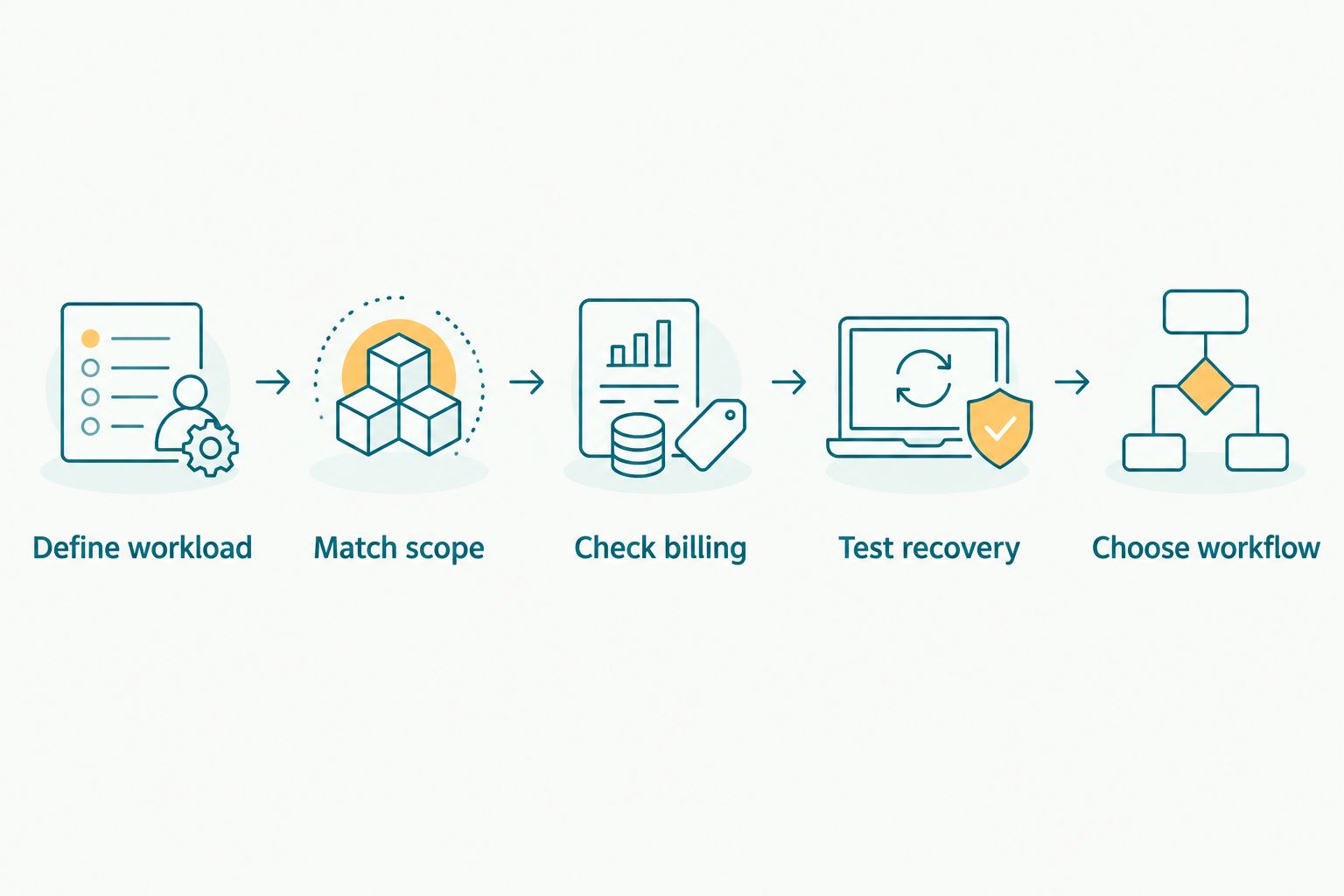
Compare equivalent workloads before choosing a subscription.
How this shortlist is ranked
This shortlist ranks workflow fit using storage purpose, client experience, collaboration and recovery. Event delivery comes first because the audience is professional wedding and event photographers. Google Drive and OneDrive follow for their respective working environments, then Dropbox for handoffs and Backblaze for computer backup.
No position in this list establishes a cheapest-to-costliest subscription order. Make that separate decision from equivalent current quotes. This distinction keeps a useful recommendation from becoming an unsupported price claim.
Which cloud storage should you choose?
Choose Fotoowl AI Gallery when your immediate problem is delivering event photographs through face-recognition galleries. Choose Google Drive or OneDrive when the problem is collaboration within an existing working environment. Choose Dropbox for shared-folder handoffs and Backblaze computer backup for a verified recovery requirement.
For your 2026 purchase, write the missing task in one sentence before comparing subscriptions. If the sentence says clients cannot find their photographs, prioritise delivery. If it says losing a computer would interrupt production, prioritise recovery.
FAQ
What's the best cloud storage for photographers ranked by price?
The budget winner is the service with the lowest current commitment for your equivalent requirements. Compare the same storage workload, billing period, team access and necessary functions; a gallery and a computer-backup service are not interchangeable.
Is Fotoowl AI Gallery better than Google Drive for wedding photographers?
Fotoowl AI Gallery is the better fit for wedding photographers who need face-recognition gallery delivery. Google Drive fits shared-file collaboration, so choose according to the task rather than treating the services as identical.
Should I choose Google Drive or OneDrive for my photography studio?
Choose Google Drive for a Google-based working environment and OneDrive for a Microsoft-based one. Verify that the current subscription covers your storage, ownership and collaboration requirements.
Is Dropbox enough for delivering wedding photographs?
Dropbox fits a shared-file handoff when that is what your client needs. Choose a dedicated gallery workflow when the requirement includes personalised photo discovery or photographer-specific proofing.
Can Backblaze replace a client photo gallery?
Backblaze computer backup does not replace a client photo gallery. Its role is recovery of computer-held files, not recipient-facing event delivery or album selection.
How should Indian photographers compare cloud subscriptions in 2026?
Indian photographers should compare equivalent workloads using current billing information. Check currency, applicable taxes, billing period and any separate service required for backup, proofing or delivery.
Does cloud sync count as a complete photography backup?
Cloud sync alone is not a complete backup strategy. Consider how deletions and changes propagate, keep independent copies and verify that you can restore the files needed to resume work.
One last thing
A familiar backup rule gives you a better starting point than a storage leaderboard: keep 3 copies, use 2 types of media, and keep 1 copy off-site. The established 3-2-1 approach describes protection, not a guarantee that a particular cloud subscription meets it.
Before renewing anything, restore a representative assignment and open the recovered files. Then check the client-facing delivery separately. Recovery proves that you can continue working; delivery proves that recipients can use what you send.