
Can AI culling software work without an internet connection?

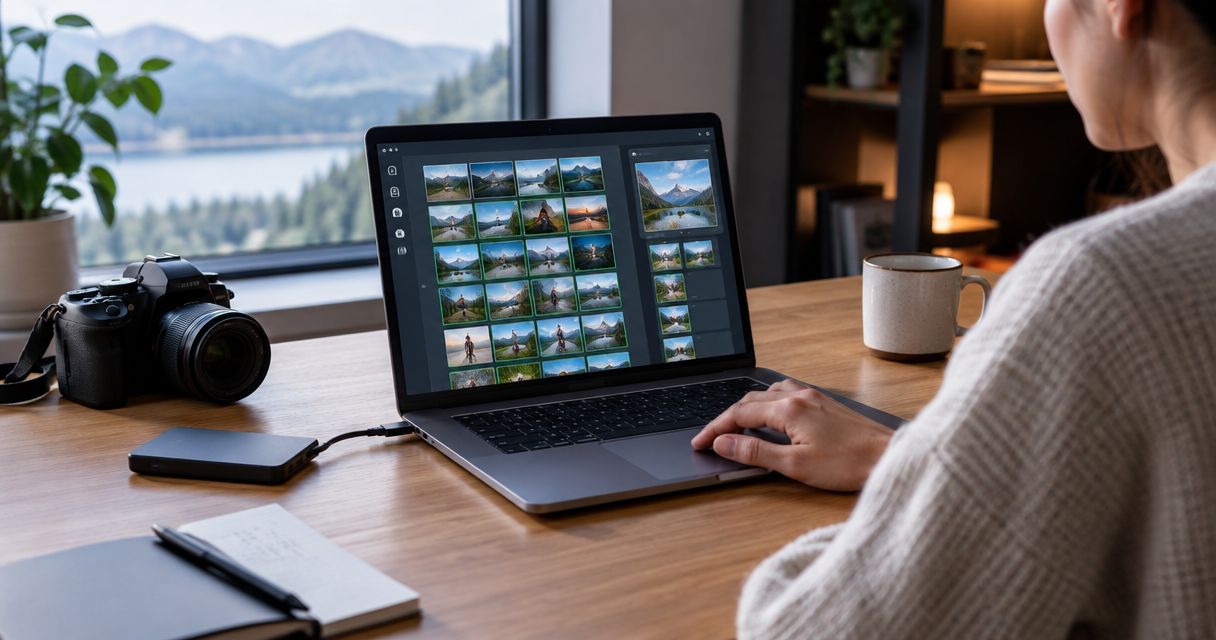
Yes—offline photo culling software can analyse and shortlist photos without an internet connection when processing runs on your desktop and the source files are available locally. That does not make the entire workflow offline: downloading software, account-related tasks and uploading a client gallery are separate requirements to check before your next assignment in 2026.
TL;DR
- Offline photo culling software works without uploads when image analysis runs locally on your desktop.
- Fotoowl AI Culling suits wedding and event photographers who need desktop-based offline photo selection.
- Keep a human review between automated culling and export; technical rankings do not replace editorial judgement.
- Test the complete disconnected workflow before a shoot, including reopening the app and accessing source files.
Why this matters
For an Indian wedding photographer, the useful question is not whether a venue advertises Wi-Fi. It is whether you can begin selecting images without relying on that connection. Separate the work you can finish on a laptop from the work that requires an upload.
Culling is your shortlist; delivery is how clients receive it. The distinction also shapes how to speed up photo culling before client delivery: finish the local selection work first, then handle the connected steps deliberately.
An offline culling workflow removes internet access as a requirement for image analysis, not for every service you use afterwards. Build your 2026 delivery plan around that boundary rather than treating culling, editing and gallery publishing as interchangeable tasks.
Can AI culling software work without an internet connection?
Yes. A desktop application can run image analysis on your computer instead of sending the photographs to a remote server for processing. The originals must be accessible to that computer; a cloud placeholder that still needs downloading is not an available local file.
Fotoowl AI Culling is an offline desktop application. It rejects duplicate and weak frames, groups similar images, and ranks photographs by composition, exposure and blur. A second human pass comes before export to Lightroom or the gallery.
That establishes what offline culling covers. It does not establish that installation, account access, updates or every export destination work without a connection, so test those boundaries separately.
| Approach | Best for | Main advantage | Main limitation |
|---|---|---|---|
| Local desktop culling | Photographers selecting images away from reliable internet | Image analysis does not depend on uploading the shoot | Requires a suitable computer and accessible source files |
| Cloud-based analysis | Workflows designed around remote processing | Processing happens on a remote system | Files must reach that system before it can analyse them |
| Manual local review | Photographers making every selection decision themselves | Direct editorial control over each frame | You perform the comparison and rejection work yourself |
These are workflow choices, not a ranking of image quality. Choose local processing for disconnected selection; keep human review for the final decision.
How do you check that culling really works offline?
Run 1 complete disconnected rehearsal before an assignment. Use copies of a representative shoot, not your only originals, and follow the same route you intend to use on location.
1. Prepare locally
Install and open the application while connected. Complete any setup it requests, then make the source photographs accessible on your computer or an attached drive. Open several files to confirm you have usable images rather than download-on-demand placeholders.
Include the kinds of photographs you actually deliver. A test containing only straightforward portraits will not show you how the workflow handles dance-floor movement, similar ceremony frames or difficult stage lighting.
2. Disconnect fully
Turn off Wi-Fi and disconnect other internet routes, including a phone hotspot or wired network connection. Close and reopen the application while disconnected. This distinguishes a workflow that starts offline from one that merely continues after an online session.
Do not change software versions between this rehearsal and the assignment without repeating the check. Your test should represent the setup you take to the venue.
3. Run analysis
Start a new culling task using the local files. Check that analysis completes and that you can inspect the resulting shortlist while disconnected. Opening thumbnails alone does not demonstrate that the application has performed the culling work locally.
Record any point where the workflow stops. A connection request during startup and a connection request during gallery upload describe different limitations; neither should be confused with image-analysis performance.
4. Review selections
Inspect retained frames and rejected groups. Check meaningful gestures, group expressions and technically imperfect photographs that still carry the story. Confirm that you can make the editorial decisions you need before leaving the disconnected session.
Use 2 review passes as your working structure: automated assessment first, photographer approval second. This is a process recommendation, not a promise that any shortlist is error-free.
5. Check handoff
Test the actual next step in your workflow. If you intend to continue locally, confirm that the selected files reach the intended local destination. If you intend to upload a gallery, treat reconnection and upload as a separate stage.
A successful 2026 rehearsal should answer a practical question: can you stop, reopen the work and continue without unexpectedly needing the venue network?
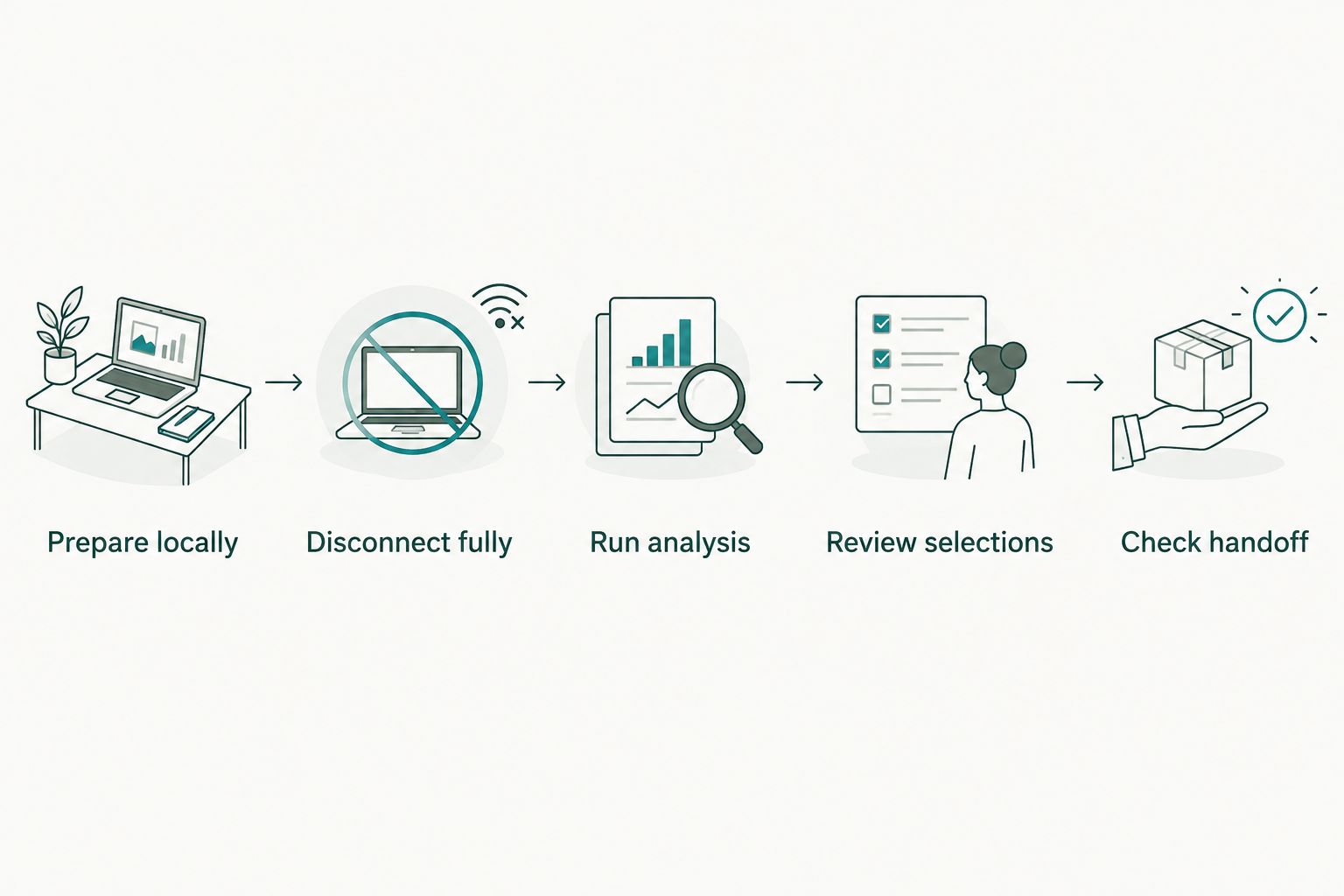
Test the handoff as well as the analysis before relying on a disconnected workflow.
Why offline readiness varies
The word offline describes a processing capability, not every dependency around it. Check these factors when assessing a desktop workflow:
- Processing location: Image analysis must run on the computer for that stage to work without internet. A desktop interface alone does not establish where processing happens.
- Source-file access: Photographs on a disconnected drive or awaiting cloud download are not available for local analysis. Keep the required storage attached and accessible.
- Application readiness: Installation and any required setup belong in your pre-shoot preparation. Test startup while disconnected rather than assuming a previously open session proves readiness.
- Computer resources: Local processing uses your computer's resources. Check the application's current system requirements instead of assuming every laptop supports the same workload.
- Handoff destination: A local editing step and an online gallery upload have different connection requirements. Verify the specific route you use.
Avoid choosing from an offline badge alone. Judge the complete route from accessible originals to an approved shortlist, then identify the first step that genuinely needs a connection.
Where does desktop culling fit in an event workflow?
Fotoowl AI Culling is best for professional wedding and event photographers who need offline desktop photo culling. Its role is the photographer's first selection stage, followed by human review—not guest delivery or client proofing.
The benefit is specific: you can assess duplicates, weak frames and similar photographs without treating gallery upload as the starting point. Composition, exposure and blur rankings give you technical signals to review alongside the meaning of the photograph.
The limitation is equally clear. Desktop-only culling is not a browser or phone workflow, and automated ranking does not know which imperfect frame matters most to your client. Keep the photographer's approval between the shortlist and export.
Think in 3 stages for your 2026 production checklist: selection, editing and delivery. An offline capability in the selection stage does not automatically carry into either of the others.
What should you review after automated culling?
Look beyond whether a retained image is sharper than its neighbours. The shortlist must also preserve the event's meaning and coverage.
Ceremony coverage
For a multi-function Indian wedding, review each function separately before judging the overall selection. Check that the shortlist includes the moments and people required by your brief. A technically strong sequence is not a substitute for complete coverage.
Similar frames
Treat a group of similar images as a comparison set, not permission to keep only one automatically. Different expressions or gestures can justify retaining more than one photograph. Make that decision against the delivery brief rather than an arbitrary reduction target.
Intentional blur
Review motion and low-light images with your creative intent in mind. Blur can indicate a weak frame, but it can also be part of the photograph you intended to make. A technical assessment informs that decision; it does not settle it.
Rejected photographs
Inspect rejects before permanently deleting anything. Culling creates a working selection, while deletion changes what you can recover later. Keep those decisions separate and follow your studio's backup process.
Does offline culling keep photographs private?
Local image analysis does not require uploading the source photographs for that analysis. That is a narrower statement than saying the entire application never communicates online or that every file is protected automatically.
For school, corporate and private wedding assignments, assess the complete data path. Check where originals live, who can access the computer, what is included in backups and what happens when selected images are eventually uploaded.
Offline processing is a data-handling choice, not a complete security policy. Review current permissions and privacy terms alongside your own storage and access practices. Do not describe a workflow as entirely private solely because its culling stage runs locally.
Can you cull offline and upload the gallery later?
Yes—offline selection and later online delivery are compatible stages. Finish the shortlist and human review locally, then connect when you are ready for the upload step. Keep the delivery commitment tied to the full workflow, not just completion of culling.
Before a 2026 assignment, agree on who approves the shortlist and who handles publishing. A selected frame is not necessarily edited, uploaded or ready for a client to download.
Do you need internet to export selected photos?
Export requirements depend on the destination. A local destination and an online gallery are different handoffs, so test the intended route while disconnected rather than treating every export command as equivalent.
For any workflow involving Lightroom, verify the actual local handoff on your setup. Do not assume that culling software's offline capability also describes another application's account or cloud requirements.
Is offline culling better than manual selection?
Offline automated culling is useful when you want help assessing duplicates, weak frames and similar sequences without uploading first. Manual review remains necessary when the decision depends on expressions, relationships, creative intent or the event brief.
The practical choice is not automation instead of judgement. Use automated analysis to support the first pass, then approve the result yourself. That preserves the distinction between a technical ranking and a deliverable photograph.
FAQ
Can I use offline photo culling software at a wedding venue with no Wi-Fi?
Yes, if the application processes images locally and the required source files are accessible on your computer. Complete setup beforehand and test startup, analysis, review and the intended handoff while disconnected.
Is Fotoowl AI Culling a cloud tool or a desktop app?
Fotoowl AI Culling is an offline desktop application, not a cloud or browser culling feature. It rejects duplicate and weak frames, groups similar images and ranks photographs by composition, exposure and blur.
Will offline culling work if my photos are stored only in the cloud?
Offline culling requires locally accessible photographs. Download the files you need before disconnecting; a placeholder that requires an internet download is not enough.
Can I skip checking the photos after automated culling?
No—keep a human review before export. Inspect important moments, similar sequences and intentional blur instead of treating the automated shortlist as your final editorial decision.
Does offline photo culling mean client delivery also works offline?
No—offline culling describes local selection, not online delivery. Uploading photographs to an online gallery requires a connection even if you selected them without one.
Does an offline desktop app guarantee that no data ever leaves my computer?
No—offline image analysis alone does not establish every application's data-handling behaviour. Review permissions, privacy terms, backup settings and any later upload steps separately.
One last thing
Test reopening the application, not just switching off Wi-Fi halfway through a task. Continuing an existing session proves less than starting and completing the work while disconnected.
Make that rehearsal part of your 2026 pre-assignment checklist. The useful proof is an approved shortlist you can actually hand off—not an offline label on a feature page.