
Best Video Reel Tools for Sports Tournament Photographers 2026

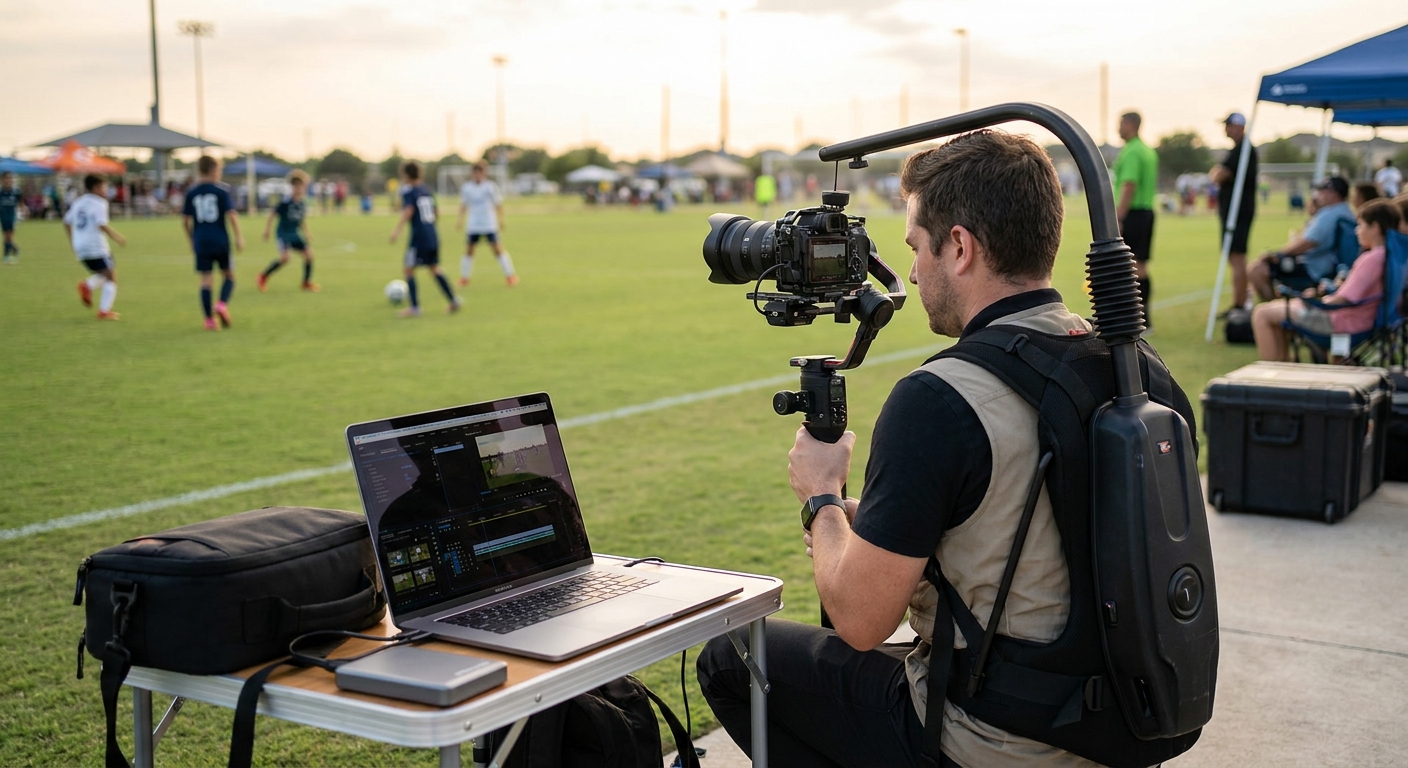
Sports tournament photographers need video reel tools that can turn a weekend of court-side shooting into personalized highlight clips before parents pack up their coolers and head home. This roundup ranks the tools that actually hold up under tournament volume in 2026, not the ones built for a single wedding recap.
TL;DR
- FotoOwl wins for video reel tools for sports tournament photographers needing same-day, face-matched reels — Buy.
- Adobe Premiere Rush suits solo shooters who want manual timeline control on a small bracket — Hold for volume events.
- CapCut is free but every reel is a manual export, a dealbreaker past 50 athletes — Consider only for one recap clip.
- Skip mobile-only editors like InShot for multi-court tournaments; they can’t batch-personalize by face or bib number.
- Filmora and Veed.io work as season-end polish tools, not live tournament delivery.
Why this matters
A single weekend tournament can put 200 to 800 athletes across six or eight courts, and every parent wants a reel of their own kid, not a scroll through the full gallery. Manual editing doesn't scale past a handful of highlight videos before the tournament wraps and the audience walks out.
Photographers still cutting reels one at a time in 2026 are leaving money on the table. Highlight reels sell as a direct upsell tied to the same photo galleries built for sports tournaments, and every hour of delay costs conversions while parents are still on-site checking their phones.
Automated face-matching and clip selection cut delivery time from days to hours. That gap is the entire reason this ranking exists.
How we ranked these video reel tools
Ranking weighs four factors that matter specifically for tournament work: automation depth (does the tool auto-select clips per athlete without manual scrubbing), personalization at scale (face or bib-number matching across hundreds of participants), turnaround speed against a same-day schedule, and how cleanly the tool slots into an existing photo delivery pipeline. Tools built for wedding recaps or generic social content lose points here \u2014 a tournament schedule doesn't wait for manual review.
The ranked list
1. FotoOwl \u2014 Buy
The hook: the only tool on this list built around face recognition instead of manual scrubbing. FotoOwl's personalized highlight reels for sports events match uploaded photos and clips to individual athletes using face recognition, then auto-generate a reel per participant without a photographer touching a timeline.
The reel workflow pulls from the same gallery photographers already use for photo selling, so there's no separate upload step and no second piece of software to manage. With WhatsApp/Beam uploads already moving shots from the sideline to the cloud in seconds, personalized reels can go out within 24 hours of the final whistle, while parents are still in the parking lot.
Verdict: Buy \u2014 for anyone running youth leagues or multi-day tournaments where athlete count makes manual editing impossible.
2. Adobe Premiere Rush \u2014 Hold
The hook: full manual control, zero automation. Premiere Rush gives desktop-grade timeline editing on mobile and desktop, with multi-track audio and color tools most consumer reel apps skip entirely.
It's built for creators who want to hand-cut every reel, which works for three or four highlight videos but breaks down fast across a 400-person bracket. Solo shooters covering a single-team tournament can still hand-edit a handful in an evening; anything bigger turns into unpaid overtime.
Verdict: Hold \u2014 fine for small single-team jobs, not for tournament-scale delivery.
3. CapCut \u2014 Consider
The hook: free, but every reel is manual. CapCut's free tier covers templates, auto-captions, and trending audio, which makes it a fast pick for one social-style recap clip.
There's no bib-number or face-matching automation, so a photographer building 50 personalized reels is running 50 manual exports. It works fine for a single tournament highlight video posted to the venue's Instagram, where Instagram Reels cap runtime at 90 seconds anyway.
Verdict: Consider \u2014 for one recap video, not per-athlete delivery at scale.
4. InShot \u2014 Skip
The hook: mobile-only, no batch tools. InShot handles quick trims and overlays well on a phone screen but has no batch-processing or face-matching layer built in.
It's fine for a single Instagram Reel or TikTok clip \u2014 TikTok allows up to 10 minutes per upload \u2014 but length was never the bottleneck for tournament work. Volume is. Photographers juggling six courts and hundreds of athletes need automation, not another phone app to edit clip by clip.
Verdict: Skip \u2014 for tournament volume; keep it for personal social posts only.
5. Veed.io \u2014 Hold
The hook: browser-based templates with light automation. Veed.io runs in-browser with auto-subtitles and brand-kit templates, useful for consistent styling across a season's worth of recap videos.
Some batch export options exist, but personalization still requires manual tagging per clip instead of face or bib recognition. It works as a mid-tier option for a photographer covering one team across a season, not a multi-team tournament under same-day delivery pressure.
Verdict: Hold \u2014 decent for season recaps, weak for single-day tournament turnaround.
6. Filmora \u2014 Consider
The hook: desktop polish for post-tournament compilations. Filmora's desktop editor handles longer highlight compilations with more transition and audio options than most browser tools offer.
It's better suited to a season-end sizzle reel than same-day, per-athlete delivery during a live tournament. Pair it with an automated per-athlete tool for the bulk of the work, then use Filmora for the one polished league compilation at season's end.
Verdict: Consider \u2014 for a single flagship compilation, not the bulk of tournament output.
Comparison table
| Tool | Automation | Personalization | Turnaround | Verdict |
|---|---|---|---|---|
| FotoOwl | Face recognition, auto-generated | Per-athlete | Same day / 24 hrs | Buy |
| Adobe Premiere Rush | Manual | Manual | Days | Hold |
| CapCut | Template-based | Manual | Hours per reel | Consider |
| InShot | Manual | None | Hours per reel | Skip |
| Veed.io | Light batch | Manual tagging | Same day (small volume) | Hold |
| Filmora | Manual | Manual | Days | Consider |
Get personalized reels out before parents leave
See how face recognition builds per-athlete highlight reels automatically.
Where to get these video reel tools running
- Test automation on last season's photo set before the next tournament \u2014 a tool that can't batch-process a 300-athlete folder in 2026 won't handle live-event pressure either.
- Confirm the tool connects to your existing delivery pipeline; a reel generator sitting outside your photo selling platform for sports photographers just adds a second upload step nobody has time for on tournament day.
- Check the pricing structure per event versus per subscription month \u2014 a per-event tool costs less if you shoot three tournaments a year, while a subscription pays off past six.
FAQ
What's the best video reel tool for sports tournament photographers in 2026?
FotoOwl is the strongest pick for 2026 because it automates face-matched, per-athlete reels instead of requiring manual editing for each participant. Manual tools like Premiere Rush and Filmora still work for small single-team jobs.
Is FotoOwl better than CapCut for tournament highlight reels?
For volume, yes — FotoOwl automates personalization per athlete while CapCut requires a manual export for every single reel. CapCut is fine for one recap clip posted to social media, not for hundreds of personalized deliveries.
How much does automated reel generation cost compared to manual editing?
Manual editing costs photographer time directly, often hours per reel once athlete count climbs past 50. Automated tools shift that cost into a subscription or per-event fee, which usually pays off once volume passes a handful of tournaments a season.
Can face recognition tools tell athletes apart across multiple teams?
Yes, face recognition matches faces across the full photo and video set regardless of which team or court the athlete appeared on. This is the core feature that separates automated reel tools from manual editors.
How long should a sports highlight reel be for Instagram or TikTok?
Instagram Reels cap out at 90 seconds while TikTok allows uploads up to 10 minutes. Most tournament highlight reels run 30 to 60 seconds because that length keeps parents watching and sharing.
Do reel tools work with existing photo galleries?
Some do and some don't. FotoOwl pulls directly from the same gallery used for photo selling and delivery, while standalone editors like CapCut or Veed.io require a separate upload and export step.
How fast can personalized reels be delivered after a tournament ends?
With an automated pipeline, personalized reels can go out within 24 hours of the final match, while parents are still checking their phones on-site. Manual editing workflows typically take days for the same volume.
Is manual editing still viable for small tournaments?
Yes, for a single-team event with under 50 athletes, manual tools like Premiere Rush or Filmora are viable. Past that volume, manual editing turns into unpaid overtime fast.
One last thing
Most tournament photographers still price highlight reels as a bonus add-on instead of a core product, and that's backwards heading into 2026. Parents share video reels in group chats far more than static photo downloads because a reel autoplays and a still image doesn't \u2014 that difference alone makes personalized reels the higher-margin sell, not the afterthought.