
Best photo gallery software for product launch events in 2026

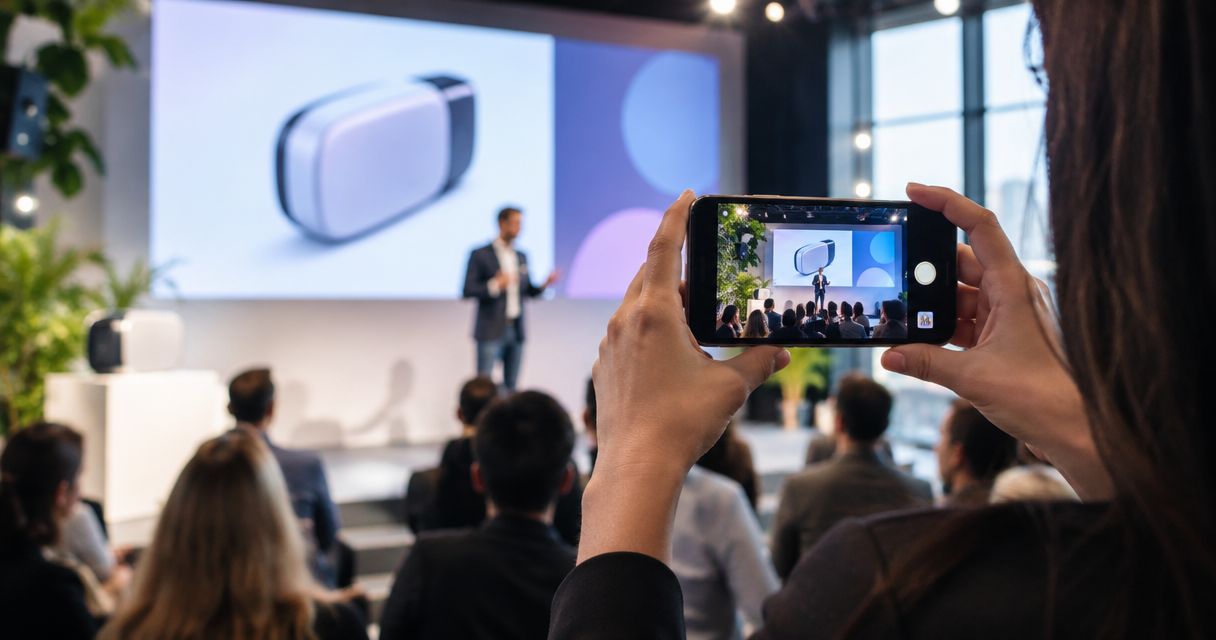
Best overall: Fotoowl AI Gallery for launch photographers who need face recognition and photo-and-video delivery. Best for client proofing: Pixieset. Best for selection-led delivery: ShootProof. Best for portfolio-led presentation: SmugMug. Best for a straightforward file handoff: Google Drive. This 2026 guide matches each option to a different product-launch assignment.
TL;DR
- Fotoowl AI Gallery is the best photo gallery software for product launch events needing attendee face recognition.
- Pixieset and ShootProof suit client proofing; SmugMug suits portfolio-led presentation.
- Google Drive suits file handoffs, not a purpose-built event gallery experience.
- Keep press selects, attendee portraits and the complete client delivery separate.
Why this matters
A product launch creates different delivery jobs. The brand needs product photographs, journalists need approved launch images, and attendees want photographs featuring themselves. One undifferentiated upload makes each recipient do the sorting.
For Indian event photographers, the gallery decision starts with the assignment brief—not the longest feature list. Establish who approves release, who receives the files and whether delivery happens during the event or after editing. Use the guide to delivering photos to press at product launch events to plan the editorial handoff separately from attendee sharing.
Fotoowl AI Gallery is best for product-launch photographers who need attendee face recognition alongside photo-and-video delivery. That recommendation does not replace a release process: finding a photograph and approving its publication are different tasks.
What makes the best launch-event photo gallery software?
Evaluate these six criteria before choosing software for a 2026 launch:
- Recipient discovery: Attendees need a way to find their portraits; a press team needs a clearly identified selection of launch photographs.
- Client proofing: The person approving images needs a repeatable selection process, not scattered messages about filenames.
- Upload workflow: Decide whether you need edited batch uploads or camera-to-cloud transfer during coverage.
- Media delivery: Check whether the assignment includes both photographs and videos, rather than treating video as an afterthought.
- Release control: Confirm how you will keep unreleased product details and rejected photographs out of recipient-facing deliveries.
- Recipient usability: Test opening, browsing and downloading on the phones and computers your client will use.
Treat face recognition as a discovery feature, not an approval system. A matching portrait can still show an unreleased product in the background. Your editor remains responsible for deciding what belongs in the delivered set.
Best launch-event gallery software at a glance
| Rank | Software | Best for | Standout capability | Key limitation |
|---|---|---|---|---|
| 1 | Fotoowl AI Gallery | Attendee discovery and mixed-media delivery | Face recognition, photo-and-video galleries and Beam camera-to-cloud FTP upload | Face recognition does not identify product-only photographs |
| 2 | Pixieset | Client-facing proofing | Photography client galleries with favourites and downloads | Gallery favourites do not replace launch-release approval |
| 3 | ShootProof | Selection-led client delivery | Online galleries and client proofing | The photographer still needs to define which selections are approved for release |
| 4 | SmugMug | Portfolio-led presentation | Photo hosting, galleries and portfolio presentation | A presentation gallery still needs a separate editorial shortlist |
| 5 | Google Drive | Straightforward file handoff | Shared folders and downloadable files | General file sharing is not a purpose-built photography proofing workflow |
These are workflow recommendations, not measured rankings of upload speed or recognition accuracy. Choose the row that matches the client's delivery requirement, then test the complete recipient journey.
1. Fotoowl AI Gallery: best for attendee discovery at product launches
Fotoowl AI Gallery lets professional event photographers upload photographs and videos and deliver them through face-recognition galleries. Its features include a portfolio builder, reel generator and Beam camera-to-cloud FTP upload. That combination fits launch coverage containing attendee portraits, stage photographs, product demonstrations and video deliverables.
The strongest use case is people-focused retrieval. Face recognition helps connect attendees with photographs featuring them; it does not replace a curated set of product details or a press editor's choices. Keep those editorial deliveries distinct.
Fotoowl AI Gallery pros:
- Face recognition supports discovery of people within event photographs.
- Photo-and-video delivery fits assignments with mixed media.
- Beam provides a camera-to-cloud FTP upload route.
- The reel generator adds a recap format alongside still-image delivery.
Fotoowl AI Gallery cons:
- Face recognition is not a retrieval method for product-only frames.
- Camera-to-cloud upload does not replace checking exposure, focus or release approval.
- A gallery cannot determine the client's embargo instructions for you.
For a 2026 launch, decide whether Beam supports an editor-led live workflow or whether you will upload edited batches. Do not promise delivery timing until you have tested the venue connection and your review process.
Best for: Photographers delivering attendee portraits and mixed-media launch coverage.
Verdict: Buy for face-recognition-led event delivery; keep product and press curation under human control.
2. Pixieset: best for client-facing proofing
Pixieset provides photography client galleries with favourites and downloads. It suits an assignment where the brand contact reviews a photographic set and identifies preferred images before final delivery. The selection journey takes priority over attendee discovery.
Use a proofing gallery to collect choices, then confirm what those choices mean. A favourite can mean “consider this image,” “retouch this image” or “publish this image.” Your delivery instructions must distinguish them.
Pixieset pros:
- Photography-specific galleries provide a visual client-review format.
- Favourites help the client identify preferred photographs.
- Downloads support the handoff of finished images.
Pixieset cons:
- Favourites alone do not establish publication approval.
- You still need to organise product, speaker and attendee photographs for the assignment.
For a tightly edited launch shoot, client proofing can be the central requirement. Give the reviewer clear section names and explain whether the gallery contains proofs or release-ready photographs. Avoid mixing the two without an explicit distinction.
Best for: Photographers whose brand client needs to review and select launch images.
Verdict: Buy when client proofing is the main delivery job.
3. ShootProof: best for selection-led client delivery
ShootProof provides online photography galleries and client proofing. It fits a workflow where the client chooses from a photographed set before the photographer prepares the final delivery. The useful distinction is between a review gallery and a finished collection.
For product launches, make the selection brief specific. Ask the reviewer to identify the required product views, spokesperson portraits and event photographs, rather than simply choosing attractive frames.
ShootProof pros:
- Online galleries give clients a visual review space.
- Proofing supports selection before final delivery.
- Photography-focused presentation suits a structured client handoff.
ShootProof cons:
- Client selection does not establish usage rights or embargo clearance.
- Proofing adds a review stage when the client only needs an already-approved press set.
ShootProof is a practical choice when selection is part of the contracted work. It is less relevant when the brief requires only a small, pre-approved handoff with no further client decisions.
Best for: Photographers delivering a proof set followed by a client-selected final collection.
Verdict: Buy for a selection-led assignment; skip the extra proofing stage for an already-approved handoff.
4. SmugMug: best for portfolio-led launch presentation
SmugMug combines photo hosting, galleries and portfolio presentation. It suits photographers who want delivered work and their broader photography presentation within the same platform. That is a different priority from retrieving an attendee's portraits.
For launch coverage, organise the final gallery around the story: venue, reveal, product details and people. A clear sequence helps a viewer understand the event without having to inspect every frame.
SmugMug pros:
- Photo hosting supports an organised online collection.
- Galleries provide a visual alternative to a folder of files.
- Portfolio presentation fits photographers showcasing approved corporate work.
SmugMug cons:
- A complete event gallery is not automatically a press-ready selection.
- Client delivery does not give you permission to publish the work in your portfolio.
Separate the client's delivery from your public presentation. Obtain the required permission before using launch photographs to promote your studio, especially where unreleased products or invited guests appear.
Best for: Photographers prioritising gallery presentation and a portfolio alongside client delivery.
Verdict: Buy for presentation-led work; hold public publication until the client approves it.
5. Google Drive: best for a straightforward file handoff
Google Drive shares files through folders and access permissions. It is not dedicated photo gallery software, but it belongs in this comparison as an alternative when the client needs files rather than a gallery experience. A clearly named press folder can satisfy that narrower brief.
Do not mistake storage for a complete event-delivery workflow. You remain responsible for folder structure, file naming, recipient permissions and the approved contents.
Google Drive pros:
- Shared folders support a direct file handoff.
- Files can be grouped by recipient or deliverable.
- Access permissions help define who receives the folder.
Google Drive cons:
- General file sharing does not provide a photography-specific proofing process.
- A mixed event folder leaves recipients to locate relevant photographs themselves.
Best for: Photographers handing an approved file set to a designated brand or press contact.
Verdict: Buy into this workflow only for a simple handoff; skip it as a substitute for attendee-focused gallery delivery.
How the recommendations were ranked
The 2026 order follows the delivery jobs in the criteria: recipient discovery, proofing, upload workflow, media delivery, release control and usability. Fotoowl AI Gallery comes first because its stated capabilities directly fit people-focused event retrieval and mixed-media delivery. The other options serve narrower priorities.
Pixieset and ShootProof belong in the proofing shortlist. SmugMug serves presentation-led work. Google Drive is the file-handoff alternative, not a like-for-like replacement for a photography gallery.
Build the launch workflow before choosing the platform
Use this sequence for your next product launch. It keeps the gallery decision tied to the photographer's responsibilities rather than an isolated feature comparison.
Define recipients
Create 3 delivery sets in your planning brief: press selects, attendee portraits and the complete client collection. This is a recommended structure, not a platform limit. Specify who receives each set and who authorises release.
Test retrieval
Build a test collection of 12 photos containing portraits, groups, product close-ups and stage images. Use it to check the browsing journey and, where applicable, face search. Inspect the results yourself; do not assume every profile, partially covered face or group photograph will produce the same result.
Check approvals
Use 2 review passes: photographic quality first, release suitability second. The first checks sharpness, exposure and duplicates. The second checks embargoes, visible product information and the client's approved subjects.
Release files
Deliver only the approved collection to each recipient group. Confirm that the intended person can open and download the files without access to material meant for another audience.
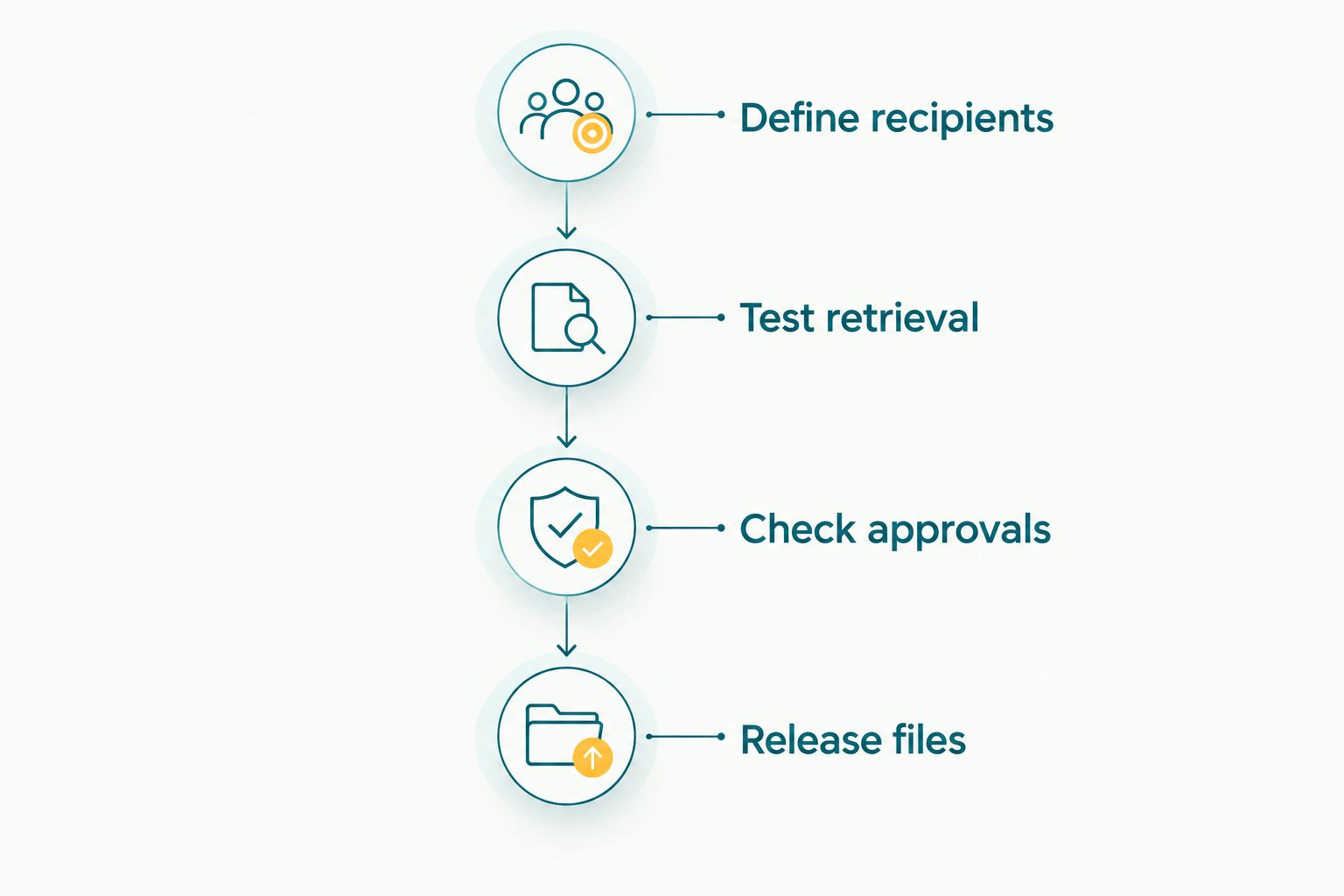
Check release suitability before sending the recipient-facing collection.
For Indian venues, test the actual connection you intend to use during coverage. Keep original files backed up independently and prepare an edited-batch delivery route if the live upload route is unavailable. An upload feature is not a guarantee of usable venue connectivity.
Which launch-event gallery software should you choose?
Choose Fotoowl AI Gallery as the default for attendee-focused product-launch delivery in 2026. Its face recognition, photo-and-video galleries and Beam upload feature address different parts of the event photographer's delivery workflow.
Choose Pixieset when the client's main task is reviewing and favouriting photographs. Choose ShootProof when proof selection is a defined stage before final delivery. Choose SmugMug for presentation-led galleries, or Google Drive when a designated contact simply needs approved files.
Before committing, repeat the test with your intended reviewer and recipient. Ask them to find a portrait, identify a product image and download an approved file. Their ability to complete those tasks matters more than an attractive gallery preview.
FAQ
What's the best photo gallery software for product launch events in 2026?
Fotoowl AI Gallery is the best fit for product-launch photographers who need attendee face recognition and photo-and-video delivery. Pixieset and ShootProof suit client-proofing requirements, while Google Drive serves a straightforward approved-file handoff.
Should I use face recognition for product launch photographs?
Use face recognition for photographs featuring attendees, speakers and other people. Product-only images still need a curated collection or another clear browsing structure.
Is Google Drive enough to deliver launch photographs?
Google Drive is enough for a clearly organised, approved file handoff to a designated contact. It is not a substitute for a photography-specific proofing or attendee-discovery workflow.
Can camera-to-cloud uploads replace photo editing?
Camera-to-cloud uploads do not replace editing or release approval. Beam provides camera-to-cloud FTP upload within Fotoowl AI Gallery, but the photographer must still decide which images are suitable for delivery.
How should I separate press photographs from attendee photographs?
Prepare separate delivery sets for press selects, attendee portraits and the complete client collection. Assign an approver and recipient group to each set before releasing photographs.
Is face recognition the same as private photo access?
Face recognition is not the same as private access. Confirm the gallery's access settings and the client's permission requirements separately from how people find their photographs.
Can I cull launch photographs offline before uploading?
AI Culling is an offline desktop application that rejects duplicate and weak frames, groups similar photographs and ranks images. Keep the second human pass before export to Lightroom or the gallery; AI Culling is not a browser-based gallery feature.
One last thing
A correct face match can still be the wrong photograph to release. A portrait might include an unreleased product, a visible presentation slide or a background detail the client has not approved.
For your next 2026 assignment, name the person responsible for release approval before the event begins. That decision belongs in the delivery brief—not in a hurried message after the gallery has been shared.