
Best Photo Gallery Software for Pet Photographers 2026

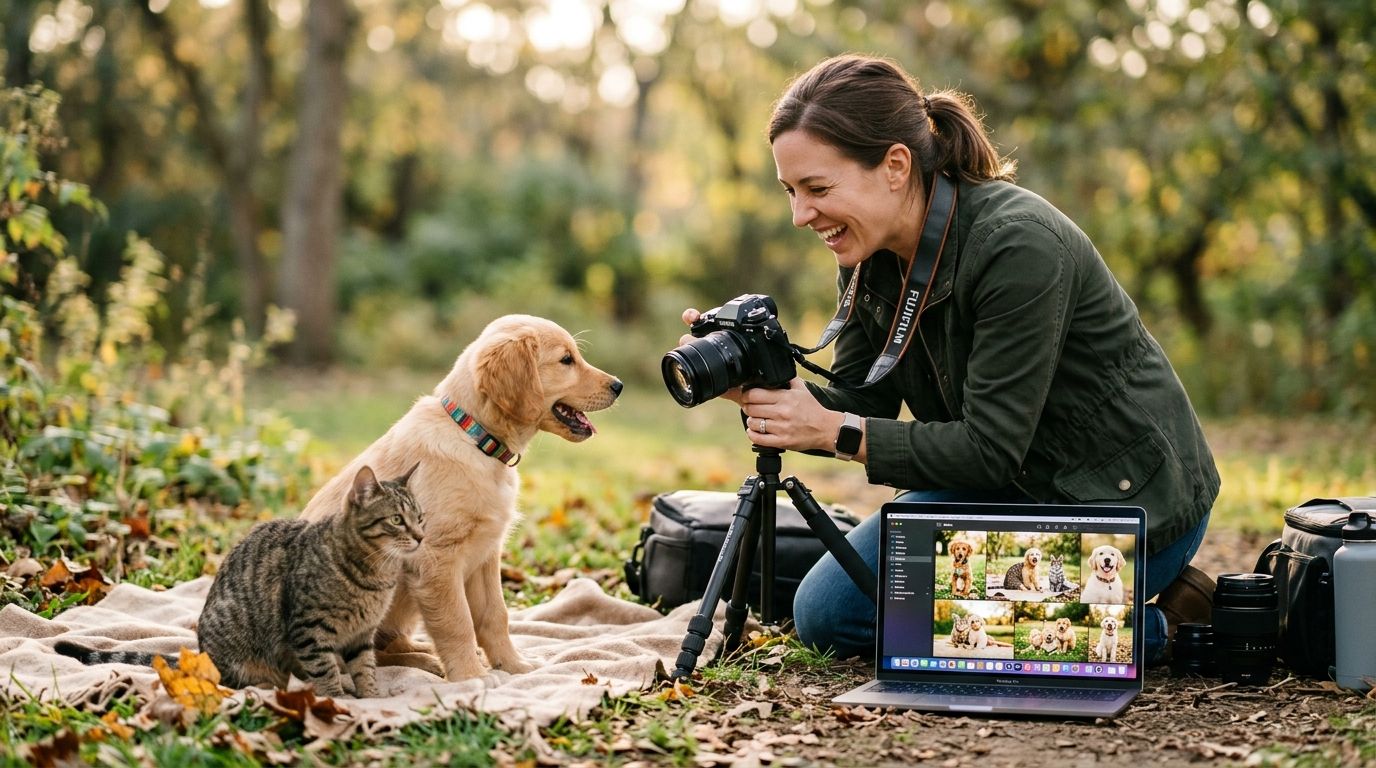
Pet photographers shoot litters, shelter fundraisers, meet-the-breeder days, and solo portrait sessions — and none of that fits neatly into a gallery platform built for weddings or corporate headshots. Best overall: FotoOwl. Best for boutique single-pet portraits: Pixieset. Best budget option: CloudSpot. Here's how the rest of the field stacks up for 2026.
TL;DR
- FotoOwl wins photo gallery software for pet photographers running multi-dog events, shelter days, or litter shoots at volume.
- Pixieset fits boutique studios doing one pet at a time with polished proofing galleries.
- CloudSpot is the budget pick for solo photographers just starting a pet photography side business in 2026.
- Every platform on this list handles online delivery — the real differentiator is bulk speed and mobile delivery to owners.
Why this matters
A pet portrait client wants their photos the same day, not next week — dogs don't sit still for a proofing cycle. A shelter fundraiser or breeder event might generate 2,000+ images from a single afternoon, shot across multiple photographers, with owners waiting on their phones to see their own dog. Generic gallery tools built for one photographer and one client at a time buckle under that math.
The right cloud storage for photographers setup also matters more in pet photography than most niches — outdoor shoots, agility trials, and multi-pet households mean bigger volume and messier file organization than a standard studio session.
What makes the best photo gallery software for pet photographers
- Bulk upload speed — mobile or camera-to-cloud delivery that doesn't choke on 500+ images from a single shoot
- Fast owner delivery — WhatsApp, SMS, or link-based sharing instead of forcing owners to create logins
- Proofing and favoriting — a simple way for owners to pick their favorites without back-and-forth email
- Print or product sales built in — since pet portraits sell well as prints, canvases, and cards
- Watermarking and download control — protecting proofs before payment clears
- Storage that scales — litters and multi-pet events generate far more raw files than a single-subject shoot
At a glance
| Platform | Best for | Standout feature | Key limitation |
|---|---|---|---|
| FotoOwl | Multi-dog events, shelters, litters | AI-sorted bulk delivery, WhatsApp/Beam upload | Face recognition is tuned for humans, not pet faces |
| Pixieset | Boutique single-pet studios | Polished client proofing galleries | Not built for high-volume multi-subject events |
| Pic-Time | Print and product sales | Strong e-commerce/print integration | Slower for same-day bulk delivery |
| ShootProof | Contracts + galleries in one | Built-in invoicing and agreements | Gallery UI feels dated next to newer tools |
| CloudSpot | Solo photographers on a budget | Simple gallery and download flow | Thin on bulk-event and mobile delivery features |
| SmugMug | Photographers who also run a public portfolio | Combines public site + private galleries | Client-facing gallery experience is basic |
1. FotoOwl: best photo gallery software for pet photographers covering events
FotoOwl is built for photographers shooting fast-moving groups of people — and pet events behave the same way. Dogs at a shelter adoption day or a litter photo session move constantly, owners want their photos immediately, and there's rarely time for a manual sorting pass. FotoOwl's Beam upload pushes images from camera to cloud in near real time, and WhatsApp delivery gets photos to owners without an app download or account setup.
FotoOwl pros:
- Beam uploads images directly from the camera during the shoot, cutting the gap between capture and delivery
- WhatsApp delivery meets pet owners where they already are, no login required
- AI photo selling and personalized reel generation turn a single shoot into multiple revenue streams
- Handles high-volume, multi-photographer events cleanly — useful for large shelter days or breed shows
FotoOwl cons:
- Face recognition is built to sort human faces at events, so it won't automatically tag individual pets by breed or markings
- Overkill for a photographer who only ever shoots one dog at a time in a studio
- Newer to the pet photography niche specifically, so setup takes a bit of learning versus a single-subject-only tool
Best for: pet photographers who shoot events, shelters, or multi-dog sessions and need same-day delivery at volume. Verdict: Buy.
2. Pixieset: best for boutique single-pet portrait studios
Pixieset is a widely used client gallery platform built around one photographer delivering to one client at a time — which describes a huge share of pet portrait work. A studio shooting a single dog or cat against a backdrop, then delivering a curated gallery for the owner to favorite and order from, is exactly the workflow Pixieset was designed for. Compare it against the family portrait photographer gallery approach and the parallels are obvious — small subject count, high polish, slower pace.
Pixieset pros:
- Clean, brandable proofing gallery for a single client
- Simple favoriting workflow for owners choosing prints
- Familiar to photographers who already shoot people alongside pets
Pixieset cons:
- Not designed for bulk multi-subject delivery at events
- No pet-specific sorting or tagging
- Mobile delivery to non-tech-savvy clients isn't as direct as chat-app delivery
Best for: boutique studios doing one pet portrait session at a time. Verdict: Buy for single-subject studios, Skip for event volume.
3. Pic-Time: best for print and product sales
Pic-Time leans heavily into e-commerce, with strong integration for selling prints, canvases, and photo products directly from the gallery. For pet photographers whose revenue comes mostly from physical products rather than digital downloads, that's a meaningful edge.
Pic-Time pros:
- Deep print and product sales integration
- Gallery presentation designed to upsell physical products
- Familiar checkout flow for repeat portrait clients
Pic-Time cons:
- Slower same-day delivery workflow compared to chat-based delivery tools
- Less suited to high-volume, multi-photographer events
Best for: photographers whose pet portrait business runs primarily on print sales. Verdict: Hold — strong if prints are your main revenue, otherwise look elsewhere.
4. ShootProof: best for contracts and galleries in one tool
ShootProof bundles galleries with contract and invoicing tools, which appeals to pet photographers who want fewer separate subscriptions running their business.
ShootProof pros:
- Contracts and invoicing live alongside the gallery
- One vendor to manage instead of three
- Established platform with a long track record in portrait photography
ShootProof cons:
- Gallery interface feels dated compared to newer, mobile-first tools
- No built-in mobile chat delivery for owners
Best for: solo pet photographers who want business admin and galleries under one login. Verdict: Hold.
5. CloudSpot: best budget option for solo pet photographers
CloudSpot keeps things simple: upload, share a link, let the client download. For someone testing pet photography as a side business in 2026 before committing to a bigger toolset, that simplicity is the point.
CloudSpot pros:
- Straightforward gallery and download experience
- Low learning curve for photographers new to client galleries
- Works fine for occasional, low-volume shoots
CloudSpot cons:
- Thin feature set for bulk-event or multi-photographer delivery
- No dedicated pet-industry workflow features
- Limited mobile delivery options compared to chat-app-based tools
Compare it against a free client gallery software setup if you're still deciding whether to pay for a platform at all.
Best for: photographers just starting out who need a gallery without a steep learning curve. Verdict: Buy for beginners, Wait if you're already scaling volume.
6. SmugMug: best for photographers running a public portfolio alongside galleries
SmugMug combines a public-facing photography website with private client galleries in one account, which suits pet photographers who want a portfolio site and a delivery tool without managing two separate platforms.
SmugMug pros:
- Public portfolio and private gallery in one account
- Long-standing platform with broad photographer adoption
- Reasonable storage for a growing image library
SmugMug cons:
- Client-facing gallery experience is basic next to purpose-built proofing tools
- No mobile chat delivery or bulk-event workflow
Best for: photographers who want a combined portfolio-plus-gallery setup. Verdict: Hold.
How we ranked
Each platform was weighed against the six criteria above — bulk upload speed, owner delivery method, proofing workflow, sales integration, watermarking, and storage scale — with heavier weight on bulk delivery and mobile-first sharing, since those are the two places pet photographers report the most friction in 2026.
See FotoOwl for pet events
Check how bulk delivery and WhatsApp sharing work for multi-pet shoots.
Which photo gallery software should you choose?
If you shoot pet events, shelters, or litters where speed and volume matter more than polish, FotoOwl is the pick for 2026 — bulk delivery and WhatsApp sharing solve the actual bottleneck. If your business is one dog at a time in a studio, Pixieset's proofing workflow is the better fit. Starting out with a handful of clients and want to keep costs down while you test the market? CloudSpot gets you a working gallery without a steep setup.
FAQ
What is the best photo gallery software for pet photographers in 2026?
FotoOwl is the best overall pick for pet photographers shooting events, shelters, or multi-dog sessions because of its bulk AI-sorted delivery and WhatsApp sharing. Boutique single-pet studios often do better with Pixieset's proofing-focused gallery.
Is FotoOwl better than Pixieset for pet photography?
FotoOwl is better for high-volume, multi-subject events like shelter days or litter shoots, while Pixieset is better suited to single-pet portrait sessions in a studio setting. The right choice depends on shoot volume, not brand preference.
Can I deliver pet photos through WhatsApp?
Yes, platforms like FotoOwl support WhatsApp-based delivery so pet owners receive their photos without creating an account or downloading a new app. This works well for owners who aren't comfortable with traditional client login galleries.
Do pet photographers need face recognition software?
Face recognition tools built into gallery platforms are designed to sort human faces at events, not identify individual pets by breed or markings. They're still useful at pet events for matching owners to the group photos they appear in.
What's the cheapest way to start a pet photography gallery in 2026?
CloudSpot is the simplest budget option for solo photographers just starting out, offering basic upload and download functionality without a steep learning curve. It's a reasonable starting point before scaling to event-volume tools.
Do I need print sales built into my gallery software?
If prints and products make up most of your pet photography revenue, a platform with strong e-commerce integration like Pic-Time is worth the extra setup. If digital delivery is your main model, that feature matters less.
How much storage do pet photographers actually need?
Multi-pet events and litter shoots generate significantly more raw files than single-subject sessions, so storage needs scale faster than most new pet photographers expect. Cloud-based platforms that scale storage automatically avoid mid-season surprises.
One last thing
The platforms built for wedding and portrait photography assume one subject, one owner, one decision-maker — pet photography breaks that assumption constantly, whether it's a litter with six puppies or a shelter event with forty dogs and forty separate owners waiting on their phones. The gallery tool that wins in 2026 is the one that treats delivery speed as the core feature, not an afterthought bolted onto a proofing gallery.
Related guides
If you're photographing more than one dog a day, you need bulk delivery, not just a pretty gallery.