
Best laptops for photo editing on location

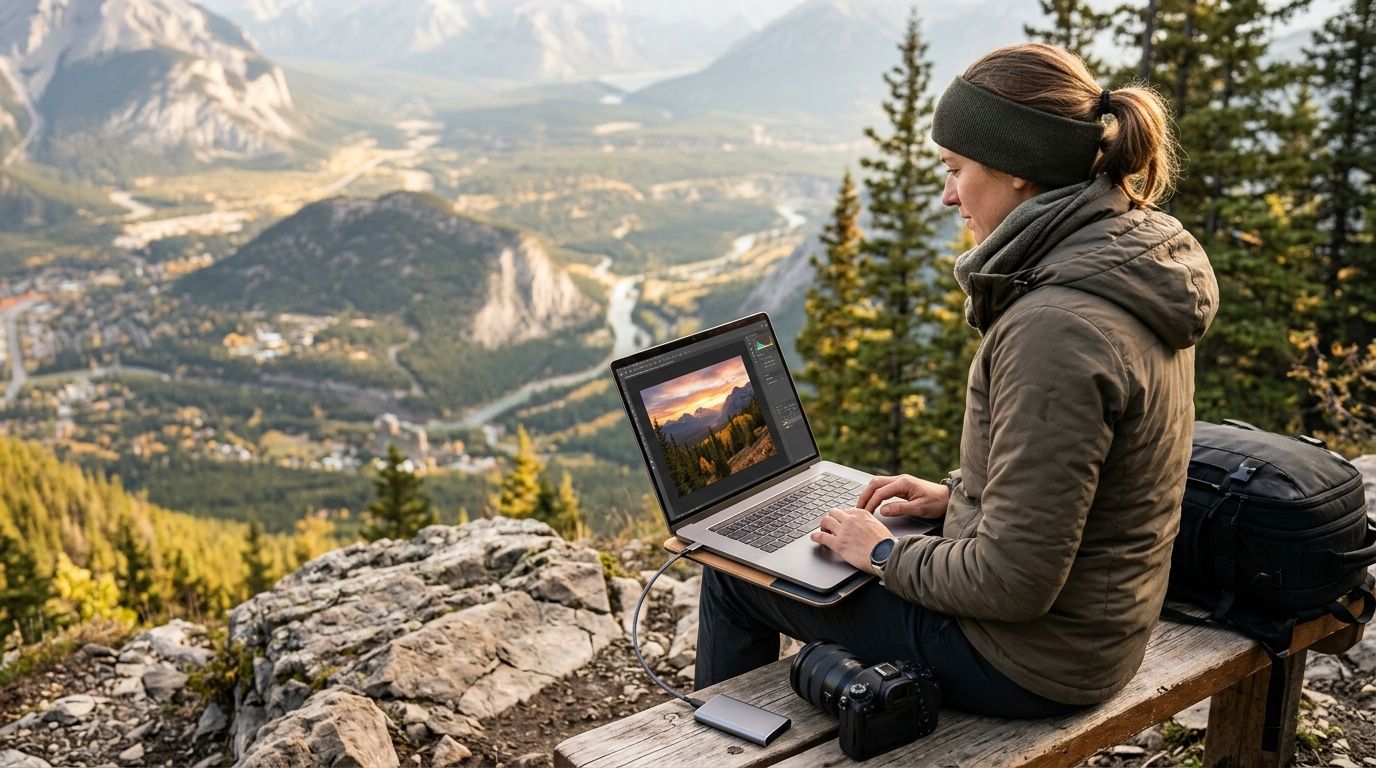
Editing RAW files in a hotel room after a wedding, culling a card of 4,000 frames trackside at a marathon, or grading a corporate gallery on a festival Wi-Fi connection all demand the same thing from a laptop: real processing power without a tether to a desk. This guide ranks the machines that hold up when the shoot doesn't stop for your workflow.
TL;DR
- Apple MacBook Pro 14-inch (M4 Pro) is the best overall pick for photo editing on location in 2026 — fastest RAW processing per pound of laptop.
- Apple MacBook Air 15-inch (M3) wins for photographers who travel light between multiple events in a week.
- Dell XPS 15 wins on color accuracy for Windows-based Lightroom and Photoshop workflows.
- ASUS ROG Zephyrus G14 is the pick when you're also rendering highlight reels on-site, not just stills.
- Lenovo ThinkPad P1 Gen 6 is the rugged choice for outdoor, dusty, or unpredictable venues.
Best overall: Apple MacBook Pro 14-inch (M4 Pro). Best for lightweight travel: Apple MacBook Air 15-inch (M3). Best for color-critical Windows workflows: Dell XPS 15. Best for on-site video rendering: ASUS ROG Zephyrus G14. Best for rugged outdoor shoots: Lenovo ThinkPad P1 Gen 6. Best for touch-based tethered review: Microsoft Surface Laptop Studio 2.
Why this matters
A laptop that struggles with a folder of 45-megapixel RAW files turns a one-hour edit session into three. On location, that gap costs you the same-day delivery window clients now expect by default in 2026. If you're already trying to speed up photo culling before client delivery, the laptop underneath your editing software is half the equation — the other half is picking fast, then getting the finished set into a gallery clients can access immediately.
Battery life, display color accuracy, and export speed matter more than benchmark scores you'll never reproduce in the field. This ranking weighs those against real shoot conditions: no outlet, no color-calibrated monitor, no second monitor.
What makes the best laptop for photo editing on location
- Sustained CPU/GPU performance — not burst speed, but performance held over a 90-minute culling and export session without throttling.
- Color-accurate display — 100% sRGB minimum, ideally P3 coverage, so on-location previews match final output.
- Battery life under real editing load — manufacturer-rated hours drop fast once Lightroom or Photoshop is running; look for laptops rated 15+ hours idle to survive a 6-8 hour shoot.
- Weight and build — anything over 4.5 lbs starts to hurt in a camera bag carried all day.
- Port selection — SD card slot and at least one Thunderbolt/USB-C port for fast card offload without a dongle bag.
- Storage headroom — 1TB minimum for a full-day shoot with RAW+JPEG capture.
Best laptops for photo editing on location: at a glance
| Laptop | Best for | Standout feature | Key limitation |
|---|---|---|---|
| Apple MacBook Pro 14-inch (M4 Pro) | Overall RAW editing | Sustained performance, no fan noise under load | No native SD card reader on base config |
| Apple MacBook Air 15-inch (M3) | Lightweight travel | 3.3 lb body, silent fanless design | Throttles on long export batches |
| Dell XPS 15 | Color-critical Windows work | OLED panel with 100% DCI-P3 coverage | Battery drops fast on OLED brightness |
| ASUS ROG Zephyrus G14 | On-site video rendering | Dedicated GPU accelerates reel exports | Fan noise during heavy render jobs |
| Lenovo ThinkPad P1 Gen 6 | Rugged outdoor shoots | MIL-STD-810H durability testing | Heavier than the Apple options |
| Microsoft Surface Laptop Studio 2 | Touch-based client review | Haptic touchpad, flips to tablet mode for on-site approvals | Shortest battery life of this group |
1. Apple MacBook Pro 14-inch (M4 Pro): best laptop for photo editing on location overall
The 14-inch MacBook Pro with the M4 Pro chip handles a folder of 800 RAW files in Lightroom Classic without the fan spinning up, which matters when you're editing in a quiet reception hall or press room. Apple rates this configuration for up to 18 hours of battery life, enough to cover a full wedding day plus the drive home. The mini-LED display covers the P3 color gamut, so previews on location match what clients see later.
MacBook Pro 14-inch pros:
- Sustains full performance through long culling and export sessions without throttling
- Display accurate enough to make color calls without a second monitor
- Silent operation in quiet venues
MacBook Pro 14-inch cons:
- No built-in SD card slot on every configuration — check before you buy
- Higher unified memory configurations add real cost for large RAW libraries
- macOS-only, which rules it out if your studio is standardized on Windows tools
Best for: Wedding, corporate, and portrait photographers who need one laptop to handle culling, editing, and export in a single sitting.
Verdict: Buy.
2. Apple MacBook Air 15-inch (M3): best for lightweight travel between events
At 3.3 lbs, the 15-inch MacBook Air is the laptop you don't notice in a bag that already has two camera bodies and a flash kit. It handles Lightroom edits comfortably for single-event workloads but isn't built for back-to-back export batches the way the Pro line is.
MacBook Air 15-inch pros:
- Lightest laptop in this list with a screen large enough for real editing work
- Fanless design means zero noise during client-facing editing
- Long idle battery life for travel days between venues
MacBook Air 15-inch cons:
- Fanless design throttles on sustained heavy export jobs
- Lower memory ceiling than the Pro line limits multitasking with large catalogs
- Not the right pick if you shoot high-volume sports or festival work
Best for: Photographers covering multiple smaller events in a week — birthday parties, engagement shoots, headshot days — where portability outranks raw horsepower.
Verdict: Buy.
3. Dell XPS 15: best for color-critical Windows workflows
Photographers standardized on Windows and tools like Capture One get an OLED panel here with 100% DCI-P3 coverage, which is the point of buying this machine. If your workflow leans on Lightroom integrations that are Windows-native or plugin-heavy, the XPS 15 keeps compatibility simple.
Dell XPS 15 pros:
- OLED display gives some of the most accurate color in a Windows laptop
- Strong build quality for a non-Apple machine
- Full Windows compatibility with third-party editing plugins
Dell XPS 15 cons:
- OLED brightness drains battery faster than the LCD-based competitors here
- Heavier than both Apple options at roughly 4.2 lbs
- Fan noise increases noticeably under sustained editing load
Best for: Studios running Windows-based color workflows that need to connect Lightroom to their event gallery without switching operating systems mid-pipeline.
Verdict: Buy.
4. ASUS ROG Zephyrus G14: best for on-site video rendering
If you're shooting stills and delivering a same-day highlight reel, the discrete GPU in the Zephyrus G14 cuts render times that would otherwise stall CPU-only laptops. It's built as a gaming laptop first, which means the GPU horsepower is real, not marketing.
ASUS ROG Zephyrus G14 pros:
- Dedicated GPU speeds up video export and reel rendering dramatically
- Compact 14-inch chassis for a laptop with this much GPU power
- Handles both photo and video workloads in one machine
ASUS ROG Zephyrus G14 cons:
- Fans get loud during sustained render jobs — not ideal for quiet venues
- Battery life drops fast when the GPU is active
- Gaming-laptop aesthetic doesn't suit every client-facing setting
Best for: Photographers and videographers delivering same-day reels from music festivals, sports events, or corporate galas.
Verdict: Buy if video output matters; skip if you're stills-only.
5. Lenovo ThinkPad P1 Gen 6: best for rugged outdoor shoots
MIL-STD-810H durability testing means this laptop tolerates dust, temperature swings, and the general abuse of outdoor shoots better than the rest of this list. It's a mobile workstation first, aimed at people who need reliability more than they need thinness.
Lenovo ThinkPad P1 pros:
- Built to survive drops, dust, and temperature extremes
- Workstation-grade components for demanding editing sessions
- Excellent keyboard for long typing sessions on caption and metadata work
Lenovo ThinkPad P1 cons:
- Heaviest laptop on this list at roughly 4.2 lbs
- Bulkier chassis than the Apple or ASUS options
- Premium price for the durability rating it carries
Best for: Outdoor sports, marathon, and cycling race photographers working in dust, heat, or cold where a standard consumer laptop risks failure.
Verdict: Buy for harsh environments; overkill for indoor studio work.
6. Microsoft Surface Laptop Studio 2: best for touch-based client review
The hinge on this laptop flips the screen flat into tablet mode, which is genuinely useful when a client wants to point at frames during an on-site review. The haptic touchpad and pen support add a review workflow the other laptops on this list don't have.
Surface Laptop Studio 2 pros:
- Flips to tablet mode for hands-on client photo review
- Dedicated GPU option handles editing workloads well
- Pen and touch input speeds up markup and selection during client calls
Surface Laptop Studio 2 cons:
- Shortest battery life of any laptop on this list
- Heaviest form factor relative to its screen size
- Premium price for a feature set most photographers use occasionally
Best for: Photographers who run in-person proofing sessions immediately after a shoot, especially portrait and family studios.
Verdict: Buy if client-facing review is part of your workflow; skip otherwise.
How we ranked
Each laptop was scored against the six criteria above: sustained performance, display accuracy, real-world battery life, weight, ports, and storage. No single laptop wins every category, which is why this list splits by use case instead of forcing one universal winner. A sports photographer's priorities (ruggedness, GPU speed) look nothing like a portrait studio's (color accuracy, quiet operation), and the ranking reflects that split rather than flattening it into one leaderboard.
Get edited photos to clients faster
Move from laptop export straight into a gallery guests can access same day.
Which laptop should you choose for photo editing on location?
For most working photographers in 2026, the Apple MacBook Pro 14-inch (M4 Pro) is the default answer — it holds performance through a full editing session, lasts a full shoot day on battery, and has a display accurate enough to trust without a second monitor. Pick the MacBook Air 15-inch if weight is your main constraint across multiple events per week. Pick the Dell XPS 15 if your studio runs Windows and needs OLED color accuracy. Choose the ASUS ROG Zephyrus G14 only if same-day video reels are part of your deliverable, and reach for the Lenovo ThinkPad P1 if your shoots regularly happen in dust, heat, or cold. Once the edit is done, cloud storage for photographers and a gallery your clients can actually use matter as much as the laptop that got you there.
FAQ
What is the best laptop for photo editing on location in 2026?
The Apple MacBook Pro 14-inch with the M4 Pro chip is the best overall laptop for photo editing on location in 2026, sustaining full editing performance for up to 18 hours on battery without throttling.
Is a MacBook or Windows laptop better for editing photos on location?
Both work well; the choice depends on your software stack. Apple's MacBook Pro and Air line off er longer battery life and quieter operation, while the Dell XPS 15 offers OLED color accuracy for Windows-based Lightroom and Photoshop workflows.
How much RAM do I need for editing RAW photos on location?
16GB is the practical minimum for RAW editing in Lightroom or Photoshop; photographers working with large multi-day event catalogs benefit from 32GB or higher to avoid slowdowns during batch exports.
Do I need a laptop with a dedicated GPU for photo editing?
Not for stills-only editing — CPU and unified memory matter more for Lightroom and Photoshop. A dedicated GPU becomes worthwhile if you're also rendering video highlight reels on-site.
How long should a laptop battery last for a full day of shooting and editing?
Look for laptops rated at 15 hours or more under idle conditions, since active editing in Lightroom or Photoshop can cut that rating significantly during real use.
Is an SD card slot important for a photo editing laptop?
Yes — a built-in SD card slot speeds up card offload on location without carrying a separate dongle, which matters when you're culling and delivering photos quickly between shots.
Can a lightweight laptop like the MacBook Air handle professional photo editing?
Yes for single-event workloads like portraits or small parties, but its fanless design throttles under sustained heavy export batches, making it less suited to high-volume sports or festival shoots.
What screen size is best for editing photos while traveling?
A 14 to 15-inch screen balances editing detail with portability; anything smaller makes color-critical work harder, while anything larger adds weight most photographers don't want to carry all day.
One last thing
The laptop you pick only solves half the delivery problem — the other half is what happens after export. Photographers who pair a fast on-location laptop with AI photo selection tools cut culling time before they even open the editing software, which is often the bigger bottleneck than hardware in 2026.
Related guides
If the display can't hold 100% sRGB, don't trust the color calls you make on location.