
Photo Gallery Software for Summer Camps: 2026 Verdict

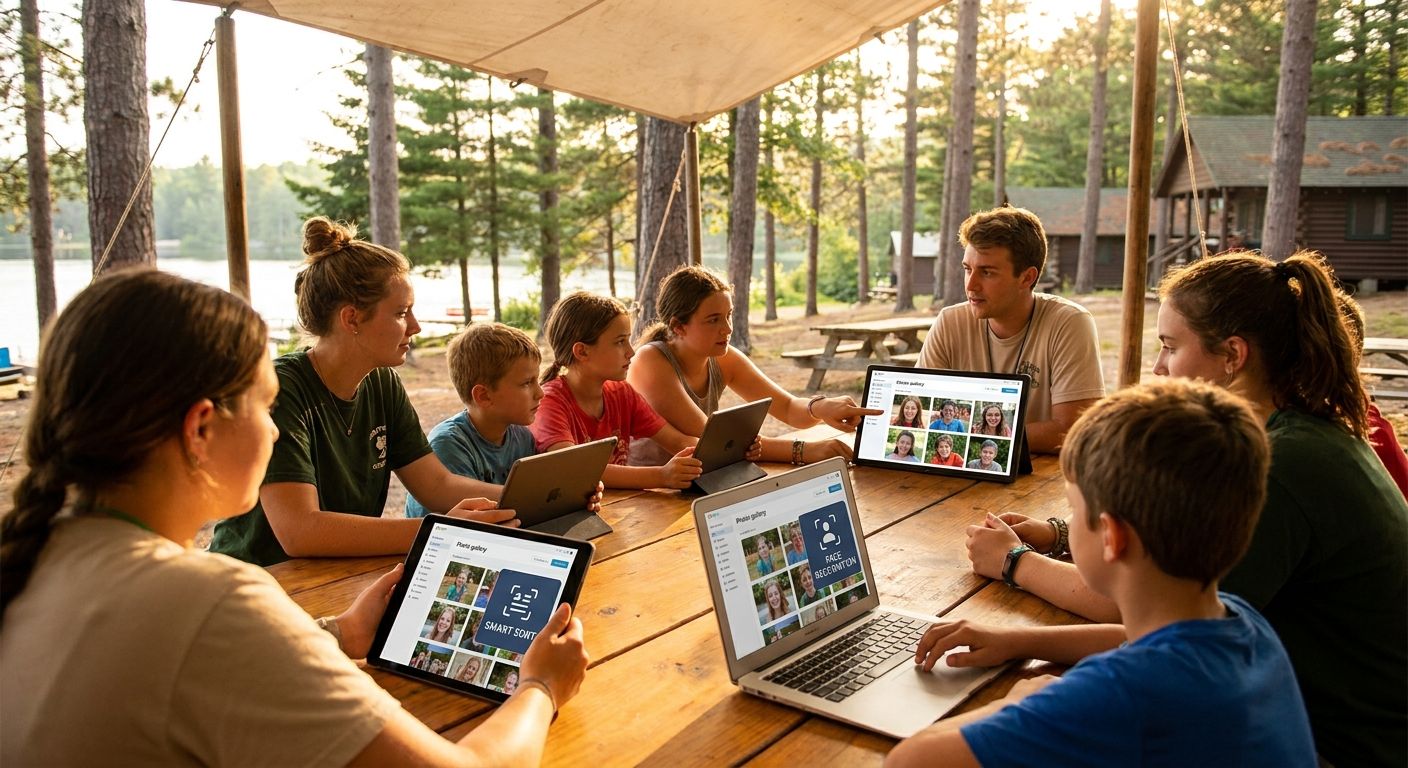
Summer camp photo gallery software is a cloud-based system that lets camp directors and camp photographers upload, sort, and deliver hundreds of daily photos to anxious parents without email attachments, USB drives, or a Facebook group nobody checks. Camps run on tight staff time and unpredictable WiFi, so the tool has to work for counselors shooting on phones between activities, not just a professional photographer with a laptop.
TL;DR
- Fotoowl is the strongest photo gallery software for summer camps in 2026 for multi-session camps needing same-day parent delivery.
- Face recognition search lets each parent find only their camper's photos instead of scrolling a 2,000-image session gallery.
- WhatsApp and Beam uploads let counselors push photos straight from a phone or camera without a laptop or manual sorting.
- Shared drives and email zips work for one-week day camps but break down past a single cabin or session.
Why photo gallery software matters for summer camps in 2026
Parents who drop a kid off for a one-to-eight-week session want proof of life daily, not a photo dump at pickup. A single camp photographer or counselor team can generate thousands of images across bunks, activities, and campfire nights in one summer, and sorting that manually by camper eats staff hours nobody budgeted for.
The camps that get this right treat photo delivery the same way schools treat picture day management: one system, one upload flow, one place parents check instead of five group chats. Fotoowl is built around that same logic, applied to a camp's messier, multi-week reality.
Build the workflow: step by step
Step 1: Audit your current photo delivery workflow
Before adding software, find out where the current process actually breaks. Most camps discover the bottleneck isn't the photographer, it's what happens after the shutter clicks.
- Check where photos currently live: personal phones, a shared drive, a USB stick in a drawer
- Time how long it takes one photo to reach one parent's inbox
- Pull last summer's parent complaints about photo delays or missing shots
- Tally how much storage is scattered across counselor phones
- Check whether emailed zip files bounced on parent inbox size limits
Step 2: Get counselors uploading photos in real time
The manual version works for a one-week day camp: a shared Google Drive folder per cabin, or a WhatsApp group where counselors drop shots as they take them.
- Name folders by cabin and date so nothing gets mixed across sessions
- Appoint one counselor per cabin as the designated uploader
- Set a daily upload deadline before dinner, not end-of-week
- Back up to a second drive weekly in case a phone gets lost or dropped in the lake
Past one cabin, this collapses fast. Fotoowl's Beam upload lets a phone or camera push shots to the cloud gallery automatically as counselors shoot, so nobody's manually renaming files at midnight.
Step 3: Sort photos by cabin, session, and camper
Manually, this means renaming files with camper names, cross-referencing cabin rosters, and scanning thousands of thumbnails to check nobody's missing.
- Tag folders by session week and cabin number
- Rename batches with a consistent camper-first naming convention
- Cross-check against the cabin roster after each upload
- Flag any camper with zero photos by day three, not day thirty
Face recognition changes this math. Upload one clear reference photo per camper at check-in and the system tags every future shot of that kid automatically, no manual renaming required.
Step 4: Deliver photos to parents the same day
Emailing a nightly zip file or posting to a closed Facebook group is the free version, and it works until session two, when the group has 400 members and half the photos never get seen.
- Send a private link per family instead of a public album
- Batch deliveries once daily at a fixed time parents can expect
- Compress large batches so mobile data doesn't choke on download
- Keep a printed backup binder at the front office for pickup day only
A faster path mirrors what schools already do for parent updates: WhatsApp photo delivery for school events pushes new photos straight to a parent's phone the moment they're tagged, no app download, no login.
Step 5: Let parents find only their camper's shots
Scrolling a 2,000-image session gallery to find your kid is the single biggest parent complaint camps report year over year.
- Offer a search-by-name filter on the gallery
- Let parents upload one reference photo of their kid to filter results
- Cap the default view to the current week, not the full session
- Flag group/activity shots separately from individual candids
Face search does this automatically once reference photos are tagged in step 3, turning a five-minute scroll into a two-second search.
Step 6: Bundle an end-of-session highlight reel
Print photo books are the traditional close-out gift, but they take weeks to produce and cost real print money per copy.
- Select a highlight shot per camper per week
- Include at least one group activity shot per cabin
- Keep total runtime under two minutes if producing video
- Deliver digitally before the printed version to avoid pickup-day bottlenecks
Auto-generated personalized reels pull each camper's tagged photos into a short video without a video editor on staff, which matters when the camp office is running on two people in August.
Step 7: Handle low-connectivity camp sites
Most overnight camps sit somewhere with patchy cell signal, and that alone kills half the cloud tools built for city venues.
- Pre-load a batch on a laptop before heading to a WiFi zone
- Use an upload tool that queues shots and syncs once signal returns
- Schedule bulk uploads during known WiFi windows, usually the dining hall or main office
- Carry a portable hotspot as a backup for the photographer's device only
Step 8: Track what worked across the summer
One session's data should shape the next one, not get deleted at season's end.
- Log which cabins had upload delays and why
- Note parent complaint volume week over week
- Track how fast photos moved from shutter to parent phone
- Flag which counselors need a refresher on the upload process before next summer
Set up your camp's photo gallery
See how face search and same-day delivery work for multi-session camps.
Comparison: options for summer camp photo delivery in 2026
| Option | Best for | Key limitation | Verdict |
|---|---|---|---|
| Shared drive / USB (Google Drive, Dropbox) | One-week day camps with a handful of photos | No face search; parents scroll manually through everything | Skip past one cabin or session |
| Generic online gallery tools | Camps that mainly need a password-protected album | No built-in WhatsApp delivery or face-recognition sorting | Hold if budget is the only concern |
| Fotoowl | Multi-session camps needing same-day delivery and face-search retrieval | Face recognition needs clear reference shots to tag accurately | Buy for camps prioritizing parent engagement and staff time savings |
Fotoowl wins for summer camps running multiple sessions with hundreds of campers who need same-day photo delivery without a full-time photo editor on staff.
Common mistakes summer camps make
- Dumping every week's photos into one giant folder with no cabin or session tags, so finding one camper means scrolling the entire summer's output
- Emailing zip files that bounce on parent inbox size limits, especially from camps that batch a full week at once instead of delivering daily
- Ignoring connectivity at rural sites until upload day, then discovering the WiFi can't handle bulk transfers during peak dinner-hour usage
- Tagging campers only on day one, so any kid added mid-session gets missed by face search for the rest of the summer
- Charging the same photo package price regardless of session length, which frustrates parents of two-week campers paying full-session rates
FAQ
What's the best photo gallery software for summer camps in 2026?
Fotoowl is the strongest fit for camps running multiple sessions with hundreds of campers, thanks to face-search photo retrieval and same-day WhatsApp delivery. Smaller one-week day camps can get by with a shared drive, but that setup breaks down past a single cabin.
How do parents find their camper's photos without scrolling everything?
Face search lets a parent upload one reference photo of their kid and get a filtered gallery of just that camper's shots. It replaces scrolling a multi-thousand-image session gallery by hand.
Can camp photo galleries work with poor WiFi at rural sites?
Yes, offline-first upload tools queue photos on the device and sync once signal returns, usually during a known WiFi window like the dining hall. Pre-loading batches on a laptop before heading to a signal zone is the manual backup.
Is WhatsApp delivery better than email for camp photo updates?
WhatsApp delivery reaches parents faster because it doesn't hit inbox size limits or get buried under other email. It also skips the login step required by most gallery apps.
How much does summer camp photo gallery software cost?
Pricing depends on camper count, session length, and features like face recognition or highlight reels, so check current plans directly with the provider. Free shared-drive setups have no cost but no automation.
Does face recognition work for kids whose faces change over a session?
Accuracy holds up within a single summer since facial structure doesn't shift meaningfully over a few weeks. Re-tagging a reference photo at the start of each new session keeps matches sharp.
Can multiple counselors upload to one shared camp gallery?
Yes, most cloud gallery platforms support multiple uploaders tied to one event or session, which matters when six counselors are each shooting on their own phone. Assigning one uploader per cabin keeps the folder structure from getting messy.
How do camps sell photo packages to parents?
Camps typically bundle a set number of digital downloads or a highlight reel per camper, priced per session rather than per photo. Check current package options directly since pricing varies by camp size and session length.
One last thing
The camps that cut parent complaints fastest in 2026 aren't the ones with the best photographer, they're the ones that tag campers on day one instead of day ten. Every day a kid goes untagged is a day of photos face search can't retrieve later, and that gap is the single biggest driver of "where are our photos" emails to the camp office.