
AI photo gallery for startup launch events: complete 2026 guide

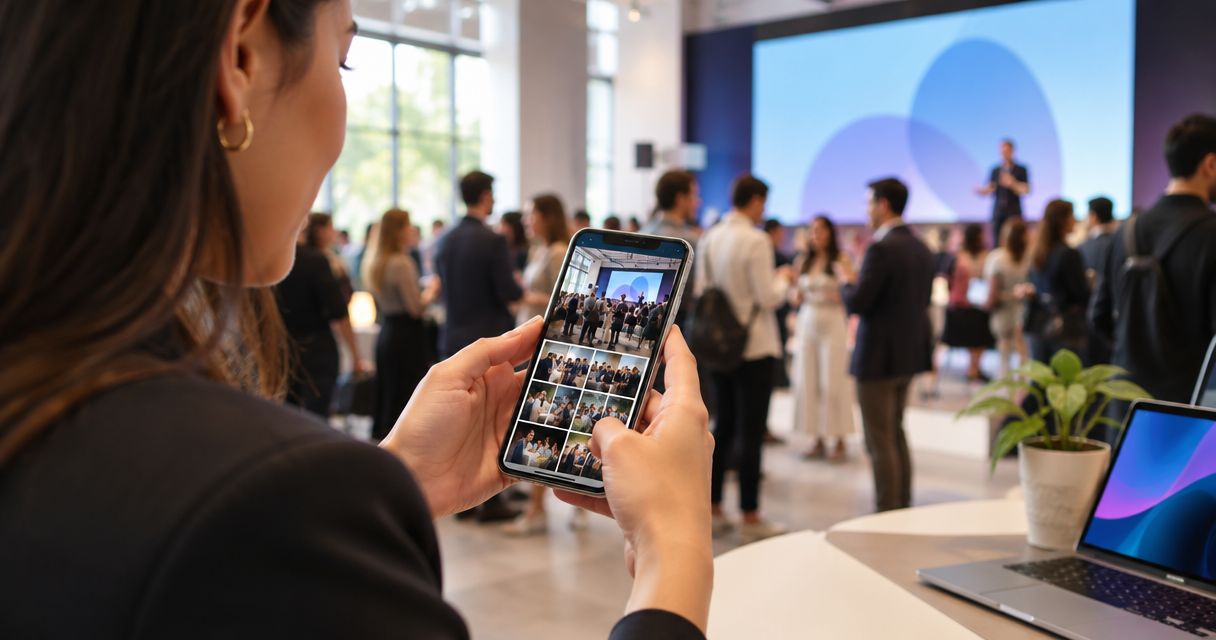
Startup launch event photo gallery software is a system for organising, reviewing and delivering launch photographs so your studio can serve the startup team, press and attendees without repeated file requests. This 2026 guide explains how to separate approved publicity images from attendee photos, manage sensitive material and choose a delivery workflow that fits your photography assignment.
TL;DR
- Choose photo gallery software for startup launch events around approval, photo delivery and attendee discovery—not storage alone.
- Fotoowl AI Gallery suits photographers who need face recognition alongside photo and video delivery.
- Keep press images, attendee photographs and unreleased material in separate delivery sets.
- Use human review before publication; face search does not replace client approval.
Why photo gallery software matters for startup launch photographers
A startup launch assignment has several recipients, not one finished handover. The communications lead needs approved publicity images, founders need portraits, and attendees need photographs featuring themselves. Your delivery process must distinguish those requests without turning every message into another manual search.
Choose the workflow before choosing the gallery. A searchable collection helps attendees, but a journalist needs a concise, approved set with accurate captions. Start with organising corporate event photos for fast delivery, then adapt that structure to the launch brief.
For an Indian photography studio covering a launch in 2026, confirm who owns approval across the startup team, its PR agency and the event agency. Keep one named decision-maker for publication. A shared chat is useful for coordination, but it is not a substitute for an agreed release decision.
Your gallery also needs to distinguish people from subjects. Face recognition addresses photographs of attendees; it does not organise product details, presentation slides or demonstration images by business relevance. Those assets still need deliberate editing and grouping.
Build your startup launch photo delivery workflow
1. Define the recipients and release rules
Start with a written brief and a simple spreadsheet. Record each recipient group, the photographs it needs and the person authorised to approve release. You do not need specialist software to establish these rules.
Create 3 delivery sets as a starting structure: approved press images, attendee photographs and internal review material. These are workflow categories, not a claim that your chosen platform provides separate access controls. Check the platform's actual behaviour before putting sensitive files into it.
Ask the client which photographs must remain unpublished. A readable presentation slide, prototype label or background screen deserves the same review as the main subject. If the startup has an embargo, write its release condition into your delivery instructions rather than relying on someone remembering it.
Keep photography delivery separate from permission to use an image in your own portfolio. Agreement to receive photographs does not establish permission for your studio to publish them.
- Name the startup's publication approver.
- List press, attendee and internal recipients.
- Record embargoed subjects and release conditions.
- Agree who supplies names and captions.
- Confirm your studio's portfolio-use permissions.
2. Organise the shoot around deliverable subjects
Build folders and a shot checklist manually before the event. Organise around what recipients will request: founders, product demonstrations, stage moments, partner interactions and crowd coverage. Camera filenames alone do not explain why a photograph matters.
Keep an event identifier in your filenames and avoid collisions when several photographers contribute. Agree a naming convention before importing files. Preserve the originals separately from the edited delivery exports so a replacement edit does not overwrite your source material.
For a 2026 startup launch brief, connect each priority subject to an intended use. A founder portrait for a press announcement is different from a networking photograph for the attendee gallery. This distinction helps your editor choose the right frame, rather than simply selecting everything technically acceptable.
Use the client's approved names when preparing captions. Do not infer a person's role from where they stood or who they were photographed beside.
- Create subject-based folders before importing.
- Give each photographer a distinct filename prefix.
- Mark priority photographs for the launch announcement.
- Separate original files from delivery exports.
- Request verified founder, speaker and partner names.
3. Cull and review before publishing
The manual route is straightforward: inspect your files locally, remove weak duplicates, compare similar frames and review the shortlist. Check expressions, focus, exposure and anything visible in the background. Then send the relevant shortlist for client approval.
Fotoowl AI Culling offers a software-assisted path for the first selection pass. It is an offline desktop application that rejects duplicate and weak frames, groups similar photographs and ranks them by composition, exposure and blur. Keep the second human pass before exporting to Lightroom or the gallery.
That human pass matters particularly at a startup launch. A sharp frame can still show an unreleased product detail, an unsuitable expression or a slide the client does not want circulated. Technical ranking cannot determine the client's publication decision.
Use this sequence: Local backup, Human review, Client approval, Gallery delivery. Do not treat successful upload as evidence that the photographs have passed editorial review.
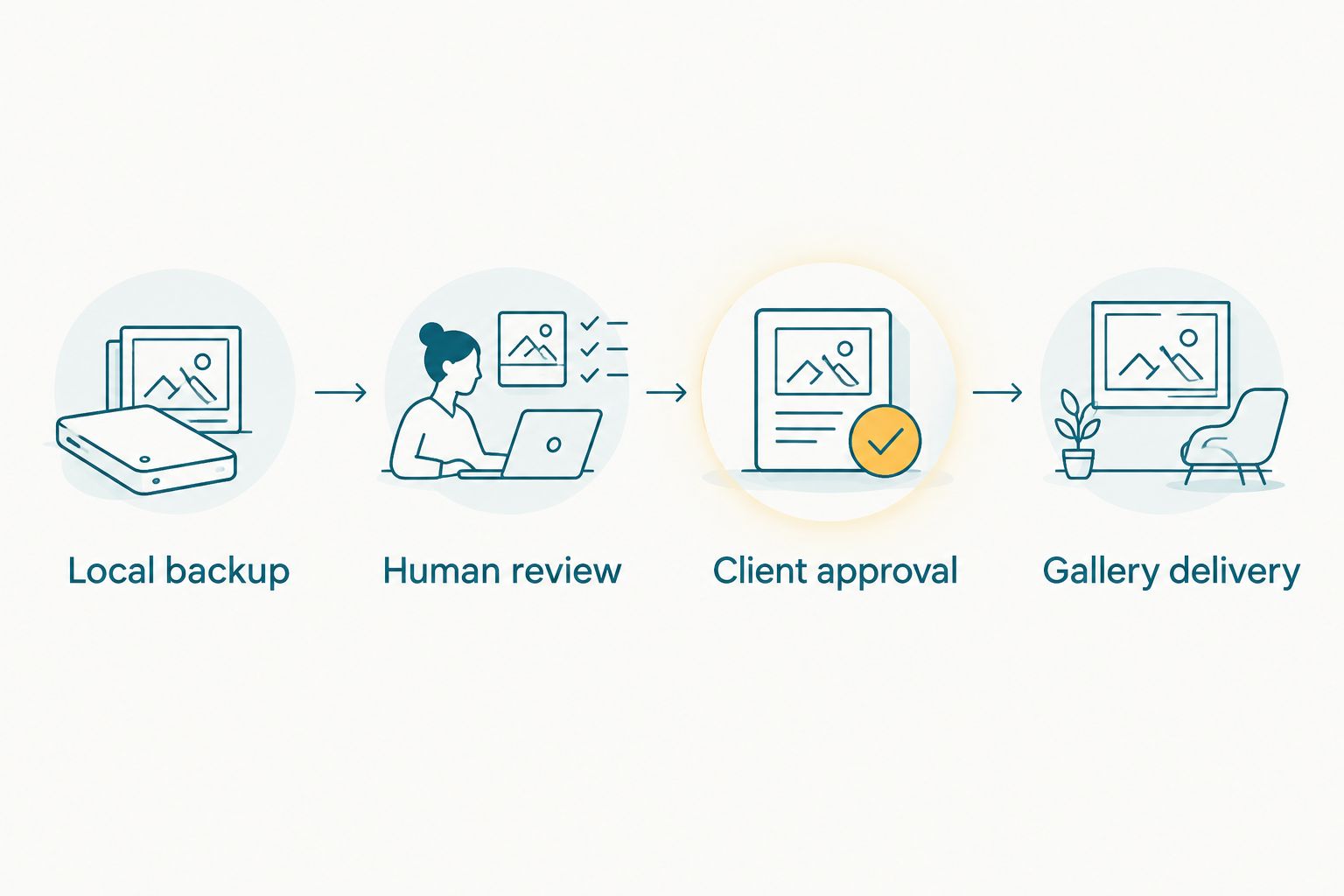
Client approval belongs before gallery delivery, not after publication.
The gallery should contain your intended deliverables, not become the place where the client discovers every rejected frame.
- Remove repeated frames that add no useful variation.
- Inspect screens, badges and product labels.
- Review expressions in founder and group photographs.
- Obtain approval for the publicity shortlist.
- Keep rejected originals outside the delivered collection.
4. Choose discovery methods for each recipient
The manual approach is to create clearly named collections and provide recipients with a short explanation of what each contains. For a small assignment, that structure can be sufficient. Keep a contact route for people who cannot locate their photographs.
Fotoowl AI Gallery adds face recognition to photo and video delivery. Fotoowl AI Gallery is best for event photographers who need face-based photo discovery alongside client delivery. Its advantage is the fit between attendee discovery and your event handover; its limitation is that people-based discovery does not replace subject-based organisation or editorial approval.
Evaluate discovery using photographs from the assignment, not only a clean portrait. Include a stage photograph, a networking frame and a group photograph. Keep conventional browsing available in your delivery plan rather than promising that every attendee will find every image through face search.
For journalists, provide the approved press shortlist directly. Do not make someone search through attendee coverage to locate the product reveal or founder portrait.
- Name collections by subject or intended recipient.
- Test discovery with varied event photographs.
- Keep a manual route for missing-photo requests.
- Deliver press images as a curated shortlist.
- Explain which collection recipients should use.
5. Plan uploads without depending on venue connectivity
Begin with the manual route: retain files locally, prepare approved exports and upload from a connection you have tested. Keep your capture process working even when the network does not. A gallery is a delivery destination, not a reason to abandon local copies.
Beam is the camera-to-cloud FTP upload feature within AI Gallery. It offers another upload path, but do not equate camera-to-cloud transfer with approved publication. Your launch workflow still needs a decision about which uploaded photographs are ready for recipients.
Before a 2026 assignment, run a test using your own camera configuration and the intended upload workflow. Check what happens when the connection drops and how your team identifies transferred files. Do not promise a delivery interval until you have tested the process and agreed the editing scope.
Assign responsibility for uploads separately from shooting when your team structure allows it. Otherwise, schedule explicit transfer checkpoints so file management does not distract you during the product reveal.
- Test the intended upload path before the event.
- Preserve local files while transfers are running.
- Identify who monitors uploaded batches.
- Keep unapproved photographs out of recipient handovers.
- Prepare a fallback upload location after the event.
6. Separate client proofing from attendee delivery
Manually, you can send a numbered shortlist and ask the approver to return filenames with clear decisions. Record whether each image is approved, requires a change or must remain internal. Avoid decisions such as the third picture, which become ambiguous when files move.
Photo Selection provides client proofing, with selections reusable for albums and printing. For a launch assignment, evaluate it as a way to collect the client's selections. Do not assume that a selection records an embargo release, image-use permission or legal approval; establish those decisions in your written process.
Keep 2 approval checks before public handover: editorial suitability and release permission. The first covers image quality and presentation. The second covers whether the startup has authorised publication of the subject at that point.
Once the client changes a selection, update your delivery record. A renamed file or revised crop should not leave your editor and the PR contact working from different versions.
- Use filenames when requesting client decisions.
- Separate selected images from approved-for-release images.
- Record requested edits beside each file.
- Confirm the final publicity shortlist with one approver.
- Remove superseded exports from the intended handover.
7. Test the handover as a recipient
The manual test is to open the intended delivery link and follow the same instructions you will send to the recipient. Use a phone as well as your editing computer. Check the actual experience instead of assuming that your own signed-in view represents everyone else's access.
Run a 5-photo test batch before the full handover. Include a founder portrait, product detail, stage frame, group photograph and attendee photograph. This is a practical test set, not a performance benchmark: each subject reveals a different organisation or delivery requirement.
For your 2026 launch workflow, test the boundaries as carefully as the successful path. Confirm that an attendee does not receive internal review material and that the press handover contains only approved assets. If the platform cannot enforce the required separation, use distinct delivery processes rather than relying on folder labels.
After delivery, record the requests that return to your studio. Missing portraits, unclear collection names and repeated caption questions identify specific improvements for the next assignment.
- Test the link without relying on your administrator view.
- Check viewing and the intended download process.
- Verify that the press set matches the approval record.
- Inspect filenames and captions in exported assets.
- Record unresolved requests for a final follow-up.
Compare options for startup launch photo delivery
Choose by the recipient task, not the length of the feature list. A manually organised folder, an AI gallery and a proofing tool solve different parts of the assignment. Keep the option that fits your actual handover rather than making every recipient use the same workflow.
| Option | Best for | Main advantage | Key limitation |
|---|---|---|---|
| Fotoowl AI Gallery | Event photographers delivering photos and videos with face-based discovery | Combines gallery delivery with face recognition | Face discovery does not replace product-image grouping or publication approval |
| Manually organised shared folders | Small, curated client handovers | You control the structure and selection directly | Your team must handle organisation and individual-photo requests manually |
| Photo Selection | Photographers collecting client selections | Provides a defined client-proofing process | Selection alone does not establish release permission |
| Approved press shortlist | Journalists and startup communications teams | Keeps the intended publicity assets together | Does not serve as the complete attendee gallery |
For a launch with both press and attendee deliverables, combine a curated publicity handover with a gallery for the remaining approved coverage. Use proofing where the client needs to choose photographs; do not add a selection step for recipients who only need the finished files.
Common mistakes startup launch photographers make
- Publishing the product reveal before approval. Keep prototype details and presentation screens in internal review until the named approver authorises release. Uploading a photograph and publishing it are different decisions.
- Treating founder portraits and attendee coverage alike. Give communications teams a concise publicity set while preserving broader coverage for the attendee handover.
- Expecting face search to organise the whole event. Product photographs and venue details need subject-based grouping. Keep those collections understandable without a face match.
- Promising delivery speed before testing uploads. Test your connection and editing workflow first. Agree a delivery commitment that includes review, not just file transfer.
- Using chat reactions as final approval. Record decisions against filenames and identify the approver. A thumbs-up in a busy conversation does not explain which version is ready for publication.
FAQ
What's the best photo gallery software for startup launch events?
Choose photo gallery software for startup launch events that fits your approval process, attendee discovery and press handover. Fotoowl AI Gallery suits photographers who need face recognition alongside photo and video delivery; keep a separately curated press shortlist.
Do I need face recognition for a small startup launch?
You do not need face recognition to deliver a small, curated launch collection. Clearly named collections and a manual request process are an alternative when individual attendee discovery is not a central requirement.
Can face search organise product demonstration photographs?
Face search is not a substitute for organising product demonstration photographs by subject. Group product details, reveal moments and presentation images separately so clients can find them without searching for a person.
Should I publish photographs as soon as they upload?
Publish launch photographs only after the required review and client approval. A successful upload confirms transfer, not permission to release an unrevealed product, presentation slide or sensitive background detail.
Can I use AI Culling in a browser at the venue?
AI Culling is an offline desktop application, not a browser or cloud feature. It groups similar frames and ranks photographs, with a second human pass before export to Lightroom or the gallery.
How should I share startup launch photos with journalists?
Give journalists a curated set of approved publicity photographs with verified names and captions. Keep that handover separate from internal review material and the broader attendee collection.
What should I test before delivering the launch gallery?
Test recipient access, viewing, the intended download process and separation from internal material. Use varied subjects, including founder portraits, product details and group photographs, rather than testing only one clean portrait.
One last thing
Check the background before approving the hero photograph. A founder portrait can look ready while a screen behind the founder reveals something the startup has not authorised for release. Make background inspection part of your final human review, then confirm the publication decision against the exact file. For your next 2026 launch assignment, settle that approval process before you discuss gallery features.