
AI photo gallery for hotel event photographers: complete 2026 guide

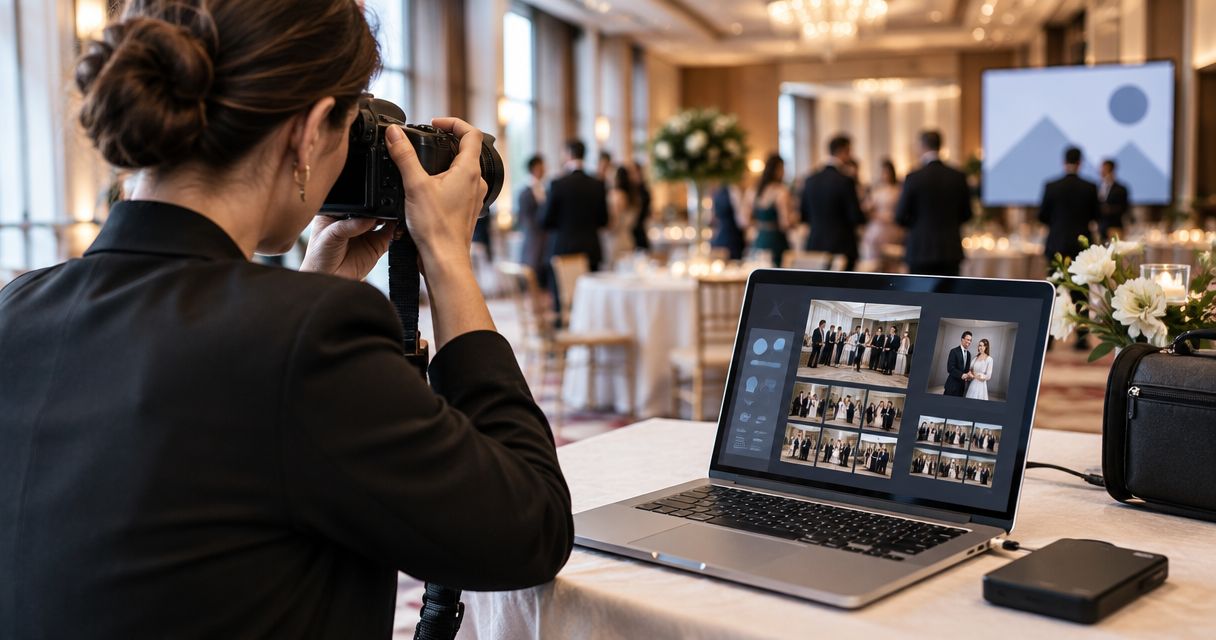
Hotel event photographers’ gallery software is a system for organising, searching and delivering event images with the aim of getting approved photographs to the right clients and guests. This 2026 guide explains how to handle hotel weddings, conferences and banquets without confusing guest delivery, organiser approvals and hotel marketing use.
TL;DR
- Choose photo gallery software for hotel event photographers around guest search, client approval and separate delivery audiences.
- Fotoowl AI Gallery suits photographers who need face recognition and photo-and-video delivery.
- Keep hotel marketing permissions separate from permission to photograph an event.
- Use manual review before publishing; face recognition does not replace approval or access controls.
Why gallery software matters for hotel event photographers
A hotel is the venue, not automatically the owner of every photograph you shoot there. Your commissioning client, the event organiser, photographed guests and the hotel marketing team need different things. Define those delivery audiences before choosing software.
For an Indian wedding assignment, your delivery plan can separate ceremonies, family portraits and reception coverage. For a corporate conference, it can separate speaker photographs, attendee images and an approved publicity selection. Organise around the assignment, not just the ballroom name.
Fotoowl provides AI Gallery for photo-and-video delivery with face recognition. Its Photo Selection product handles client proofing, while Studio Manager manages the business workflow. Those are different jobs; a searchable gallery alone does not settle approvals, contracts or usage permissions.
For your 2026 workflow, judge software by whether you can complete an actual booking from upload to handover. A feature list is not a delivery plan. The sections below start with a manual process you can use before adding automation.
Build your hotel event gallery workflow
Define the booking and delivery audiences
Start with a written brief and a spreadsheet. Record who commissioned the shoot, who approves delivery and who receives each output. Ask whether the hotel needs photographs of the property, coverage of the private event, or both.
Use 1 gallery per booking as your starting rule. This is a recommended organisational boundary, not a software limit. Within that booking, separate audiences through the delivery arrangements your chosen platform supports; do not assume every recipient should browse everything.
A hotel sales manager requesting ballroom photographs is not the same recipient as a wedding family requesting portraits. Identify those differences before you upload. Otherwise, you risk treating a venue request as permission to distribute client images.
- Name the commissioning client and final approver in the brief.
- List guest delivery, organiser delivery and hotel marketing as separate purposes.
- Record which ceremonies, rooms or sessions belong to the booking.
- Confirm who will answer access and missing-photo requests.
Organise files by event, session and photographer
Create your folder structure locally before opening a gallery platform. Use a consistent booking name, then divide coverage into meaningful sessions. For a hotel wedding, ceremony names are more useful than an unexplained folder labelled miscellaneous.
For a conference, use the programme: registration, keynote, breakout sessions and networking. Include photographer identifiers when several people cover the assignment. Preserve original filenames or a reliable mapping so a client’s selection can be traced back to the source image.
This structure remains useful when you move into software. Fotoowl AI Gallery adds face recognition to photo-and-video delivery, but face search is not a substitute for session organisation. Guests search for themselves; organisers also need images of stages, décor and sponsor displays.
- Create separate folders for unrelated hotel bookings.
- Match session labels to the wedding schedule or conference programme.
- Add a photographer identifier to your import records.
- Keep source files separate from approved delivery exports.
Test uploads before promising live delivery
The manual route is straightforward: copy files from memory cards, review them locally and upload approved exports. Keep that route ready even when you intend to upload during the event. An early upload promise should follow a venue test, not precede it.
Beam is the camera-to-cloud FTP upload feature inside AI Gallery. Treat it as a faster transfer path, not an approval process. Review the camera-to-cloud FTP upload guide when planning that workflow, then test your actual camera and connection arrangements.
For a 2026 hotel assignment, send 3 test images per upload source as a practical pre-event check. Confirm that you can identify the originating camera, find the uploaded files and continue manually if the connection fails. This test does not establish a guaranteed delivery speed.
- Test the connection from the actual shooting and upload locations.
- Upload a small, identifiable test batch before event coverage begins.
- Keep local copies rather than treating transfer as your only backup.
- Assign responsibility for checking whether uploads completed.
Review images before publishing them
Start by checking focus, expressions, duplicates and coverage yourself. A technically sharp image can still be unsuitable for delivery: an awkward gesture, confidential slide or private family moment needs human judgement. Separate technical rejection from editorial approval.
Fotoowl AI Culling is an offline desktop application that rejects duplicate and weak frames, groups similar images and ranks them by composition, exposure and blur. It includes a second human pass before export to Lightroom or the gallery. Do not describe AI Culling as a browser or cloud workflow.
For hotel assignments, protect the distinction between an upload and a publication. If you are sending files during coverage, decide who checks them before clients or guests receive them. Speed is useful only when the delivery set is intentional.
- Remove accidental frames and unnecessary duplicates before release.
- Review confidential presentations and sensitive interactions separately.
- Preserve important coverage even when the composition is imperfect.
- Complete a human check before exporting the delivery set.
Separate guest search from organiser approval
The manual approach uses distinct delivery folders and a written list of approved filenames. That works when requests are limited, but it leaves you responsible for locating each person’s photographs. Keep guest discovery and client approval as separate tasks.
AI Gallery uses face recognition to help people find images containing them. Photo Selection supports client proofing, with selections reused for albums and printing. Neither purpose means the hotel automatically receives permission to publish those photographs.
For your 2026 gallery setup, test the recipient’s route rather than only the photographer’s dashboard. Check what a guest can see, how the organiser submits selections and how you handle a photograph that must not be distributed. Treat face matching as a search aid, not an access policy.
- Explain face-search use to the commissioning client before guest distribution.
- Confirm access arrangements before circulating a gallery link.
- Keep marketing approval separate from album or print selections.
- Offer a manual request route when a guest cannot find an image.
Deliver approved batches in a clear sequence
Start with a written handover message that explains what is included and what remains unfinished. Avoid circulating a link with no context. Recipients need to know whether they are viewing an early selection, the complete delivery or a proofing set.
Consider 2 delivery batches per event: an approved early selection and the completed gallery. This is a suggested planning structure, not a promised turnaround. Agree the contents and deadline with your client before coverage begins, especially when conference publicity and wedding editing have different priorities.
Use the following sequence to keep review ahead of distribution. It applies whether you transfer files manually or use a camera-to-cloud path.
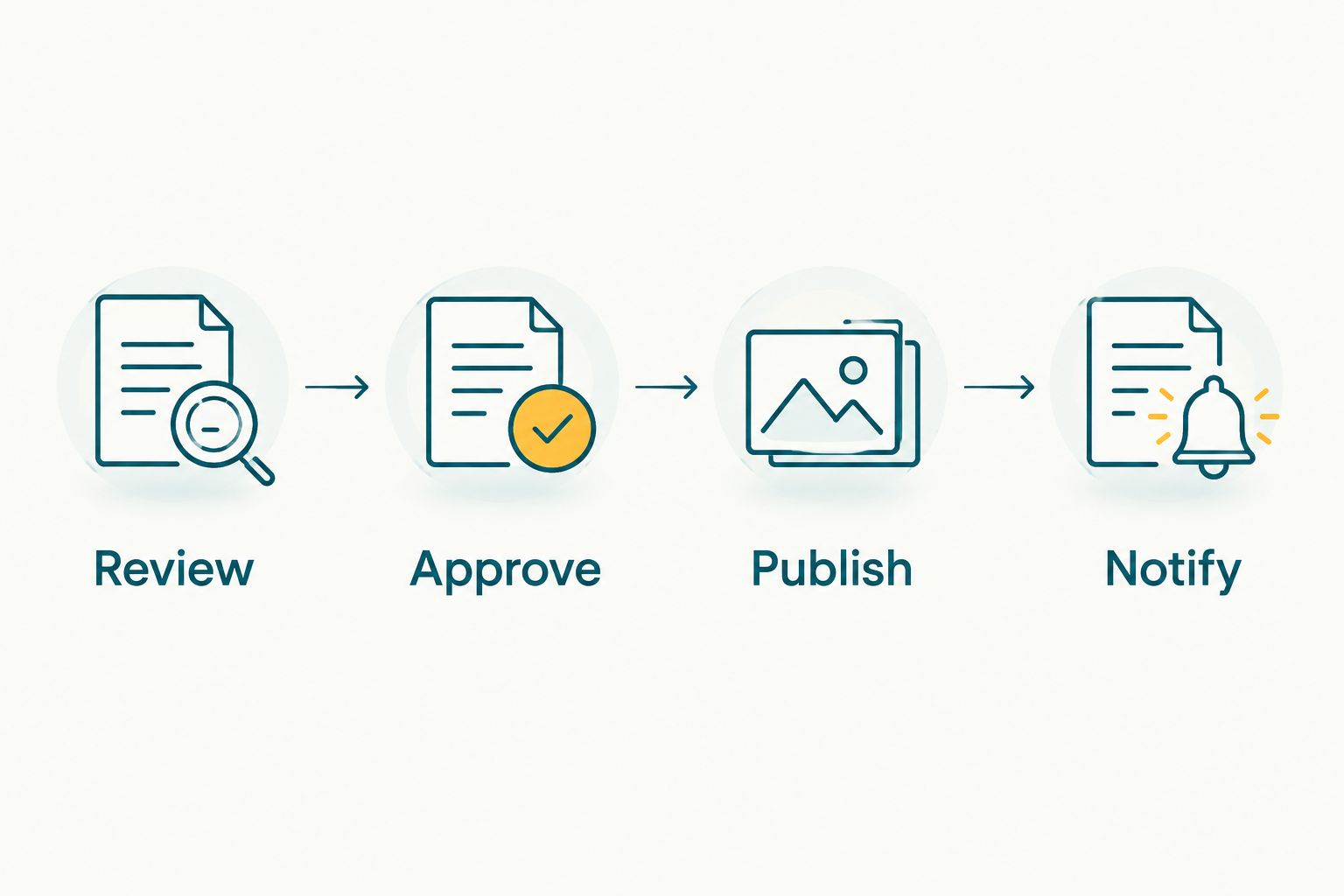
Notify recipients after the delivery set has been reviewed and approved.
A reel is a separate deliverable, not evidence that the gallery is complete. AI Gallery includes a reel generator; use it only when a highlight reel belongs in the agreed scope. Check the selected photographs and intended audience before sharing the result.
- Review: check image quality and sensitive content.
- Approve: obtain the agreed client decision where required.
- Publish: release the intended selection or completed gallery.
- Notify: explain the batch status and the next delivery milestone.
Measure handover quality and close the booking
Start with a delivery log. Record when you sent the approved batch, who received it and what problems remained. Separate an upload problem from a search problem, an access problem or an unfinished edit; each needs a different fix.
Studio Manager handles leads, follow-ups, quotations, contracts, invoices, projects, teams, schedules, post-processing, deliverables and payments. Use that business workflow when you need to connect gallery delivery with the wider assignment. It does not remove the need to define what completion means.
For repeat hotel work in 2026, review the previous booking before copying its setup. A conference, private wedding and hotel promotional shoot should not inherit identical recipient lists or permissions simply because they share a venue.
- Record delivery status separately from payment status.
- Categorise unresolved requests by upload, access, search or editing issue.
- Confirm receipt with the commissioning client.
- Close the assignment only after the agreed deliverables are handed over.
Compare delivery options for hotel assignments
Fotoowl AI Gallery is best for hotel event photographers who need face recognition alongside photo-and-video delivery. Its limitation is that searchable delivery still requires your review process, client approvals and venue-specific upload testing.
Choose the simplest option that serves the assignment. Manual folders suit a controlled handover; a searchable event gallery suits guest discovery; proofing software suits client selections. They solve different problems, so compare the workflow rather than treating them as interchangeable replacements.
| Option | Best for | Main advantage | Key limitation |
|---|---|---|---|
| Manually organised delivery folders | A defined client handover with limited individual requests | You control the folder structure and approved exports | You handle person-specific requests and selection tracking manually |
| AI Gallery | Guest discovery across wedding and corporate event coverage | Face recognition plus photo-and-video delivery | Upload planning, editorial review and distribution permissions remain your responsibility |
| Photo Selection | Client proofing for albums and printing | Client selections can be reused for those outputs | Proofing is not the same task as guest photo discovery |
| AI Culling | Preparing a reviewed image set before delivery | Offline desktop review of weak, duplicate and similar frames | It is not a cloud gallery; a second human pass remains part of the process |
| Studio Manager | Studios managing bookings through business completion | Connects contracts, projects, deliverables and payments | Business management does not replace image review or recipient testing |
Before committing to a platform, run the same sample assignment through the relevant workflow. Check upload handling, recipient experience, approval tracking and source-file recovery. Do not select software solely because one demonstration made guest search look fast.
Common mistakes hotel event photographers make
Giving the hotel every client photograph
Hotel marketing use and private-event delivery are different purposes. Confirm usage permission before sending a promotional selection. A request for venue photographs should not quietly become a request for unrestricted wedding or conference coverage.
Combining unrelated bookings in one gallery
A hotel name is not a sufficient event identifier. Keep separate clients and dates distinct, even when you photograph the same ballroom repeatedly. Check the recipient list as carefully as the folder name before sending a link.
Treating face search as a privacy guarantee
Face recognition helps locate people in photographs; it does not establish who should receive access or how images can be used. Review the distribution route separately. Include a manual assistance option rather than promising that every photograph will appear in search results.
Promising delivery before testing the venue connection
A successful upload elsewhere does not verify your hotel setup. Test from the relevant location and preserve a local transfer route. Agree delivery milestones around an operating process, not an untested assumption about connectivity.
Confusing proofing with final delivery
A proofing set asks the client to choose; a final gallery hands over the agreed work. Label each clearly and preserve filename references. Otherwise, an organiser’s selection request can be mistaken for confirmation that the assignment is complete.
FAQ
What's the best photo gallery software for hotel event photographers?
Fotoowl AI Gallery is best for hotel event photographers who need face recognition and photo-and-video delivery. Choose it for those tasks, then test your upload route, recipient experience and approval process before using it on a booking.
Can I use one gallery for every event at the same hotel?
Keep unrelated bookings in separate galleries. Sharing a venue does not mean the clients, guests or distribution permissions are the same.
Can hotel wedding guests find their photographs using face recognition?
AI Gallery provides face recognition for finding photographs containing a person. Keep a manual assistance route available and do not promise that every image will appear in the search results.
Is camera-to-cloud upload the same as live photo delivery?
No, camera-to-cloud upload transfers files; live delivery also needs a review and publication process. Beam provides camera-to-cloud FTP uploads inside AI Gallery, so define who approves images before recipients see them.
Does face recognition make an event gallery private?
No, face recognition is a discovery function, not a privacy guarantee. Confirm access arrangements, distribution permissions and the intended recipients separately.
Can the hotel use wedding or conference photographs for marketing?
Hotel marketing use needs permission that covers that purpose. Confirm the permitted images and usage with the commissioning client rather than assuming venue access includes promotional rights.
Can I cull hotel event photographs without uploading them first?
Yes, AI Culling is an offline desktop application. It reviews duplicate, weak and similar frames, with a second human pass before export to Lightroom or the gallery.
How should I deliver photographs across several Indian wedding functions?
Organise the booking by its actual ceremonies and sessions, then define the appropriate recipients for each delivery. Keep proofing selections, guest discovery and hotel promotional requests distinct.
One last thing
Include a non-person search test in your next gallery trial. Ask the organiser to locate a stage photograph, a décor detail and a sponsor display without your help. Face recognition addresses guest discovery; your organisation must also serve the images that contain no identifiable guest.