
Photo selling platform for orchestra and choir concert photographers

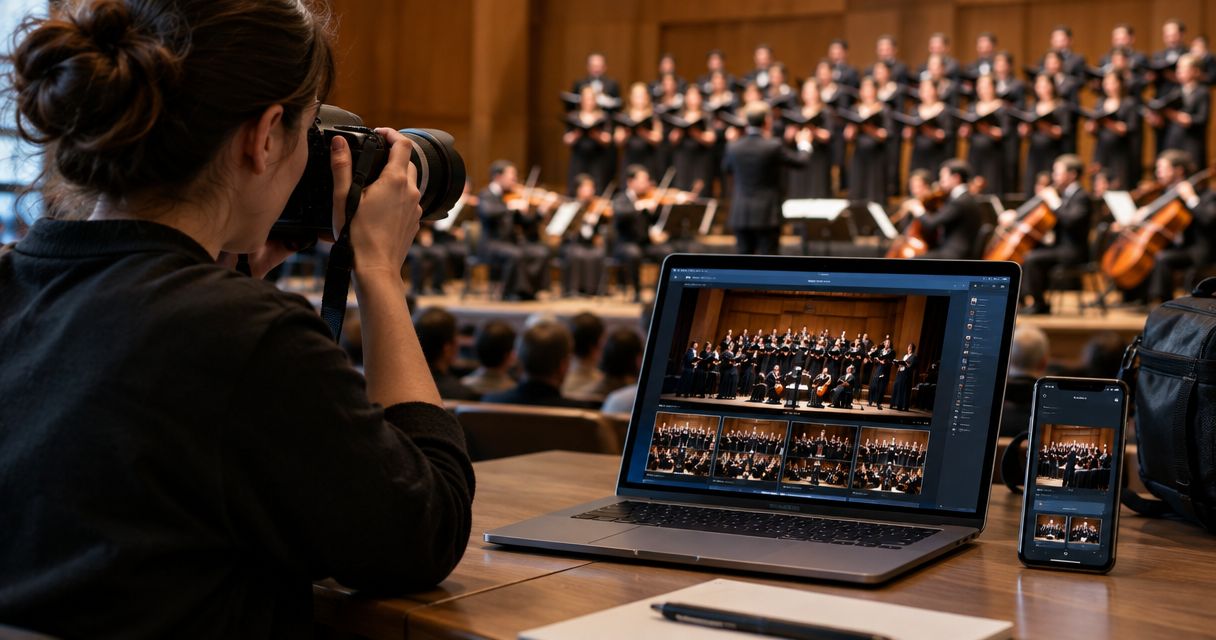
Choir and orchestra concert photography selling turns a two-hour stage program into individually purchasable photos for singers, parents and music directors before the auditorium empties. The segment behaves differently from a wedding shoot or a five-piece gig: rosters run 40 to 200 performers, stage lighting sits at a fraction of a show's brightness, and every buyer wants exactly one face out of a packed riser, not the whole set.
TL;DR
- Foto Owl AI Gallery wins as the photo selling platform for choir concerts once a roster passes 50 singers and parents need face-matched search in 2026.
- Generic cloud folders and USB handoffs fail past 40 to 50 performers because parents won't scroll 300 photos for one face.
- Beam camera-to-cloud upload gets same-day proofs live before parents leave the auditorium.
- Studio Manager pulls WhatsApp and Instagram booking inquiries from music directors into one lead pipeline instead of a buried DM thread.
Why photo selling matters for choir and orchestra concert photographers
A wedding album serves two people. A 120-voice choir concert serves 120 families, each one wanting one or two photos of their own child, not the ensemble shot everyone else already has. Music directors and school offices often control the sale on the group's behalf, which adds an approval step a solo wedding shoot never needs.
Multi-concert seasons compound this. A fall recital, a winter gala and a spring competition mean the same buyer returns three or four times a year, so a photo selling platform built for concert and gig photographers has to survive repeat use, not just one night.
In 2026, most choir and orchestra photographers still run this off borrowed tools: a shared Drive folder, a printed order form, or a link a parent forwards through a class WhatsApp group. None of these were built for stage lighting, packed risers or repeat-season buyers, and that gap is where the mistakes below show up season after season.
Step 1: Shoot for individual recognition, not just group coverage
- Frame wide stage shots and tight per-section passes so every singer or player appears in at least one clear, front-facing frame.
- Cross-reference a shot list against the roster before doors open, calling out seat or stand numbers.
- Shoot at the highest usable ISO the venue allows instead of dropping shutter speed and blurring faces on the risers.
- Move to the wings during instrumental breaks to catch faces the house lights wash out from the floor.
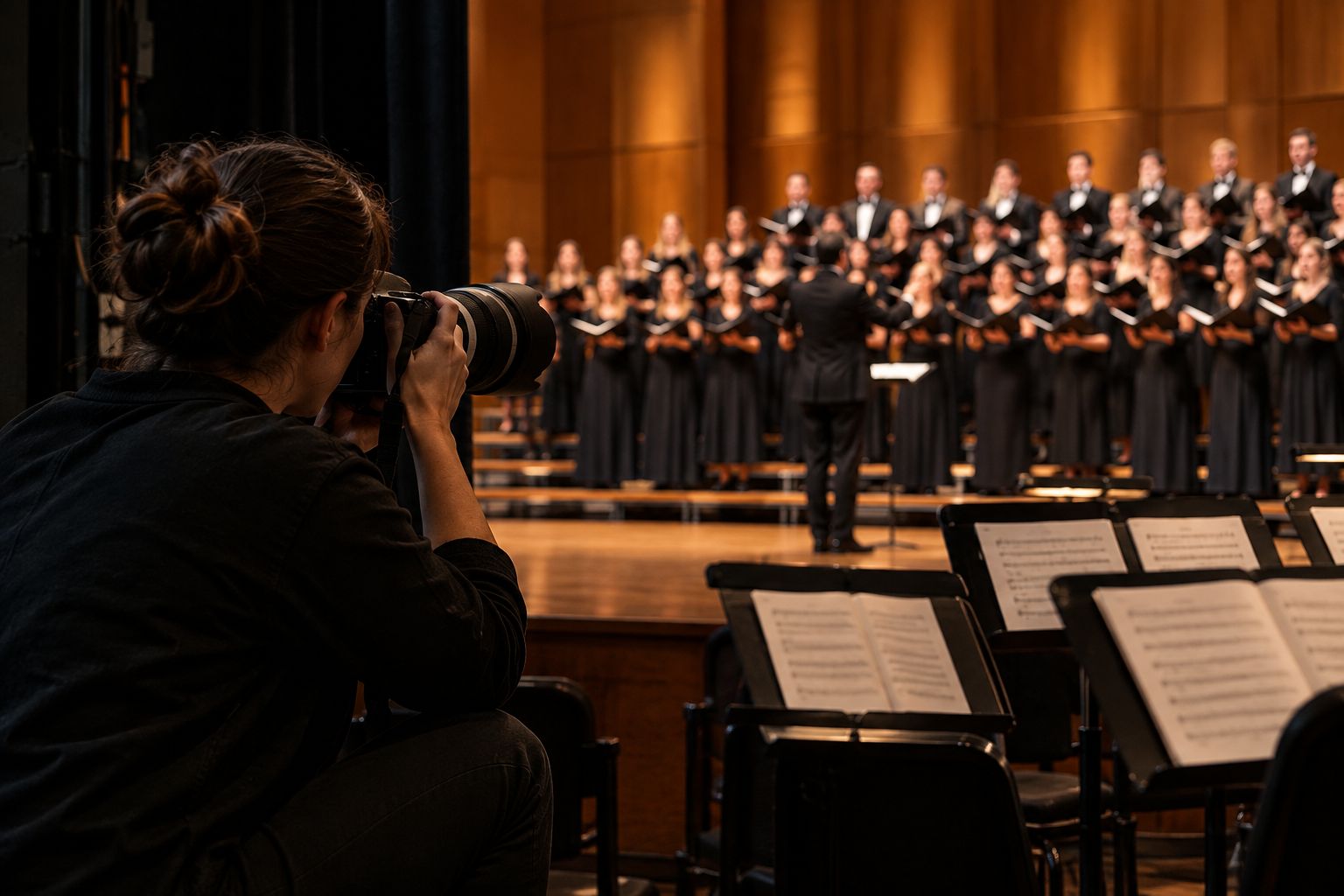
One clean, front-lit frame per singer matters more than a dozen atmospheric wide shots.
Step 2: Tag and organize photos by singer or section
- Sort exports into folders by choir section (soprano, alto, tenor, bass) or by orchestra seating row.
- Keep a simple spreadsheet mapping seat or stand position to name, checked against the school office roster.
- Batch-rename files by section and concert date before anyone else sees them.
- Flag close-up "hero" frames separately from wide ensemble shots so a buyer isn't hunting through 800 images for one face.
Step 3: Set up face recognition so parents find their child fast
This is where the manual folder system stops scaling. Foto Owl's AI Gallery replaces spreadsheet tagging with face search tools for concerts — a parent uploads a selfie or scans a code and gets every frame their child appears in, without opening a single folder.
- Upload the full concert set once instead of rebuilding folders per section every night.
- Let each family self-serve instead of emailing you "do you have one of my daughter in the second row?"
- Works across choir robes and orchestra black-tie uniforms as long as a face is clean in at least one frame.
- Reuse the same gallery structure across every concert that season instead of starting over each time.
Step 4: Deliver same-day with camera-to-cloud upload
- Manual option: export a first pass at intermission and email a teaser link before the closing number.
- Faster path: Beam, the camera-to-cloud upload built into AI Gallery, pushes frames from your card to the gallery while you're still shooting the second half.
- Set delivery timing expectations with the school or venue in writing before the first note plays.
- Send one push notification when the gallery opens instead of a slow email blast the next morning.
Step 5: Route official concert photos through a school or director approval step
- Manual option: email a director a folder of finalist frames and wait for a signed sign-off before public sale.
- Faster path: Photo Selection lets the director proof and approve official shots online, and those same picks carry straight into printed programs or albums.
- Separate "public sale" images from "official use" images so an approval delay doesn't block unrelated purchases.
- Keep one approval thread per concert instead of scattered email chains across a multi-concert season.
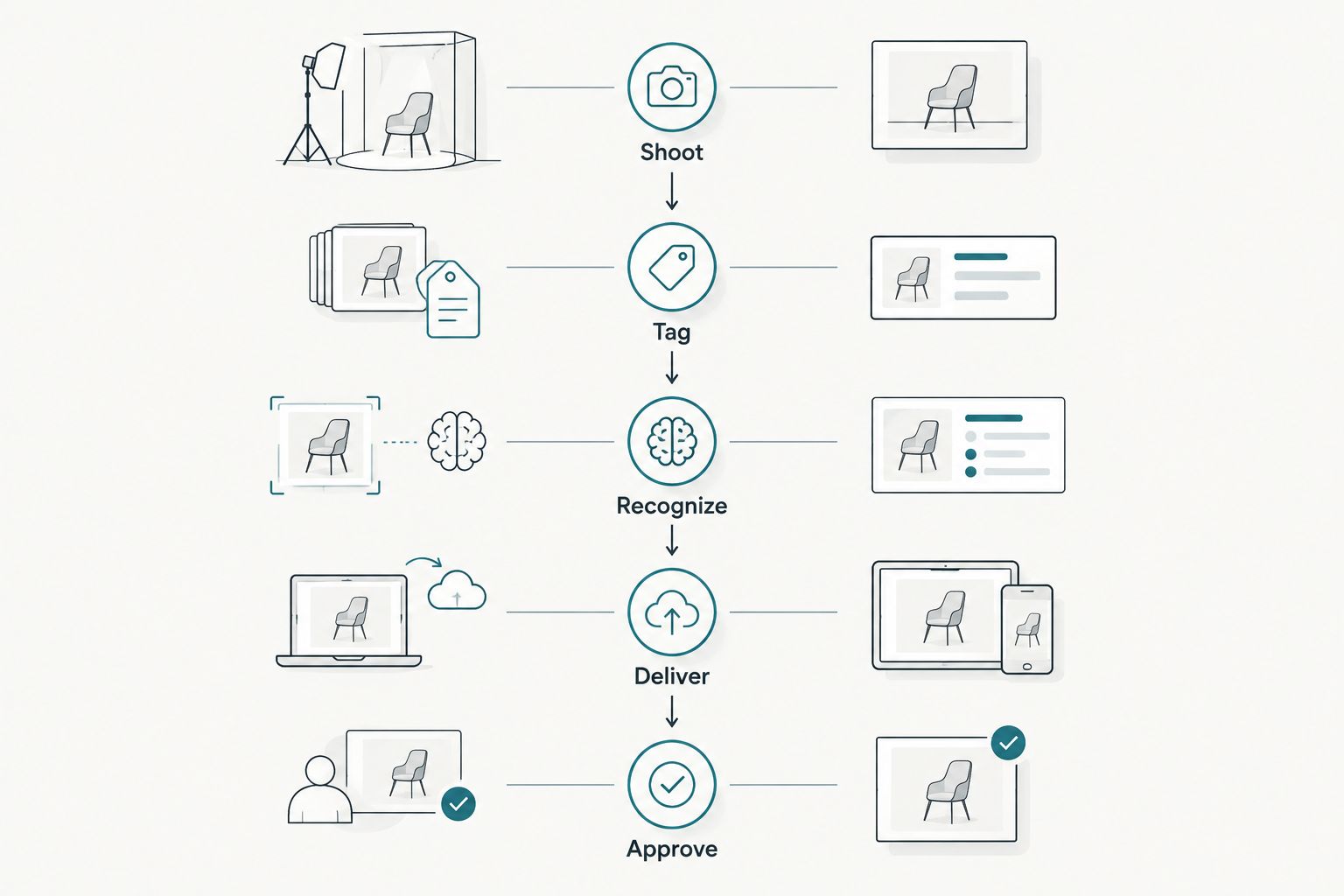
Approval sits after delivery, not before it, so parent sales never wait on a director's signature.
Step 6: Price packages for repeat concerts across the season
- Offer a single-concert print pack for one-off recitals.
- Offer a season pass covering fall recital through spring competition for families attending every performance.
- Bundle a section or class photo add-on for choir and orchestra parent associations buying in bulk.
- Fix print and digital pricing before the season starts, not after the first parent asks.
Step 7: Capture leads from choir parents and music directors
- Manual option: keep a signup sheet at the check-in table for next season's booking.
- Faster path: Studio Manager, Foto Owl's agentic CRM, pulls inbound WhatsApp and Instagram messages from parents and directors into one lead pipeline instead of a phone thread you lose track of.
- Track which schools or choirs rebooked from last season versus which went cold.
- Route each new lead through quote, shoot and delivery stages instead of a separate spreadsheet.
Step 8: Cull fast between back-to-back concert sets
- Manual option: batch-review in Lightroom between sets, rejecting blinks and blur by eye.
- Faster path: AI Culling, the offline desktop app, groups similar frames and ranks by exposure, composition and blur so a shortlist exports to Lightroom or the gallery before the next choir group takes the risers.
- Run culling during set changes rather than waiting until midnight.
- Keep a human pass over the AI shortlist before final export — a technically sharp frame with a badge glare still needs an eye.
Choir and orchestra photo selling options compared
| Option | Best For | Key Limitation |
|---|---|---|
| USB handoff / printed order form | A single recital under 50 singers | No self-serve buying; parents wait days for prints |
| Generic cloud folder links | Quick internal review before public sale | No face search; every family scrolls the full set |
| QR code order sheet | Schools without an app-based buying flow | Manual reconciliation of who ordered what |
| Foto Owl AI Gallery with face recognition | Large rosters with repeat-season buyers | Match accuracy depends on stage lighting and framing |
Verdict: for a single recital under 50 singers, a printed order form still works — Hold. Past that roster size, across a repeat-concert season, a photo selling platform for choir concerts with face recognition is the setup that scales — Buy the AI Gallery path, Skip the folder links.
Common mistakes choir and orchestra photographers make
- Selling by song or set instead of by singer, forcing parents to scroll hundreds of images to find one face.
- Underlighting risers and shooting wide open apertures that blur faces enough to break recognition matching.
- Treating a fall recital and a spring gala as one giant gallery instead of separate season passes.
- Skipping director or school approval before public sale, which triggers takedown requests mid-season.
- Ignoring repeat business planning — a choir or orchestra season runs three to four concerts, not one.
See face recognition selling in action
Check how a photo selling platform handles choir-sized rosters season after season.
FAQ
What's the best photo selling platform for choir concerts?
Foto Owl AI Gallery is the best fit once a choir or orchestra roster passes 50 performers, because face recognition lets each family search for their own child instead of scrolling the full set. Smaller single recitals can still run on a printed order form.
Is face recognition accurate enough for dim stage lighting?
Accuracy depends on catching at least one clean, front-lit frame per performer during the concert. A singer only photographed in side profile under backlight is harder to match than one caught looking toward the key light early in the set.
How much does a photo selling platform for choir concerts cost?
Pricing varies by roster size, season length and which features a studio needs, so check current plans directly rather than assuming a flat rate. Season passes covering multiple concerts usually cost less per event than pricing each recital separately.
Can parents buy just one photo instead of the whole gallery?
Yes, a face-recognition gallery lets a parent search for their child and buy only the frames that match, rather than purchasing access to the full concert set. This is the main advantage over a shared folder link.
Do orchestra photographers need a different setup than choir photographers?
The core workflow is the same — shoot, tag, recognize, deliver, approve — but orchestra seating is usually fixed by chair while choir risers shift performers section to section. Seat-mapping matters more for orchestra; section tagging matters more for choir.
How fast can concert photos be delivered the same night?
Camera-to-cloud upload during the performance means a gallery can go live within minutes of the closing number instead of the next day. Beam pushes frames from the card to the gallery while the second half is still being shot.
What is the best way to sell photos for a multi-concert season?
A season pass covering every concert from the fall recital through the spring gala performs better than pricing each night separately, because the same families buy repeatedly. Reusing one gallery structure across the season also cuts setup time per event.
Does a photo selling platform work for both choir and orchestra events?
Yes, the same face-recognition gallery, camera-to-cloud delivery and director approval workflow apply to both, since the buyer behavior — one family wanting one face out of a large group — is identical across choir and orchestra concerts.
One last thing
The single frame that breaks a face-recognition match most often isn't a blurry photo — it's a singer looking down at sheet music instead of toward the risers' key light. Grab one clean, front-lit frame of every performer in the first ten minutes of the concert, before the folders fill up with beautiful but unmatchable side profiles. That one habit fixes more "parent can't find their photo" complaints in 2026 than any gallery software change.