
Photo galleries for spelling bee and academic competitions

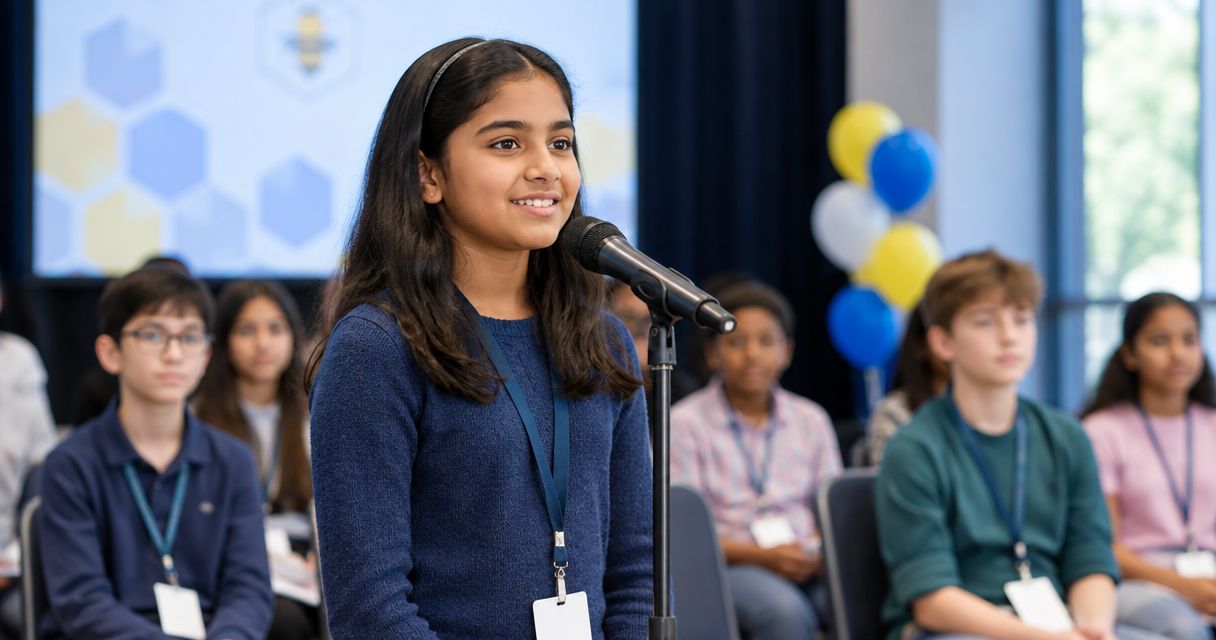
Academic competition photo galleries are organized collections of event images built to help students, families and schools find the right moments from each round. For a photographer covering a spelling bee or quiz competition in 2026, the job is not simply to upload everything: you need a clear round structure, a way to find each participant and a sharing plan the organizer has approved.
TL;DR
- Fotoowl AI Gallery is best for photographers creating photo galleries for academic competitions with multiple rounds and participants.
- Label spelling bee images by round before delivery; face recognition helps families find a participant across those rounds.
- Get the school’s access and sharing instructions before publishing photos of students.
- Cull repeated stage shots before upload, then check the finished gallery as a parent would.
Why photo galleries matter for academic competitions
A spelling bee gives you several distinct stories: students waiting, individual turns at the microphone, judges at work, finalists and the awards presentation. Put those frames in one undifferentiated album and a parent looking for a finalist photo must search through the entire event. A round-based gallery makes the assignment useful after the competition, not just during it.
The photographer also answers to different viewers. The organizer needs a coherent record of the event. Families want photos of their own student. A school needs its instructions on student-image sharing respected. Agreeing on photo access permissions for event stakeholders before delivery prevents the gallery link from reaching an audience the school did not approve.
In 2026, build your delivery plan around those separate needs. A public event recap, a family-facing collection and an organizer's selection are different outputs, even when they start with the same camera files. Fotoowl AI Gallery is best for photographers who need families to find their own images within a multi-round academic competition; it does not replace the school's decisions about who may see them.
How to build the gallery
Map the rounds
Start with the event schedule, not your memory card. Ask for the competition format and mark each change of round, room or participant group on a working shot list. A spelling bee can move from individual turns to finalists and awards; a quiz competition can run parallel rooms. Those changes should remain visible in the delivered collection.
Set up 1 folder per round in your working files. If the schedule changes, update the folder names before ingesting the next batch. This manual structure works without special software and gives you an audit trail when an organizer asks where a particular stage photo went.
- Copy the organizer's round names onto your shot list rather than inventing labels afterward.
- Separate parallel rooms so similar-looking stage photos do not end up together.
- Mark the start of each round with a reference frame of the stage or schedule.
- Reserve a distinct folder for awards and group photographs.
Confirm who can receive the photos
Ask the school or organizer for its photo-sharing instructions before the first gallery link goes out. Do not assume that an event invitation permits open publication of every student's image. Write down who approves delivery, which groups can receive the link and whether any students must be excluded from shared collections.
Assign 1 named organizer to approve the audience and delivery message. That gives you a person to check with when a parent requests a photo outside the agreed collection. You can record these instructions in a document without buying a platform; software cannot make the permission decision for the school.
- Ask for the organizer's approved recipient groups and sharing channel.
- Record any restrictions on individual students or particular images.
- Confirm whether the school wants a separate set for its own use.
- Hold uncertain images out of the shared gallery until the organizer resolves them.
Capture identifiers alongside the action
At a spelling bee, repeated photographs of students standing at the same microphone become hard to identify later. Photograph the visible contestant number or program entry when permitted, then photograph the participant's turn. If numbers are not visible, use your shot list to note the order of appearance and camera-file range.
This is a manual step even when you plan to use face recognition. A clear participant reference helps you verify results, and a round label tells you where the image belongs. Neither one requires you to guess a student's name from a face. Keep your working identification notes separate from anything you share publicly.
- Note the participant order at each microphone or stage position.
- Take a reference frame when the round changes.
- Check that each finalist has a usable image before leaving the stage.
- Photograph awards separately from competition turns, even when the same students appear.
Cull the frames
Stage coverage creates similar frames: the same student listening, speaking and stepping away. First, reject images that cannot serve the gallery because the face is obscured or the moment is missed. Then compare similar frames for expression and context. Keep the photograph that tells the story, not every exposure from the sequence.
For a larger take, AI Culling is Fotoowl's offline desktop app for rejecting duplicate and weak frames, grouping similar images and ranking them by composition, exposure and blur. It is not a cloud or browser culling step. Make the required human pass before exporting to Lightroom or the gallery: an automated ranking cannot know which frame shows the decisive word being spelled or a judge announcing a result.
- Cull one round at a time so the folder structure stays intact.
- Compare near-duplicates before choosing the final expression.
- Keep context shots that explain what happened, even if they are not portraits.
- Review selected frames yourself before export.
Build the gallery
A basic setup uses clearly named folders and a manually shared collection. That is enough when the audience can browse a small, approved set. For a competition with many participants appearing across rounds, AI Gallery gives Fotoowl photographers face recognition so viewers can find photos featuring a particular person. It also handles photo and video delivery. The gallery still needs your round structure and a checked set of images; face recognition is a finding aid, not an editorial decision.
Give the organizer a preview before the family link is distributed. Check round names, omitted images and the viewing experience on a phone. In 2026, the test is straightforward: can someone who did not shoot the event identify the relevant round and locate a participant without asking you to explain the folder names?
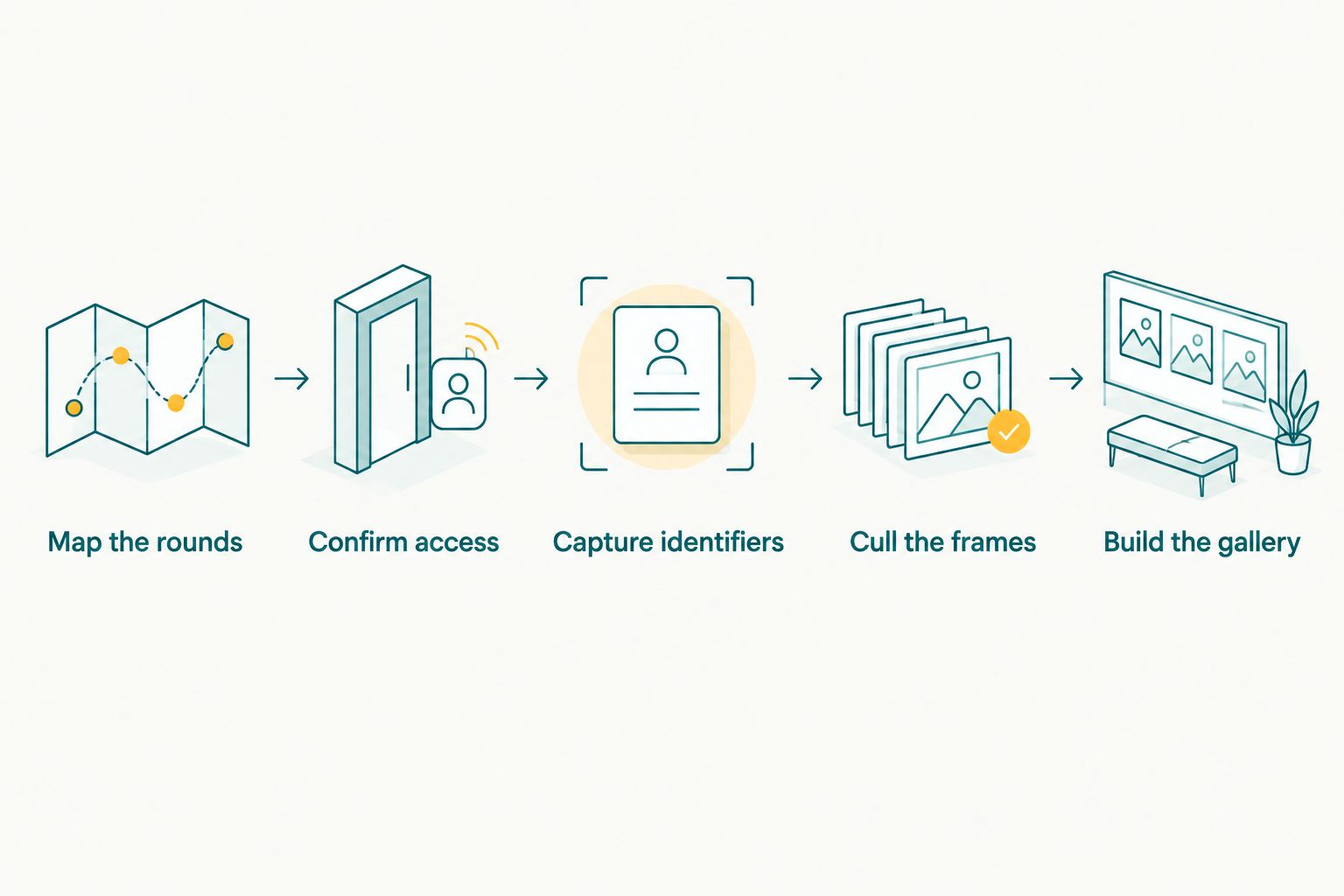
Round labels and access decisions must be settled before the gallery is shared.
- Keep round labels consistent between your working folders and the published gallery.
- Check a sample from each round against your shot list.
- Test participant search with images you have permission to use for that check.
- Remove a questionable image before sharing rather than relying on a later correction.
Deliver the approved collection
Send the finished gallery through the channel the organizer approved. Include the event name, the rounds covered and a short instruction for finding a participant's photos. If delivery happens in stages, say which rounds are ready and which remain under review. Do not describe an unfinished gallery as the complete event.
Beam, a camera-to-cloud FTP upload feature within AI Gallery, offers Fotoowl photographers an upload path during coverage. Use that path when it fits your connection and workflow, but keep the release decision separate from the upload decision. An image reaching the gallery is not the same as an image being ready for families to view.
- Ask the organizer to check the shared link before wider distribution.
- Identify the included rounds in the delivery message.
- Keep unapproved files outside the collection being shared.
- Save 2 copies of the original files in separate storage locations before clearing cards.
Collect selections and close the job
The organizer might need a small set for an event recap while families want individual photographs. Ask each recipient group what it needs instead of sending every file to every person. Where client proofing is part of the job, Fotoowl's Photo Selection lets clients choose images and reuse those selections for albums and printing. It does not decide which student images the school permits you to distribute.
Close the assignment with a record of the delivered rounds, the approved audience and any images still awaiting a decision. That record makes a repeat school event easier to plan in 2026 without assuming next time's permissions will be identical. Keep the operational notes useful; do not turn them into a public list of student identities.
- Request the organizer's final image selection separately from family requests.
- Record which rounds were delivered and when.
- Resolve held images with the named organizer before adding them.
- Save the folder structure and shot-list format for the next assignment.
Compare gallery options for a spelling bee
Choose the simplest option that lets the approved audience find the right photos. The trade-off is between setup time and the work families must do after delivery; no tool removes the need for permissions or a final image review.
| Option | Best for | Key limitation |
|---|---|---|
| Named folders shared manually | A small event with a limited, known recipient group | Viewers must browse the folders themselves |
| A general file-sharing collection | Delivering an organizer's approved archive | File access alone does not organize photos around each participant |
| Fotoowl AI Gallery | A multi-round event where families need to find their own images | You still need to label rounds, review matches and follow the school's sharing instructions |
Choose manual folders when browsing is manageable; choose Fotoowl AI Gallery when finding a participant across rounds is the main delivery problem. Do not choose a face-search workflow merely to avoid maintaining a shot list. The identifier notes, round labels and organizer approval remain useful whichever option you use.
Plan your competition gallery
See the gallery option for round-based delivery and participant photo search.
Common mistakes academic competition photographers make
- Naming the whole event but not its rounds. A competition title identifies the assignment, not the moment a family wants. Label each round while you still have the schedule in front of you.
- Assuming a student's face provides permission. Face recognition helps find an image; it says nothing about whether that image belongs in a collection shared with families. Follow the organizer's instructions first.
- Uploading every burst frame. Near-duplicates bury the one image where a participant's expression or result is clear. Cull before delivery and keep the frame with the strongest context.
- Treating an upload as publication approval. Even when files reach a gallery during the event, a photographer or designated reviewer must check what becomes visible to recipients.
- Sending the organizer and families the same unfiltered archive. Their needs differ. Confirm the requested selections and audience for each delivery rather than treating one link as the answer to every request.
These errors compound in a 2026 multi-round event: weak labels make retrieval harder, while an unchecked share can reach the wrong audience. Fix the workflow in that order: identify the images, confirm access, review the collection and only then distribute the link.
FAQ
What is the best way to organize spelling bee photos?
Organize spelling bee photos by round, with separate sets for finalists and awards. Keep a shot list linking participant order or visible identifiers to the relevant camera files.
Are photo galleries for academic competitions different from regular event galleries?
Yes. Academic competition galleries need to preserve rounds and help viewers find individual participants who appear more than once. The photographer also needs the organizer's instructions for sharing student images.
Can parents find their child's photos with face recognition?
Fotoowl AI Gallery provides face recognition to help viewers find photos of a person across the gallery. The photographer should review the collection and follow the school's access instructions before sharing it.
Do I need special software for a small school competition?
No. Named folders and a manually shared, approved selection can work when the audience can browse the images easily. Use a participant-search gallery when manual browsing becomes the main obstacle.
Should I publish photos as soon as they upload?
No. Uploading a frame and approving it for sharing are separate decisions. Review the image, its round label and the organizer's instructions before distributing the collection.
Does AI Culling work without an internet connection?
Fotoowl AI Culling is an offline desktop application. It helps reject duplicates and weak frames, but you still make a human pass before exporting to Lightroom or the gallery.
What should I ask the organizer before delivering student photos?
Ask who may receive the photos, which channel to use and whether any students or images must be excluded. Get one named person to approve the final sharing plan.
One last thing
Check the gallery from the viewpoint of a family that knows the participant but not your file names. If they can find the correct round yet cannot find the student, improve the retrieval path. If they can find the student but see images outside the approved audience, stop distribution and correct access first. That final check matters more than another upload-speed shortcut in 2026.