
Dance Recital Photo Gallery: Best Setup for 2026

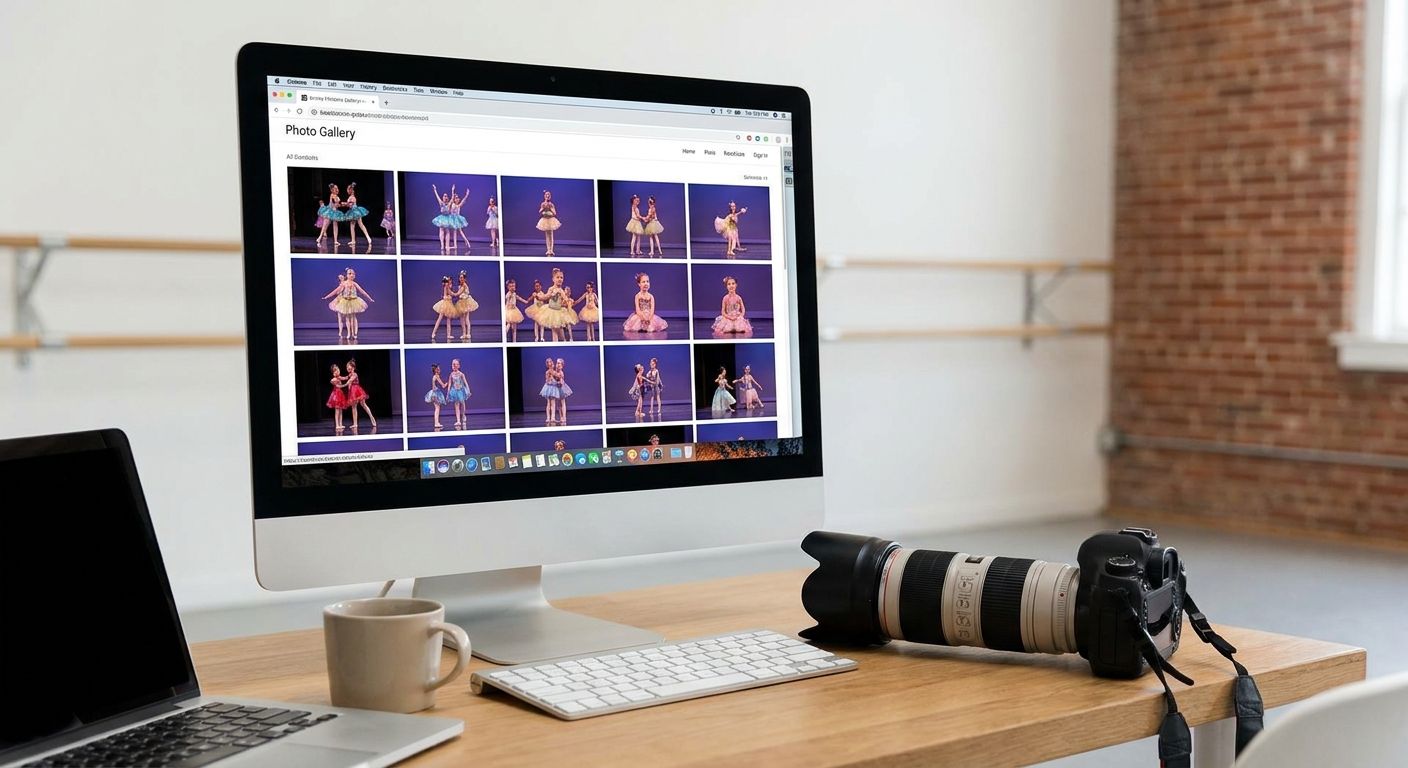
A dance recital photo gallery is an online space where a studio or event photographer uploads recital images so parents can search, preview, and order photos of their own dancer without digging through hundreds of unrelated shots. Recitals move fast — costume changes, back-to-back classes, low stage lighting — and parents want their child's photo delivered before the next competition, not three weeks later.
TL;DR
- A dance recital photo gallery needs face search and class-based sorting, not a flat folder of 800 images.
- FotoOwl's face recognition grouping lets parents pull up their dancer in seconds instead of scrolling a shared drive.
- Same-day or 48-hour delivery is the bar for the 2026 recital season; anything slower loses print sales.
- Studios that batch photos by class number cut sorting time before delivery even starts.
- For a single small class, a shared cloud folder is still fine — past 100 dancers it breaks.
Why dance recital photo galleries matter for studio photographers
A single recital can produce 500 to 2,000 images across a dozen classes, and every parent is looking for maybe 20 of them — the ones with their own kid in frame. A generic cloud folder or a USB handout forces parents to scroll everything, and most give up before they find a photo worth buying.
Studio photographers who shoot recitals also work on a tight print-sale window: parents buy hardest in the 48 hours right after the show, while the costume and the moment are still fresh. A dance recital photo gallery built for fast search and instant delivery captures that window. A slow one misses it entirely.
Recital photography differs from a wedding or a corporate shoot in one big way. The buyer — the parent — never appears in most of the frames they care about. Their child does. Sorting by name, class, or costume group matters more here than in almost any other event category, which is why gallery tools built around adult guests searching for themselves need extra setup to work for a 2026 recital season.
Build your class and costume shot list before the show
Recitals run on a schedule of classes, not one continuous event. Structure your shot list around that schedule so sorting and delivery match how parents will actually search.
- List every class by name, age group, and costume color before doors open
- Assign a number or code to each group for fast tagging during import
- Note quick-change classes that need extra buffer between sets
- Flag finale or group numbers that involve every dancer in the studio
- Confirm which classes get individual portraits versus group-only shots
Tag photos by dancer, not just by class
Class-level sorting gets parents into the right ballpark. Dancer-level tagging gets them straight to their kid, which is where orders come from.
- Cross-reference the program order sheet to map dancer names to classes
- Batch-tag by class first, then refine within each group
- Keep a simple spreadsheet of dancer, class, and approximate photo count
- Separate solo, duet, and full-group shots into distinct sets during import
- Double-check any dancer who appears in more than one class
Turn on face search so parents find their own dancer
Manual tagging works for a 40-dancer studio recital. It collapses at 200-plus dancers across multiple companies, which is standard at competition-level recitals. This is where automation stops being optional.
- Run uploaded images through automated grouping, the same approach used in face recognition photo sorting for school events
- Let parents search by uploading a reference photo of their child instead of scrolling
- Combine face search with class filters so parents narrow results twice, not once
- Verify grouping accuracy on stage-lit shots, where heavy makeup and matching costumes are common
- Test the whole search flow on a phone screen, since most parents open the gallery from a text link
Set up parent ordering that works from a phone
Parents order photos standing in a lobby or scrolling between recital numbers, not sitting at a laptop. The checkout has to survive that context.
- Use a mobile-first checkout flow like the one described in this guide to parent photo ordering
- Show watermarked previews so parents can browse freely before buying
- Keep the cart simple: digital pack, single image, or print — not a dozen options
- Send the gallery link by text or WhatsApp the moment it goes live, since email gets buried
- Allow re-entry for weeks afterward, because grandparents order late
Deliver the gallery within 48 hours
Recital season runs on momentum. A dancer who just performed her first solo generates buying interest for roughly two days before attention shifts to the next competition weekend.
- Set a studio-wide standard of 24 to 48 hours from final curtain to live gallery
- Cull and batch-edit by class as each set wraps, not at the end of the night
- Upload in stages during the show rather than waiting until you get home
- Let automated grouping handle sorting so it adds minutes, not hours
- Agree the delivery window with the studio owner before the 2026 season starts
Price and package recital photos for how parents actually buy
Recital parents buy differently than wedding clients. They are often purchasing for multiple children, across multiple classes, sometimes across two performances in one weekend.
- Sell a per-dancer digital pack instead of pricing every image individually
- Bundle the class group photo with individual shots at a combined rate
- Offer the studio a bulk option for year-end booklets or lobby slideshows
- Adapt tier structures from youth event work, like these photo package pricing approaches
- Keep pricing visible inside the gallery so nobody has to email and ask
Control who can download what
Recital galleries get shared widely — grandparents, teachers, competition organizers. Set access rules before the gallery goes live, not after images leak.
- Restrict full-resolution downloads to paid orders only
- Watermark previews clearly enough to discourage screenshotting
- Give studio staff an admin view separate from the parent-facing gallery
- Set an archive date so galleries don't stay open indefinitely
- Keep your own backup separate from the delivery platform
Comparison: gallery options for dance recital photographers
| Option | Best for | Key limitation |
|---|---|---|
| USB or email handoff | Single-class recitals under 50 photos | No search, no reorders, manual work for every parent request |
| Shared cloud folder | Budget shoots with a handful of dancers | No face search, no ordering, parents scroll all 800 images |
| General portrait gallery tool | Photographers who mainly shoot weddings or portraits | Not built for class-based sorting or high-volume group shots |
| FotoOwl AI photo gallery | Studios running multi-class recitals with 100+ dancers | Needs photos run through face grouping to deliver full value |
FotoOwl is the strongest dance recital photo gallery for studios shooting more than 100 dancers across multiple classes, because face search and mobile ordering remove the two steps that kill recital print sales.
Get recital photos to parents faster
See how face search and mobile ordering work together in one event gallery.
Common mistakes dance recital photographers make
- Sorting after the fact instead of tagging during import. This doubles post-show workload and pushes delivery past the 48-hour buying window.
- Using one flat gallery for every class. Parents of a six-year-old tap student should not scroll 300 photos of the teen competition team to reach their kid.
- Skipping mobile testing. Recital parents open the link on a phone in a parking lot, and a desktop-only layout kills orders on the spot.
- Treating group shots as an afterthought. Class photos sell well when bundled with individual images, and studios that price them casually leave money behind.
- Leaving galleries open with no access control. Full-resolution files spread outside the paying audience within days of the recital.
FAQ
What's the best photo gallery for a dance recital?
A gallery with face search and class-based sorting works best for recitals with multiple classes or more than 100 dancers. FotoOwl groups images automatically so parents find their dancer without scrolling the full set.
How fast should recital photos be delivered to parents?
Deliver within 24 to 48 hours while the recital is still fresh. Buying interest drops sharply once parents move on to the next competition weekend.
Can parents search for their own child in a recital gallery?
Yes. With face recognition search, a parent uploads one reference photo and the gallery returns matching images automatically instead of requiring a scroll through every class.
Is a shared cloud folder good enough for a recital gallery?
A shared folder works for one small class. It breaks past a few hundred photos because there is no search, no ordering flow, and no control over full-resolution downloads.
How should recital photos be priced?
Bundle individual and group shots into a per-dancer pack rather than pricing every image separately. Most recital parents buy for one or more children across several classes.
Do recital photographers need mobile ordering?
Yes. Most parents open the gallery link from a phone in the lobby or on the drive home, so checkout has to work one-handed on a small screen.
How do studios stop recital photos from being shared without payment?
Watermark previews and restrict full-resolution downloads to completed orders. Setting an access window also keeps galleries from staying open and unmonitored for months.
Does face search work with stage lighting and heavy makeup?
It works, but accuracy varies with stage lighting and matching costumes. Spot-check grouping on a few classes before sending the gallery link to parents.
One last thing
The part most studios underestimate isn't the shoot. It's the two days after. A recital gallery that goes live and searchable within 24 hours captures decisions parents are already making in the lobby, while a gallery that lands a week later competes with the next event on their calendar. In 2026, delivery speed decides whether the photo pack gets bought at all — more than lens choice, more than editing style.