
Alumni Reunion Photo Gallery Setup: 2026 Step-by-Step Guide

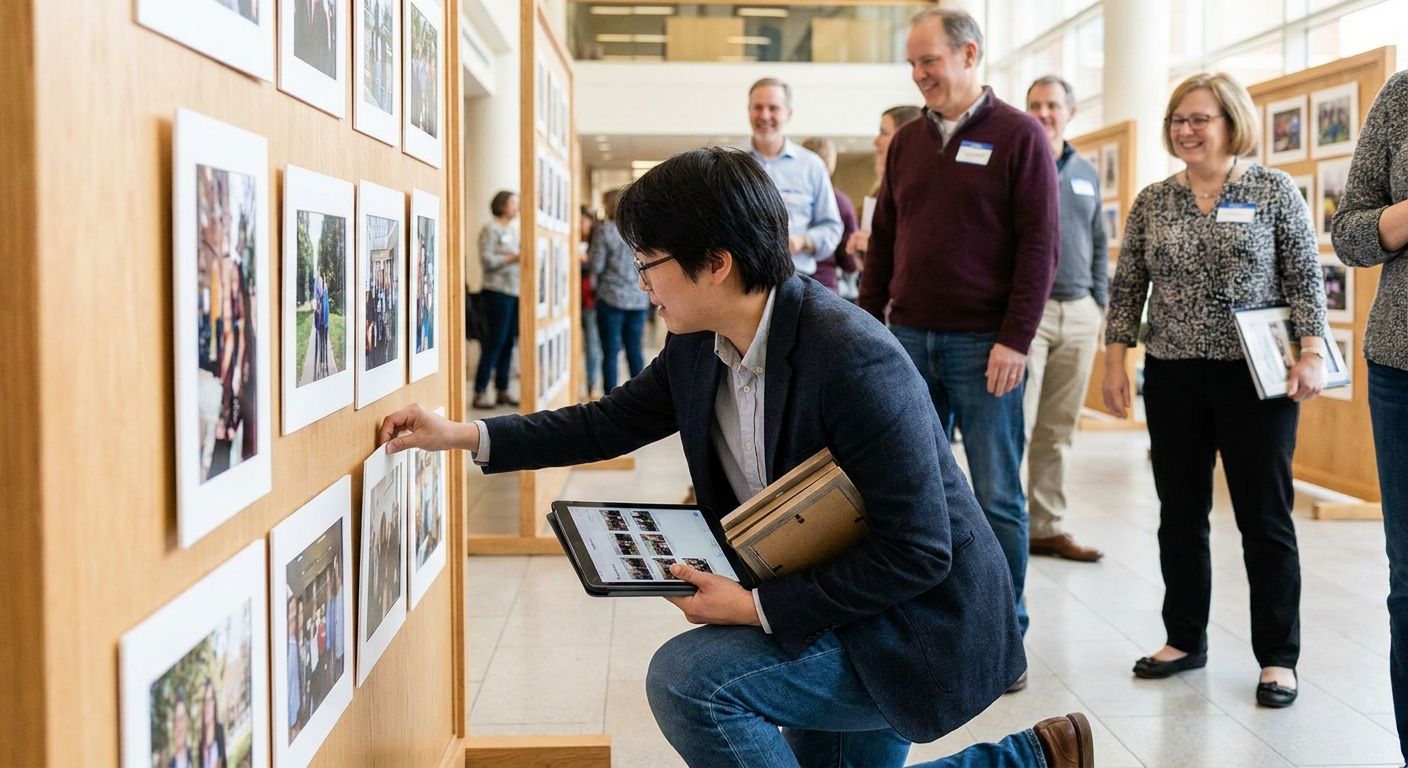
Alumni reunions bring together decades of graduates who scattered across the country and never made a class group chat. Getting them a photo gallery that actually works, without a support ticket queue, comes down to seven setup steps most reunion committees skip.
TL;DR
- An alumni reunion photo gallery setup works best with face recognition so grads from 1998 find their own photos in seconds.
- WhatsApp delivery beats app downloads for older alumni who won't install anything new for a one-night event.
- QR codes at check-in tables and centerpieces drive the fastest gallery adoption during the event itself.
- Organize by graduating class or decade first, then by moment (dinner, awards, dance floor) second.
- Set a gallery expiration and backup rule before the event, not after alumni start asking where their photos went.
Why this matters
A reunion draws attendees from three, four, sometimes six decades of graduating classes. That's a guest list with wildly different comfort levels around technology, all expecting to see themselves in photos within days, not weeks.
Miss that window and engagement drops fast. Alumni who don't get tagged photos within 48 hours rarely check the gallery again, and committees lose the one asset (candid, class-specific photos) that drives next year's registration emails. An AI-powered gallery platform like FotoOwl solves the two hardest parts of reunion photo logistics: finding the right person in a room of 300 strangers-turned-classmates, and delivering to people who haven't downloaded a new app since 2019.
What you'll need
- A cloud gallery platform with face recognition and bulk upload support
- A photographer or volunteer team shooting throughout the event, not just posed group shots
- A printed or digital QR code for table tents, name badges, and the check-in desk
- A WhatsApp broadcast list or event phone number for delivery to non-app users
- A class-by-class or decade-by-decade folder structure decided before the event, not during
- 2-3 volunteers briefed on uploading photos from personal phones in real time
The steps
1. Pick a platform built for guest volume, not just storage
A generic cloud folder handles storage. It does nothing for a 300-person crowd trying to find themselves in 4,000 photos. Look for a platform with face recognition, guest self-upload, and bulk download built in, the same setup that works for university convocation ceremonies where hundreds of graduates and families need to locate their exact moment fast.
Skip platforms that require every alumnus to create an account before viewing a single photo. That single step kills adoption among anyone over 50.
Common mistake: choosing a platform based on storage price alone and discovering later it has no face search.
2. Turn on face recognition before the event, not after
Upload a handful of yearbook photos or LinkedIn headshots ahead of time if the platform allows pre-seeding faces. This cuts the time between an alumnus arriving and their name matching to their face in the live gallery.
During the event, every photo uploaded gets scanned and sorted automatically. An alumnus types their name or scans their own face and gets a private link to just their photos, no scrolling through 4,000 images to find themselves.
Expected outcome: guests find their own photos in under 30 seconds instead of scrolling for ten minutes.
3. Open a shared upload channel for alumni-taken photos
The photographer captures the formal moments. Alumni capture the candid ones, the reunions-within-the-reunion at the bar, the impromptu class-of-2004 huddle. A shared upload link (via app or QR code) pulls those phone photos into the same gallery instead of leaving them scattered across 40 individual camera rolls.
This mirrors how guest photo upload setups work for school events: give every guest a single tap-to-upload link and skip the group text chaos entirely.
Common mistake: relying only on a hashtag and hoping alumni remember to post publicly. Most won't.
4. Organize by graduating class or decade first
A flat gallery of 3,000 unsorted photos is unusable by day three. Build folders or tags by graduating class, then subdivide by moment: cocktail hour, dinner, awards, dance floor. Alumni from the class of 1985 don't want to wade through class-of-2010 photos to find their own table.
This structure also makes reunion committee follow-up easier. Pulling a highlight set for the class of 1995 newsletter takes minutes instead of an afternoon of manual sorting.
5. Put a QR code everywhere alumni will stand still
Name badges, table centerpieces, the check-in desk, the bar. A QR code linking straight to the gallery upload and viewing page gets scanned at the moment curiosity peaks, right after someone takes a great photo of their old roommate.
This is the same tactic used for college fest photo galleries, where high foot traffic events need instant, no-download access points scattered across the venue.
Expected outcome: gallery scan rates spike in the first two hours of the event and taper off after, so place codes early and often.
6. Deliver by WhatsApp for the alumni who won't download anything
A meaningful share of any reunion crowd, especially classes from the 1970s through 1990s, will not install a new app for a one-night event. WhatsApp delivery sidesteps that entirely: a link arrives in a chat they already use daily, and their personalized photo set opens instantly.
This matters more at reunions than almost any other event type, because the age range on the guest list is the widest you'll manage all year.
Set up your reunion gallery now
Face search, WhatsApp delivery, and class-based folders in one AI-powered platform.
7. Automate backups and set a gallery expiration date
Decide upfront how long the gallery stays live: 30 days, 90 days, or indefinitely if the committee wants it as a recurring archive. Automate cloud backup so a lost phone or a volunteer's deleted camera roll doesn't wipe out the only copy of a candid class photo.
If the reunion committee plans to sell prints or digital packages, set pricing before the event goes live, not after alumni start asking how to buy the photo of themselves cutting the anniversary cake.
Common mistake: leaving the gallery link live forever with no backup plan, then losing everything when a free hosting account gets deleted.
Troubleshooting
- Face search isn't matching older alumni photos. Yearbook photos and decades-old headshots have lower match accuracy than recent selfies. Ask alumni to upload one recent photo of themselves at check-in to improve matching.
- Older attendees can't find the QR code link. Print it larger and place it at eye level on table tents, not just the check-in desk. A 2x3 inch code on a table card gets scanned far more than a business-card-sized version.
- Uploads are slow on venue WiFi. Ask volunteers to upload in batches during lulls (dinner, speeches) rather than continuously, and confirm the venue's WiFi can handle 20+ simultaneous uploads before the event.
- Duplicate photos are cluttering the gallery. Multiple photographers or overlapping volunteer uploads create near-identical shots. Run a duplicate check before final delivery instead of asking alumni to sort through repeats.
- Alumni are asking where their photos went after 30 days. This is a communication gap, not a platform failure. Send the expiration date in the delivery message itself so nobody's surprised in 2026 or any year after.
- Some class years have almost no photos. Assign one volunteer per decade group to actively shoot and upload for that class specifically, rather than relying on the main photographer to cover every group evenly.
Tools and resources
- An AI-powered gallery platform with face recognition and bulk upload, the foundation for the entire setup
- A convocation ceremony gallery template if your reunion coincides with a homecoming or graduation weekend
- QR code generator (most gallery platforms include one built in for 2026 events)
- WhatsApp Business or a broadcast list for delivery to non-app users
- A volunteer upload guide, one page, printed, handed to every photo volunteer at check-in
What to do next
Once the gallery structure is live, the next decision is how attendees actually find themselves inside it without hunting through folders. Face search for guests walks through the exact setup for self-serve photo discovery, the single feature that determines whether alumni engage with the gallery in the first 48 hours or never open it again.
FAQ
What's the best way to set up an alumni reunion photo gallery?
Use an AI-powered gallery platform with face recognition, class-based folders, and both app and WhatsApp delivery. This covers the full age range of a typical reunion crowd without forcing anyone to download something new.
Is face recognition reliable for alumni photos taken decades apart?
Face recognition matches best against a recent photo, so ask alumni to upload one current selfie at check-in. Matching against yearbook-only photos from the 1980s or 1990s produces lower accuracy.
How much does an alumni reunion photo gallery cost to set up in 2026?
Cost depends on guest count, storage needs, and whether the committee wants print sales enabled. Check current platform pricing directly, since packages vary by gallery size and feature set.
Should I use WhatsApp or an app for reunion photo delivery?
Use both. WhatsApp reaches alumni who won't install a new app for a one-night event, while an app or web gallery link works better for younger classes already comfortable downloading software.
How long should an alumni reunion gallery stay live?
Most committees set 30 to 90 days, though some keep the gallery live indefinitely as a recurring class archive. Decide the expiration date before the event and communicate it in the delivery message.
Can alumni upload their own photos to the shared gallery?
Yes, a shared upload link or QR code lets every attendee add phone photos directly to the event gallery. This captures candid moments the official photographer misses entirely.
How do I organize photos from multiple graduating classes in one gallery?
Tag or fold photos by graduating class first, then by moment within the event such as dinner, awards, or the dance floor. Flat, unsorted galleries become unusable once photo counts pass a few hundred.
What's the biggest mistake in reunion photo gallery setup?
Relying on a hashtag and public social posts instead of a dedicated upload channel. Most alumni never post publicly, so a direct upload link captures far more candid photos.
One last thing
The class of any given decade will engage with a gallery almost entirely in the first 48 hours after the event, then drop off sharply. Send the delivery link (via WhatsApp and email both) within a day of the reunion, not a week later, and expect the bulk of downloads, face searches, and print orders to happen before that window closes.