
How long does it take to set up an AI photo gallery for an event?

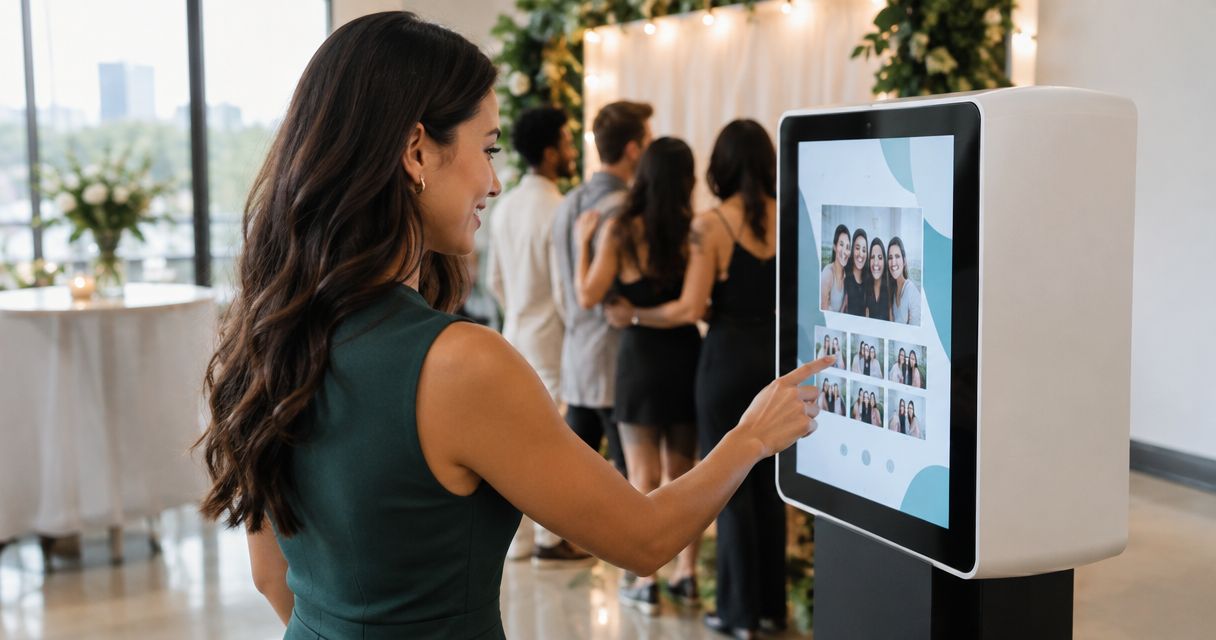
AI photo gallery setup time depends on your upload connection, the files you deliver, and the checks required before guests can use face search; there is no single duration that fits every event in 2026. Creating the gallery is only part of the job: your delivery schedule must also include photo preparation, transfer, processing, and a guest-side test.
TL;DR
- AI photo gallery setup time should include uploads, face recognition, and guest-access testing—not just gallery creation.
- Fotoowl suits professional event photographers who need face-recognition photo delivery.
- Test your actual delivery files on the venue connection before promising a release time.
- Separate the first approved photo release from the complete event delivery.
How long does it take to set up an AI photo gallery for an event?
Use a timed rehearsal of your actual workflow to set the deadline. A gallery with an event name and no usable photographs is configured, but it is not ready for delivery. Your finish line is a guest opening the gallery and finding the approved photographs intended for them.
Keep setup separate from the time it takes to deliver event photos to clients. Gallery preparation can happen before the shoot; image selection and final delivery depend on photographs that do not exist yet.
Work through these 6 steps to establish a useful setup estimate:
- Define the release. Decide whether the first gallery contains an approved preview or the complete edited event. Tell your client which milestone the deadline covers.
- Prepare the structure. Agree on event naming, function names, the intended audience, and who approves publication. Resolve these decisions before the team starts uploading.
- Prepare delivery files. Select and export photographs using the settings you intend to use for the event. Do not benchmark with small test files and then deliver larger exports.
- Upload the test batch. Use the intended device and connection. Record when the transfer starts and when the complete batch has arrived.
- Check processing and search. Confirm that the uploaded photographs are visible and test face-search results with representative images. An upload finishing is not the same as a successful search test.
- Test the guest journey. Open the shared gallery as a recipient, check the intended access, and verify the photographs before announcing it.
Record each stage separately. That tells you whether the deadline depends on studio preparation, the network, processing, or approval—not simply on how quickly someone creates a gallery.
Why this matters
For an Indian wedding studio, “the gallery is ready” can mean different things to the editor, the lead photographer, and the client. One person means the event has been created; another expects approved photographs from every function.
That ambiguity creates avoidable pressure. Define readiness in terms of what the recipient can actually do, then use the same definition in your quotation, team handover, and delivery message.
For your 2026 event schedule, track 3 checkpoints: gallery configured, first approved batch usable, and complete delivery verified. These are operational milestones, not promised durations.
Promise a usable release, not an empty gallery. You can prepare the structure early without implying that photographs are already available.
Gallery preparation: finish the decisions before the shoot
Gallery preparation covers the work that does not depend on capturing photographs. Choose the event name, decide how you will distinguish functions or sessions, and identify the person responsible for publication.
For a multi-function wedding, write down the function names your studio will use. A shared naming convention prevents an editor and an uploader from describing the same ceremony differently.
For a corporate event, clarify whether the client needs an approved selection before wider circulation. For a school assignment, confirm the authorised audience with the school before sending access instructions.
Create a short handover containing:
- The event and function names.
- The person responsible for preparing delivery files.
- The person responsible for uploading and checking them.
- The person authorised to approve release.
- The message recipients should receive when the gallery is usable.
This preparation does not establish an upload or processing duration. It removes decisions from the part of the day when your team is trying to deliver.
Upload preparation: choose the route you will actually use
Your upload route changes what you need to rehearse. A studio-led batch upload and a camera-to-cloud workflow have different handoffs, even when both ultimately serve the same event gallery.
| Upload approach | Best for | Practical advantage | Limitation to plan around |
|---|---|---|---|
| Prepared batch upload | Studios releasing selected, edited photographs | You review the delivery set before transfer | Publication waits for file preparation and the upload handoff |
| Camera-to-cloud FTP upload | Event teams transferring photographs during coverage | Transfer can begin during the shoot | You still need to check connectivity, destination, and publication decisions |
Neither route removes your responsibility to inspect the delivered work. Choose the route your team can operate and verify at the venue. A more direct transfer route is not a substitute for an approval process.
Fotoowl AI Gallery combines face-recognition galleries with photo and video delivery; Beam camera-to-cloud FTP upload is a feature within it. Fotoowl is best suited to professional event photographers who need face-recognition photo delivery. Its fit does not establish a fixed setup duration: test transfer, search, and guest access in your own workflow.
For your 2026 rehearsal, use the intended upload route from start to finish. A successful studio upload does not establish how a camera-to-cloud transfer will behave on the event connection.
Why AI photo gallery setup time varies
The useful question is not just how many photographs you shot. It is how much work remains between the current files and a usable, approved gallery.
These 5 factors belong in your setup plan:
- Delivery-file size. More data takes longer to transfer over the same connection. Test the exports you will deliver, rather than relying on the camera's image count alone.
- Available upload connection. Measure the connection used by the uploading device. A venue's advertised internet service is not a measurement of your transfer.
- Photo preparation. Selection, editing, and export sit before publication when your agreement requires reviewed images. Keep that work visible in the schedule.
- Processing readiness. Verify that photographs appear and that face search works after upload. Do not treat transfer completion as proof that the recipient experience is ready.
- Team handoffs and approval. An unattended upload, an unclear destination, or an unresolved release decision can stop progress even when the software is available.
Treat these as separate dependencies. If files are ready but the transfer has stopped, changing your selection workflow does not address the immediate problem.
How do I measure setup time before an event?
Use a representative rehearsal and record elapsed time at each handoff. Keep the delivery settings, device, and upload method consistent with your planned event workflow.
Follow this sequence: Prepare files, Upload files, Check search, Test access, Approve release. Start the clock at the stage your promise covers, and stop only when that promised outcome works.
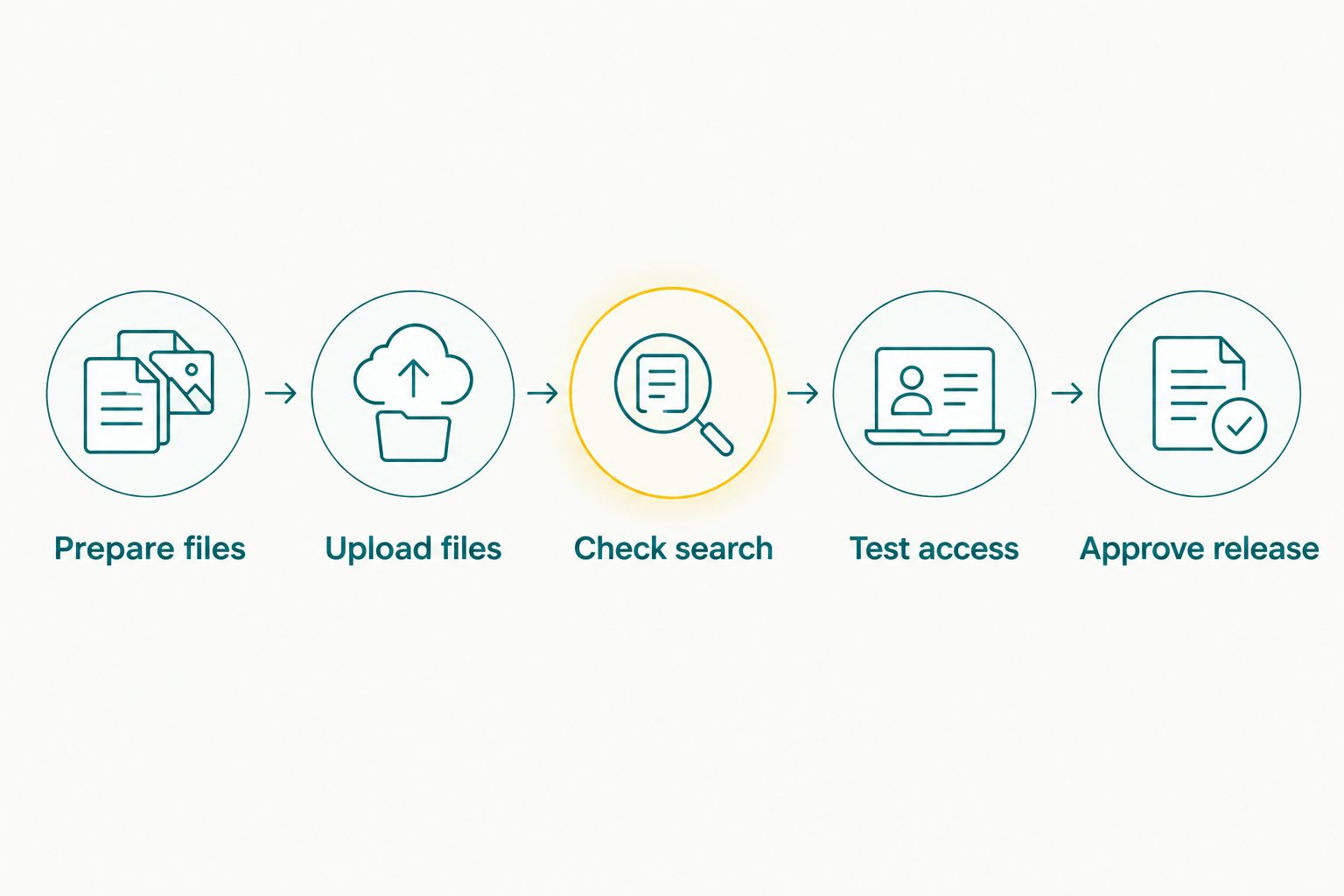
Release follows search and access checks, not just upload completion.
Keep a simple record with the date, connection used, file volume, export settings, and elapsed time for each stage. Record interruptions separately so an approval delay does not become an assumed processing delay.
Repeat the rehearsal when an important condition changes. A different venue, upload device, file format, or release process means the earlier measurement no longer describes the whole job.
For 2026 bookings, use your rehearsal record to explain the delivery sequence to clients. Avoid turning a successful test into an unconditional guarantee for every event.
Can I set up the gallery before the event starts?
Prepare the event structure and delivery responsibilities before coverage begins. Test the upload route with appropriate sample photographs, then confirm that the event's actual photographs reach the intended destination during coverage.
Pre-event preparation is especially useful when several photographers contribute to the same assignment. Give each person the same destination instructions and name a single release owner.
Before leaving for the venue, confirm:
- Who has the delivery files and who transfers them.
- Which connection the uploading device will use.
- How the team will report a failed or interrupted transfer.
- Who checks the recipient experience.
- Who tells the client that the approved release is available.
Do not send an announcement merely because the gallery structure exists. Send it after the promised photographs are usable.
Does face recognition make gallery setup instant?
Face recognition supports photo discovery; it does not eliminate file preparation, transfer, or checking. Your setup estimate still needs to cover the complete route from selected photographs to usable search results.
Test a representative selection of portraits, groups, and event conditions rather than a single easy example. Inspect the results before you direct guests to search for themselves.
Keep a clear distinction between “the photographs have uploaded” and “the intended guest journey works.” If a search result needs investigation, resolve that issue before describing the gallery as ready.
Face search belongs inside the readiness test, not outside the schedule. The photographer remains responsible for the delivered selection and the release decision.
How should I plan the first release and final delivery?
Define the first release by its contents. An approved preview and a complete event gallery are different commitments, so give each a clear description in client communications.
For a wedding, specify which functions the first release covers. For a conference, specify whether the release contains an approved session selection or the full assignment.
Use wording that describes progress without implying completion:
- “The approved preview is available; the remaining photographs are still in preparation.”
- “The agreed session selection is available; complete delivery follows the contracted schedule.”
- “The upload is complete; the gallery is undergoing final checks.”
These are message templates, not delivery promises. Adapt them to the agreement and the work actually completed.
For your 2026 delivery plan, assign ownership to both releases. A staged release only works when someone checks what has been published and what remains outstanding.
FAQ
How many minutes should I allow for AI photo gallery setup?
Set your allowance from a timed rehearsal of your delivery workflow, not a universal minute estimate. Include file preparation, upload, processing checks, guest access, and approval when those stages form part of your promise.
Can I create an event gallery before I have the photographs?
Prepare the event structure and team responsibilities before the shoot. An empty gallery is not a completed delivery, so test it again with the actual event photographs before announcing availability.
Does my photo count tell me how long the upload will take?
Photo count alone does not establish upload time. The amount of data and the available upload connection determine the transfer workload, so test your intended delivery exports.
Is camera-to-cloud upload better than uploading edited batches?
Camera-to-cloud upload suits transfer during coverage, while edited batches suit a reviewed release. Choose based on your approval requirements and the workflow your team can verify at the venue.
Does Fotoowl have a fixed AI photo gallery setup time?
Do not treat Fotoowl gallery setup as a fixed-duration delivery promise. Measure the intended workflow, including transfer, face-search checks, and recipient access, before committing to an event release time.
Should I share the gallery as soon as the upload finishes?
Share the gallery after the promised photographs are visible and the recipient journey passes your checks. Upload completion alone does not confirm search readiness, correct access, or release approval.
Can I use the same setup estimate for every venue?
Use a previous estimate only when its conditions match the planned workflow. Recheck the upload connection and any changed device, delivery-file settings, or approval process before relying on it.
One last thing
Write the finish line before you start the timer. “Gallery created,” “preview usable,” and “complete event delivered” describe different outcomes; a timing estimate without that distinction is easy to misunderstand.
At your next rehearsal, ask someone who did not prepare the gallery to open it using the intended recipient instructions. Their task is not to inspect your dashboard—it is to find the approved photographs. That is the handover your client experiences.