
Can face recognition find every guest in a group photo?

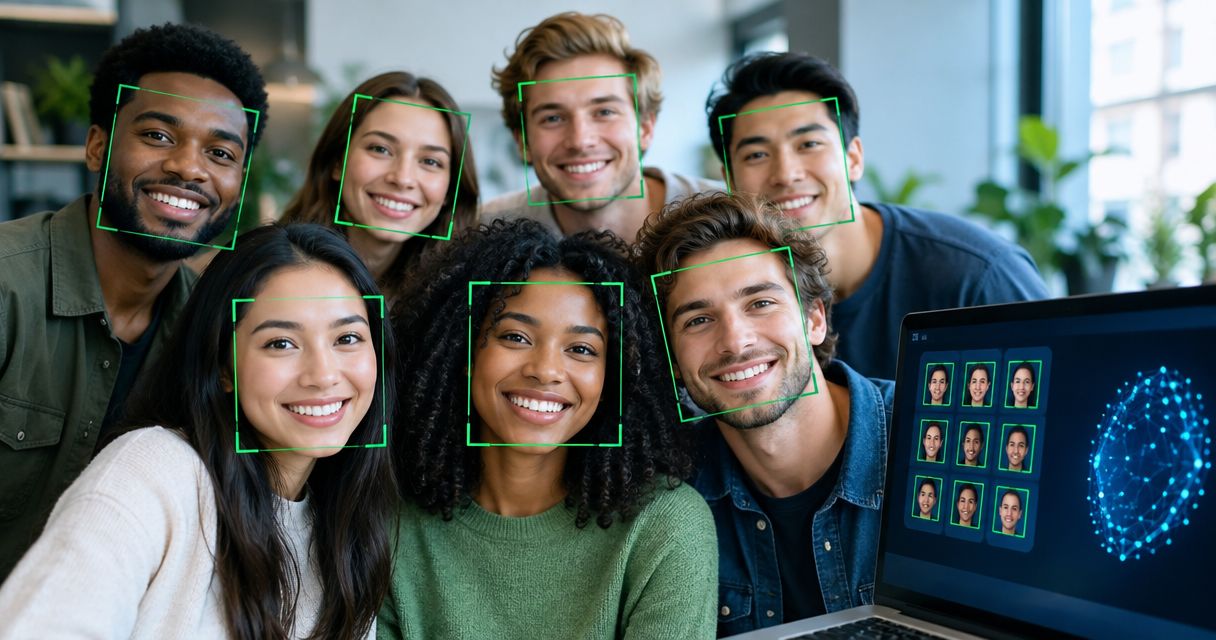
No. Face recognition can find some people in a group photo, but it cannot reliably find every guest. A visible face gives the system something to compare; a turned head, obstruction or tiny face can leave a guest out, so photographers still need a way to review missed images.
TL;DR
- Can face recognition find people in group photos? Yes, but it cannot guarantee a result for every guest.
- Fotoowl AI Gallery is best for photographers who want face recognition alongside event photo delivery, not a guarantee of complete matches.
- Review crowded frames and give guests a way to browse when face search misses them.
Why this matters
At an Indian wedding, school event or corporate function, the photograph your client asks about is often a group frame. The delivery problem is not just whether the system finds faces. It is whether a guest can find the photograph even when their face is partly hidden or too small to match. For a wider sorting workflow, see how to use face recognition to sort wedding photos.
In 2026, treat face search as a shortcut, not a complete guest list. It helps people reach likely matches without browsing an entire event gallery. It does not prove that every person pictured has been found, and a missed search result does not prove the guest was absent from the photographs.
Can face recognition find every guest in a group photo?
No. It can find guests whose faces are visible and recognisable, but it cannot promise every person in a crowded frame. The outcome depends on what the photograph actually shows. A guest facing the camera is a different search problem from a guest standing at the back with only part of their face visible.
| Group-photo situation | What face search has to work with | Practical limit | Best delivery decision |
|---|---|---|---|
| Guest facing the camera | A visible face | A match is still not guaranteed | Include the photo in face-search delivery and the browsable gallery |
| Guest looking sideways | A partial facial view | Fewer visible features to compare | Keep the frame available for browsing |
| Guest behind another person | An obstructed face | The system cannot identify a face it cannot see clearly | Review the frame without relying on search alone |
| Guest far from the camera | A small face within a wide frame | Facial detail can be insufficient | Preserve the full group photo in its event section |
| Guest with no visible face | Clothing or position, but no usable face | Face search cannot identify the guest from that face | Use a non-face route to locate the image |
This table is a delivery guide, not an accuracy ranking. It makes the key distinction clear: finding one visible guest in a group frame does not mean finding everyone else in that frame. Check both the search result and the underlying gallery before telling a client that all guests can retrieve their photographs.
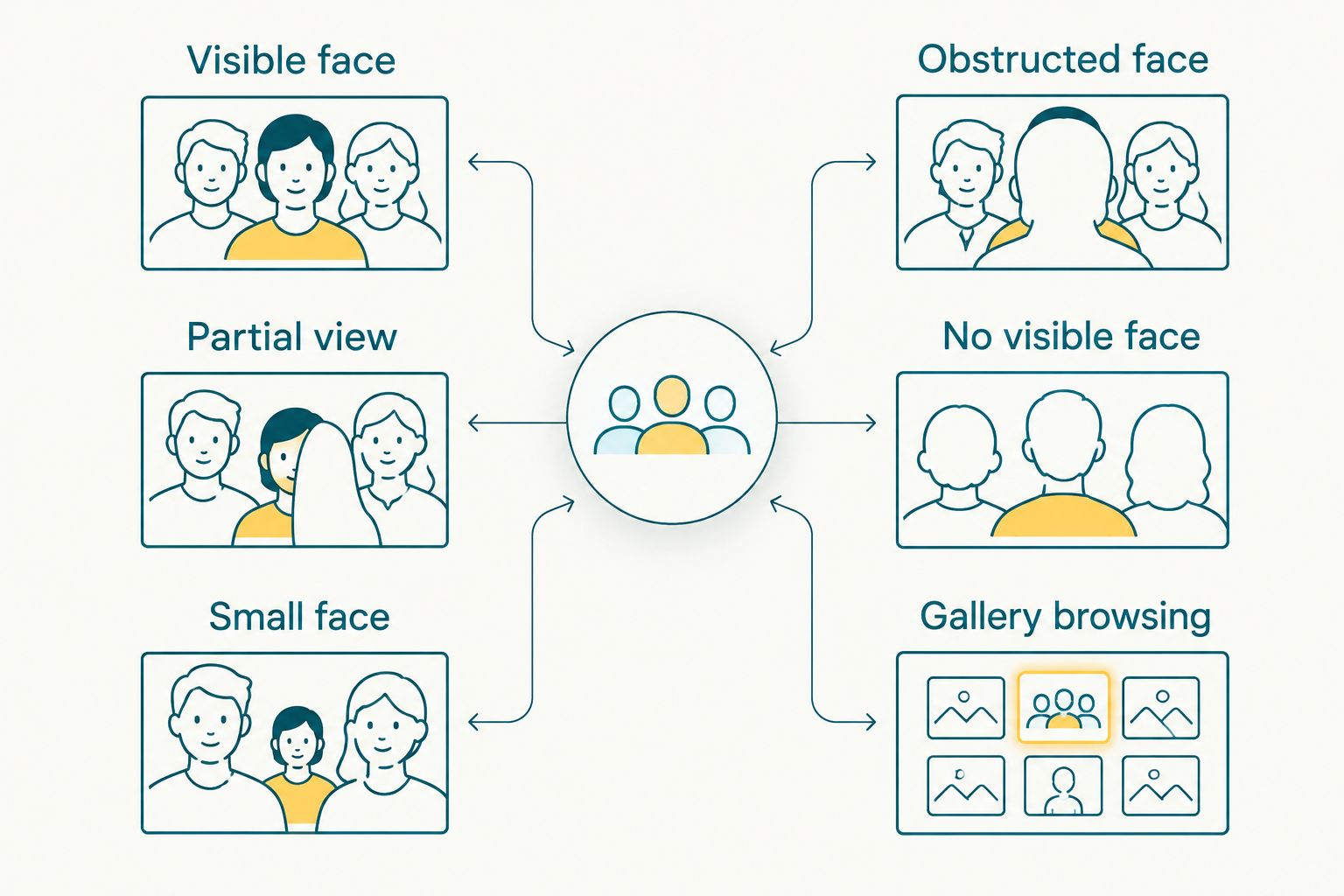
Gallery browsing remains useful when a group photo does not produce a face-search match.
What should photographers check before delivery?
Use a short review that tests the photograph, the search result and the fallback route. In 2026, a successful search for one guest is not a test of the entire group. Check more than the most obvious face in the front row.
- Pick 3 image types: a close group portrait, a wide group frame and a crowded candid. This gives you visibly different face conditions to inspect without treating one easy example as proof.
- Inspect the faces: note who faces the camera, who is partly hidden and who appears small in the frame. Do this on the delivered image, not only while viewing a zoomed-in editing preview.
- Check search results against the original frames: confirm whether the guests you can identify in the photographs appear in their expected results. Record a miss as a miss; do not assume a different upload will fix it.
- Keep a browsing route open: place important group photographs where clients can find them by event or scene when face search fails. A guest should not have to conclude the photograph does not exist because a search returns nothing.
- Explain the limit before sharing: tell the client that face search finds likely photographs, while browsing covers images that are not matched. Give the studio a clear process for handling a specific missing-photo request.
The 3 image types are a review checklist, not a claim about how many photos a system needs to work. If your assignment is a multi-function wedding, inspect frames from each function you plan to deliver. Different lighting, distances and camera positions can change how much of a guest’s face the final image shows.
A useful final check is simple: take a known guest in a group photograph and ask whether that exact frame appears in their search results. Then choose a guest whose face is harder to see. If the second search misses, retain the photograph in the gallery and make the browsing route clear rather than describing the entire group as searchable.
Why group-photo results vary
Face search has to compare visible facial detail. The following factors change how much detail a group photograph provides; none supports a promise that every guest will be found.
- Face visibility: a person behind a taller guest, a hand or another object offers less of a face to compare. No visible face means there is no face-based identification to make from that image.
- Head angle: someone looking towards the stage instead of the camera presents a different view from a front-facing portrait. Check the actual frame rather than assuming a guest’s presence is enough.
- Distance within the frame: people at the back of a wide photograph occupy less of the image. A photograph can look clear as a group while providing little detail for one individual.
- Image clarity: motion blur or missed focus removes detail. Sharp clothing and a recognisable setting do not replace a clear view of the guest’s face.
- Coverage across the gallery: another photograph of the guest can be easy to find while the desired group frame remains unmatched. Judge the specific group photo, not only whether the guest has any search results.
- Delivery and review choices: if the studio shares only face-search results, an unmatched group image becomes hard to discover. A browsable gallery gives that image a separate route to the client.
For 2026 event delivery, the final point is the one your studio controls most directly. You cannot recover a face hidden in the original frame. You can keep the photograph findable without claiming that the search identified every person in it.
Where does Fotoowl fit?
Fotoowl AI Gallery is best for event photographers who need face recognition as part of client photo delivery, with gallery browsing for group-photo misses. The stated AI Gallery product includes face recognition galleries; that is relevant when you deliver weddings, school events, sports events or corporate photographs to people looking for themselves. Its limitation on this question is the limitation of face search itself: no gallery feature can identify an unseen face from a photograph.
Use Fotoowl as a delivery option when face-based discovery matters, then check representative crowded frames before setting client expectations. Do not promise that its face recognition finds every guest in every group photo; no such result is established here. For clients asking where a particular frame went, keep the original photograph available to inspect rather than treating an empty search result as evidence that it was never taken.
Review event photo delivery
Explore face recognition galleries for wedding and event photography clients.
What should you tell guests about group-photo search?
Tell guests what the search does and what to do if it misses. A useful instruction is: search for your photographs first, then browse the relevant event gallery for group shots. That wording sets an action, not an accuracy promise.
Avoid describing the search as a complete record of attendance. At a wedding, a guest can appear in a family portrait with their face hidden behind someone else. At a school event, a child can appear at the edge of a team photograph. At a corporate event, an attendee can be visible in a wide stage frame but not face-forward. In each case, the person is in a photograph even if a face-based search does not surface it.
The client message for 2026 is: no result means no match was returned, not that no photograph exists. That distinction saves your team from dismissing a valid request. It also gives the client a useful next step: check the relevant gallery section or ask the studio to review the frame.
If the event has several functions or locations, describe them in terms clients recognise. A browsable set arranged around the event is more helpful than an undifferentiated collection when someone is looking for a wide group shot. Keep the same fallback available to people who do not want to use face search; do not make facial identification the only way to find delivered photographs.
How do you handle a missed guest without overpromising?
Start with the photograph the person expects, not with a claim about the software. Ask which event, group or moment they mean, then inspect the relevant delivered frames. This narrows the work to the image the guest wants and separates a search miss from a missing upload.
If you locate the frame, check whether the guest has a visible face in it. A hidden face explains why face search is the wrong route for that photograph; it does not justify promising that a later search will identify the person. Point the guest towards the browsable frame or have the studio share it through its agreed delivery process.
If you do not locate the frame in the delivered gallery, review the studio’s selected images before drawing a conclusion. The image might have been excluded during selection, or it might not have been captured. Those are different outcomes, and face search alone cannot establish either one. Keep your response tied to what the studio can verify.
For weddings with several functions, use the moment the guest remembers as the starting point: a ceremony portrait, a reception group or another distinct scene. For sports and school work, the team or event segment is often a better starting point than a general gallery search. These are browsing cues, not substitutes for inspecting the original images.
Can face recognition find a guest near the back of a group photo?
No guaranteed match exists for a guest near the back of a group photo. Check whether their face is visible and clear in the delivered image. If it is too small or partly blocked, keep the full photograph easy to browse.
Will one matched face make the entire group photo searchable?
No. One matched face does not identify every guest in the same photograph. Assess each person’s visibility separately, especially in wide wedding portraits and crowded school or corporate frames.
What if a guest gets no face-search results in 2026?
No face-search result in 2026 does not prove the guest is missing from the photographs. Have them browse the relevant event section, then check the original frames if they name a specific group or moment.
FAQ
Can face recognition find people in group photos?
Yes, face recognition can find people in group photos when it has a usable view of their faces. It cannot guarantee a match for everyone pictured.
Can face recognition find every guest in a wedding group photo?
No, face recognition cannot guarantee a result for every wedding guest in a group photo. Guests who turn away or stand behind others need a separate browsing route.
Does a missing match mean the guest was not photographed?
No, a missing match only means face search did not return the expected image. Check the delivered gallery and original frames before deciding whether the photograph exists.
Can face search identify someone whose face is hidden?
No, face search cannot identify a person from a face that is not visible in the photograph. Use the event gallery and the surrounding scene to locate the image instead.
Is a group photo with one matched person fully searchable?
No, one person’s match does not establish a match for every other person in the group. Review the other faces and retain a way to browse the full frame.
What should photographers test before sharing a face-search gallery?
Test close group portraits, wide frames and crowded candids against the actual search results. Confirm that guests can still browse important photographs when a match fails.
Is Fotoowl suitable for group-photo delivery?
Fotoowl AI Gallery suits event photographers who want face recognition galleries for client delivery. Review group-photo results and keep a browsing route available rather than promising every guest a match.
One last thing
The most useful 2026 group-photo test is not whether the front-row guest appears in search. It is whether someone partly obscured at the back can still find the photograph when search fails. Deliver the frame so it remains discoverable without a face match.