
Best WordPress photo gallery plugins for photographers


Six real WordPress gallery plugins get compared here for photographers shooting weddings, sports, corporate events, and schools in 2026, plus one alternative that skips WordPress hosting limits entirely. Best overall for staying inside WordPress: Envira Gallery. Best free plugin: FooGallery. Best pick for wedding and event photographers who want face-recognition delivery instead of a plugin: FotoOwl AI Gallery. The rest of this guide breaks down what each option actually does, where it runs out of road, and which one fits your workflow.
TL;DR
- Wordpress photo gallery plugins for photographers in 2026 range from free grid builders to paid drag-and-drop tools.
- Envira Gallery wins for photographers who want galleries built natively inside their WordPress theme.
- FooGallery is the free option worth testing before paying for anything.
- FotoOwl AI Gallery skips WordPress hosting limits with face-recognition search and Beam camera-to-cloud upload for events.
- None of the six plugins run face search inside WordPress itself in 2026 — that's an outside-the-plugin problem.
Why this matters
A WordPress gallery plugin decides how fast your portfolio loads, whether a bride can find her own photos without scrolling 400 thumbnails, and whether your shared hosting plan survives a 2,000-guest wedding upload. Pick the wrong one and you're either paying for a feature you don't need or watching your site choke the week photos go live. FotoOwl approaches the same problem from outside WordPress entirely — worth knowing before you commit to a plugin.
Most photographers default to whatever plugin ranks first in a Google search, then discover months later that it can't handle bulk client downloads or face-based photo search. That's the gap this comparison is built to close.
What makes the best WordPress photo gallery plugin
- Native WordPress integration — works inside your existing theme without breaking the layout on update
- Client delivery features — face search, bulk download, proofing, not just static display
- Hosting load — how much bandwidth and storage a full event shoot demands from your host
- Selling and monetization support — print sales or digital downloads built in, not bolted on
- Maintenance burden — how often the plugin needs updates and how often those updates break themes
- Mobile guest experience — how a guest views and downloads photos on a phone, not a desktop
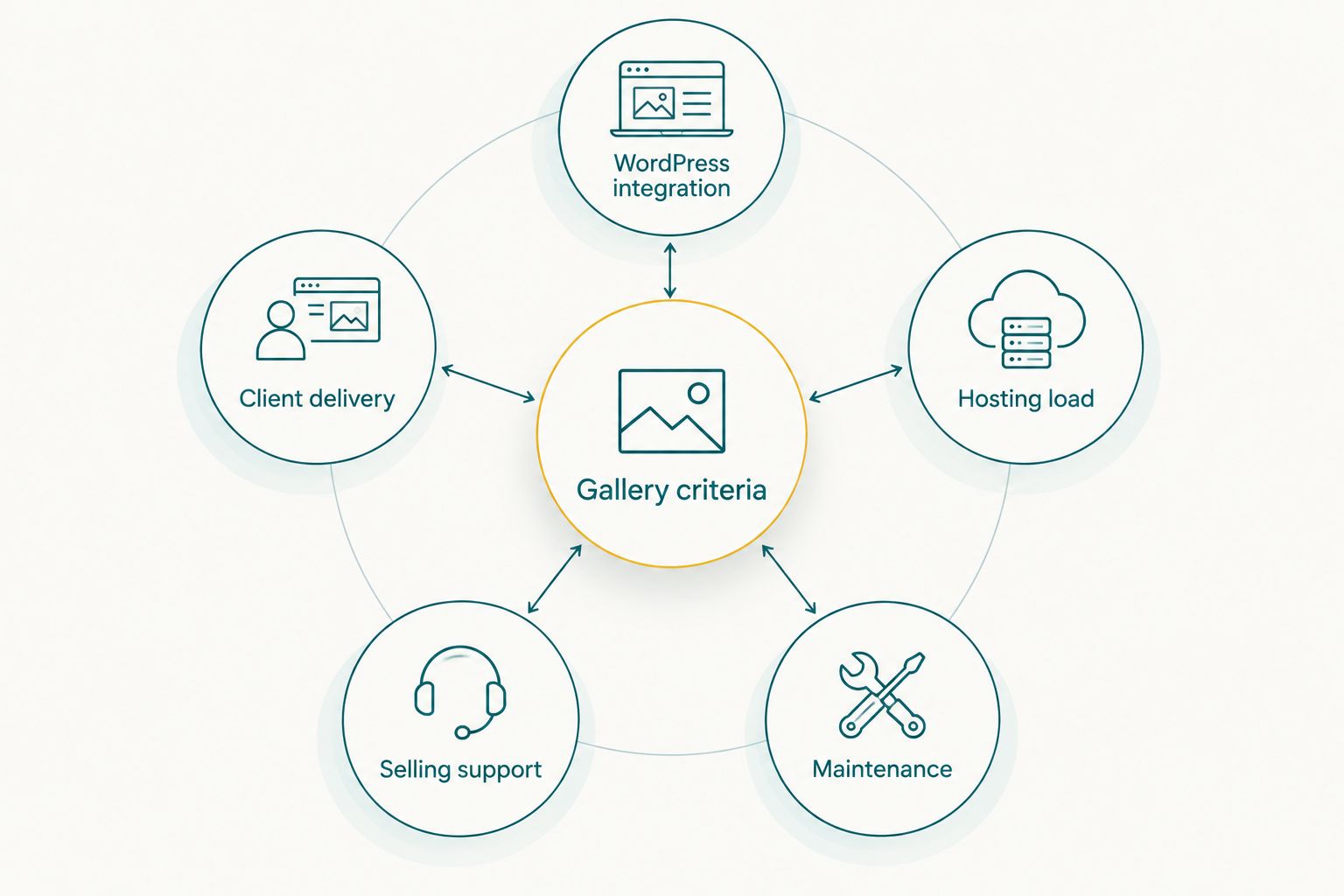
Most plugins win on one or two of these criteria, not all five.
At a glance
| Plugin / Platform | Best for | Standout feature | Key limitation |
|---|---|---|---|
| FotoOwl AI Gallery | Wedding & event photographers wanting face-search delivery | AI face recognition + Beam camera-to-cloud upload | Not a WordPress plugin — guests use a separate gallery link |
| Envira Gallery | Native WordPress drag-and-drop portfolios | Deep theme integration, watermarking | Every photo still runs through your host's bandwidth |
| NextGEN Gallery | Free, open-source WordPress galleries | Longest track record, active plugin community | Dated interface; several features are paid add-ons |
| Modula | CSS grid / masonry-style portfolios | Fast-loading responsive grids | No built-in client proofing or face search |
| FooGallery | Budget photographers needing a free core plugin | Multiple layout templates, free tier | Video and advanced customization sit behind a paid add-on |
| Photo Gallery by 10Web | Selling prints via WooCommerce on WordPress | Direct WooCommerce integration | Selling setup needs separate WooCommerce configuration |
1. FotoOwl AI Gallery: best pick for wedding and event photographers who want delivery without a plugin
FotoOwl AI Gallery uploads photos and videos to a hosted, face-recognition-powered gallery so each guest finds only their own photos instead of scrolling an album of 3,000 frames. It includes a portfolio builder, an AI reel generator for highlight videos, and Beam, which uploads straight from the camera to the cloud during the shoot. None of that runs inside WordPress — it replaces the need for a plugin rather than plugging into one.
FotoOwl AI Gallery pros:
- Guests search for their own photos by face instead of manual scrolling
- Beam uploads images from the camera during the event, before you've even left the venue
- Reel generator turns the same gallery into shareable highlight videos
FotoOwl AI Gallery cons:
- Doesn't live inside your existing WordPress theme or site
- Guests click through to a branded gallery link or QR code rather than an embedded WordPress page
- Not a fit if your only goal is a static portfolio page with no client delivery need
Best for: wedding, sports, and corporate event photographers who want guests sorting photos with face recognition instead of building that workflow on top of a WordPress plugin. Verdict: Buy if client delivery matters more than keeping everything inside your own site.
2. Envira Gallery: best WordPress-native drag-and-drop builder
Envira Gallery is a paid WordPress plugin built for photographers who want albums assembled inside the WordPress editor with drag-and-drop reordering, watermark protection, and lightbox display. It's one of the most established gallery plugins in the WordPress ecosystem and integrates cleanly with most themes.
Envira Gallery pros:
- Drag-and-drop album building directly in the WordPress admin
- Built-in watermarking to protect proofs before sale
- Deep theme compatibility across popular WordPress builders
Envira Gallery cons:
- Every photo served pulls from your own hosting bandwidth, so a large event gallery slows the page on shared hosting
- No face-based client search — guests still scroll or filter by album
Best for: photographers who want their portfolio and galleries to stay fully inside their own WordPress site. Verdict: Buy if you're not delivering hundreds of guest downloads per event.

A clean grid still depends on your host's speed to load every thumbnail.
3. NextGEN Gallery: best free, open-source option
NextGEN Gallery has been around since the earlier days of WordPress and remains a free core plugin with slideshow, thumbnail, and basic album support. It's a reasonable starting point if you're not ready to pay for a gallery plugin yet.
NextGEN Gallery pros:
- Free core version with no cost to install and test
- Large, long-running community means documentation is easy to find
NextGEN Gallery cons:
- Interface feels dated compared to newer grid-based plugins
- Several useful features — advanced proofing, e-commerce — sit behind paid add-ons
Best for: photographers testing whether they need a paid gallery plugin at all. Verdict: Hold — fine for now, revisit once client volume grows.
4. Modula: best for grid and masonry-style portfolios
Modula builds responsive CSS grid and masonry galleries that load fast and look clean on both desktop and mobile. It's a display-first plugin, built for portfolio pages rather than client delivery.
Modula pros:
- Fast-loading, responsive grid layouts out of the box
- Simple to configure without touching code
Modula cons:
- No built-in client proofing or bulk download workflow
- No face search — not built for guest-facing event delivery
Best for: photographers whose WordPress site is a portfolio, not a client delivery point. Verdict: Hold if you already deliver photos through a separate gallery tool.
5. FooGallery: best free plugin for a tight budget
FooGallery ships a free core version with several layout templates and lightbox support, making it a common first choice for photographers who don't want to pay for a gallery plugin yet.
FooGallery pros:
- Free tier covers basic grid and lightbox display
- Multiple ready-made templates reduce setup time
FooGallery cons:
- Video support and deeper customization require the paid add-on
- Like every WordPress plugin here, it depends on your host for load speed
Best for: budget photographers who want a free client gallery before committing to a paid tool. Verdict: Buy for low-volume portfolio use.
6. Photo Gallery by 10Web: best for selling prints via WooCommerce
Photo Gallery by 10Web (formerly WD) connects gallery display to WooCommerce, letting photographers sell prints or digital downloads directly from a WordPress site.
Photo Gallery by 10Web pros:
- Direct WooCommerce integration for print and digital sales
- Covers both display and a basic checkout path in one plugin
Photo Gallery by 10Web cons:
- Selling setup means configuring WooCommerce separately — more moving parts to maintain
- Adds another plugin update cycle to track alongside WooCommerce's own updates
Best for: photographers already running WooCommerce who want print sales tied to the gallery. Verdict: Hold unless you're already committed to WooCommerce.
How we ranked
Each plugin was weighed against the six criteria above: WordPress integration, client delivery, hosting load, selling support, maintenance burden, and mobile experience. Plugins that only handle display lose points on client delivery; FotoOwl AI Gallery, which isn't a plugin at all, gets included because it solves the client delivery gap none of the six plugins close on their own in 2026.
Which WordPress photo gallery plugin should you choose?
Staying fully inside WordPress with no budget: FooGallery. Want a polished, paid, drag-and-drop portfolio without leaving your theme: Envira Gallery. Selling prints through an existing WooCommerce store: Photo Gallery by 10Web. Shooting weddings, sports, or corporate events where guests need to find their own photos fast: FotoOwl AI Gallery is the pick that doesn't ask your hosting plan to carry the load.
See FotoOwl AI Gallery in action
Face-recognition delivery built for wedding and event photographers.
FAQ
What's the best WordPress photo gallery plugin for photographers in 2026?
Envira Gallery is the strongest pick for staying fully inside WordPress with drag-and-drop albums and watermarking. Photographers who need face-recognition delivery for guests are better served by FotoOwl AI Gallery, which runs outside WordPress entirely.
Is Envira Gallery better than NextGEN Gallery for wedding photographers?
Envira Gallery offers a more modern interface and deeper theme integration, but it's a paid plugin. NextGEN Gallery is free and open-source, making it a reasonable starting point before upgrading.
Do WordPress gallery plugins support face recognition for client photo search?
None of the major WordPress gallery plugins in 2026 run face recognition natively. That functionality currently lives outside WordPress in platforms like FotoOwl AI Gallery.
How much hosting load does a wedding photo gallery put on WordPress?
A full wedding shoot delivered through a WordPress gallery plugin pulls directly from your host's storage and bandwidth for every guest view. Shared hosting plans strain fastest when hundreds of guests download high-resolution images at once.
Can I sell photos directly through a WordPress gallery plugin?
Yes — Photo Gallery by 10Web connects to WooCommerce for print and digital sales inside WordPress. It requires configuring WooCommerce separately, which adds setup time.
What's the free alternative to Envira Gallery?
FooGallery and NextGEN Gallery both offer free core versions with basic grid and lightbox display. Advanced features on both sit behind paid add-ons.
Should event photographers use a WordPress plugin or a hosted gallery platform?
A WordPress plugin makes sense for a portfolio page with light traffic. A hosted platform like FotoOwl AI Gallery fits better once guest volume and face-search delivery become the priority.
Does FotoOwl AI Gallery work with WordPress?
FotoOwl AI Gallery is not a WordPress plugin — it's a separate hosted gallery that photographers link to from their WordPress site or share directly with clients. It doesn't install inside the WordPress admin.
One last thing
Every plugin in this comparison handles display well; none of the six run face recognition inside WordPress in 2026. That gap is exactly why platforms built outside the plugin ecosystem exist — and why the choice isn't really "which plugin" but "plugin or platform."
Related guides
- Best photo gallery software for wedding photographers
- Best free client gallery software for photographers
- Best way to share photos with clients
A gallery plugin only performs as well as the hosting plan under it — throttled bandwidth turns a wedding album into a spinning wheel.