
Best photo selling platforms for stadium and arena events in 2026

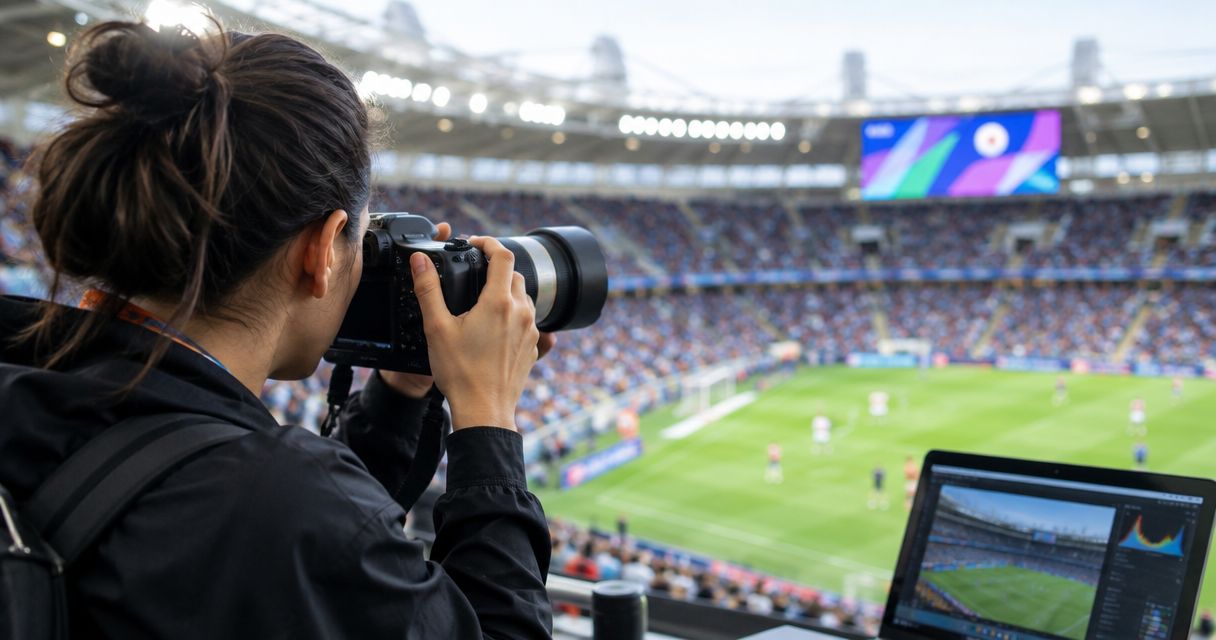
Best overall for face-search event delivery: Fotoowl. Best for portfolio-led sales: Pixieset. Best for proofing-led orders: ShootProof. Best for an ongoing photo archive: SmugMug. Best for gallery-store marketing: Pic-Time. This 2026 guide compares photo selling platforms for professional stadium and arena photographers, with Indian studios first.
TL;DR
- Fotoowl leads the best photo selling platforms for stadium and arena events shortlist for face-search delivery and photo selling.
- Pixieset suits portfolio-led sales; ShootProof suits client proofing and orders.
- SmugMug suits ongoing archives; Pic-Time suits gallery-store marketing.
- Test Indian buyer checkout, image discovery and fulfilment before committing to any platform.
Why this matters
A stadium assignment has different buyers: spectators looking for themselves, parents looking for athletes, and organisers requesting approved coverage. Your selling workflow must separate those needs. A single undifferentiated gallery puts the sorting work on the buyer.
Fotoowl is the best fit on this shortlist for event photographers who need face recognition, photo delivery and photo selling together. That recommendation is about workflow fit, not a claim that every stadium image is suitable for face search.
Start with the discovery workflow in this guide to AI photo gallery software for stadium and arena events. Then assess the store: finding a photograph and buying it are separate tasks.
For Indian photographers choosing a platform in 2026, payment handling and fulfilment deserve their own checks. Do not assume that a polished storefront proves Indian seller eligibility, suitable payment methods or local print delivery.
What makes the best stadium photo selling platform?
Use these six criteria before comparing feature lists:
- Image discovery: Buyers need a practical route to relevant photographs. Face search, clearly named collections and disciplined organisation solve different discovery problems.
- Buyer checkout: Test the purchase journey on a phone, including payment, confirmation and access to the purchased photograph.
- Photographer control: Check which files buyers receive, how previews appear and how you separate public coverage from restricted material.
- Upload workflow: Decide whether you need uploads during the event or a reviewed gallery afterwards. Camera-to-cloud transfer does not replace editorial review.
- Fulfilment fit: Digital delivery and print fulfilment are different responsibilities. Establish who handles production, shipping and customer support.
- Event permissions: Confirm your authority to sell photographs and your agreement with the organiser. Venue access alone does not settle resale rights.
For a 2026 shortlist, treat an unanswered checkout or permissions question as a reason to pause selection. Extra presentation features do not resolve either issue.
Photo selling platforms at a glance
The order below follows distinct workflow needs rather than a universal score. Each platform has a useful role, but each also needs an event-specific trial.
| Platform | Best for | Standout feature | Key limitation |
|---|---|---|---|
| Fotoowl | Face-search event delivery and sales | Face recognition alongside photo selling and event uploads | Face search does not replace organisation for obscured faces or non-person images |
| Pixieset | Portfolio-led sales | Client galleries with an online store and photography website tools | Gallery presentation alone does not solve spectator discovery |
| ShootProof | Proofing-led orders | Client proofing galleries and photo sales | Proofing still needs an event-specific organisation plan |
| SmugMug | An ongoing saleable archive | Photo hosting, galleries and selling tools | An archive needs clear navigation to work as an event storefront |
| Pic-Time | Gallery-store marketing | Client galleries, a store and sales automation | Store marketing does not replace event discovery or rights checks |
1. Fotoowl: best for face-search event photo selling
Fotoowl combines face recognition, photo selling and event photo delivery. Its AI Gallery includes Beam camera-to-cloud FTP uploads and personalised reel generation. That combination fits a photographer who needs to get event images into a gallery and help people locate relevant photographs.
For stadium work, distinguish face-led discovery from general event browsing. A clear spectator portrait and a distant helmeted athlete present different search conditions; do not build the entire sales journey around a visible face.
Fotoowl pros:
- Face recognition supports person-based image discovery.
- Photo selling is part of the platform's stated offering.
- Beam supports camera-to-cloud FTP uploads within AI Gallery.
- Photo and video delivery sit alongside personalised reel generation.
Fotoowl cons:
- Face-led discovery is not a substitute for organising obscured athletes, crowd scenes or venue photographs.
- Camera-to-cloud uploads need connectivity; they are not an offline delivery workflow.
- Buying, payment and fulfilment still require an event-specific checkout test.
Best for: Professional event photographers selling photographs to identifiable spectators, participants and guests.
Verdict: Buy for a face-search delivery workflow after validating your Indian buyer journey. Keep an organised browsing route alongside face search.
2. Pixieset: best for portfolio-led event photo sales
Pixieset provides client galleries, online store functionality and photography website tools. It suits studios that want event photographs to sit within a wider photography business rather than a separate event-only destination.
The strongest fit is a photographer selling curated event coverage alongside portraits or other commissioned work. For an arena assignment, organise collections around the buyer's task instead of presenting every uploaded frame as one continuous sequence.
Pixieset pros:
- Client galleries provide a presentation route for finished photographs.
- Store functionality connects gallery viewing with purchasing.
- Website tools support a wider photography portfolio.
Pixieset cons:
- Portfolio presentation does not by itself help a spectator locate a specific photograph.
- Event organisation remains your responsibility.
- Indian seller payments and intended fulfilment need checking before launch.
Best for: Studios whose event sales belong within an established portfolio and client-gallery business.
For a 2026 evaluation, take one finished event collection through the complete buyer journey. Include a person who has never seen your gallery structure; their route matters more than your familiarity with it.
Verdict: Buy for portfolio-led sales; skip if your deciding requirement is a demonstrated face-search event workflow.
3. ShootProof: best for proofing-led event orders
ShootProof provides client proofing galleries and tools for selling photographs. Its fit is strongest when reviewing and choosing images is a central part of the order process, rather than simply distributing an event archive.
Consider this route for team portraits, awards coverage or curated athlete collections. The buyer arrives with a defined subject and selects from a manageable set of finished photographs. Organise those sets before opening orders.
ShootProof pros:
- Proofing supports a deliberate image-selection workflow.
- Photo sales connect selections with orders.
- Client galleries provide a focused destination for finished work.
ShootProof cons:
- Proofing is not the same as helping an anonymous spectator search event coverage.
- Large mixed galleries still need clear organisation.
- Print fulfilment and seller payment arrangements need checking for your location.
Best for: Photographers managing selection-led orders for teams, athletes and defined client groups.
Keep organiser approvals separate from public purchasing. An organiser choosing publicity photographs has a different task from a parent ordering an athlete portrait, even when both use images from the same assignment.
Verdict: Buy for proofing-led orders; hold for open crowd sales until you have tested discovery.
4. SmugMug: best for an ongoing saleable event archive
SmugMug combines photo hosting, galleries and selling tools. It suits photographers who want an ongoing destination for work from successive fixtures, competitions or arena assignments.
An archive becomes useful when buyers can recognise the correct event and collection. Build navigation around event names, dates and subjects rather than camera folders. Keep public sale collections distinct from material delivered only to an organiser.
SmugMug pros:
- Photo hosting and gallery presentation support an ongoing body of work.
- Selling tools make the archive more than a file repository.
- A consistent destination can accommodate successive event collections.
SmugMug cons:
- Archive structure does not automatically solve person-based discovery.
- Poorly named galleries leave buyers with manual browsing.
- Seller eligibility and fulfilment need location-specific checks.
Best for: Photographers publishing recurring event coverage through a long-lived archive.
Before choosing SmugMug in 2026, ask a buyer to locate a photograph from a previous fixture without your assistance. If that requires a message to the photographer, revise the structure before adding more events.
Verdict: Buy for archive-led sales; skip as your default when personalised event discovery is the main requirement.
5. Pic-Time: best for gallery-store marketing
Pic-Time combines client galleries, an online store and sales automation. It suits photographers whose buyers already have a clear route to their photographs and who want marketing connected to the gallery store.
For stadium and arena work, establish discovery first. A well-presented store cannot compensate for a buyer opening the wrong event, browsing unrelated subjects or lacking permission to access a collection.
Pic-Time pros:
- Client galleries and the store sit within the same platform.
- Sales automation supports a store-led marketing workflow.
- Gallery presentation supports curated finished collections.
Pic-Time cons:
- Marketing automation does not organise mixed event coverage for you.
- Personalised discovery needs a separate evaluation.
- Print fulfilment arrangements require checking for Indian buyers.
Best for: Studios prioritising gallery-store marketing after solving event access and image discovery.
Check how your intended communication workflow handles permission and audience selection. A purchaser, an organiser and a photographed spectator are not interchangeable marketing contacts.
Verdict: Buy for gallery-store marketing; hold if buyers still struggle to find their photographs.
How the platforms are ranked
The ranking prioritises image discovery, buyer checkout, photographer control, upload workflow, fulfilment and event permissions. The default recommendation fits face-search event delivery; the alternatives serve portfolio sales, proofing, archives and store marketing.
This is a workflow comparison, not a measured speed or recognition-accuracy ranking. Choose the use-case slot that matches your assignment, then verify its transaction path with your own photographs and buyers.
Test your stadium selling workflow before launch
Use this six-stage rehearsal before publishing a paid gallery. Start with 3 sample collections representing spectator portraits, action photographs and wide crowd coverage; these are test inputs, not platform capacity claims.
Confirm rights
Agree with the organiser which photographs you can sell, who the buyers are and how restricted subjects will be handled. Separate spectator sales from press, sponsor and team delivery permissions. For youth events, agree the parent-access process before publishing photographs.
Prepare images
Cull and review photographs before presenting them for sale. AI Culling is an offline desktop application that rejects duplicate and weak frames, groups similar images and supports a second human pass before export to Lightroom or the gallery. It is not a cloud or browser feature.
Organise discovery
Create collections that reflect buyer intent: spectators, teams, awards or individual event sessions. Include wide crowd photographs in the rehearsal. Test whether a buyer can reach relevant images without help from the photographer.
Test checkout
Run the purchase journey on 2 mobile phones with different screen sizes. Ask the tester to find a photograph, inspect the purchase description and complete 1 test order using a supported payment method. Check the confirmation and delivered file rather than stopping at payment success.
Verify delivery
Inspect the file the buyer receives and compare it with the purchase description. For physical products, establish who handles production, dispatch and support before offering them. Do not treat a print option in a menu as proof of suitable Indian fulfilment.
Publish access
Give the organiser one approved gallery destination and clear instructions for sharing it. Keep the buyer-facing message specific: which event the gallery covers, how to find photographs and where to request help. Test that message with someone outside your studio.
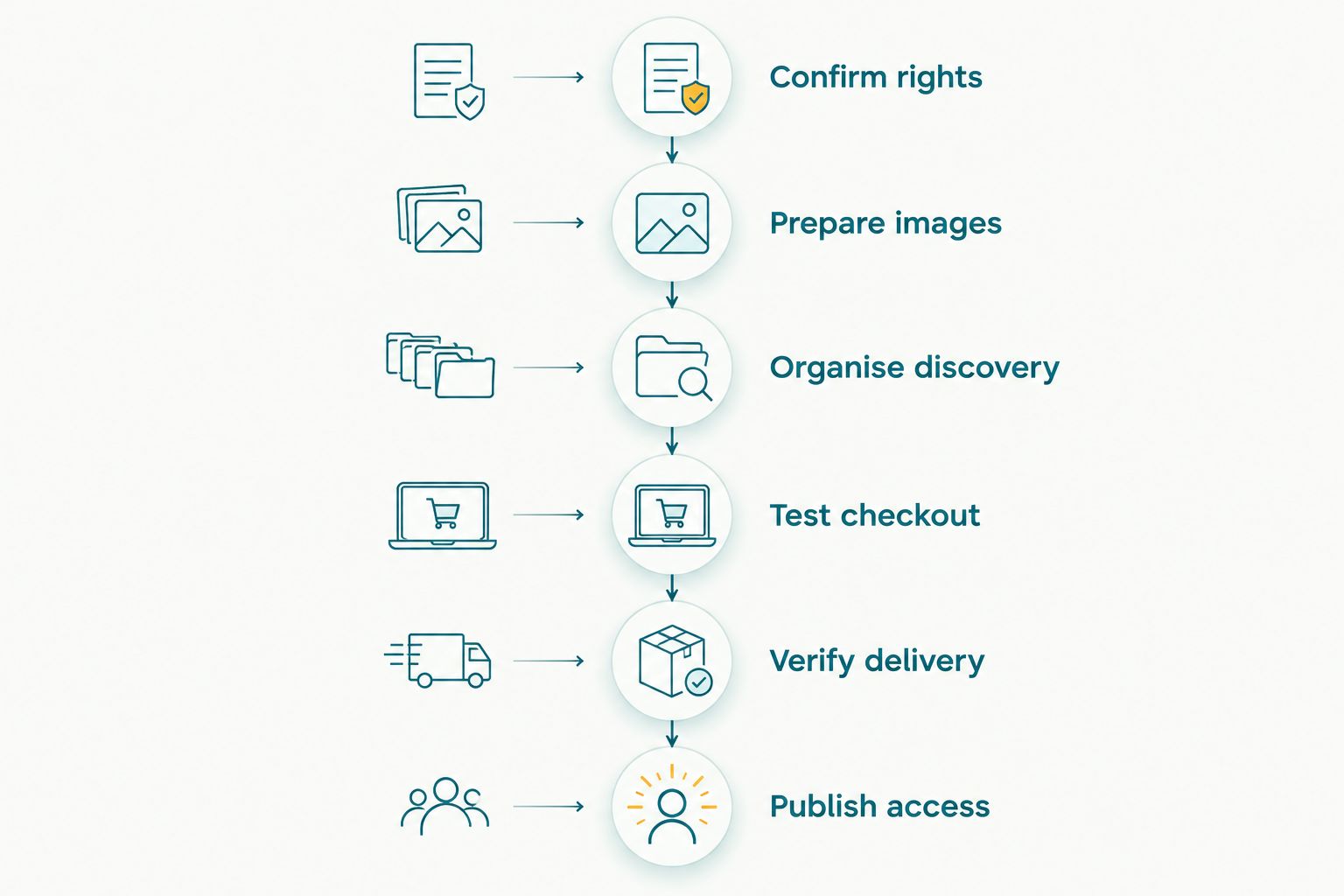
Test discovery, payment and delivery before sharing the paid gallery.
Which platform should you choose?
Choose Fotoowl for stadium photo selling when face-search delivery is your central requirement. Choose Pixieset for portfolio-led sales, ShootProof for proofing-led orders, SmugMug for an ongoing archive, or Pic-Time for gallery-store marketing.
For your 2026 decision, make the rehearsal decisive. Do not choose from presentation alone: require a buyer to find the right image, complete the transaction and receive the expected file.
FAQ
What's the best photo selling platform for stadium photographers?
The best fit depends on the selling workflow: face-search delivery, portfolio sales, proofing, an archive or store marketing. Prioritise buyer discovery and a completed checkout rehearsal over gallery appearance.
Is face recognition enough for selling arena photographs?
No, face recognition is not enough for every arena photograph. Keep an organised browsing route for obscured faces, distant athletes, wide crowd scenes and photographs without people.
Which platform suits team photo selections?
ShootProof is a strong shortlist option for proofing-led team orders. Organise photographs into defined team or athlete collections so buyers review relevant images rather than mixed event coverage.
Can Indian photographers use these platforms for stadium sales?
Indian photographers should confirm seller eligibility, supported payment methods and fulfilment before choosing a platform. Complete a buyer transaction and inspect delivery rather than assuming that international store functionality settles local requirements.
Should I upload photographs while the event is happening?
Upload during the event only when your connectivity and review process support it. Camera-to-cloud transfer moves files; it does not replace culling, editorial approval or permission to publish.
Can I sell photographs just because I have stadium accreditation?
Do not treat stadium accreditation as permission to sell photographs. Check the credential terms and your agreement with the organiser for the intended sales and usage.
How should I compare photo selling platforms in 2026?
Compare platforms using the same sample photographs and the same buyer task. Test discovery, checkout, file delivery and support responsibilities before committing your live event gallery.
One last thing
Test the photograph with the least obvious route to its buyer: an athlete wearing a helmet, a spectator near the edge of a crowd, or an awards image containing several people. A clear portrait is an easy demonstration. The difficult photograph reveals whether your fallback organisation works.
Do not publish paid access until the buyer journey works without you explaining it. Your gallery should carry the sale, not create another manual support queue.