
Best memory cards for event photographers

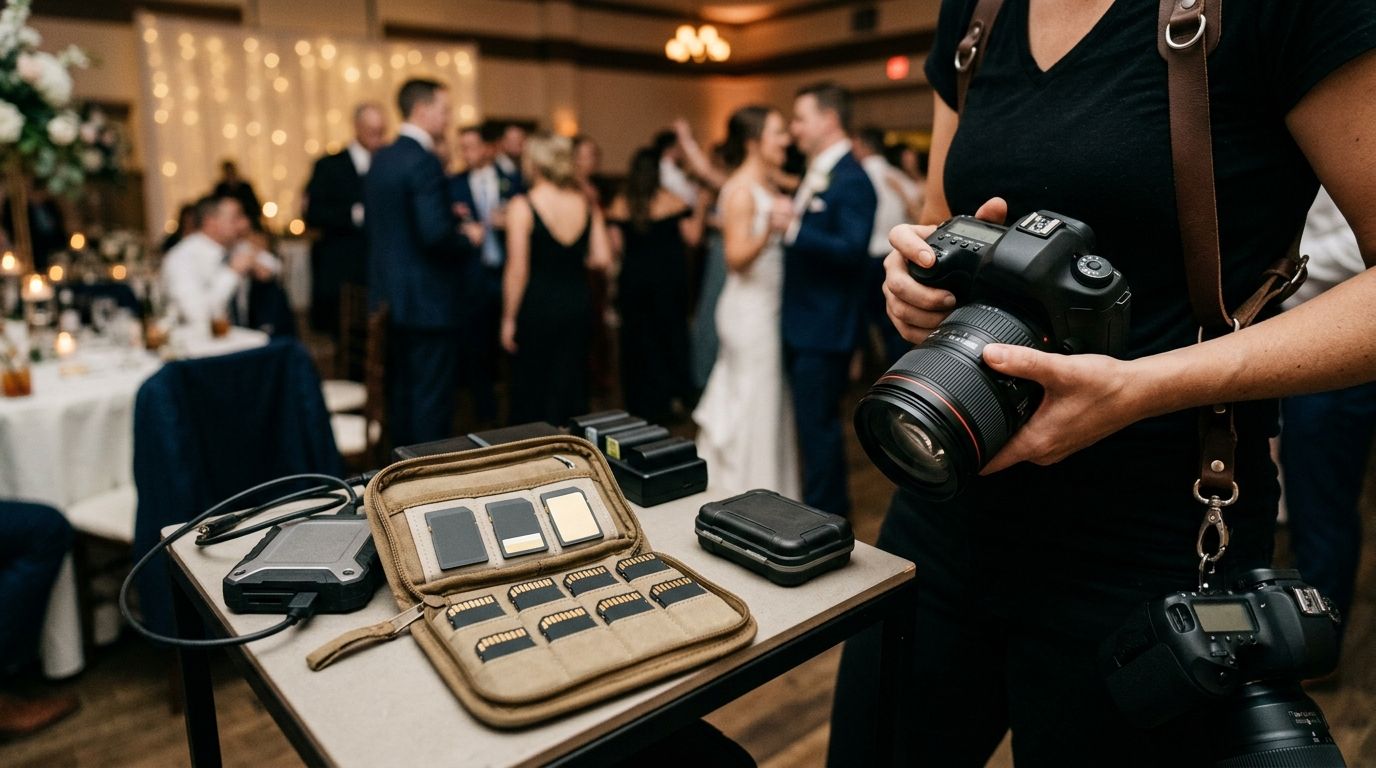
Best overall for a compatible camera: UHS-II V60 SD. Best for video modes that require a higher sustained write class: UHS-II V90 SD. Best for a compatible CFexpress Type B slot and demanding bursts: CFexpress Type B. For event photographers in 2026, the best card is the one your camera supports and your shooting modes require—not the one with the largest speed claim on its packaging.
TL;DR
- The best memory cards for event photographers start with camera compatibility; UHS-II V60 SD is the default for compatible cameras.
- Choose UHS-II V90 SD when a video mode requires its higher sustained write class.
- Choose CFexpress Type B or Type A only when your camera supports that exact format.
- Keep a second copy of event files before clearing any card for reuse.
Why this matters
A card can be fast on paper and still be the wrong purchase. An SD card does not fit a CFexpress slot, and CFexpress Type A and Type B are different physical formats. Even within SD, the camera and card must both support UHS-II to use that interface. Check the camera manual and the exact recording mode before choosing a card.
The decision matters most when you cannot repeat the moment: a wedding entrance, a cricket boundary, a school stage performance. Match the card to the camera first, then plan how the files leave it. Fotoowl gives event photographers an AI Gallery for delivering photos and videos, but the gallery is not a substitute for confirming that every file has been copied before a card is cleared.
In 2026, treat card choice and file handoff as separate decisions. The card captures the work. Your copy, review and delivery process determines what happens to it next.
What makes the best memory card for event photography
Use these criteria before reading the rankings. They apply whether you shoot weddings across several functions or move between sports, corporate and school events.
- Camera slot: Confirm the exact accepted format in your camera manual. A camera with multiple slots can have different requirements for each slot. Do not assume matching-looking cards are interchangeable.
- Video mode: Check the manufacturer's requirements for the frame rate, resolution and recording format you actually use. SD Video Speed Classes V30, V60 and V90 specify minimum sequential write speeds of 30, 60 and 90 MB/s respectively; they are not a promise about every operation.
- Buffer recovery: Fast bursts fill a camera's buffer. Check camera-specific guidance or a relevant test using your shooting settings rather than comparing only the card's advertised maximum read speed.
- Backup plan: Decide when files will be copied, checked and kept on a separate device. A second card in the bag is useful, but it is not a backup of images still stored only on the first card.
- Delivery path: Know whether files go from the card to a computer for selection, to editing, or into a client gallery. Faster capture does not fix a disorganised handoff.
A V90 label answers a narrower question than many buyers think: it identifies a sustained sequential write class. It does not tell you that a camera needs V90, that its buffer will clear at 90 MB/s, or that your files have been backed up. Start with the slot and recording requirements; use the remaining criteria to decide whether a faster card changes your work.
Best memory cards for event photographers at a glance
These are card formats and speed classes, not tested models or brand recommendations. A specific card still needs to meet your camera maker's guidance. In 2026, use this table to narrow the format before comparing individual cards.
| Rank and card type | Best for | Standout feature | Key limitation |
|---|---|---|---|
| 1. UHS-II V60 SD | Compatible hybrid event cameras | 60 MB/s minimum sequential write class | Does not satisfy a mode that requires V90 |
| 2. UHS-II V90 SD | Compatible cameras with V90-required video modes | 90 MB/s minimum sequential write class | No clear benefit when your camera and modes do not need it |
| 3. CFexpress Type B | Compatible cameras shooting demanding bursts | Uses a dedicated high-performance card format | Cannot be used in a Type A or SD-only slot |
| 4. CFexpress Type A | Cameras with a Type A slot | Matches that specific CFexpress slot | Not interchangeable with Type B |
| 5. UHS-I V30 SD | Compatible cameras with modest write requirements | 30 MB/s minimum sequential write class | Not the choice for a mode requiring V60 or V90 |
1. UHS-II V60 SD: best memory card for a compatible all-round event camera
UHS-II V60 SD is the default pick when your camera supports UHS-II and your selected modes do not require a higher class. It combines an SD format with a defined 60 MB/s minimum sequential write class. For a photographer switching between stills and video at an Indian wedding or corporate event, it is a practical starting point—not a universal camera requirement.
UHS-II V60 SD pros:
- The V60 mark gives you a defined minimum sequential write class to check against video requirements.
- It fits a compatible SD workflow without requiring a CFexpress slot.
- It avoids choosing a higher speed class solely because it has a larger number.
UHS-II V60 SD cons:
- It is the wrong class if a selected camera mode explicitly requires V90.
- A camera without UHS-II support cannot use the UHS-II interface at its intended speed.
Best for: Photographers using a UHS-II-compatible SD camera for mixed event stills and video. Verdict: Buy if the camera manual and every planned recording mode accept V60; otherwise, hold until you confirm the requirement.
2. UHS-II V90 SD: best memory card for V90-required video modes
UHS-II V90 SD earns its place when a camera's recording specifications call for V90. The V90 class specifies at least 90 MB/s for sequential writes under the SD speed-class standard. That is a reason to choose it for a qualifying mode, not proof that every wedding photographer needs it for still photography.
UHS-II V90 SD pros:
- The 90 MB/s class gives you a clearly defined write-speed threshold.
- It addresses recording modes that specify V90 rather than asking you to infer suitability from a peak-speed claim.
- It remains an SD-format choice for a camera with the appropriate slot and support.
UHS-II V90 SD cons:
- It does not add a documented benefit to a mode that already works within a lower required class.
- The V90 mark alone cannot tell you how quickly a particular camera clears its stills buffer.
Best for: Photographers whose exact camera and video settings specify V90. Verdict: Buy for that requirement; skip the upgrade when the requirement is absent.
3. CFexpress Type B: best memory card for compatible burst-heavy cameras
CFexpress Type B is the pick for a Type B camera when its recording demands and manufacturer guidance point there. It is a different card format from SD, not an SD speed-class upgrade. If you cover sport or fast-moving stage action with sustained bursts, assess the Type B options supported by your camera rather than assuming an SD ranking applies to your slot.
CFexpress Type B pros:
- It matches cameras built with a Type B slot.
- It puts the camera manufacturer's Type B compatibility guidance at the centre of the decision.
- It keeps the choice tied to demanding capture modes rather than a generic event-photography label.
CFexpress Type B cons:
- It cannot be used in a CFexpress Type A or SD-only slot.
- The format name alone does not establish the sustained performance of an individual card in your camera.
Best for: Photographers with a Type B-compatible camera whose settings call for that format. Verdict: Buy an approved Type B card for the camera; skip it if your camera lacks the slot.
4. CFexpress Type A: best memory card for a Type A camera
CFexpress Type A is a compatibility-led choice. If your camera has a Type A slot and the recording mode calls for that format, buy for that slot. Do not treat a recommendation for CFexpress Type B as a recommendation for Type A: the cards are not interchangeable.
CFexpress Type A pros:
- It matches a camera designed for a Type A card.
- It makes the format decision clear before you compare individual models.
- It directs you to camera-specific recording requirements instead of SD speed classes.
CFexpress Type A cons:
- It does not fit a Type B or SD-only slot.
- A Type A label does not replace checking the camera maker's individual card guidance.
Best for: Event photographers using a camera with a CFexpress Type A slot. Verdict: Buy only for a compatible camera and recording mode; skip it for every other slot type.
5. UHS-I V30 SD: best memory card for supported lighter-duty recording
UHS-I V30 SD is a sensible choice when your camera and selected modes accept V30. Its class specifies a 30 MB/s minimum sequential write speed. That makes it a defined option for supported work, not a fallback to use blindly when you run short of faster cards during an event.
UHS-I V30 SD pros:
- The V30 mark provides a published write-class threshold.
- It gives photographers with compatible SD cameras a clear class to check against camera requirements.
- It avoids buying to a higher class when no selected mode calls for one.
UHS-I V30 SD cons:
- It is unsuitable for a recording mode that specifies V60 or V90.
- It is not a substitute for checking burst performance in your particular camera.
Best for: Photographers whose SD camera and planned settings explicitly support V30. Verdict: Buy for those supported settings; skip it when any planned mode requires a higher class.
How to choose your card before the next event
For a 2026 booking, make a short list from the camera outward. This prevents a purchase based on a card review filmed with different equipment or a shooting mode you never use.
- Read the slot specification. Write down the accepted format for each camera slot. If your camera has both an SD and a CFexpress slot, assess each separately.
- Check your hardest recording mode. Include the video format you intend to deliver and the stills burst settings you rely on. Use the manufacturer's requirements for that exact mode.
- Shortlist the correct class or format. For SD, compare the required V class with V30, V60 or V90. For CFexpress, confirm Type A or Type B before looking at individual cards.
- Test the complete route. Record using your event settings, copy the files and open a sample. Check that the camera behaves as expected before you depend on a card at a paid job.
- Set the handoff rule. Keep the original card untouched until another copy has been made and checked. Label what has been copied so a busy team does not mistake an uncleared card for an empty one.
That last step is where card selection meets delivery. Fotoowl AI Gallery can receive photos and videos for client delivery, while its face-recognition galleries help guests find their images. Do not clear a capture card because a gallery looks complete: confirm the source files and the separate copy first. For a connected camera-to-cloud workflow, review the camera upload process using Beam as a separate workflow decision; it does not change your camera's card compatibility.
Keep the files safe after capture
A faster card cannot correct a missing frame, an incomplete copy or a card cleared too early. At multi-function weddings, separate files by event and camera before selection. At sports events, preserve the relationship between an image and its match or session. At corporate events, confirm which images belong in the client delivery set before sharing a gallery.
Keep capture, working copy and client delivery distinct. The card is the capture source. A verified copy gives you a separate place to work. The gallery is for the material you intend people to see. This distinction makes it easier to answer a simple question when a client requests a frame: do you still have the original file?
Fotoowl AI Gallery belongs at the delivery stage, not in a memory-card speed comparison. Fotoowl also offers Photo Selection for client proofing and AI Culling as an offline desktop application for reviewing frames before export. Use those tools for their stated tasks; none changes the minimum card class specified by your camera. In 2026, that division of work matters more than buying every card with the highest label you can find.
How we ranked these memory cards
The ranking starts with compatibility, then weighs the published write class where SD cards have one, the relevance of each format to common event assignments, and the work needed after capture. It does not rank individual manufacturers, failure rates, camera-specific buffer times or prices; no card-model test data is available here. The result is a decision order, not a claim that UHS-II V60 outperforms CFexpress Type B in the same camera.
The default is conditional by design. A photographer with a Type A-only camera should start at the Type A entry, not buy the top-ranked SD format. A photographer recording a mode that specifies V90 should move past V60. In 2026, a card that satisfies the camera manual beats a higher-ranked card that cannot serve the slot or mode.
Which memory card should you choose?
Choose UHS-II V60 SD if your camera supports it and all your planned modes accept it. Choose UHS-II V90 SD when a mode requires V90. Choose CFexpress Type B or Type A only for the matching supported camera; choose UHS-I V30 SD when the camera and every planned setting accept V30. That is the 2026 verdict for an undecided event photographer: buy to the exact camera requirement, then prove the card works in your own capture-to-copy routine.
FAQ
What are the best memory cards for event photographers in 2026?
UHS-II V60 SD is the default for an event camera that supports it and does not require a higher class. A camera requiring V90 or a specific CFexpress format changes the answer.
Is V90 better than V60 for wedding photography?
V90 is the right choice when a selected recording mode requires V90. Its higher minimum sequential write class does not establish a benefit for a camera and mode that accept V60.
Can I put a CFexpress Type B card in a Type A slot?
No. CFexpress Type A and Type B are different physical formats, so you must buy the type specified for your camera slot.
Does a V60 card guarantee faster burst shooting?
No. V60 specifies a minimum sequential write class, not a camera-specific buffer-clearing time. Check performance with your camera and burst settings.
Is a V30 SD card enough for event video?
A V30 SD card is enough only for recording modes that accept V30 and for a camera that supports the card. Check the requirement for the exact video mode you plan to use.
Does uploading photos to a gallery replace a memory-card backup?
No. A client gallery serves delivery, while a checked copy preserves your capture files outside the original card. Confirm that the files have been copied before clearing the card.
Should I choose a card by its advertised maximum speed?
No. Start with slot compatibility and the camera maker's recording requirements. A peak-speed claim does not establish suitability for your video mode or burst workflow.
One last thing
Before the next paid shoot, record and copy a short set of files with the same camera settings you plan to use on the job. In 2026, that check tells you more about your own workflow than another card's headline speed. If the files are ready for clients, Fotoowl provides an AI Gallery for delivery; keep the original card and its checked copy out of the delivery decision.