
Photo selling platform for bodybuilding and fitness competitions

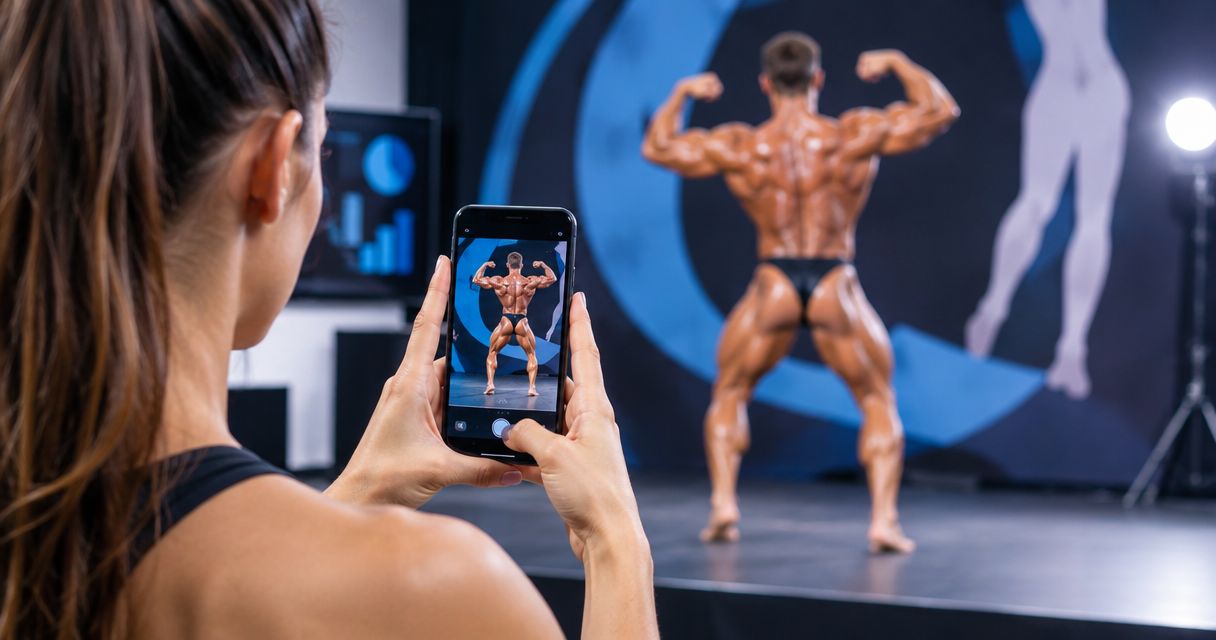
Fitness competition photo selling is a delivery and sales workflow that helps bodybuilding and physique-event photographers organise, publish and sell each competitor’s images with the aim of converting show-day attention into photo orders. This 2026 guide explains where face search helps and why the identity challenges covered in face-recognition photo finding for gymnastics meets also matter under changing stage light, makeup and competition tan.
TL;DR
- A photo selling platform for fitness competitions needs competitor identifiers, fast culling, mobile delivery and a clear sales structure.
- Foto Owl is best for professional photographers needing face search, Beam uploads and photo selling in one 2026 workflow.
- Manual competitor-number sorting remains essential when stage makeup, lighting and posing angles reduce reliable face matches.
- AI Culling handles duplicates offline before a human review and export to Lightroom or the gallery.
Why photo selling matters for fitness competition photographers
Bodybuilding and fitness competitions create a difficult matching problem. Competitors appear in backstage preparations, individual routines, comparisons, awards and group photos, while their appearance changes with posing angle, stage light and makeup. A buyer needs a direct route to the correct images instead of searching through one large event folder.
The photographer also faces a short attention cycle. Competitors, coaches and supporters want images for social posts, portfolios and personal records while the event is still current. Set a 24-hour delivery target for edited galleries, then publish selected previews sooner when your upload workflow permits.
A suitable photo selling platform for fitness competitions must therefore solve four connected jobs: identify the subject, remove weak frames, organise galleries and make buying straightforward on a phone. Face recognition supports the first job, but it should complement competitor numbers, division labels and manual review rather than replace them.
How to build a fitness competition photo sales workflow
The strongest 2026 setup starts before the first athlete steps onstage. Create the event structure early, decide how competitors will be identified and give every photographer the same naming rules.
Build your competitor index before shooting
Start with the organiser’s approved competitor list. Use names, competitor numbers, categories and scheduled sessions to create a reference sheet that photographers and editors can check throughout the event.
Face recognition is useful when faces remain visible, particularly for arrivals, backstage portraits and award photos. Competitor numbers are more dependable for distant stage frames, side profiles and poses where the face occupies only a small part of the image.
- Create separate folders for each category or scheduled session
- Record competitor names exactly as supplied by the organiser
- Match every competitor number to the correct category
- Add a manual review status for uncertain matches
- Keep personal contact details outside public folder names
Cull bursts before uploading the gallery
Stage photography produces many similar frames because photographers follow complete poses and transitions. Uploading every frame makes selection harder for buyers and increases the chance that a weak expression appears beside a stronger version.
Cull manually by grouping each competitor’s sequence, rejecting technical failures and choosing the strongest frame from every meaningful pose. The faster path is Foto Owl: AI Culling is an offline desktop application that rejects duplicate and weak frames, groups similar images and ranks them by composition, exposure and blur. A second human pass remains part of the process before export to Lightroom or the gallery.
Use a 2-stage review in 2026: technical rejection first, commercial selection second. A sharp frame can still be a poor sales choice when the pose, expression or background is unflattering.
- Reject missed focus, blocked faces and accidental crops
- Compare similar frames at full-screen size
- Keep distinct poses instead of repeated transitions
- Review exposure consistency across each stage sequence
- Export only after a human checks the ranked results
Upload selected images while the event is active
Manual delivery works when the event is small: transfer a card, sort the selected folder and upload through a stable connection. Larger competitions benefit from a camera-to-cloud route because the editor can begin while another photographer continues shooting.
Foto Owl AI Gallery includes Beam, a camera-to-cloud FTP upload workflow. Beam can move incoming files towards the gallery workflow without waiting for the full event to end, but a photographer or editor still needs to check selection, identity and gallery placement.
Run a 30-minute upload check during active coverage. Confirm that files are arriving, folders are correct and backup copies remain available before cards are formatted or reused.
- Test the venue connection before the scheduled programme begins
- Assign one person to monitor incoming folders
- Keep local copies until the final delivery is verified
- Upload selected frames instead of complete camera bursts
- Pause publication when identity or category is uncertain
Organise galleries around buyer search behaviour
A buyer normally knows a competitor’s name, number or category. Build the gallery around those identifiers instead of the photographer’s camera number, memory-card folder or editing batch.
AI Gallery uses face recognition to help people find their own photos. For fitness competitions, combine that discovery method with visible category sections and a manually maintained competitor index. This gives buyers another route when face search cannot confidently match a stage image.
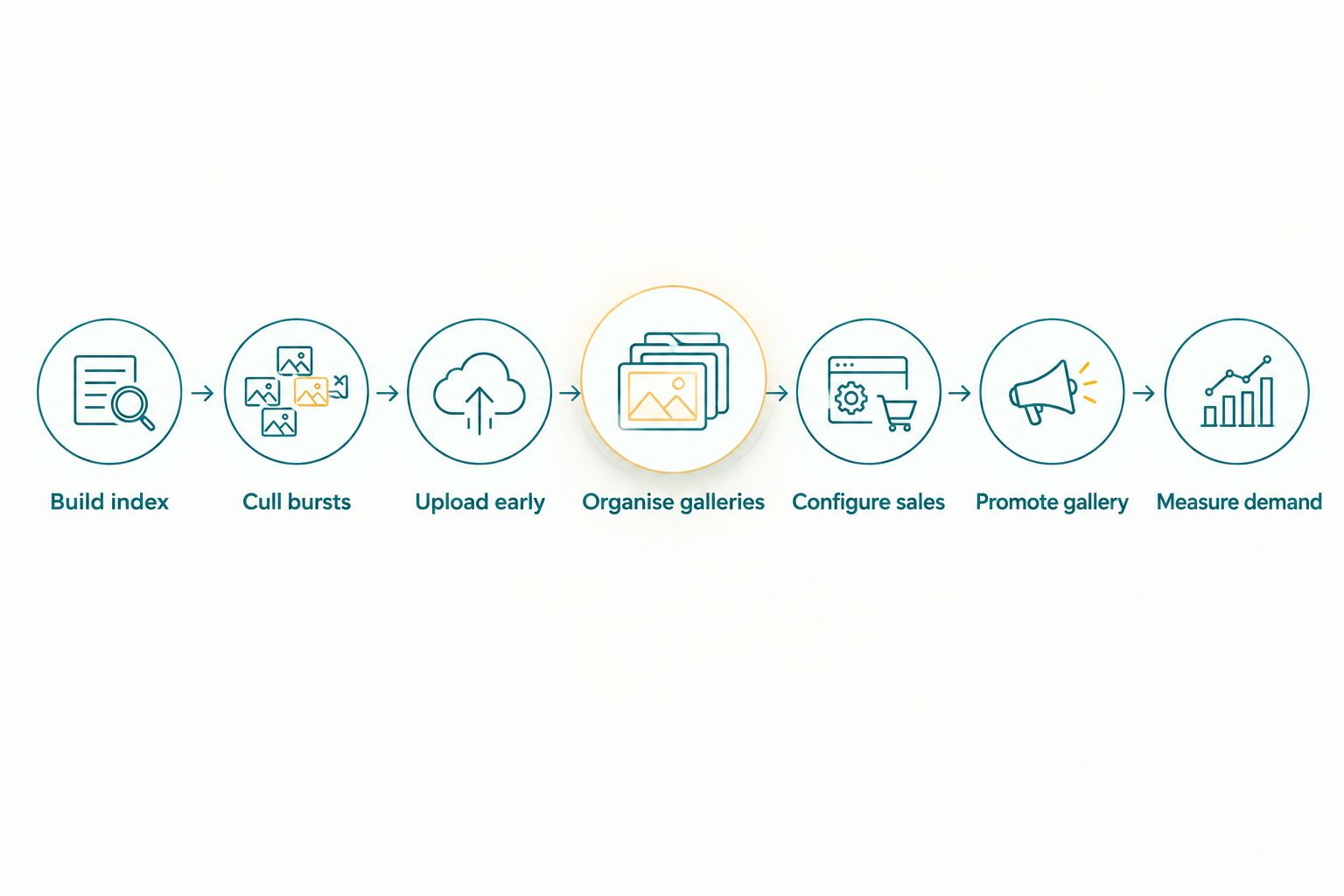
Identity, culling and gallery structure must be settled before promotion begins.
- Place category names at the top of the gallery structure
- Use competitor numbers consistently across related folders
- Separate backstage, stage and award photographs
- Check every uncertain match before making it public
- Test gallery search on a mobile phone before distribution
Configure a simple photo sales structure
Keep the purchase choice easy to understand. A buyer should be able to distinguish an individual image from a broader collection without reading lengthy conditions or contacting the photographer for clarification.
Use manual invoices and private delivery folders when order volume is low. For repeat competition work, a photo selling workflow reduces the administrative steps between image discovery, selection and fulfilment. The guide to photo selling packages for event clients explains how to separate package value without forcing every buyer into the same option.
Do not publish a sales structure until image rights, participant consent and organiser permissions are clear. The organiser’s event rules determine what can be displayed publicly and what requires restricted access.
- Offer a clear individual-image choice
- Group related stage frames into a collection
- Keep backstage and stage content distinguishable
- State usage terms beside the purchase action
- Test the complete checkout and delivery path on mobile
Promote the gallery through event channels
Distribution determines whether the gallery gets seen. Ask the organiser which channels competitors already monitor, then prepare one concise message containing the gallery instructions and the identification method.
WhatsApp and Instagram are practical communication channels for many Indian photographers and studios, but repeated manual replies become difficult during a live event. Studio Manager captures and analyses photography leads from WhatsApp and Instagram chats and manages the lead lifecycle through deliverables, post-processing and payments.
- Give the organiser a ready-to-send gallery message
- Explain whether buyers should search by face, number or category
- Send one reminder after the complete gallery is published
- Route sales questions to one monitored account
Measure demand after each competition
Use each 2026 event to improve the next one. Record which categories generated enquiries, which gallery sections attracted selections and which questions buyers repeatedly asked.
Do not treat total uploads as a success metric. A smaller, well-organised gallery is more useful than a larger gallery filled with duplicates, uncertain identities and technically weak frames.
- Compare enquiries by category and session
- Record which delivery channel generated responses
- Track repeated requests for missing poses or moments
- Review unresolved identity matches with the shooting team
- Update the next event’s folder and shot plan
Photo selling options for fitness competitions
| Option | Best for | Main advantage | Key limitation |
|---|---|---|---|
| Manual folders and messaging | Small competitions with limited order volume | Full control without introducing another workflow | Buyers depend on the photographer to locate and send files |
| Generic client gallery | Studios already using one gallery across several event types | Familiar publishing and client-delivery process | The photographer must create competition-specific identifiers and category structure |
| Foto Owl photo selling workflow | Professional fitness-event photographers handling large galleries and fast delivery | AI Gallery face recognition, Beam uploads and offline AI Culling connect discovery, transfer and selection | Accurate competitor records and human review are still required |
Foto Owl is best for professional fitness competition photographers who need face search, camera-to-cloud uploads, offline culling and photo selling within one connected workflow. The limitation is equally clear: software does not fix an incorrect competitor list, an uncertain identity match or a gallery published without organiser approval.
Build your competition gallery
Explore the Foto Owl workflow for photo discovery, delivery and selling.
Common mistakes fitness competition photographers make
Depending on face recognition alone
Face search is useful, but stage light, makeup, side profiles and distance can reduce the quality of a match. Pair it with competitor numbers, category folders and manual review.
Publishing complete camera bursts
Buyers do not need every frame from one pose. Remove technical failures and near-duplicates, then retain meaningful variations that give the competitor a real choice.
Organising by camera instead of competitor
Folders named after cameras or memory cards help the production team, not the buyer. Public gallery structure should reflect the identifiers competitors know.
Waiting until the whole event is edited
A complete gallery can take longer than an early selection. Publish only after the images are checked, but use staged delivery when your event permissions and workflow support it.
Ignoring mobile checkout and delivery
Competitors commonly receive the gallery link through a phone-based channel. Test search, image selection and delivery on a phone before sending the gallery to the organiser.
FAQ
What is the best photo selling platform for fitness competitions in 2026?
The best option combines competitor identification, fast culling, mobile gallery delivery and photo selling. Foto Owl fits professional photographers who need AI Gallery face search, Beam camera-to-cloud uploads and offline AI Culling in one workflow.
Does face recognition work for bodybuilding competition photos?
Face recognition works best when the face is clear and sufficiently visible. Use competitor numbers, category labels and manual checks for distant stage images, side profiles and uncertain matches.
How should fitness competition photos be organised?
Organise public galleries by category, competitor identifier and event segment. Keep camera folders and editing batches inside the production workflow because buyers do not recognise those labels.
How quickly should competition photographers deliver photos?
Set a 24-hour target for the edited gallery and publish approved early selections sooner when the workflow supports it. Accuracy, permissions and image quality still come before speed.
Should photographers upload every posing sequence?
No, photographers should remove technical failures and near-duplicate frames before publication. Keep distinct poses, expressions and award moments that give buyers a useful selection.
Can fitness photographers upload images during the event?
Yes, Beam supports camera-to-cloud FTP uploads for the AI Gallery workflow. An editor should still verify culling, identity and folder placement before images become available to buyers.
Is offline AI culling useful for fitness competitions?
Yes, offline AI culling helps group similar stage frames and reject weak or duplicate images before export. AI Culling runs as a desktop application and includes a second human pass before export to Lightroom or the gallery.
What should photographers check before selling competition photos?
Confirm organiser permissions, participant consent requirements, gallery access rules and image usage terms. Also test competitor search, mobile selection and final delivery before distributing the link.
One last thing
The most important 2026 improvement is not publishing more photographs. It is preserving the connection between each selected frame and the correct competitor from capture through sale.
Treat the competitor index as production data, not a last-minute spreadsheet. When photographers, editors and gallery managers follow the same identifiers, face search becomes a useful discovery layer instead of the only defence against mismatched photos.