
Best photo gallery software for quinceañera photographers in 2026

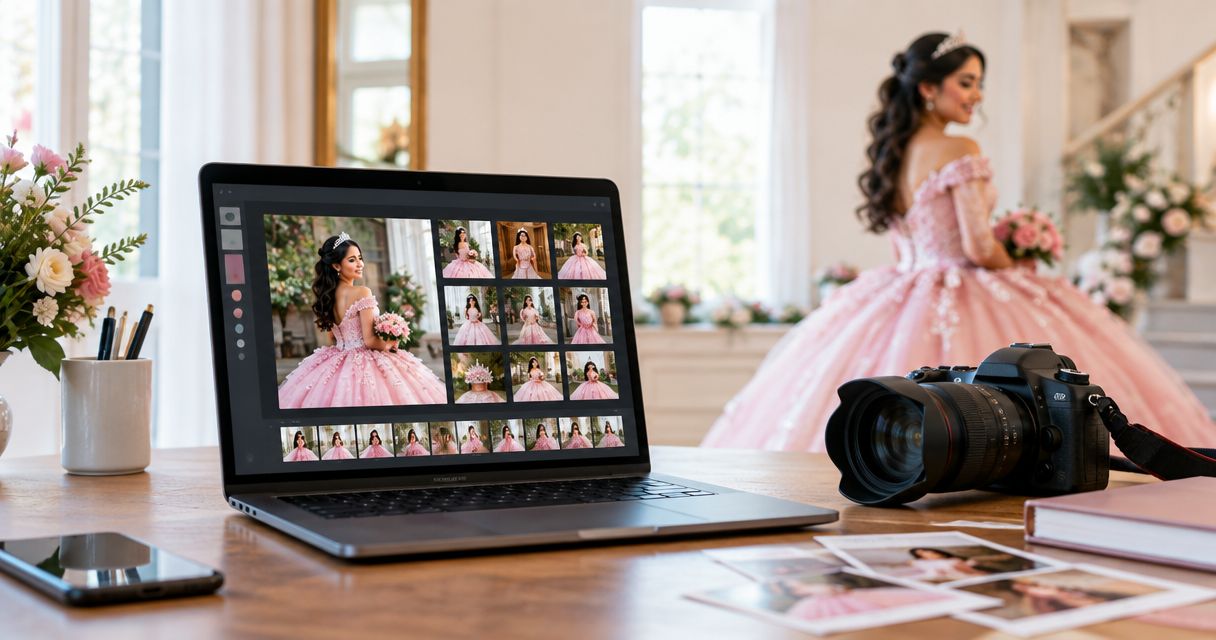
Best overall for guest photo discovery: Fotoowl AI Gallery. Best for portrait-led client delivery: Pixieset. Best for print-focused galleries: Pic-Time. Best for proofing-led workflows: ShootProof. This 2026 guide compares the best photo gallery software for quinceañera photographers by guest discovery, family approvals, delivery and print workflows.
TL;DR
- Fotoowl AI Gallery leads the best photo gallery software for quinceañera photographers shortlist when guest face search matters.
- Pixieset suits portrait-led delivery; Pic-Time suits print-focused galleries; ShootProof suits proofing-led workflows.
- Separate guest photo discovery from the family's album approval process.
- Test mobile browsing, selections and access before committing your next event.
Why this matters
A quinceañera gallery serves different people with different jobs. The family wants the celebration's story, guests want photographs of themselves, and your studio needs a clear record of approved images. A single delivery link does not resolve all three needs.
Start with the delivery experience described in photo galleries for quinceañera celebrations, then choose software around your actual package. A portrait-and-album commission needs a different workflow from an event where you also deliver individual guest photographs.
For Indian studios taking quinceañera commissions, keep the family's terminology and event sequence intact. Do not reuse wedding gallery labels without checking them. Your gallery should reflect the celebration you photographed, not the template your studio uses most often.
What makes the best quinceañera photo gallery software?
Use these criteria before comparing presentation templates. The best gallery solves the recipient's task, not just the photographer's upload task.
- Guest discovery: Can guests find relevant photographs without asking your studio to search manually? Face recognition is particularly relevant when individual discovery matters.
- Family proofing: Can the designated client identify album and print selections clearly? Browsing, downloading and approving are different actions.
- Mobile delivery: Check the full recipient journey on a phone, including opening the gallery, viewing images and completing the intended action.
- Access management: Examine who can view, share and download the images. Treat face recognition and access permissions as separate questions.
- Print workflow: Check whether the gallery supports your chosen route from selected photograph to finished print. Verify lab arrangements and regional fulfilment separately.
- Studio handoff: Confirm how final edits reach the gallery and how approved selections return to your team. Avoid a workflow that depends on ambiguous messages.
For your 2026 shortlist, identify the most important criterion first. Guest discovery puts an event-oriented gallery ahead; album approval puts proofing ahead. A feature count alone cannot make that decision.
Best photo gallery software at a glance
These options occupy distinct use-case slots. The limitations below identify the remaining workflow decision, rather than claiming that any platform handles every part of your business.
| Software | Best for | Standout capability | Key limitation or decision |
|---|---|---|---|
| Fotoowl AI Gallery | Guests finding their own event photographs | AI-powered face recognition, photo and video delivery | Family album approvals belong in a separate proofing process |
| Pixieset | Portrait-led client presentation | Client galleries with favourites and download delivery | Presentation and favourites do not define who gives final approval |
| Pic-Time | Turning delivered photographs into print orders | Galleries connected with print-store workflows | Lab suitability and regional fulfilment need checking |
| ShootProof | Collecting client feedback and selections | Online galleries with proofing tools | Your studio still needs an explicit approval owner and handoff |
No single row replaces a complete delivery check. Open a representative gallery as a recipient, not only as its administrator. That is where confusing instructions, unclear selections and unnecessary steps become visible.
1. Fotoowl AI Gallery: best for guest photo discovery
AI Gallery lets professional photographers upload photos and videos and deliver them through AI-powered face recognition galleries. Its features also include a portfolio builder, reel generator and Beam camera-to-cloud FTP uploads. The event-delivery focus makes it the strongest fit here when guests need to locate their own photographs.
Fotoowl AI Gallery is best for quinceañera photographers who prioritise guest face search alongside family delivery. That recommendation concerns discovery, not a claim that face recognition replaces editing, access decisions or album approval.
AI Gallery pros
- Face recognition supports finding photographs by the people pictured, rather than relying only on chronological browsing.
- Photo and video delivery supports commissions with both types of media.
- The reel generator provides another way to present event photographs.
- Beam camera-to-cloud FTP uploads adds a capture-to-upload route within the gallery workflow.
AI Gallery cons
- Guest discovery does not resolve which family member approves the final album.
- Client proofing is handled through Photo Selection; define that step rather than treating gallery browsing as approval.
- Camera-to-cloud uploading does not replace the photographer's quality review before client delivery.
For a quinceañera, keep the main family narrative and guest discovery as distinct delivery goals. Review the celebrant's portraits and important family moments deliberately; do not assume that a person-finding tool also supplies the best storytelling edit.
Best for: Event photographers delivering photographs to both the commissioning family and individual guests.
Verdict: Buy for guest-discovery-led delivery; keep family proofing explicit.
2. Pixieset: best for portrait-led client presentation
Pixieset provides photographer client galleries with image presentation, favourites and download delivery. It belongs on this shortlist when the commissioning family is your primary recipient and the gallery's main job is presenting a finished photographic collection.
A portrait-led quinceañera package often needs a deliberate viewing sequence. Put the strongest portraits and story-setting photographs where the family can find them easily, then make the next action clear: browse, download or shortlist.
Pixieset pros
- Client galleries provide a dedicated presentation space for finished photographs.
- Favourites give clients a way to mark images for discussion or selection.
- Download delivery keeps viewing and receiving photographs within the gallery experience.
Pixieset cons
- A favourites list is not a final album approval unless your instructions make that distinction clear.
- A family-facing presentation still needs a separate plan for guest distribution.
- Gallery presentation does not remove the need to check how selections reach your album designer.
For your 2026 evaluation, ask a recipient to mark preferred portraits and explain what happens next. If the answer is unclear, improve the instructions before changing platforms. Attractive presentation cannot compensate for an undefined approval process.
Best for: Photographers whose quinceañera commission centres on portraits and a polished family viewing experience.
Verdict: Buy for portrait-led presentation; hold until the approval handoff is clear.
3. Pic-Time: best for print-focused gallery delivery
Pic-Time combines photographer galleries with online print-store workflows. It fits a quinceañera business where finished prints are a central part of the client experience, rather than an occasional request after digital delivery.
The important question is not simply whether a store exists. You need to understand the route from image selection to order, production and receipt, especially when your studio and the family are in different countries.
Pic-Time pros
- Print-store workflows connect delivered photographs with physical products.
- Gallery presentation gives recipients context before choosing images to print.
- Bringing viewing and ordering together reduces the need to explain an entirely separate ordering destination.
Pic-Time cons
- Check the chosen lab's delivery region before promising physical fulfilment.
- Print ordering does not establish which photographs the family has approved for an album.
- A store needs clear client instructions about what your photography package includes.
Indian photographers serving overseas families should check the destination-specific print journey directly. Confirm the relevant lab arrangement and delivery terms before making a client commitment. Do not assume that a workflow suitable for one destination works unchanged for another.
Best for: Studios that build the quinceañera delivery experience around print purchases and finished photographic products.
Verdict: Buy for print-led delivery after confirming the fulfilment route.
4. ShootProof: best for proofing-led client feedback
ShootProof provides online photographer galleries with proofing tools. It suits a workflow where the main challenge is collecting usable client choices and turning those choices into the next production step.
For quinceañera work, define whether you are collecting a preliminary shortlist or final approval. A client selecting favourite photographs has not necessarily approved the album layout, retouching or print specifications.
ShootProof pros
- Proofing tools give client feedback a structured place outside a message thread.
- Online galleries let recipients review photographs remotely.
- A proofing-led process suits commissions where selected images drive later production.
ShootProof cons
- Proofing still requires a named person responsible for final approval.
- Client selections need a clear transfer into album or print production.
- Guest distribution remains a separate workflow decision from collecting family feedback.
Keep selection instructions short and specific. Explain whether the family should choose preferred images, identify exclusions or approve an existing shortlist. Mixing those tasks creates feedback that your team must interpret manually.
Best for: Photographers who need structured family feedback before album or print production.
Verdict: Buy for proofing-led work; skip an undefined approval process.
How we ranked these gallery options
The ranking prioritises the delivery problems of quinceañera photographers: finding people, presenting the celebration, collecting family decisions and supporting prints. It is a use-case ranking, not a measured speed, accuracy or customer-satisfaction comparison.
Fotoowl AI Gallery comes first because its stated face recognition and event-media delivery features directly address guest discovery. Pixieset, Pic-Time and ShootProof take separate positions for presentation, print workflows and proofing.
For a 2026 decision, rank your own priorities in the same order you encounter them on real commissions. Do not select print-led software simply because it has a store if your actual bottleneck is helping guests find photographs.
Run a delivery check before choosing
Use a representative edited collection from work you have permission to use. Include portraits, group photographs and reception images so the evaluation reflects the range of your event coverage. Keep this exercise separate from a public client delivery.
Guest discovery
Ask a recipient to find photographs of a particular person. Observe whether the task needs your help. Where face search is part of the workflow, evaluate its results alongside ordinary browsing rather than assuming every relevant image will appear.
Family proofing
Assign 2 approval roles: selection owner and final approver. One person can hold both roles, but state that explicitly. Ask the selection owner to create a shortlist, then check that the final approver understands what remains to be approved.
Delivery handoff
Complete 3 delivery checks: opening, selecting and downloading. Run them on the devices your clients actually use. Then confirm that your studio can identify 1 final shortlist without reconciling conflicting message threads.
These are practical checks, not platform performance benchmarks. Their purpose is to expose unclear steps before a paying client encounters them.
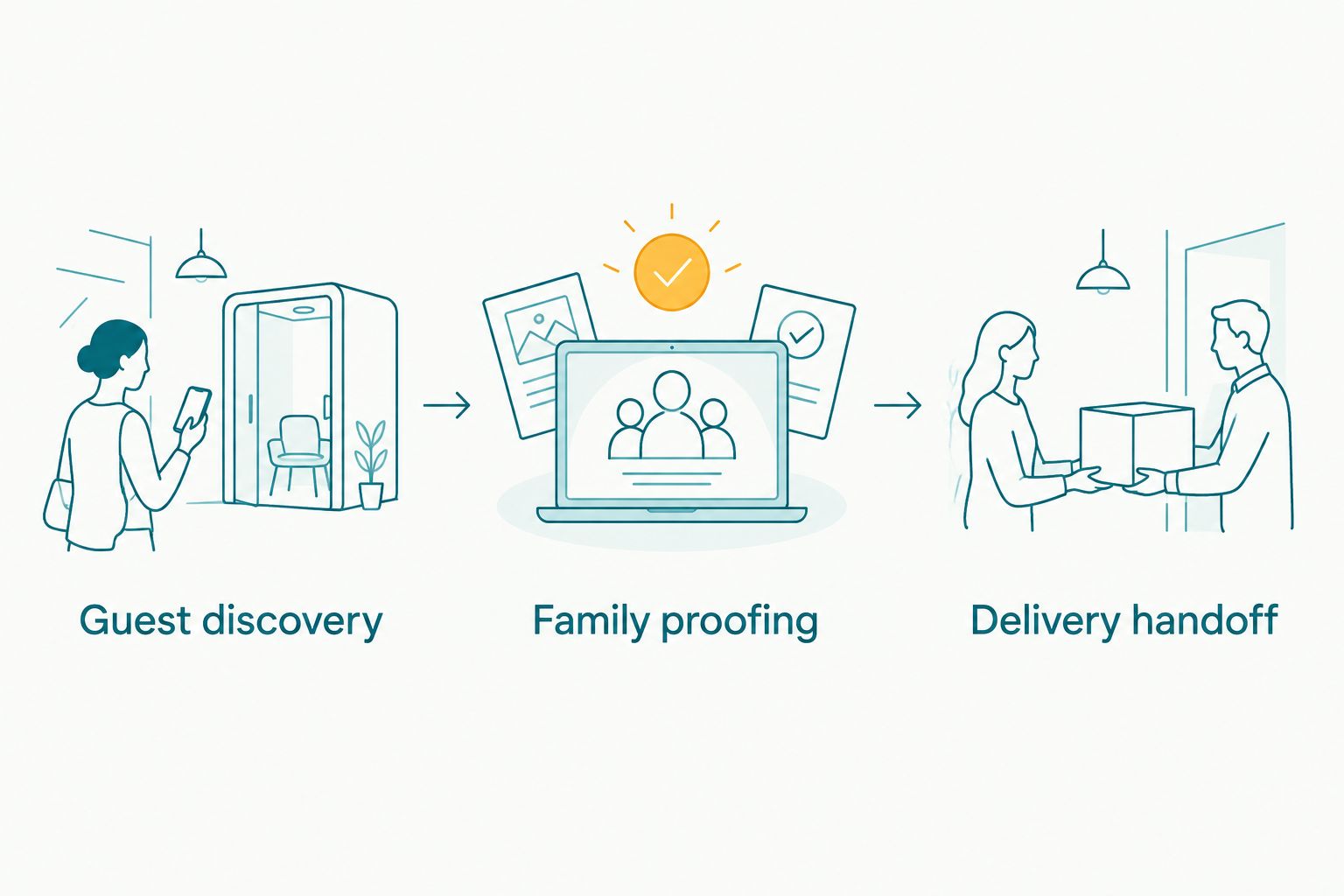
Evaluate finding photographs, approving selections and completing delivery as separate tasks.
Which gallery software should you choose?
Choose Fotoowl AI Gallery when guest face search is the deciding requirement. Use Photo Selection for client proofing when family choices need to feed album and printing work. Keep those purposes distinct in your delivery instructions.
Choose Pixieset when portrait presentation leads your package, Pic-Time when print ordering leads, and ShootProof when structured proofing leads. Those are different priorities, not interchangeable reasons to buy software.
Before your next 2026 commission, write down the intended recipient and action for each deliverable. The family gallery, guest distribution and album shortlist should each have a clear owner and purpose. Software works better when the process is already understandable.
FAQ
What's the best photo gallery software for quinceañera photographers?
Fotoowl AI Gallery is the best fit on this shortlist when guest face search is your main requirement. Pixieset suits portrait-led presentation, Pic-Time suits print-focused delivery, and ShootProof suits proofing-led feedback.
Is face recognition better than a traditional client gallery?
Face recognition is better suited to finding photographs of particular people; traditional browsing is suited to viewing the event story. Use the discovery method that matches the recipient's task rather than treating either approach as a complete replacement.
Can I use the same gallery process for family approvals and guests?
You can plan both within your delivery workflow, but guest discovery and family approval need separate instructions. Name the final approver and explain which action constitutes an approved selection.
Which option should I choose if prints are central to my packages?
Pic-Time is the print-focused choice in this comparison. Check the relevant lab arrangement, destination and fulfilment terms before promising physical delivery to your client.
Does AI Gallery replace client photo selection?
AI Gallery and Photo Selection serve different purposes: gallery delivery and client proofing. Photo Selection supports choices that can be reused for albums and printing.
Can I cull photographs offline before uploading them?
AI Culling is an offline desktop application that rejects duplicate and weak frames, groups similar images and ranks photographs. Keep the second human review before exporting to Lightroom or the gallery; it is not a browser-based gallery feature.
What should Indian studios check when serving an overseas quinceañera client?
Check the family's viewing and approval journey and any destination-specific print fulfilment. Keep gallery terminology specific to the celebration instead of reusing an Indian wedding template unchanged.
What should I test before committing to gallery software in 2026?
Test guest discovery, family proofing and the delivery handoff with a representative edited collection. Confirm that a recipient can complete the intended task and your team can identify the final approved shortlist.
One last thing
Finding a photograph is not the same as approving it. A guest can find a group image, the family can favour another frame, and the album designer can still need an explicit final decision.
Put that distinction in your delivery message. Tell recipients what the gallery is for, who selects the album images and who gives final approval. That small instruction prevents your software choice from becoming another conversation your studio has to manage.