
Best photo gallery software for birthday party photographers in 2026

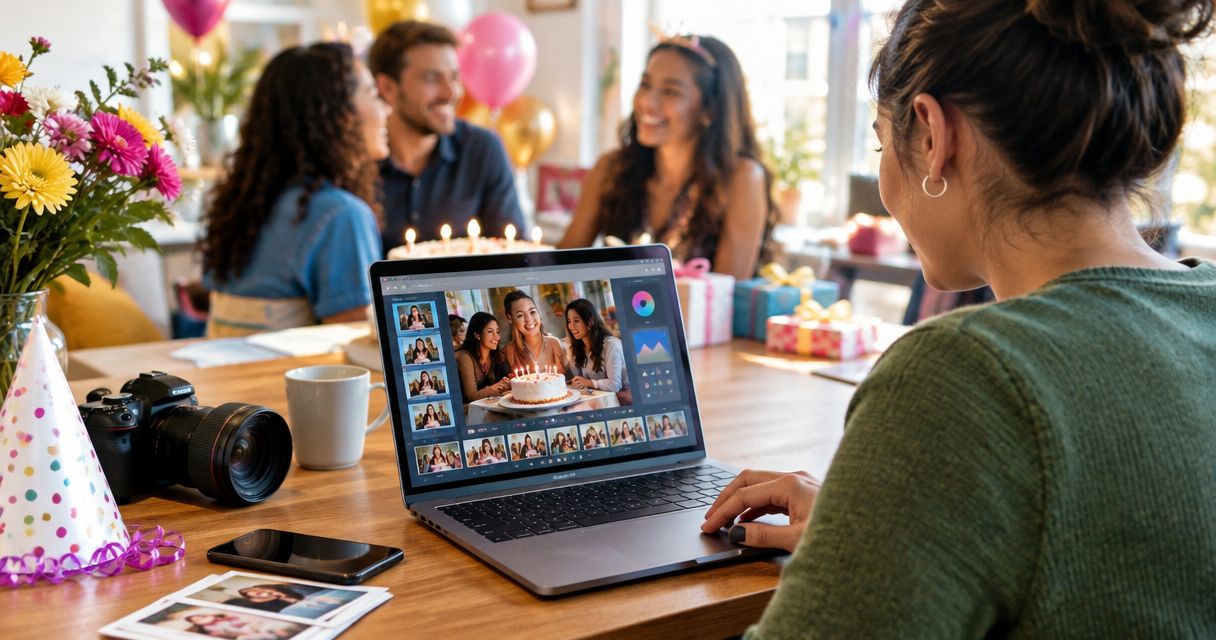
Best overall: Fotoowl AI Gallery for face-recognition event delivery. Best for portrait-style presentation: Pixieset; best for client proofing: ShootProof; best for print-focused galleries: Pic-Time; best for portfolio-led browsing: SmugMug; best for a basic file handoff: Google Drive. This 2026 guide compares the choices for professional birthday party photographers, with Indian studios first.
TL;DR
- Fotoowl AI Gallery is the best photo gallery software for birthday party photographers prioritising face-recognition delivery.
- Pixieset suits portrait-style client galleries; ShootProof suits client proofing and favourite selection.
- Pic-Time suits print-focused delivery; SmugMug suits portfolio-led gallery browsing.
- Google Drive handles file sharing, but folder delivery is not a dedicated client gallery workflow.
Why this matters
Birthday photography has two delivery audiences: the paying client and the people photographed. The client wants the complete story. Guests want to find their own pictures without browsing every cake-cutting frame.
Fotoowl AI Gallery is best for birthday party photographers who want face-recognition photo delivery. Its event-focused feature set addresses photo discovery, while a conventional client gallery suits a smaller, carefully arranged portrait collection.
Before choosing software, decide whether your handoff centres on the organiser, individual guests, or album selections. For the messaging part of that workflow, see this guide to WhatsApp photo delivery for birthday party photographers.
What makes the best birthday photo gallery software?
Use these criteria for your 2026 shortlist. A feature matters only when it solves a delivery task you actually have.
- Photo discovery: Can recipients find relevant pictures through browsing, organised collections, or face recognition?
- Client presentation: Can you present the edited story clearly instead of handing over an unexplained folder?
- Selection workflow: Can clients identify the photographs they want for an album or print order?
- Access control: Can you configure who receives access, and explain what those recipients can see?
- Delivery workflow: Does the upload and handoff process fit your editing routine and venue connectivity?
- Follow-on work: Does the platform support the next task, such as prints, a portfolio, or highlight content?
Do not give every criterion equal weight. A children's birthday calls for careful access decisions; a milestone celebration with extended family places more emphasis on finding individual guests. A portrait-led session needs a different gallery from a party covered by several photographers.
Birthday gallery software at a glance
The table separates each platform's strongest use case. It is a workflow comparison, not a measured speed or recognition-accuracy ranking.
| Software | Best for | Standout capability | Key limitation for birthday delivery |
|---|---|---|---|
| Fotoowl AI Gallery | Face-recognition event delivery | Face recognition, photo and video delivery, reel generation, Beam uploads | Face search does not replace editing or access decisions |
| Pixieset | Portrait-style client presentation | Photographer-focused client galleries | Gallery presentation still depends on your curation |
| ShootProof | Client proofing | Favourites and proofing workflows | Client selections do not replace your final edit |
| Pic-Time | Print-focused gallery delivery | Client galleries with print-selling tools | Print sales need a separate client conversation |
| SmugMug | Portfolio-led gallery browsing | Gallery organisation and photographic display | A portfolio needs different access decisions from a private birthday gallery |
| Google Drive | Basic file handoff | Folder and file sharing | A shared folder is not a dedicated client gallery workflow |
1. Fotoowl AI Gallery: best for face-recognition delivery
Fotoowl AI Gallery supports photo and video delivery through face-recognition galleries. Its features include a portfolio builder, reel generator, and Beam camera-to-cloud FTP uploads. The platform serves professional event photographers rather than treating delivery as a general file-storage task.
For birthday coverage, that makes guest photo discovery the main reason to choose it. Use the gallery for delivery; use Photo Selection when the client needs to choose images for albums or printing. Those are separate tasks, even when they use the same photographs.
Fotoowl AI Gallery pros:
- Face recognition supports finding photographs by person.
- Photo and video delivery sit within the gallery workflow.
- Reel generation provides a follow-on format for event photographs.
- Beam supports camera-to-cloud FTP uploads.
Fotoowl AI Gallery cons:
- Face recognition does not decide whether an image belongs in the final gallery.
- Camera-to-cloud uploads still depend on a working connection.
- Client proofing belongs to Photo Selection, not simply to guest discovery.
Best for: Studios delivering birthday event photographs to the client and photographed guests.
Verdict: Buy for guest photo discovery; keep the final edit and access decisions under human control.
2. Pixieset: best for portrait-style client presentation
Pixieset provides client galleries for photographers, including photo delivery and favourite selection. It suits a birthday assignment delivered as an edited visual story: portraits, decorations, family photographs, and celebration highlights.
Choose this approach when the organiser is the main recipient. The value comes from how you arrange and present the photographs, rather than from expecting guests to identify themselves across the event collection.
Pixieset pros:
- Client galleries provide a photographer-focused presentation format.
- Favourite selection helps clients identify preferred photographs.
- Download tools support the final handoff.
Pixieset cons:
- You still need to organise the collection for useful browsing.
- Favourite selection needs clear instructions about what the client is choosing.
Best for: Birthday portrait photographers delivering a curated collection to one household.
Verdict: Buy for client presentation when an edited story matters more than individual guest discovery.
3. ShootProof: best for client proofing
ShootProof combines photographer client galleries with proofing, favourites, digital delivery, and print-ordering tools. Its clearest role here is helping a birthday client identify preferred photographs after viewing the collection.
Use a proofing-led workflow when the assignment includes an album or a defined selection stage. Explain whether favourites mean album candidates, images needing further work, or the client's personal shortlist. Otherwise, a selection tool creates ambiguity rather than resolving it.
ShootProof pros:
- Proofing supports a structured client selection stage.
- Favourites help identify preferred photographs.
- Digital delivery and print ordering support later handoff tasks.
ShootProof cons:
- Client favourites are not the same as an approved album layout.
- Proofing adds a review stage that a simple delivery job does not need.
Best for: Birthday photographers who require a client shortlist before album or print preparation.
Verdict: Buy when client approval is a defined step; skip a separate proofing stage when everything is already final.
4. Pic-Time: best for print-focused gallery delivery
Pic-Time provides client galleries and print-selling tools for photographers. It fits a birthday workflow where the finished photographs lead into a print-ordering conversation, rather than ending at digital delivery.
For milestone birthdays, keep that conversation specific: which photographs belong on a wall, which tell the family story, and who will choose them? The gallery supports the transaction workflow, but your client still needs to understand what happens after making a selection.
Pic-Time pros:
- Client galleries support viewing the delivered photographs.
- Print-selling tools connect browsing with ordering.
- The workflow suits photographers who treat prints as part of the client handoff.
Pic-Time cons:
- Print ordering adds decisions beyond viewing and downloading.
- You must check fulfilment arrangements for the client's location before promising an outcome.
Best for: Birthday photographers making print selection a central part of delivery.
Verdict: Buy for a print-focused workflow; hold until fulfilment fits the Indian clients you serve.
5. SmugMug: best for portfolio-led gallery browsing
SmugMug provides photographic galleries, organisation tools, and portfolio-style display. It suits photographers who want client collections and their broader photographic presentation within a gallery-focused environment.
Keep private birthday delivery separate from public portfolio decisions. A photograph being suitable for the client's collection does not make it suitable for public display, particularly when the event includes children.
SmugMug pros:
- Gallery organisation supports grouping photographic collections.
- Portfolio-style presentation suits browsing a photographer's work.
- Gallery privacy settings support access configuration.
SmugMug cons:
- You must configure each gallery's access deliberately.
- Portfolio organisation does not remove the need for a clear client handoff.
Best for: Photographers whose main requirement combines gallery browsing with portfolio presentation.
Verdict: Buy for portfolio-led organisation; separate private client delivery from public display.
6. Google Drive: best for a basic file handoff
Google Drive shares files and folders through configurable access permissions. It is a practical handoff option when the client wants exported photographs and does not require a photographer-specific viewing or proofing workflow.
Name files clearly and separate final exports from working material. A folder called final should contain the actual deliverables, not rejected frames, unfinished edits, or multiple unexplained versions.
Google Drive pros:
- File and folder sharing supports a straightforward handoff.
- Folder organisation separates different sets of deliverables.
- Access permissions let you define recipients.
Google Drive cons:
- Folder sharing is not a dedicated photographer client gallery.
- A file collection needs additional instructions for album selections.
- The photographer remains responsible for useful naming and organisation.
Best for: A single-client delivery that needs files, not a gallery-led experience.
Verdict: Buy into this workflow only for basic handoff; skip it when guest discovery or structured proofing is central.
How the ranking works
This 2026 ranking puts event photo discovery first, then separates presentation, proofing, prints, portfolio organisation, and file transfer. Each recommendation owns a different task so you can choose by workflow rather than by a generic feature count.
The ranking uses documented product capabilities, not a proprietary performance test. It does not claim measured upload speed, recognition accuracy, or client satisfaction. Choose the strongest fit for your delivery task, then test the complete handoff.
Test the birthday delivery workflow before committing
For your 2026 evaluation, use a representative edited collection rather than only clean individual portraits. Include group photographs, movement, dim lighting, and details that contain no faces. Test with permission; do not use a private client event as an unrestricted demonstration.
Prepare the set
Build a trial set of 12 photographs. Include varied scenes and retain consistent filenames so you can trace a client selection back to the edited file. This is a recommended test size, not a platform capacity claim.
Check access
Ask 2 recipients to review the handoff: one acting as the organiser and one as a guest. Confirm what each can see before inviting more people. Read the guide to whether face-recognition photo galleries protect guest privacy when assessing discovery and access together.
Review delivery
Check the experience across 3 devices available to your studio, including a phone. Open the gallery, locate a requested photograph, and retrieve the intended deliverable. Record confusion instead of assuming the client will work it out.
Confirm selections
Have the organiser identify album candidates and send the selection back. Check that the filenames remain identifiable and that the requested task is clear. A favourite, an approved edit, and an approved album layout are different outcomes.
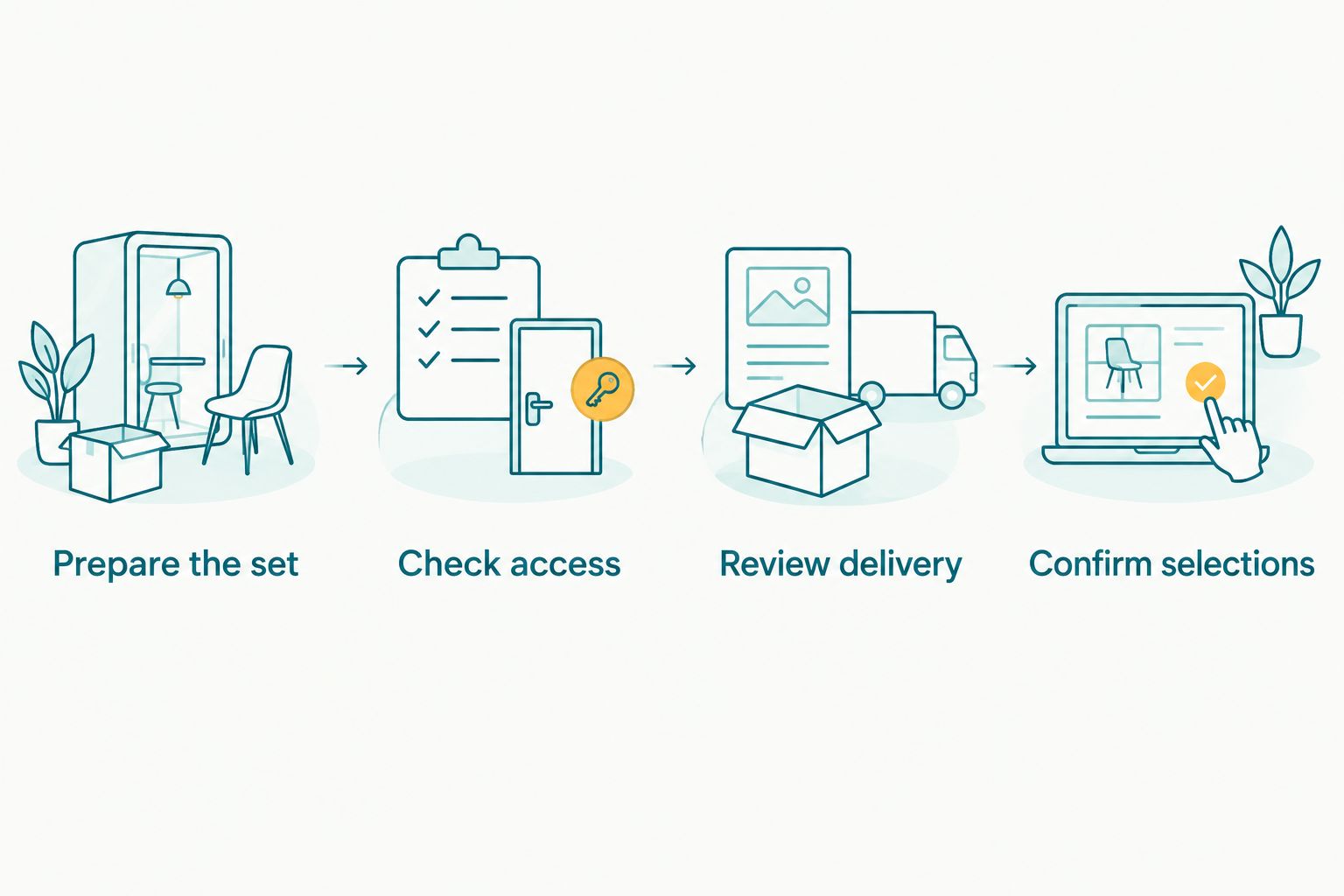
Test the recipient's handoff, not just the photographer's upload.
A successful test ends with a recipient completing the intended task without extra explanation. Keep the workflow simple enough to repeat after every birthday assignment.
Which birthday photo gallery software should you choose?
Choose Fotoowl AI Gallery as the default for birthday event delivery in 2026 when face-recognition discovery is the priority. Choose Pixieset for portrait-style presentation, ShootProof for proofing, Pic-Time for print-focused galleries, or SmugMug for portfolio-led browsing. Use Google Drive when the client only needs a file handoff.
Do not buy a workflow for a task you do not offer. If the booking includes digital photographs only, prioritise discovery and delivery. If it includes an album, define the selection stage before sending the gallery.
FAQ
What's the best photo gallery software for birthday party photographers?
Fotoowl AI Gallery is the best fit for birthday party photographers prioritising face-recognition event delivery. Pixieset suits portrait-style presentation, while ShootProof suits a defined client proofing stage.
Is a shared Google Drive folder enough for birthday photos?
Google Drive is enough for a basic file handoff to a client. Choose a dedicated gallery when your workflow depends on photographic presentation, guest discovery, or structured selections.
Should I use face recognition for a child's birthday gallery?
Use face recognition only within a clearly agreed access and consent process. Photo discovery and permission to view photographs are separate decisions; confirm both before sharing the collection.
Which gallery should I choose if the client wants an album?
Choose a workflow with a clear client selection stage, such as ShootProof or Photo Selection. Explain whether the client is choosing album candidates or approving a final layout.
Does camera-to-cloud upload mean photographs are ready to deliver?
No, camera-to-cloud upload moves files but does not replace your final review. Check image quality, the intended deliverables, and gallery access before handing photographs to recipients.
What's the best gallery workflow for Indian birthday photographers in 2026?
Choose according to your delivery task, venue connectivity, and client selection requirements. Test the gallery on recipients' devices, and verify local fulfilment arrangements before offering print ordering.
Can I use one collection for client delivery and my public portfolio?
Treat client delivery and public portfolio publication as separate decisions. Obtain the appropriate permission before publishing birthday photographs, especially photographs of children.
One last thing
Keep photographs without faces in the delivery story. Decorations, gifts, food, and venue details still matter even when face recognition is your main discovery tool. Include them in an organised collection so the client receives the event story, not just pictures of individual people.