
Best photo culling software for sports photographers

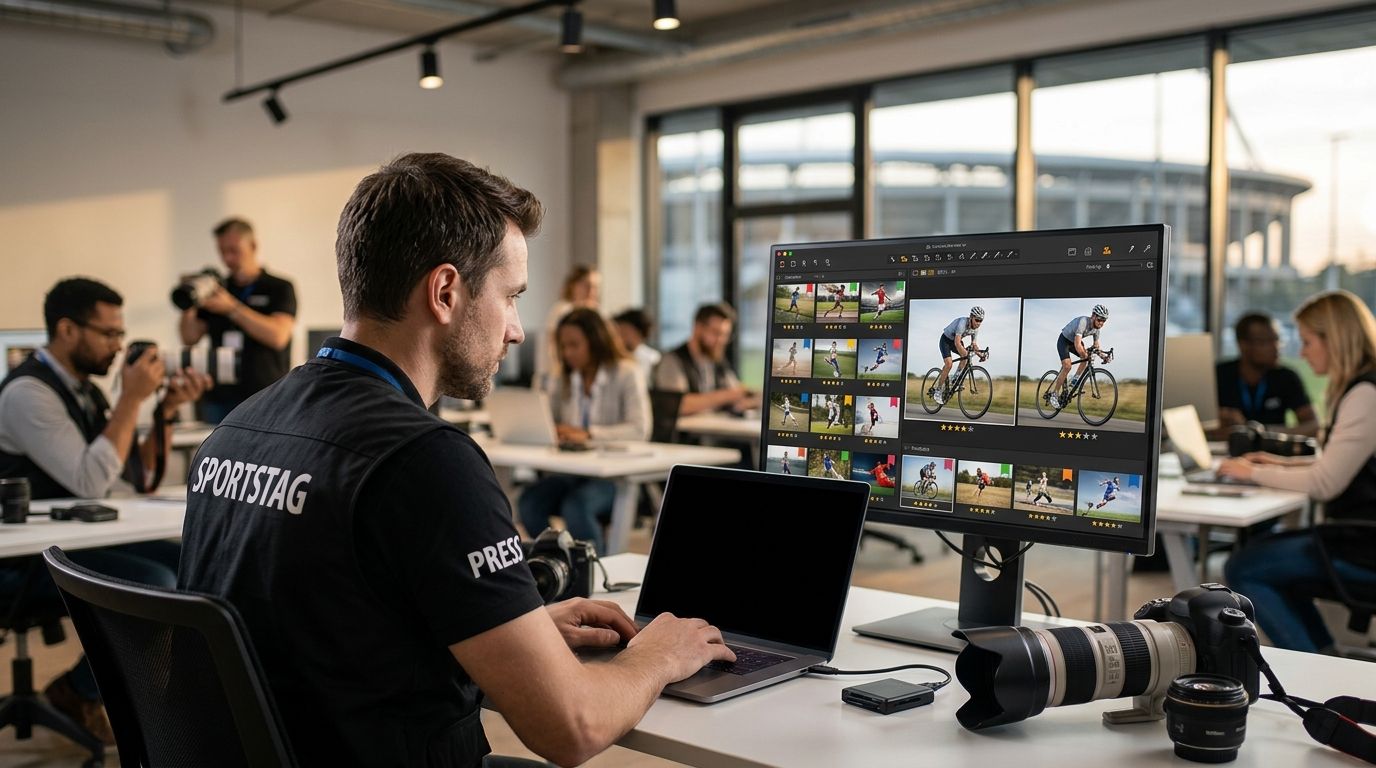
Our first pick: FotoOwl AI Culling for sports photographers who want offline desktop culling with an export to Lightroom or the gallery. Best for high-volume ingest and tagging: Photo Mechanic. Best for an automated first review: Aftershoot. Choose based on your workflow, and keep a final human review for decisive action frames.
TL;DR
- FotoOwl AI Culling leads this photo culling software for sports photographers list for offline culling and gallery exports.
- AI Culling groups similar frames and ranks composition, exposure and blur before your final human review.
- Photo Mechanic suits sports photographers who prioritise ingest and metadata tagging.
- AI Culling runs on your desktop, not in a browser; AI Gallery handles delivery separately.
Why this matters
A weekend sports tournament can leave a shooter with thousands of raw frames and one night to turn them into a sellable gallery. Modern mirrorless raw files routinely run 30-60MB each, so storage and review time both stack up fast. Culling software exists to cut that pile down to the frames worth keeping before anything gets edited, tagged, or sold.
The part most sports photographers get wrong in 2026 is treating culling and delivery as the same problem. They aren't. A photo culling workflow decides which 200 frames survive out of 3,000. What happens after that — sorting by team, matching faces to parents, getting galleries live before the bus leaves — is a separate job, and it's where most delivery delays actually happen.
What makes the best photo culling software for sports photographers
- Culling speed — keyboard-driven review beats mouse clicking when you're working through thousands of frames
- Blur and duplicate detection accuracy — burst-mode action shots produce near-identical frames that waste review time
- Batch tagging by team, jersey, or bib number — sports galleries need structure a wedding gallery never does
- Integration with your delivery platform — a fast cull that dead-ends into a slow upload defeats the purpose
- Cloud vs. desktop workflow — matters if you're culling on a laptop at the venue versus back at a home office
- Team hand-off support — matters the moment more than one shooter is covering the same tournament
Photo culling software for sports photographers: at a glance
| Tool | Best for | Standout feature | Key limitation |
|---|---|---|---|
| FotoOwl AI Culling | Offline culling with a path to editing and gallery delivery | Rejects duplicate and weak frames, groups similars and exports to Lightroom or the gallery | Desktop-only; final human review required |
| Photo Mechanic | High-volume sports ingest | Same-day tagging with metadata templates and IPTC stamping | Desktop-only, no built-in AI select/reject |
| Aftershoot | AI-automated select and reject | Automatic blur, duplicate, and closed-eye detection | Built around single-shooter workflows |
| Narrative Select | Keyboard-only culling speed | Camera Bits' leaner take on the Photo Mechanic workflow | Smaller plugin ecosystem than Photo Mechanic |
| FilterPixel | Cloud culling without local storage | Runs the cull in the cloud from any laptop | Needs a strong upload connection at the venue |
| Imagen AI | Combined AI culling and batch editing | Pairs culling with automated color and exposure correction | Editing profiles need training on your galleries first |
1. FotoOwl AI Culling: best for offline culling and gallery exports
FotoOwl AI Culling is an offline desktop application that rejects duplicate and weak frames, groups similar shots and ranks images by composition, exposure and blur. For sports photographers covering tournaments, school fixtures and action-heavy events in India, that creates a structured first pass through burst sequences before the final human review. Export your reviewed selection to Lightroom or the gallery.
FotoOwl AI Culling pros:
- Offline desktop culling keeps the review stage independent of venue internet access
- Similar-frame grouping helps you compare shots from the same action sequence
- Composition, exposure and blur ranking supports your first review
- Export to Lightroom or the gallery connects selection with the next production stage
FotoOwl AI Culling cons:
- Desktop-only: it is not a browser or cloud culling tool
- Requires a second human pass before export; the photographer still chooses the decisive moment
- Client delivery is a separate stage handled through AI Gallery, not the offline culling application
Best for: sports photographers and studios who want offline photo culling software in 2026, followed by editing or gallery delivery.
Verdict: Buy — our first pick for this offline culling-to-gallery workflow, not a claim of independently tested superiority across every sports use case.
2. Photo Mechanic: best for high-volume sports ingest
Photo Mechanic, built by Camera Bits, has been the ingest tool sitting on stadium press-room laptops since 1996, and it's still the fastest way to browse, tag, and caption raw folders at speed. It's built for photographers who need to move through thousands of frames without waiting on previews to render.
Photo Mechanic pros:
- Near-instant thumbnail rendering even on large raw batches
- Metadata templates apply team names, dates, and captions in bulk
- Widely adopted at wire services and stadium press rooms, so file conventions travel well between shooters
Photo Mechanic cons:
- No built-in AI blur or duplicate detection — culling decisions are still manual
- Desktop-only, so there's no cloud hand-off between shooters
Best for: solo and small-team sports shooters who value raw ingest speed over automation.
Verdict: Buy.
3. Aftershoot: best for AI-automated select and reject
Aftershoot runs its AI model across a shoot and flags blurry, duplicate, and closed-eye frames before a human ever opens the folder. For action-heavy sports bursts, that first automated pass removes a big chunk of the frames nobody was going to pick anyway.
Aftershoot pros:
- Automated blur and duplicate detection built specifically for burst-mode shooting
- Cuts manual review passes on repetitive action sequences
- Learns from your accept/reject patterns over time
Aftershoot cons:
- Built primarily for single-shooter review, not team hand-off
- Still needs a human pass for judgment calls the model gets wrong on crowded action frames
Best for: solo sports shooters drowning in near-duplicate action bursts.
Verdict: Buy.
4. Narrative Select: best for keyboard-only culling speed
Narrative Select, also from Camera Bits, strips the workflow down to fast keyboard-driven review without Photo Mechanic's full metadata toolkit. It suits photographers who want raw speed and don't need the deeper tagging templates.
Narrative Select pros:
- Lightweight, fast keyboard-only review
- Lower learning curve than Photo Mechanic for photographers who only need to cull, not caption
- Handles large sports batches without lag
Narrative Select cons:
- Smaller plugin and integration ecosystem than Photo Mechanic
- No AI-assisted select/reject
Best for: shooters who want Photo Mechanic-style speed without the full tagging suite.
Verdict: Hold — solid, but Photo Mechanic or Aftershoot cover more ground for most sports shooters.
5. FilterPixel: best cloud-based culling without local storage
FilterPixel moves the culling process into the cloud, so review happens through a browser instead of a desktop app tied to one machine. That matters for photographers who shoot on the road and don't want to carry an editing workstation to every venue.
FilterPixel pros:
- No desktop license or local install required
- Accessible from any laptop with a browser
- AI-assisted flagging reduces manual pass time
FilterPixel cons:
- Cloud upload depends on venue connectivity, which is inconsistent at outdoor tournaments
- Less mature tagging and metadata tooling than Photo Mechanic
Best for: photographers who shoot from multiple locations and don't want a fixed workstation.
Verdict: Hold — strong if venue Wi-Fi is reliable, riskier if it isn't.
6. Imagen AI: best for combined AI culling and batch editing
Imagen AI pairs its culling model with automated color and exposure correction, so the same pass that rejects blurry frames also starts the edit on what's left. For photographers who edit and cull as one continuous job, that overlap saves a step.
Imagen AI pros:
- Culling and editing run in the same pipeline
- Custom editing profiles trained on your own past galleries
- Reduces total post-production time, not just culling time
Imagen AI cons:
- Editing profiles need training data from your own work before results feel consistent
- Less useful if you outsource editing separately from culling
Best for: shooters who want culling and editing handled in one pass.
Verdict: Buy — if your workflow already combines cull and edit.
Explore offline AI Culling
Review duplicate and weak frames on your desktop, then export your final selection to Lightroom or the gallery.
How we ranked
This is a workflow-based editorial comparison, not a timed test or an accuracy benchmark. The criteria are culling speed, blur and duplicate review, tagging, export and delivery options, desktop versus cloud workflow, and team hand-off. FotoOwl AI Culling takes the first slot for offline culling with Lightroom or gallery exports; Photo Mechanic retains its distinct ingest-and-tagging use case. The order does not mean one tool wins every criterion.
Which photo culling software should you choose?
Start with FotoOwl AI Culling if you want an offline desktop first pass and an export to Lightroom or the gallery. That is our default recommendation for this workflow in 2026. Choose Photo Mechanic when ingest and metadata tagging are your priority, or assess Aftershoot and Imagen AI when their review and editing workflows fit your studio better. Keep the final sports selection in human hands: sharpness alone does not decide which frame tells the story.
FAQ
What's the best photo culling software for sports photographers in 2026?
FotoOwl AI Culling is our first pick in 2026 for sports photographers who want offline desktop culling and an export to Lightroom or the gallery. Photo Mechanic is the alternative highlighted here for ingest and metadata tagging; this is a workflow recommendation, not a speed benchmark.
Is Photo Mechanic still worth it for sports photography?
Yes — Photo Mechanic has been the standard ingest tool at stadium press rooms since 1996 and still handles metadata tagging and same-day file turnaround better than most alternatives.
Can AI culling tools handle motion-blur heavy sports shoots?
Aftershoot and Imagen AI both flag blur and duplicate frames automatically, which helps on burst-mode action sequences, but a manual pass is still needed for close judgment calls on crowded frames.
Does FotoOwl offer photo culling software for sports photographers?
Yes. FotoOwl AI Culling is an offline desktop application that rejects duplicate and weak frames, groups similar images and ranks composition, exposure and blur. Review its choices in a second human pass before exporting to Lightroom or the gallery.
Do sports photographers need face recognition software in addition to a culler?
If you're delivering to more than a handful of families, yes — face recognition search cuts the time parents spend scrolling a shared gallery to find their own child's photos.
How much manual review should I still do after AI culling?
Plan on a final human pass regardless of which AI culler you use. Tools like Aftershoot and Imagen AI remove the obvious rejects, but judgment calls on close frames still need a person.
What's the fastest way to deliver sports photos to parents after the game?
Pair a fast culling tool with a delivery platform built for instant access, such as face-recognition search or bib-number lookup, so families can find their photos the same day rather than waiting on a manual sort.
Is Aftershoot good for sports photography or just weddings?
Aftershoot works on any burst-heavy shoot, including sports, since its blur and duplicate detection is built around repetitive frame sequences rather than a specific event type.
One last thing
Keep culling and delivery separate in your process, even when both sit within the same platform. In 2026, AI Culling handles the offline desktop review; AI Gallery handles photo and video delivery with face recognition. Check the decisive action frames yourself before you send the final selection.