
Best AI image-to-video tools for photographers in 2026

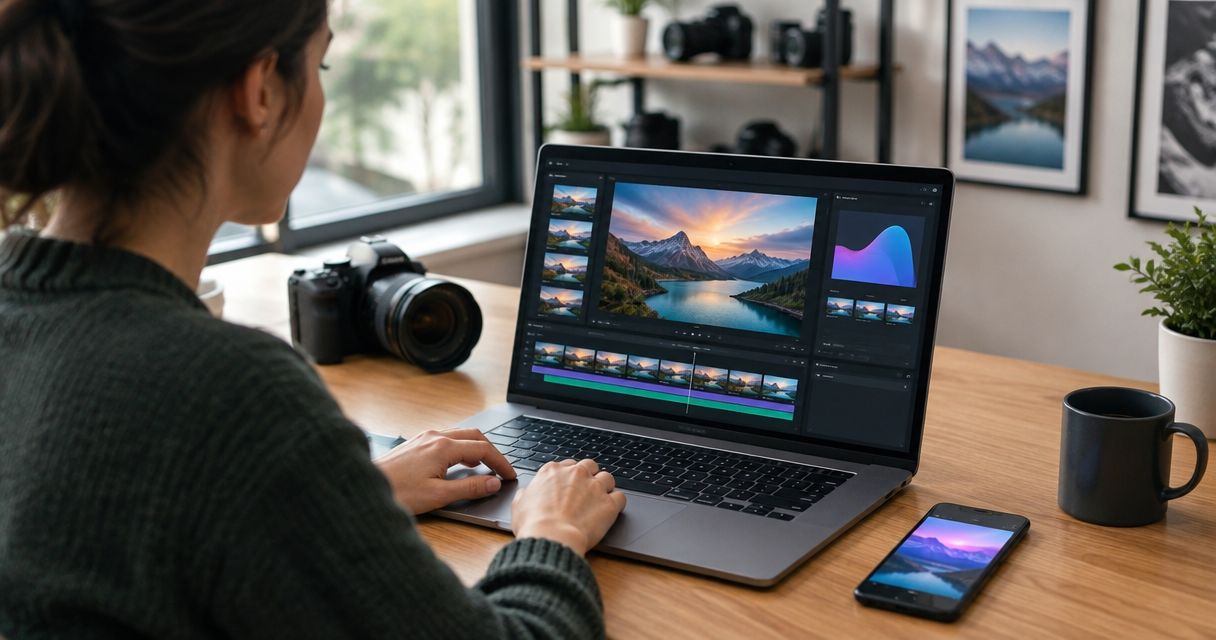
Best overall for an event-photography workflow: Fotoowl AI Studio. Best for directed creative experiments: Runway. Best for Adobe-centred teams: Adobe Firefly. This 2026 guide compares AI image to video tools for photographers, with Luma Dream Machine for atmospheric imagery and Pika for stylised social content.
TL;DR
- Fotoowl AI Studio is the best starting point for event photographers creating generative clips from their own photographs.
- Runway suits directed image-to-video experiments; Adobe Firefly suits photographers already working with Adobe tools.
- Luma Dream Machine suits atmospheric image animation; Pika suits stylised social experiments.
- Choose AI image to video tools for photographers by identity preservation, motion quality, review effort and delivery fit.
- Generated motion is not recorded footage. Keep original photographs and label synthetic clips clearly.
Why this matters
A wedding portrait can become a creative motion clip. It cannot become evidence of what happened after the shutter clicked. That distinction matters when you deliver images of a couple, a school performance, a sporting finish or a corporate award ceremony.
For Indian wedding and event studios, the useful question is not which generator produces the loudest effect. It is which tool gives you a clip you can approve without changing a face, inventing a gesture or distorting ceremonial details.
Also separate image animation from reel assembly. A generator invents motion within a photograph; a reel workflow sequences photographs and video into a finished piece. Start with the intended deliverable, using this guide to turn event photos into an Instagram-ready recap video when your brief calls for a complete recap rather than an individual animated shot.
What makes the best image-to-video tool for photographers?
Use these criteria before choosing a tool for your 2026 workflow:
- Identity preservation: Faces, expressions, jewellery and clothing should remain recognisable throughout the approved clip.
- Controlled motion: The result should follow your brief rather than introduce distracting movement.
- Detail stability: Hands, text, trophies, flowers and architectural lines need inspection across the entire clip.
- Useful framing: Your subject should survive the crop required for the final destination.
- Review effort: Count the corrections and rejected outputs needed to produce an acceptable deliverable.
- Client-use terms: Check current commercial-use conditions, uploaded-image handling and client permission before production.
A convincing opening frame does not make a convincing video. Inspect the middle and ending before approving any generated clip.
AI image-to-video tools at a glance
These are use-case recommendations, not measured performance scores. The order follows the needs of a professional event photographer: start with the photography workflow, then consider specialist creative options.
| Tool | Best for | Standout capability | Key limitation to assess |
|---|---|---|---|
| Fotoowl AI Studio | Event photographers working from their own photos | Generative editing and image-to-video within a photographer-focused platform | Generated clips still require human review; generation and gallery delivery are different tasks |
| Runway | Directed creative experiments | Image-to-video generation within a broader creative video toolset | Iteration and clip review remain part of the production process |
| Adobe Firefly | Adobe-centred photography teams | Image-to-video generation in Adobe's generative creative toolset | A generated clip still needs finishing and client-delivery decisions |
| Luma Dream Machine | Atmospheric venue and landscape imagery | Image-led video generation | Attractive motion is not proof that fine details remain accurate |
| Pika | Stylised social-content experiments | Image-to-video and creative video effects | Expressive transformations can conflict with documentary accuracy |
No tool earns approval solely because its demonstration looks good. Use your own photographs, your own output brief and the same acceptance criteria across the shortlist.
1. AI Studio: best image-to-video tool for event workflows
Fotoowl AI Studio provides generative edits and image-to-video based on the photographer's own photographs. It belongs first on this shortlist because the platform serves professional wedding and event photographers, rather than treating photo delivery as an unrelated task.
Keep the product boundaries clear. AI Studio handles generative work; AI Gallery handles photo and video delivery, face recognition galleries and reel generation. Do not assume that animating a photograph automatically produces a finished client recap.
AI Studio pros:
- Starts from photographs you have already created.
- Supports both generative editing and image-to-video work.
- Fits a platform built for professional photographers and studios.
- Provides a relevant starting point for wedding, corporate and event assignments.
AI Studio cons:
- Generated motion is not a substitute for captured event video.
- Faces, hands and important details still need a human approval pass.
- Image animation and reel assembly require separate decisions.
Best for: Event photographers exploring creative motion deliverables alongside their existing photography workflow.
Verdict: Buy into the workflow fit, not an assumption of flawless output. Begin with a non-critical creative clip and approve it before expanding the deliverable.
2. Runway: best image-to-video tool for directed experiments
Runway generates video from images and offers a broader set of creative video tools. It is a sensible shortlist candidate when you want to explore a deliberate visual treatment rather than simply assemble photographs into a slideshow.
Write the shot before generating it. Decide what should move, what should remain still and which features must not change. A venue exterior or an editorial detail photograph gives you a clearer starting brief than a crowded ceremony frame.
Runway pros:
- Accepts image-led video briefs.
- Supports creative video work beyond photo sequencing.
- Suits experimentation with different motion treatments.
Runway cons:
- A convincing result still requires inspection against the source image.
- Repeated creative experiments add review work.
- Generation does not replace client proofing or event-gallery delivery.
Best for: Photographers developing individual creative shots with a specific motion brief.
Verdict: Buy for directed experiments; skip it as a replacement for documentary coverage. Judge Runway on an approved output from your own image, not on a promotional example.
3. Adobe Firefly: best image-to-video tool for Adobe-centred teams
Adobe Firefly includes image-to-video generation in Adobe's generative creative toolset. It is a relevant candidate for photographers whose editing and finishing work already centres on Adobe applications.
That familiarity is a workflow reason to evaluate Firefly, not evidence that every generated face or detail will remain correct. In your 2026 comparison, inspect the current generation options and export workflow before assigning client work to the tool.
Adobe Firefly pros:
- Provides image-to-video generation.
- Belongs to a creative software ecosystem familiar to many photographers.
- Offers a relevant route for teams combining photography and video finishing.
Adobe Firefly cons:
- Familiar software does not remove the need to inspect generated motion.
- An individual clip still needs sequencing, sound and delivery decisions.
- Current usage terms and output settings need checking for each production brief.
Best for: Photography teams that want to evaluate image-to-video alongside an existing Adobe-centred editing process.
Verdict: Buy for workflow alignment; hold if you only need a conventional photo recap. Avoid adding generation when straightforward editing already answers the client's brief.
4. Luma Dream Machine: best image-to-video tool for atmosphere
Luma Dream Machine supports image-to-video generation. Shortlist it for creative studies based on venue photographs, landscapes and environmental details, where the brief centres on atmosphere rather than a person's precise action.
This is a recommended subject choice, not a claim that Luma outperforms every alternative on landscapes. Use it to test a restrained treatment of a pre-wedding location, reception setting or architectural photograph, then compare the result with your source.
Luma Dream Machine pros:
- Generates video using an image as a starting point.
- Suits exploration of environmental motion briefs.
- Gives photographers another candidate for image-led creative work.
Luma Dream Machine cons:
- Scenic imagery still contains lines and details that need inspection.
- An attractive result can depart from the photographed scene.
- Generating a shot does not establish a complete event-delivery workflow.
Best for: Photographers testing atmospheric creative clips from venue and landscape photographs.
Verdict: Buy for atmospheric experiments; skip generated action when factual accuracy is essential. Keep ceremony documentation separate from creative scene animation.
5. Pika: best image-to-video tool for stylised social content
Pika provides image-to-video generation and creative video effects. Shortlist it when the brief explicitly welcomes stylisation: a creative portfolio post, an experimental teaser or an effect-led studio promotion.
Set that expectation before using a client's portrait. A playful transformation and a faithful wedding keepsake are different deliverables, even when both begin with the same photograph.
Pika pros:
- Supports image-led video creation.
- Offers an effects-oriented route for creative experimentation.
- Suits briefs where visual transformation is intentional.
Pika cons:
- Stylisation can change details the client expects you to preserve.
- Effect-led output is a poor default for documentary event delivery.
- Client permission and output review remain necessary.
Best for: Photographers creating clearly labelled, stylised social content rather than factual event records.
Verdict: Buy for agreed creative treatments; skip surprise transformations in client deliveries. An effect belongs in the brief before it belongs in the gallery.
How we ranked these tools
This 2026 shortlist prioritises workflow fit, controlled motion, recognisable subjects and the effort required to approve a deliverable. AI Studio comes first for the event-photographer audience; the other tools occupy distinct creative use cases rather than competing for an unsupported quality score.
The ranking does not claim measured render speed, face accuracy or success rates. Your final choice should follow a repeatable comparison using the same source images and acceptance checklist.
Run a photographer's acceptance check
Use this sequence before adding generated clips to a 2026 client package. Keep the original files untouched and record which outputs you approve.
Source selection
Choose a clean photograph with an intentional composition. Avoid beginning with overlapping faces, unreadable signage or a moment whose meaning depends on an exact gesture. Generation should serve a strong source image, not rescue a weak one.
Motion brief
Describe restrained movement and identify what must remain unchanged. For example, request gentle movement in the background while preserving the subject's expression. Treat that prompt as an instruction to evaluate, not a guarantee the tool will obey.
Identity review
Compare the generated clip with the original throughout playback. Check eyes, teeth, fingers, jewellery, clothing patterns and nearby people. For Indian wedding photographs, include ceremonial objects and clothing details in that inspection.
Delivery framing
For a vertical 9:16 frame, a standard Full HD canvas is 1080 × 1920 pixels. For a landscape 16:9 frame, it is 1920 × 1080 pixels. These are framing references, not claims about any shortlisted tool's export specifications.
Client approval
Show the clip as a creative animation, not recorded footage. Obtain approval for the treatment before incorporating it into a final recap or public portfolio. Keep the approved output distinguishable from the original photograph.
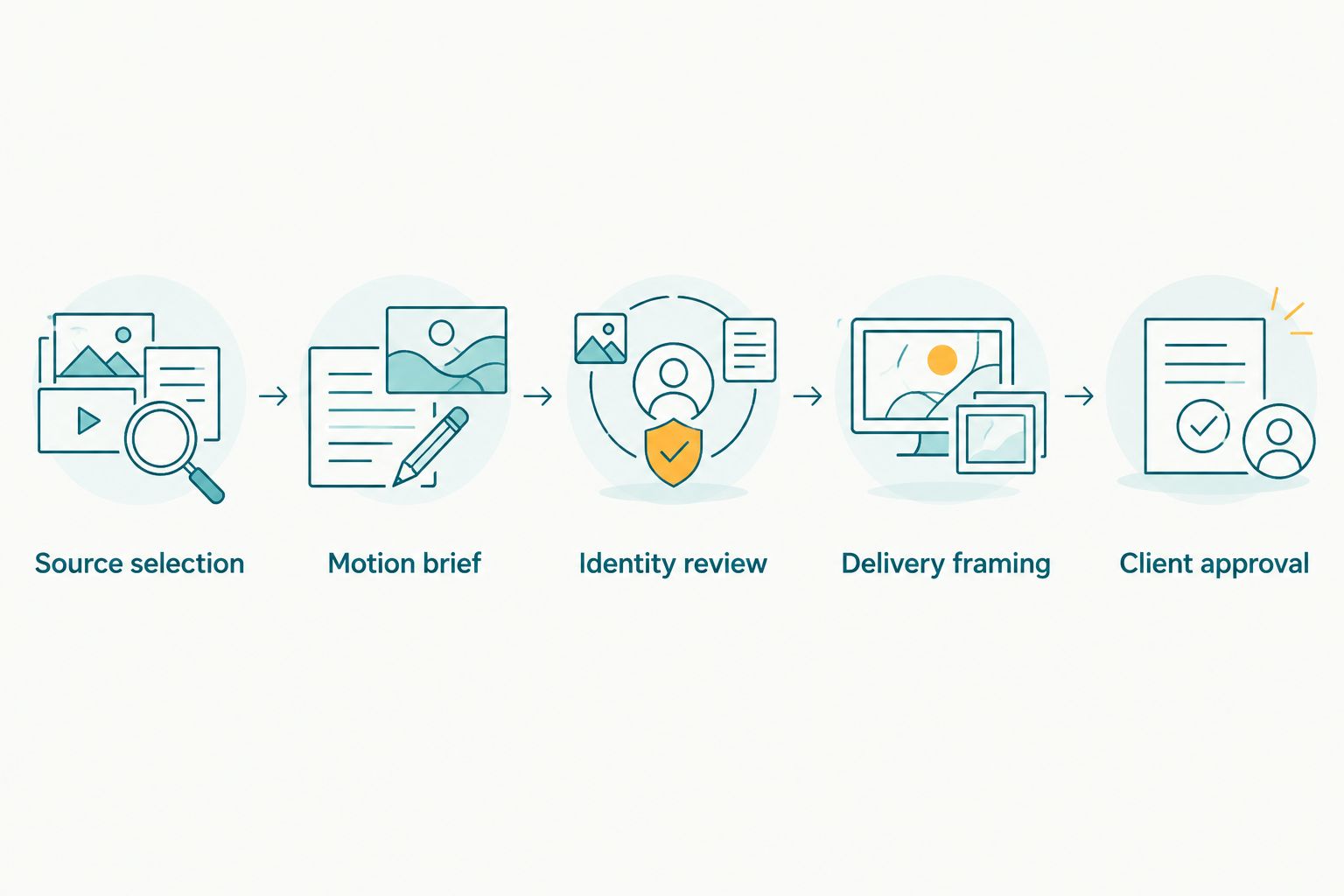
Approve identity and framing before the generated clip enters a client deliverable.
Which image-to-video tool should you choose?
Fotoowl AI Studio is the best starting point for event photographers creating generative clips from their own photographs. Choose Runway for a directed creative experiment, Adobe Firefly for an Adobe-centred evaluation, Luma Dream Machine for atmospheric imagery and Pika for an explicitly stylised brief.
For a straightforward recap, ask whether you need generation at all. Sequencing genuine photographs preserves what you captured; invented motion introduces another approval responsibility. Use image-to-video when that creative contribution is wanted, not simply because the feature exists.
FAQ
What's the best AI image-to-video tool for wedding photographers in 2026?
Fotoowl AI Studio is the best starting point on this shortlist for wedding photographers working from their own photographs. It provides generative editing and image-to-video; inspect every creative clip before client delivery.
Is Runway better than Adobe Firefly for photographers?
Choose Runway for directed creative experiments and evaluate Adobe Firefly when your team already works around Adobe tools. Compare the same source photograph and motion brief rather than assuming either tool wins every assignment.
Can AI image-to-video replace a wedding videographer?
No. Generated motion interprets a still photograph; it does not record vows, speeches, movement or the sequence of real events. Offer it as a creative addition, not documentary coverage.
What's the difference between image-to-video and a photo reel?
Image-to-video generates motion from a still image, while a photo reel sequences images into a video presentation. A recap can use genuine photographs without inventing movement inside them.
Which photograph should I animate first?
Start with a clean, composed image whose creative purpose does not depend on an exact human gesture. A venue detail or landscape is a useful evaluation subject before you attempt an important client portrait.
What should I check before delivering an animated portrait?
Check identity, expressions, hands, clothing, background details and the final crop throughout the clip. Reject an output that changes a meaningful detail, even if its opening frame looks convincing.
Can I use generated clips for school or corporate clients?
Use generated clips only with appropriate permission and an agreed creative brief. Check the tool's current terms and uploaded-image handling, and keep synthetic treatments separate from factual event documentation.
One last thing
The most useful image-to-video comparison is a rejection test. Find the output that changes a face, a trophy inscription or a ceremonial detail, and make that failure part of your acceptance checklist. In 2026, a photographer's judgement remains the final quality control—not the generator's most impressive frame.