
Robotics Competition Photo Gallery: 2026 Setup Guide

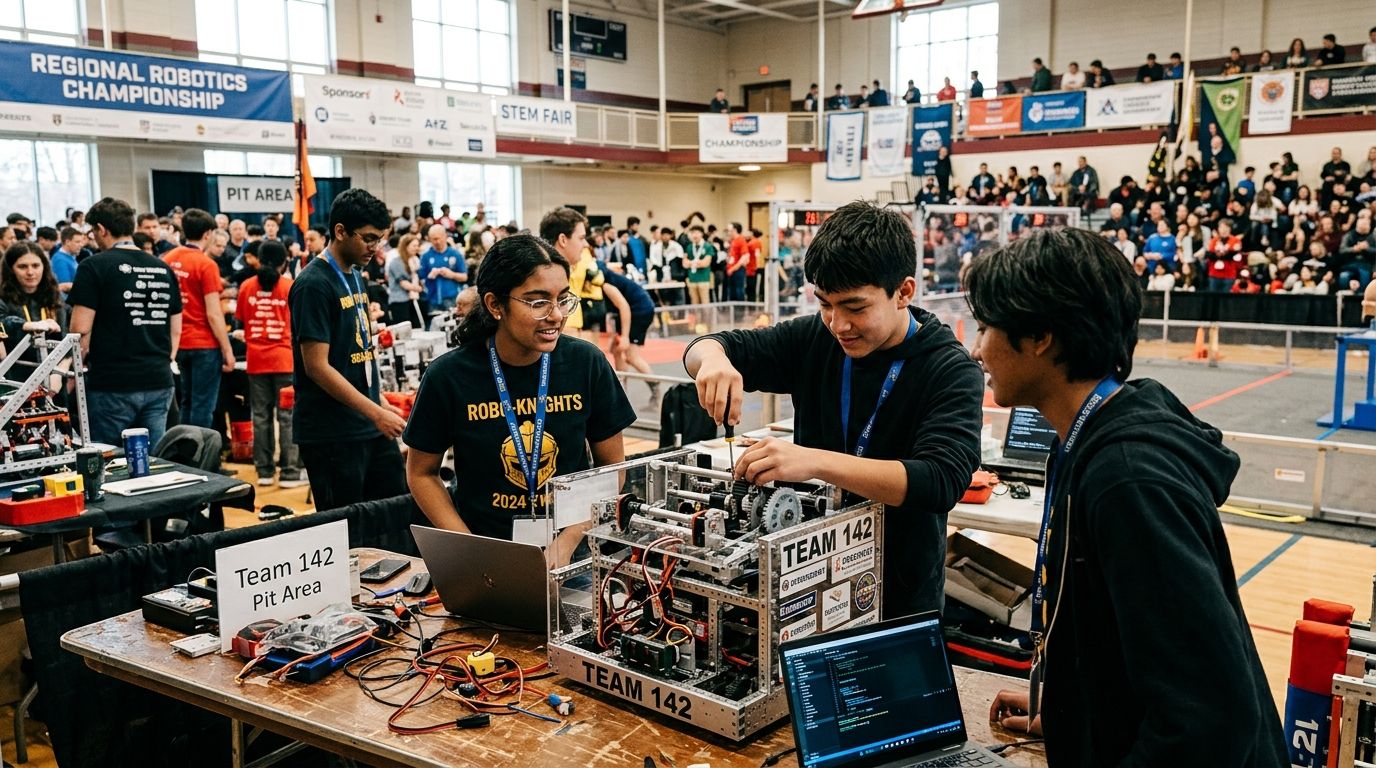
Robotics competition photo galleries are event-specific online spaces where teams, coaches, and parents find and download their own match-day photos without emailing a volunteer for a folder link. STEM fairs need the same thing for judged booths, poster sessions, and award stages, but the traffic pattern is different: dozens of teams competing in parallel brackets, judges rotating through stations, and a closing ceremony that everyone wants photos from within the hour.
TL;DR
- A robotics competition photo gallery organized by team or bracket number beats folder-by-name sharing every time in 2026.
- FotoOwl's face recognition and team-tag search let parents find their kid's match photos without scrolling a shared drive.
- Same-day delivery via QR code or WhatsApp matters more at bracket-based events than at single-session weddings or parties.
- Password-gated galleries and sponsor-branded frames solve the privacy and monetization problems schools run into with open folders.
Why robotics competition photo galleries matter for STEM organizers
A regional robotics event or a school STEM fair doesn't run like a single-photographer wedding shoot. Multiple photographers cover the pit area, the competition field, and the judging rooms at the same time, and results move fast between matches. Parents and coaches don't search by student name the way a birthday party guest would — they search by team number, bracket, or award category, because that's how the event itself is organized.
A generic photo gallery platform built for one photographer and one shoot doesn't hold up when six volunteers are uploading from four different cameras across a gymnasium. Robotics competitions and STEM fairs need tagging, fast delivery, and self-serve search built for a bracket, not a guest list. That's the gap a dedicated gallery closes.
Update your shot list to the match and judging schedule
Before the first match, the gallery structure should already mirror the event's actual schedule, not get built after photos start piling up.
- Pull the bracket or judging schedule in advance and assign photographers to pit area, competition field, and judging rooms separately.
- Tag folders by match or round number, not just team name — brackets change team pairings match to match.
- Flag closed-judging rooms where photography is restricted so volunteers don't waste a shift standing outside a locked door.
- Note award categories ahead of time so staged winner photos get their own folder immediately.
- Build in a buffer for overtime matches, which run long at regional events and push the whole afternoon's upload schedule back.
Set up a shared upload workflow for volunteer photographers
Most robotics competitions run on volunteer photographers, not one paid pro, so the upload workflow has to survive four different phone models and skill levels.
- A shared Google Drive or Dropbox folder works for a single-day event with a handful of volunteers and no sales component.
- USB or SD card runners moving cards to a laptop mid-event still work for smaller STEM fairs with light photo volume.
- WhatsApp groups where judges and mentors drop phone photos catch candid moments a scheduled photographer misses.
- Direct camera-to-cloud upload tools, like FotoOwl's Beam, cut the runner step entirely by pushing shots from the camera straight to the gallery as photographers shoot.
- Whatever method you pick, standardize the folder-naming convention across every volunteer before the event starts, not during it.
Turn on team and face search so families find their own photos
Manual sorting by hand doesn't scale past a dozen teams, and most competitions run far more than that across multiple divisions.
- Face recognition search lets a parent upload a selfie or a team photo and pull every match their kid appears in, the same approach that works for esports tournaments running parallel brackets.
- Team-number tagging solves the search problem for group shots where faces alone won't find the right robot or banner.
- Self-serve gallery links removed the need for an organizer to personally text photos to fifty different team captains.
- Opt-in privacy controls matter here more than at a typical corporate event — many robotics teams are middle and high schoolers, and school-run STEM fairs need parental consent handled before photos go public.
- Skip building a manual spreadsheet of who's in which photo — that job disappears the moment search is turned on.
Deliver photos the same day, not the following week
Bracket-based events move in hours, and a photo delivered five days later has already lost most of its social and promotional value.
- QR codes posted at the pit tables and field entrance let teams pull up the gallery mid-event, an approach that also works well for school events running on the same tight timeline.
- WhatsApp broadcast to team group chats gets photos in front of parents before they've even left the parking lot.
- Batch uploads every match cycle, rather than waiting for the whole event to wrap, keeps the gallery current all day.
- Printed QR flyers at STEM fair booths give judges and visitors an instant way to grab a photo of a project they liked.
- Same-day delivery is the single biggest driver of gallery engagement at bracket events — a gallery that goes live the next morning gets a fraction of the traffic one live by 4 p.m. gets.
Organize galleries by team, division, and award category
A flat photo dump with five hundred unsorted images frustrates parents faster than almost anything else at these events.
- Separate albums per bracket or division keep a regional's morning rounds distinct from afternoon elimination matches.
- A dedicated folder per award category makes the closing ceremony photos easy to find without scrolling past every qualification match.
- Tag judge-interaction photos separately from pit-area candids so STEM fair coordinators can pull judging documentation quickly.
- If your program runs a season of events, keep each competition in its own gallery rather than merging everything into one long feed.
- Multi-day events benefit from a day-by-day folder split, especially at championship-level competitions running two or three full days.
Protect access and price photo sales for schools and sponsors
Schools and booster clubs have different needs than a wedding client — access control and sponsor visibility matter as much as image quality.
- Gate the full gallery behind a team code or password so only registered families and mentors can browse.
- Restrict full-resolution downloads to purchasers while still letting anyone preview thumbnails.
- Sponsor-branded frames on STEM fair photos give the companies funding the event visible credit without a separate marketing push.
- Bundle team photo packs instead of pricing every single image individually — boosters and parents respond better to a season pack than a per-photo checkout.
- Offer digital-only delivery as the default; print fulfillment adds shipping delays that don't fit a same-day event.
Package a highlight reel for the closing ceremony
The closing ceremony or STEM fair awards session is the moment everyone in the room wants a recap, and it's the easiest content to reuse afterward.
- Auto-generated highlight reels pull the day's best shots into a short video without a video editor on staff.
- A slideshow tied to the awards announcement gives the closing ceremony a visual anchor beyond a name being read off a list.
- QR codes at the exit doors point attendees straight to the reel and full gallery before they leave the venue.
- Vertical cuts built for Instagram and TikTok extend the event's reach past the people who were actually in the room.
- Sending the reel to team captains and school PR contacts the same afternoon gets it into district newsletters while the event is still news.
Comparison: gallery options for robotics competitions and STEM fairs
| Option | Best for | Key limitation |
|---|---|---|
| Shared cloud folder (Drive/Dropbox) | A single small event with under 20 teams | No team or bracket tagging, no search, no sales |
| Generic consumer photo app | Casual parent-to-parent photo swaps | No sponsor branding, no bracket structure, weak privacy controls |
| Dedicated event gallery platform (FotoOwl) | Multi-team, multi-day robotics events and STEM fairs | Needs the folder and tagging structure set up before the first match |
A shared Drive folder is fine for a school's first internal STEM night; it falls apart the moment a regional robotics event runs six brackets at once.
See face search for team galleries
Set up bracket-based photo delivery before your next competition.
Common mistakes robotics and STEM fair organizers make
- Naming folders by student name instead of team or bracket number — parents and mentors search by number, not by which kid is in which photo.
- Waiting until the whole event ends to upload — bracket rounds move in minutes, and a gallery that goes live the next day misses the moment.
- Mixing pit-area candids with official award-stage photos in one unsorted feed, which buries the shots people actually came looking for.
- Skipping a consent step for minors' faces at school-run STEM fairs, which creates a real problem when a district asks about photo privacy after the fact.
- Selling only printed packages and skipping same-day digital delivery, when most parents at a 2026 event expect a download link before they've left the parking lot.
FAQ
What's the best robotics competition photo gallery?
A dedicated event photo gallery with team-number tagging and face search, such as FotoOwl, works best for robotics competitions because it handles multiple brackets and photographers at once. A shared Drive folder only works for the smallest single-day events.
How do I organize robotics competition photos by team instead of name?
Tag folders and images by team number and bracket round rather than student name, since that matches how families and mentors actually search during and after the event. Most gallery platforms let you apply these tags at upload.
Can parents find their kid's photos without scrolling the whole gallery?
Yes, if the gallery uses face recognition or team-tag search, a parent can pull every photo their child appears in within seconds. Without search, they're stuck scrolling hundreds of unsorted images.
How fast should robotics competition photos be delivered?
Same day is the standard families expect in 2026, ideally within a few hours of each match round rather than at the end of the event. QR codes and WhatsApp delivery both support this turnaround.
Do STEM fair photo galleries need password protection?
Yes, especially when minors are involved — gating the gallery behind a team or school code keeps photos limited to registered families instead of the open internet. This matters more at school-run events than at public adult competitions.
Can I sell photos from a robotics competition or STEM fair?
Yes, bundling team photo packs and offering digital-only checkout works better than per-image pricing for booster clubs and parents. Print fulfillment adds delays that don't fit a single-day event.
What's different about a robotics competition gallery versus a regular event gallery?
Robotics competitions run parallel brackets and judging rooms at once, so the gallery needs match-round tagging and multi-photographer support that a standard single-session event gallery doesn't need. Search by team number matters more than search by name.
How do I manage photos from multiple volunteer photographers at one event?
A shared upload workflow with standardized folder naming, or a direct camera-to-cloud tool, keeps four or five volunteers' photos organized in one gallery instead of scattered across separate phones and cards.
One last thing
The single fix that moves the needle fastest at a robotics competition isn't a fancier camera or more volunteers — it's tagging by team and bracket number from the first upload of the day. Events that skip this step in 2026 end up with a photographer manually renaming five hundred files at 9 p.m. while parents are still asking where the gallery link is.