
Top 5 Sites for Free Photoshop Presets Every Photographer Needs in 2026

The right free Photoshop presets can transform your editing workflow — here is where to find the best ones in 2026.
Quick Answer
The best sites for free Photoshop presets in 2026 are Adobe Exchange, Creative Market's free section, FilterGrade, Brusheezy, and FreePSDvn. Each offers verified, high-quality presets suited to different photography styles — from wedding and portrait to landscape and street.
In This Article:
- Why Use Free Photoshop Presets?
- How to Choose Safe and Reliable Free Presets
- Top 5 Sites to Download Free Photoshop Presets in 2026
- How to Install Photoshop Presets in 2026
- Tips for Using Presets Like a Pro
- Free Alternatives to Photoshop Presets
- FAQ
In 2026, the average photographer edits hundreds of images per shoot — and the right free Photoshop presets can dramatically accelerate that process while helping you maintain a consistent visual style. Whether you shoot weddings, corporate events, landscapes, or portraits, presets give you a proven starting point so you spend less time on repetitive adjustments and more time on the creative decisions that actually matter.
In this guide, we cover the top 5 trusted websites offering high-quality, free Photoshop presets — along with clear installation steps, safety tips, and professional usage advice to help you get the most out of every download.
Why Use Free Photoshop Presets?
The Benefits at a Glance
Photoshop presets (technically called Actions in Photoshop) are ready-made sequences of editing adjustments that apply instantly to your photos. Here is why photographers at every level rely on them:
- Save time: Instead of tweaking each setting manually across hundreds of images, presets provide a reliable starting point that significantly reduces editing time per photo.
- Consistent style: A consistent aesthetic across your portfolio is essential for building a recognisable brand — presets make that consistency effortless to maintain.
- Expand creativity: Experiment with new colour grades and effects without spending hours learning complex techniques from scratch.
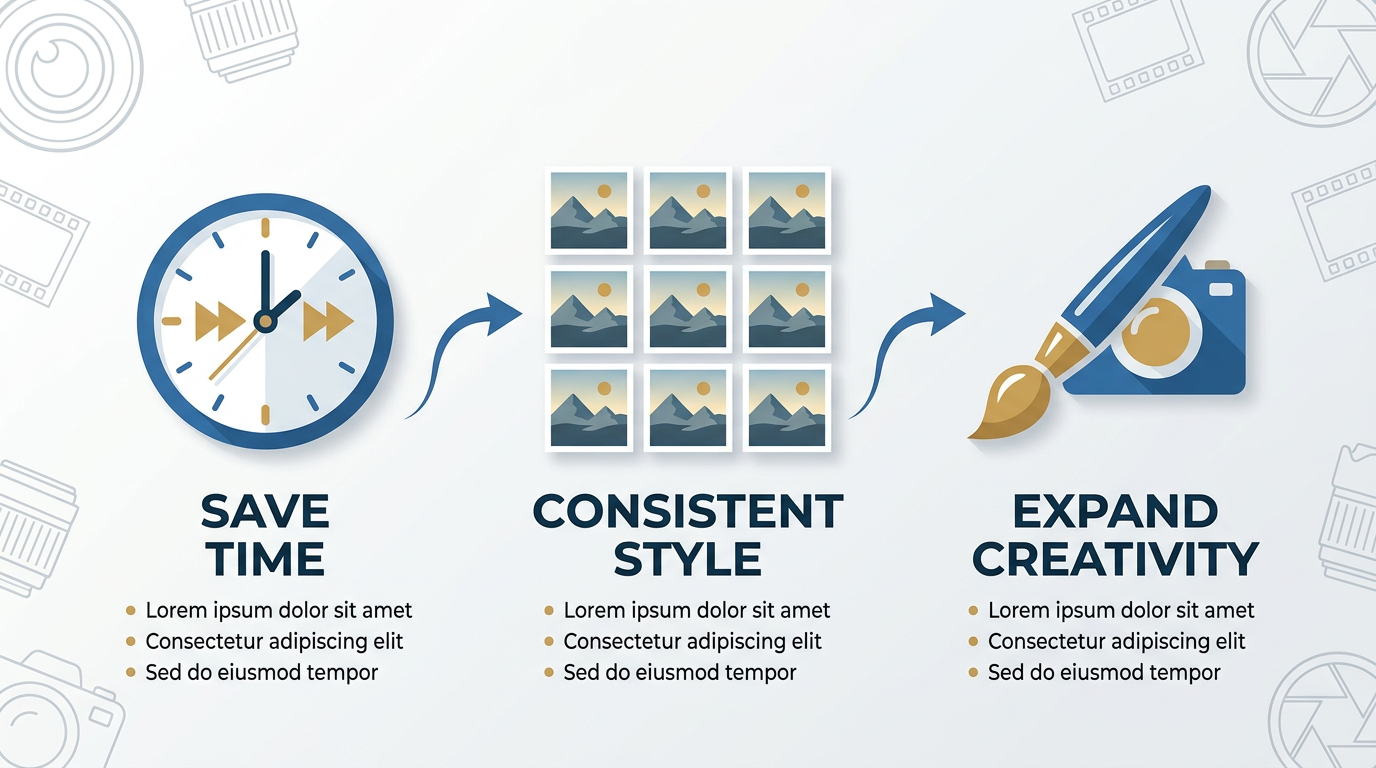
Three core reasons photographers build presets into their editing workflow.
Different Types of Photoshop Presets
Knowing which preset category fits your work is important before you start downloading. The most common types are:
- Colour grading: Film emulations and stylised colour tones.
- Portrait enhancers: Skin smoothing, eye brightening, and retouching actions.
- Landscape boosters: Sky enhancement, vivid colours, and lighting effects.
- Black and white: Classic monochrome looks with contrast and grain control.
- Creative effects: Artistic filters and textures for a distinctive, editorial look.
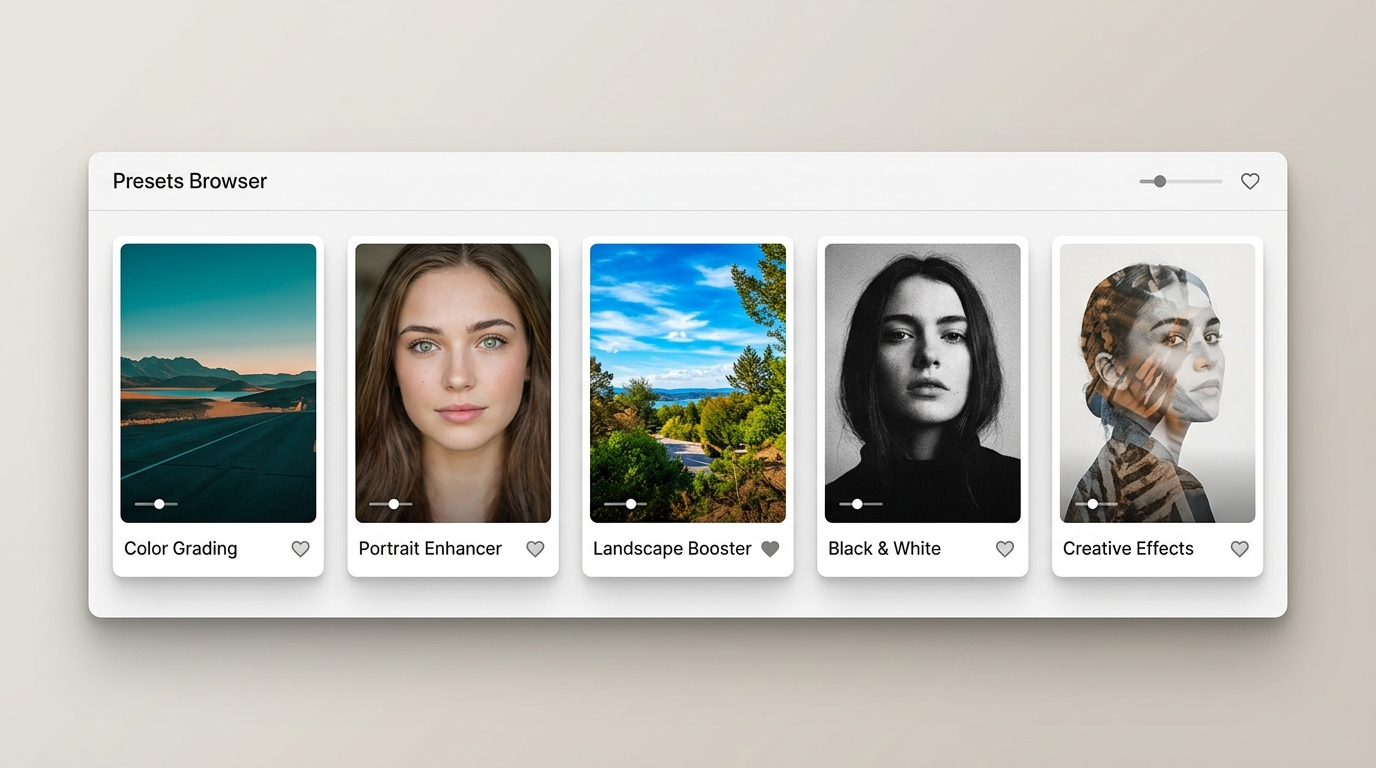
The five main preset categories — each suited to a different photography genre.
Photoshop Actions vs Camera Raw Profiles
It is worth clarifying the two file types you will encounter when downloading free presets:
- Photoshop Actions (
.atn) — These are recorded sequences of edits that run inside Photoshop's Actions panel. They can apply complex multi-step adjustments, retouching, and effects in a single click. - Camera Raw Profiles (
.xmp) — These are colour and tone profiles used inside Photoshop's Camera Raw filter (or in Lightroom). They are not Photoshop Actions and cannot be loaded via the Actions panel. They work differently but are equally useful for colour grading raw files.
When downloading "Photoshop presets," always check which file type is included and confirm it matches how you intend to use it.
How to Choose Safe and Reliable Free Presets
Downloading presets for free is appealing, but safety matters:
- Download from verified sites: Use official marketplaces like Adobe Exchange or well-established photography platforms.
- Check file types: Authentic Photoshop Actions end with
.atn. Camera Raw profiles end with.xmp. Avoid any archive that contains.exefiles — these are not presets. - Read community reviews: Look for feedback from other photographers to avoid low-quality or potentially harmful downloads.
- Scan with antivirus: Always run a virus scan on new files, even from trusted sites.
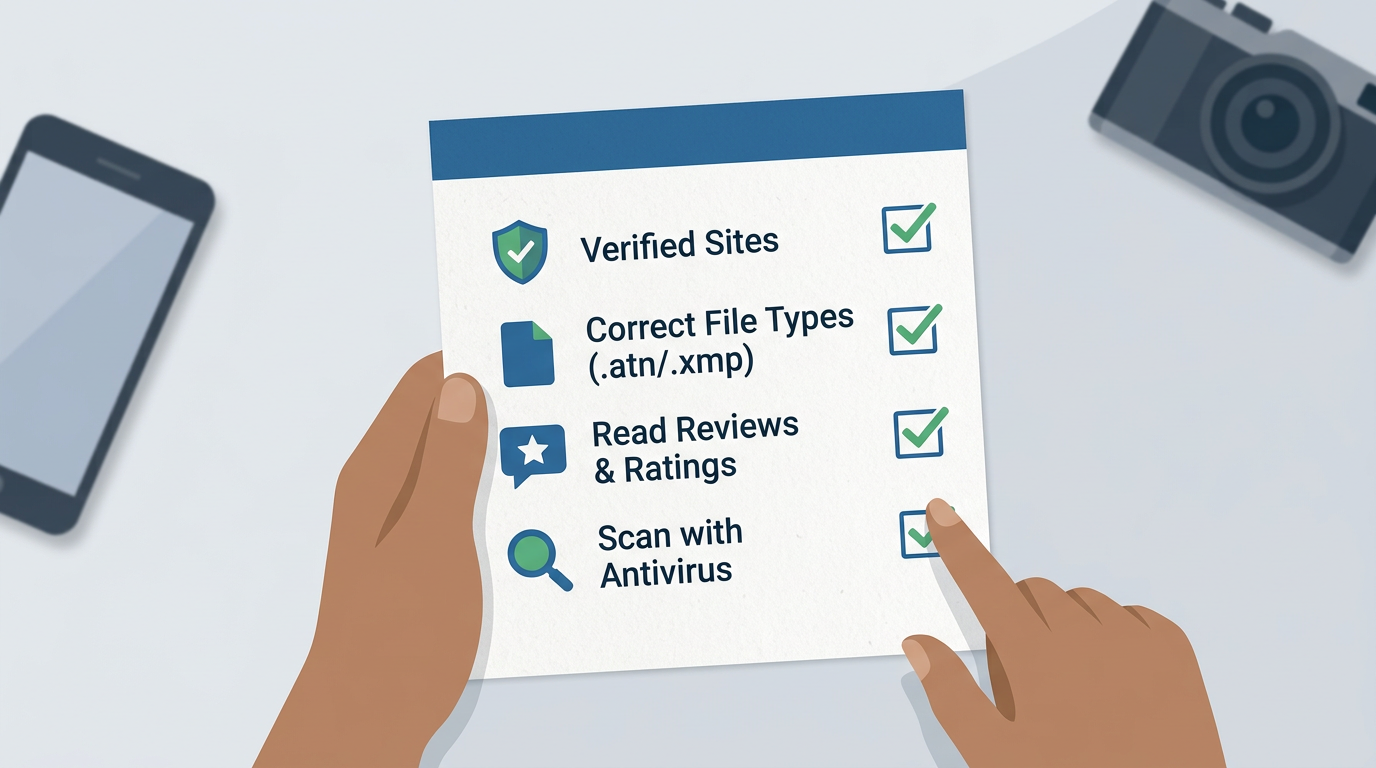
Four checks to run before installing any free preset download.
Top 5 Sites to Download Free Photoshop Presets in 2026
1. Adobe Exchange — The Official Source
Adobe Exchange is the safest and most seamless source for Photoshop presets because it integrates directly with the Creative Cloud ecosystem. Every plugin, action, and preset on the platform is verified by Adobe and guaranteed to work with Photoshop 2026.
Why use it:
- Direct installation from inside Photoshop via the Exchange panel — no manual file management
- Verified creator badges confirm trustworthiness
- User ratings and reviews on every download
- Automatic updates keep your presets current
Notable free presets:
- Professional Portrait Enhance — smooth skin and brighten eyes in one click
- Cinematic Colour Grade — moody, film-inspired colour tones
- Vintage Film Emulation — classic film stock effects for editorial and lifestyle work
For photographers who want a zero-risk starting point, Adobe Exchange is the first place to look.
2. Creative Market — Free Goods Section
Creative Market is primarily a paid marketplace for design assets, but its rotating free goods section regularly features premium-quality preset packs at no cost. These are the same packs that ordinarily sell for $20–$50, offered free for a limited window each week.
What makes it great:
- Designer-quality presets with professional documentation
- Wide range of styles — from moody film to clean minimalist
- Most downloads include commercial-use licences
Standout free packs to watch for:
- Moody Portraits — dark, atmospheric looks for dramatic portrait work
- Golden Hour Landscape — warm, sunset-toned presets for outdoor and travel photography
- Clean Minimal Edits — subtle, modern adjustments ideal for lifestyle and brand photography
Note: You will need a free Creative Market account to download. Packs rotate weekly, so check back regularly to catch new releases.
3. FilterGrade — Modern & Trend-Forward Presets
FilterGrade specialises in contemporary editing styles that reflect current social media and editorial aesthetics. It is particularly well suited to photographers shooting weddings, street, or product work who want fresh, 2026-relevant looks rather than classic film emulations.
Highlights:
- Regular additions that reflect current visual trends
- Preset packs designed for specific niches — weddings, street photography, product shoots
- Detailed tutorials and video walkthroughs included with most downloads
Top free picks:
- Modern Wedding Suite — bright, airy tones ideal for outdoor ceremonies
- Street Photography Colour Boost — punchy contrast and saturation for urban work
- Product Photography Enhancer — clean, neutral-tone presets for e-commerce and brand shoots
Note: A quick free email signup is required before downloading. Tutorial videos are included with most packs.
4. Brusheezy — Large Free Library for All Styles
Brusheezy is one of the largest free resource libraries for Photoshop users, with thousands of Actions, brushes, textures, and patterns available at no cost. Unlike the curated paid-first platforms above, Brusheezy's entire library is free, making it an excellent browsing resource when you want to explore a wide range of styles.
Why try it:
- Entirely free — no paid tier, no weekly rotation
- Huge variety across portrait, landscape, creative, and retouching categories
- Community-contributed Actions with user ratings to help you identify quality downloads
Popular free actions:
- HDR Effect Actions — high-detail landscape and architectural processing
- Matte Film Effect Pack — faded, matte looks popular in wedding and lifestyle photography
- Black and White Portrait Actions — classic monochrome with fine-tuned contrast controls
Quality varies across individual uploads, so filter by highest-rated downloads and read user comments before installing.
5. FreePSDvn — Curated Free Design Resources
FreePSDvn is a curated free resource site that aggregates high-quality Photoshop Actions, mockups, and design assets. It is particularly useful for photographers who also do design work — such as those creating event invitations, photo books, or branded deliverables for clients — as it combines editing presets with complementary design resources in one place.
Unique benefits:
- Curated quality — the team reviews submissions before publishing
- Frequent updates with new action packs added regularly
- Covers both photography-focused actions and broader design resources
Featured free packs:
- Natural Colour Correction Actions — accurate, true-to-life colour for event and documentary photography
- Vintage Photo Effect Actions — warm, aged looks with grain and fade
- Professional Portrait Retouching Actions — frequency separation and skin-smoothing workflows
Note: Some downloads redirect through ad-supported pages. Always use an ad blocker and scan downloads before installing.
How to Install Photoshop Presets in 2026
Installing Photoshop Actions is straightforward. Follow these steps:
- Download and extract your
.atnfile to a clearly labelled folder on your desktop. - Open Photoshop 2026 and go to Window > Actions or press
Alt + F9to open the Actions panel. - Click the Actions panel menu (the three-line icon in the top right corner) and select Load Actions.
- Navigate to your downloaded
.atnfile, select it, and click Load. - The action set will appear in your Actions panel — test it on a duplicate layer of a photo to confirm it is working correctly.
For Camera Raw profiles (.xmp files), the process is different: place the .xmp file in your Camera Raw user presets folder (AppData/Roaming/Adobe/CameraRaw/Settings on Windows or Library/Application Support/Adobe/CameraRaw/Settings on Mac), then restart Photoshop and access them via the Camera Raw filter.
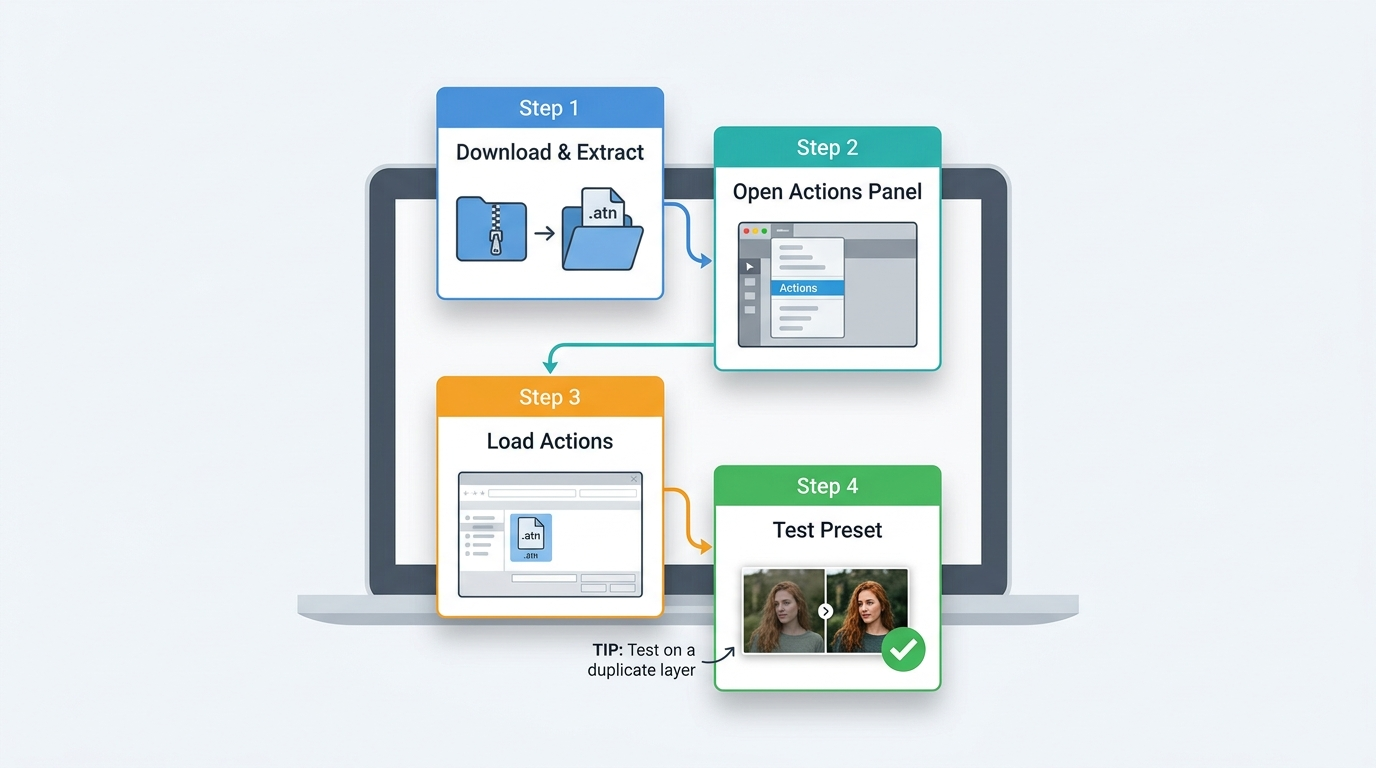
The five-step process for loading a Photoshop Action into your workspace.
Troubleshooting Common Installation Issues
- Action does not appear after loading: Confirm the file is
.atnformat, not.xmpor.zip. Extract any archive before loading. - Action produces unexpected results: Check that the preset was built for a version of Photoshop compatible with yours. Some older actions use deprecated filters.
- Photoshop crashes on load: Restart Photoshop, then try loading the action again. If it persists, the file may be corrupted — redownload from the source.
Tips for Using Presets Like a Pro
Downloading presets is only the first step. Here is how experienced photographers get professional results from free resources:
- Adjust opacity: Lower the action layer's opacity to blend the effect more subtly. A preset at 60–70% opacity often looks more natural than at full strength.
- Use layer masks: Apply presets selectively to specific areas — for example, applying a colour grade only to the background while keeping skin tones neutral.
- Combine presets: Stack two presets at reduced opacities to create a look that is entirely your own. Most professional photographers use presets as a base, not a final result.
- Understand what the preset changes: Before applying to client work, run the action on a test image and study which layers and adjustments it creates. This makes it far easier to modify and troubleshoot.
- Build batch workflows: Combine your favourite preset with a sharpening and noise reduction action into a single custom action sequence. This turns a three-step manual process into a single click across an entire shoot.
Free Alternatives to Photoshop Presets in 2026
If Photoshop is not your primary editing tool, these free and low-cost alternatives offer comparable preset and action functionality:
- GIMP: Open-source and free, with Script-Fu support that functions similarly to Photoshop Actions.
- Affinity Photo: A one-time purchase with professional macro support — a strong long-term alternative to a Creative Cloud subscription.
- Luminar Neo: AI-powered preset system with sky replacement and portrait retouching tools built in.
- Canva (Free Tier): Web-based with simple filters and effects — ideal for social media content rather than professional editing.
Mobile options: Snapseed, Adobe Lightroom Mobile (free tier), and A Color Story all offer free preset packs directly within the app — useful for quick edits on location.
FAQ
What is the difference between a Photoshop Action and a Photoshop preset?
A Photoshop Action (.atn) is a recorded sequence of editing steps that runs inside Photoshop's Actions panel. A "preset" in the broader sense can also refer to Camera Raw profiles (.xmp), which are used inside the Camera Raw filter and Lightroom. Both serve a similar purpose — applying a pre-defined look quickly — but they work through different tools within Photoshop.
Are free Photoshop presets safe to download?
They can be, as long as you download from verified sources. Stick to platforms like Adobe Exchange, Creative Market, FilterGrade, Brusheezy, and FreePSDvn. Always check that downloaded files are .atn or .xmp format — never install .exe files claiming to be presets, and always run a virus scan on new downloads.
Do free Photoshop presets work on all versions of Photoshop?
Most modern presets are compatible with Photoshop CC 2020 and later, but some older community-contributed actions may use features deprecated in newer versions. Always check the preset description for compatibility notes, and test on a non-critical image before applying to client work.
Can I use free Photoshop presets for commercial work?
It depends on the licence of the specific preset. Adobe Exchange and Creative Market's free goods section typically include commercial-use licences, but community-contributed presets on platforms like Brusheezy vary. Always read the licence terms before using a free preset on paid client deliverables.
How many presets should a photographer have in their workflow?
Quality over quantity is the right approach. Most professional photographers settle on 5–10 core presets that match their signature style and use them consistently. Having hundreds of presets installed slows down your Actions panel and makes it harder to develop a consistent aesthetic.
What is the best free Photoshop preset for wedding photography?
FilterGrade's Modern Wedding Suite and Creative Market's rotating Moody Portrait packs are consistently popular choices for wedding photographers. Both offer clean, flattering skin tones with soft, light-filled aesthetics that suit both indoor and outdoor wedding coverage.
Can I edit and customise free presets?
Yes — and you should. Free presets are best used as a starting point. After applying an action, you can modify individual layers, change blend modes, and adjust opacity to suit your specific image. Over time, saving your customised versions as new actions builds a personalised preset library tailored to your style.
Are Camera Raw [object Object] presets better than Photoshop Actions?
Neither is objectively better — they serve different workflows. Camera Raw profiles (.xmp) are ideal for raw file colour grading and are non-destructive by nature. Photoshop Actions (.atn) are more powerful for complex multi-step edits involving layers, retouching, and effects. Many photographers use both depending on the stage of their editing process.
Deliver edited event photos to every guest — automatically
Foto Owl AI uses AI face recognition to match and deliver personalised photo galleries to every attendee. No manual sorting. No shared links. Just photos, delivered.
Start Free Trial10,000 photos per year · No credit card required
Final Thoughts
Finding the best free Photoshop presets in 2026 does not have to be overwhelming. Adobe Exchange is the safest starting point for verified, seamlessly installed presets. Creative Market and FilterGrade offer premium-quality packs on a free or rotating basis. Brusheezy and FreePSDvn round out the list with large, varied libraries suited to photographers who want to explore broadly before settling on a signature style.
The most important thing to remember is that presets are a starting point, not a final result. The photographers who get the most out of free resources are those who take the time to understand what each preset does, customise it to their image, and build it into a consistent workflow over time.
Explore our other guides on photography workflow tips and event photography best practices to keep building your skills in 2026.
Have a favourite free Photoshop preset source we have not listed? Drop it in the comments below — we would love to add it to the guide.