
RAW vs JPEG for Event Photography: Which Format to Shoot in 2026?

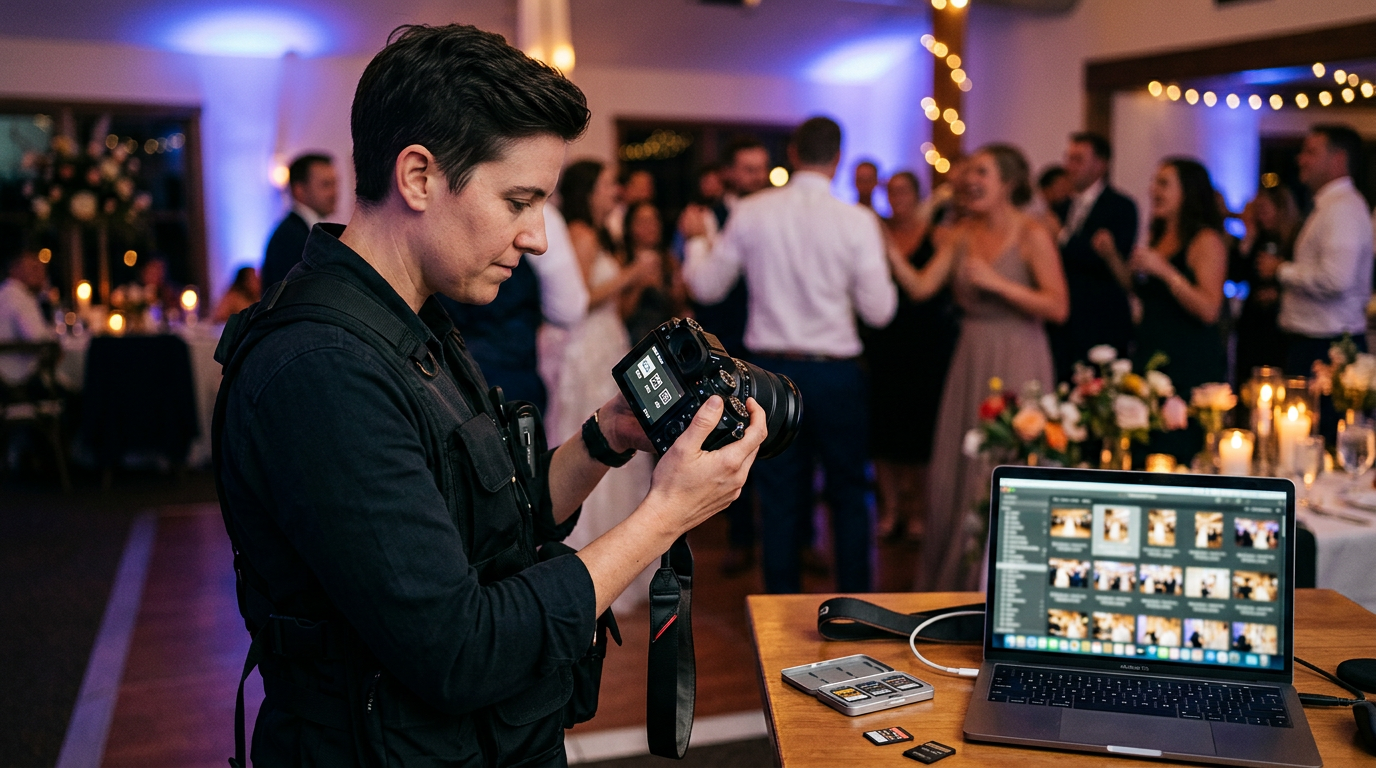
RAW vs JPEG — the format decision that shapes every event photographer's delivery workflow
Quick Answer
Quick Answer: For maximum editing flexibility and premium output, shoot RAW. For fast delivery and consistent lighting, JPEG wins. In 2026, the smartest event photographers are using a RAW+HEIF hybrid — capturing RAW for archives while delivering HEIF previews to clients within minutes.
In This Article:
- Understanding RAW and JPEG Formats
- When to Shoot RAW for Event Photography
- When to Shoot JPEG for Event Photography
- RAW + HEIF: The Smart Hybrid in 2026
- Pros and Cons of RAW vs JPEG
- Editing and Workflow Tips
- What Pro Photographers Prefer
- How to Choose the Right Format
- Frequently Asked Questions
When it comes to RAW vs JPEG for event photography, the decision has never carried more weight. With clients expecting same-day photo access, and platforms like Foto Owl AI making instant AI-powered delivery a reality in 2026, the format you shoot in directly determines how fast and how well you can serve your clients.
Whether you're covering weddings, corporate functions, or sports events, understanding when to shoot RAW, when JPEG is the smarter call, and how new hybrid options fit into your workflow can save hours and produce better results.
1. Understanding RAW and JPEG Formats
At its core, choosing between RAW and JPEG is about what your camera records and how much control you retain over the final image.
RAW files are your camera's unprocessed digital negatives. They capture all the image data from your sensor, giving you unmatched flexibility for correcting exposure, white balance, and colour in post. JPEG files are processed and compressed in-camera — the camera applies contrast, sharpening, and colour settings before saving a smaller file that is instantly ready to view and share.
Image Quality and Compression
RAW files store 12–14 bits per colour channel, meaning billions of possible colours and significantly more recoverable detail. JPEGs use 8 bits per channel and apply lossy compression, which can introduce banding in smooth gradients and clip detail in highlights or shadows.
File Size and Storage
RAW files are considerably larger — typically 25–50 MB each. JPEGs land at 5–12 MB. For a full-day shoot of 2,000 images, that translates to:
- 50–100 GB for RAW files
- 10–24 GB for JPEG files
Storage needs affect memory card choices, backup workflows, and long-term archive costs — all critical factors for working event photographers.
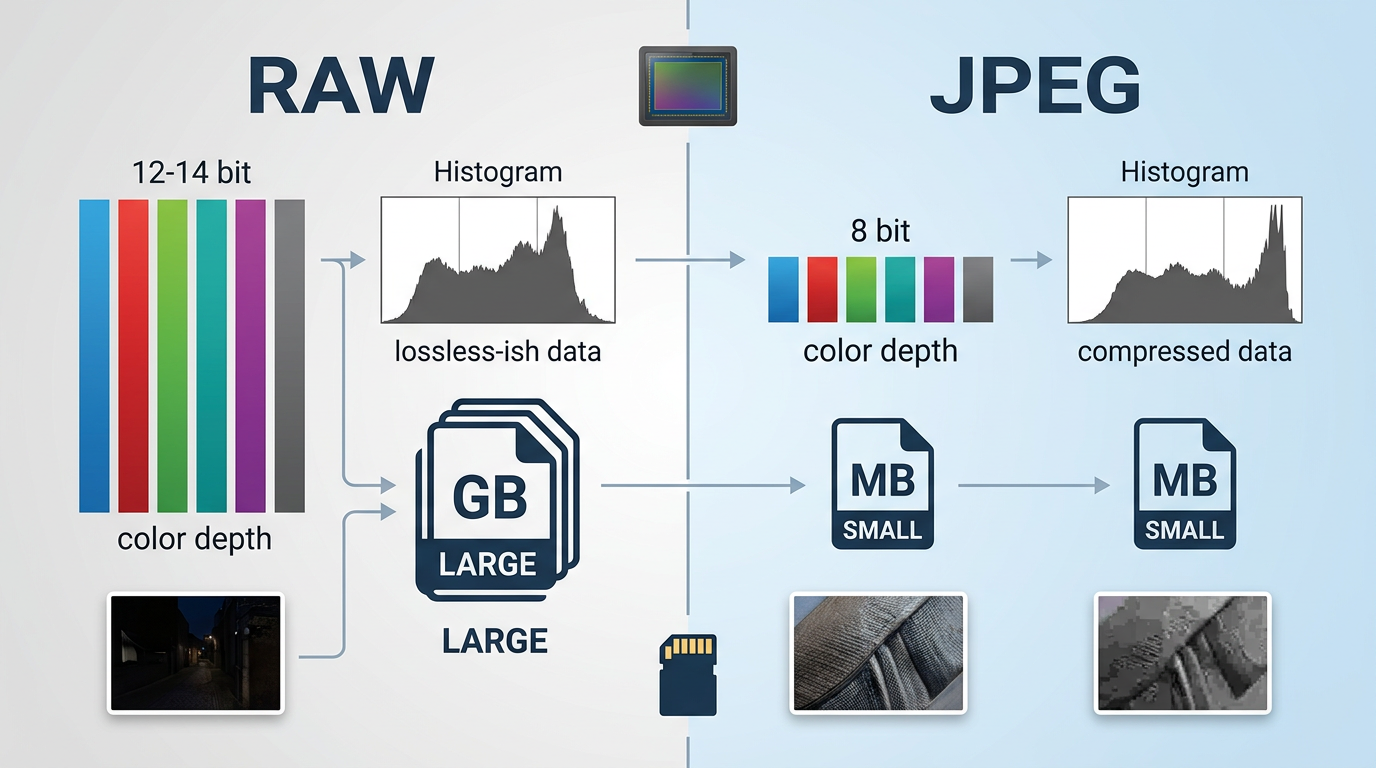
RAW vs JPEG — bit depth, file size, and what each format actually gives you
2. When to Shoot RAW for Event Photography
RAW is the right choice whenever image quality and post-processing flexibility are essential.
Handling Tough Lighting
Events are almost never perfectly lit. RAW files give you the room to correct:
- Mixed lighting — tungsten chandeliers, LED uplights, and open windows all in one frame
- Low-light ceremonies — candle-lit venues, dim reception halls, evening outdoor events
- High-contrast scenes — bright outdoor ceremonies with deep shadows, or stage lighting against dark backgrounds
The ability to recover blown highlights and lift shadow detail without quality loss makes RAW indispensable in these situations.
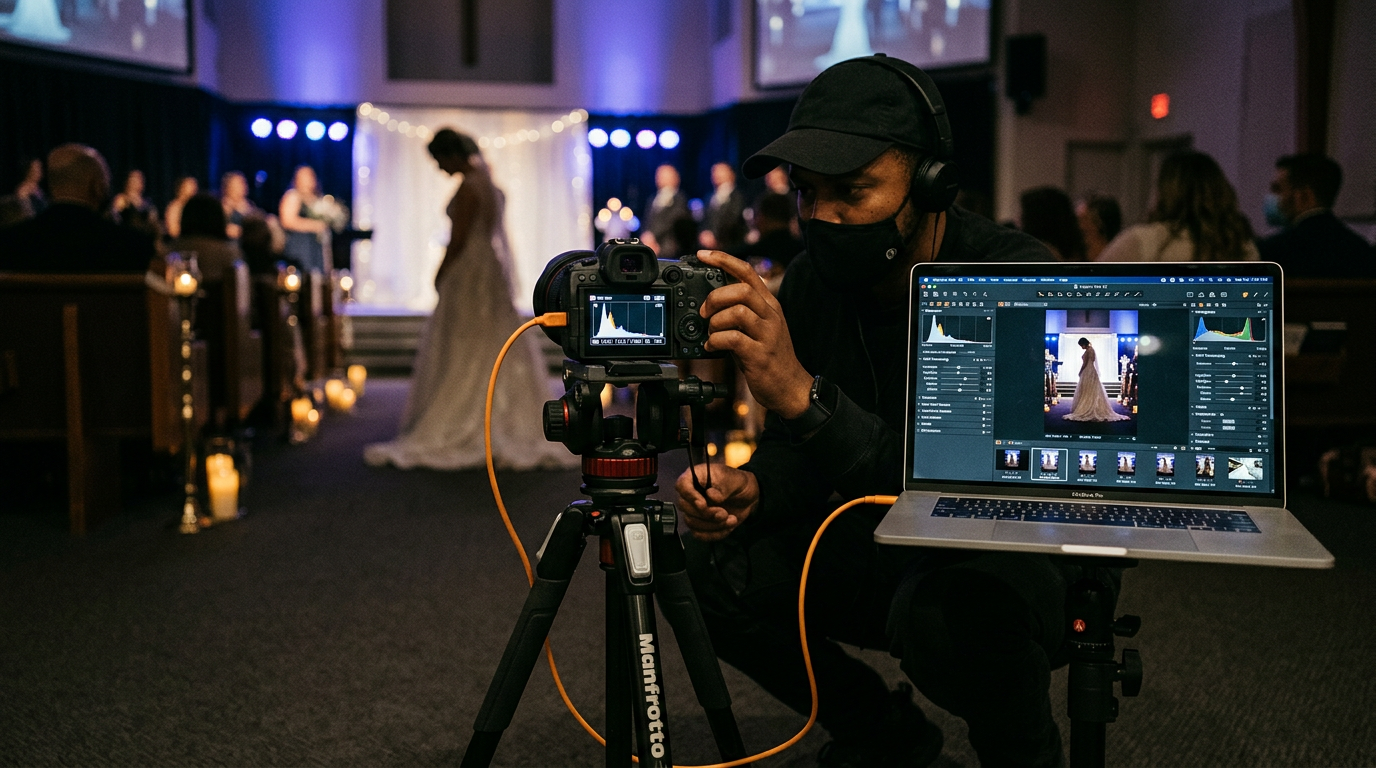
Mixed lighting situations — where RAW's dynamic range headroom makes the difference
Delivery Speed With RAW
Despite the common assumption, RAW does not have to mean slow delivery. With batch editing tools like Lightroom or Capture One, experienced photographers regularly deliver:
- Same-day highlight galleries from RAW files
- Full event galleries within 48–72 hours
An efficient culling and editing workflow — combined with platforms like Foto Owl AI that automate the delivery side after upload — means RAW quality no longer has to come at the cost of client turnaround time.
3. When to Shoot JPEG for Event Photography
JPEG is the right format when speed and immediate sharing take priority over editing flexibility.
- Corporate events with controlled, consistent lighting — when the scene is well-lit and predictable, in-camera processing produces reliable results without post-editing
- Social media fast delivery — smaller files upload faster and can be shared directly from the camera or phone
- High-volume trade shows or conferences — events where editing every frame individually is not practical and clients need visuals within the hour
JPEG also improves the client experience by enabling instant previews, reducing upload times, and making it simpler to share directly through platforms that support quick-share workflows.
4. RAW + HEIF: The Smart Hybrid in 2026
The most significant development for event photographers in 2026 is the RAW + HEIF hybrid workflow — a practical middle ground that combines RAW's quality with HEIF's modern compression efficiency.
HEIF files are approximately half the size of equivalent JPEGs, but offer better colour depth, more detail retention, and wider dynamic range than standard 8-bit JPEG. This lets you capture RAW files for your archive and high-quality editing, while simultaneously producing HEIF files for fast client delivery and previews — without sacrificing either quality or speed.
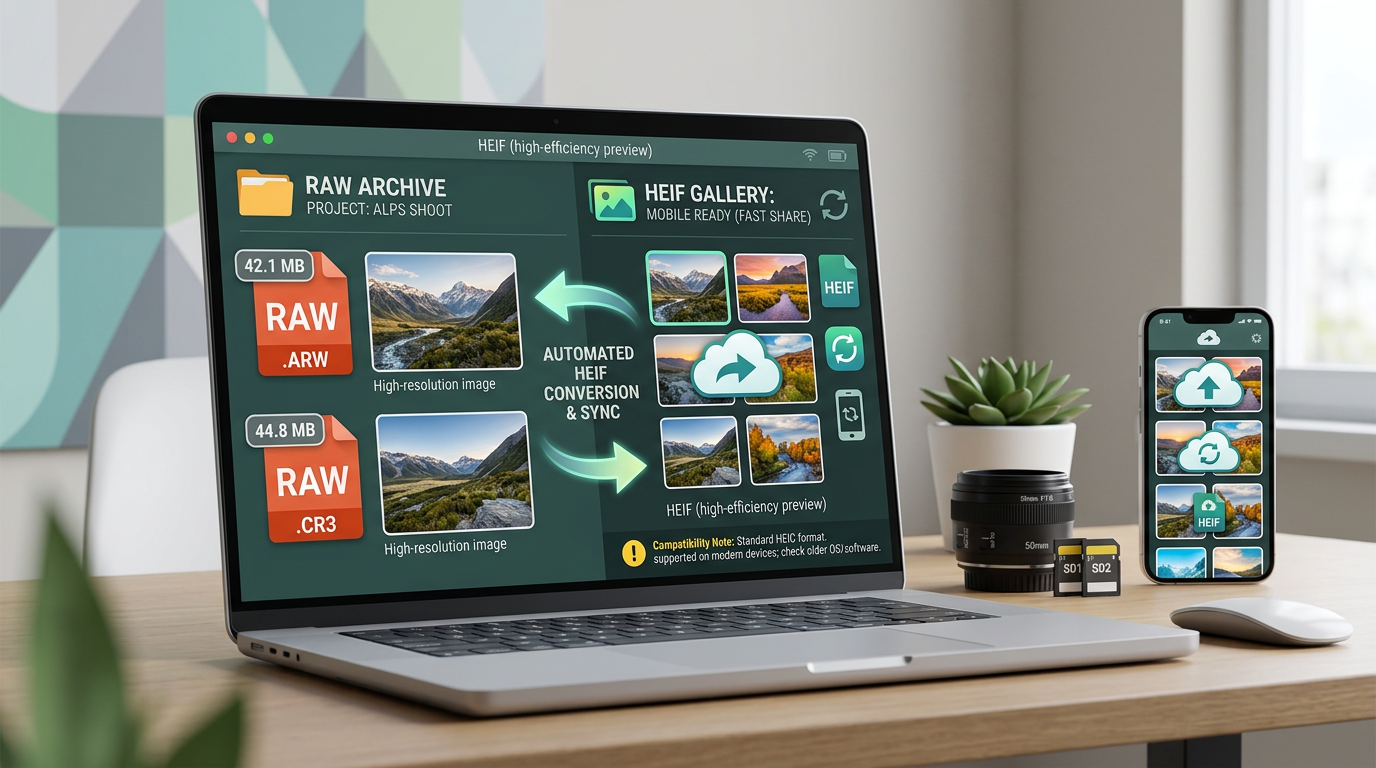
RAW + HEIF: archive-quality files and fast client delivery, running in parallel
HEIF compatibility is now well-established in Apple Photos, Adobe Lightroom, and Capture One. It remains limited in some older or browser-based tools, so confirm your delivery pipeline supports it before committing to HEIF as your primary client format.
For photographers using Beam to upload directly from camera to cloud during live events, the RAW + HEIF approach fits naturally — Beam handles the upload in real time while your delivery format handles the client-facing output.
5. Pros and Cons of RAW vs JPEG
| Factor | RAW | JPEG | Verdict |
|---|---|---|---|
| Image Quality | Excellent | Good | RAW ✅ |
| File Size | 25–50 MB | 5–12 MB | JPEG ✅ |
| Editing Flexibility | Maximum | Limited | RAW ✅ |
| Delivery Speed | Slower | Faster | JPEG ✅ |
| Storage Needs | High | Low | JPEG ✅ |
| Colour Depth | 12–14 bit | 8 bit | RAW ✅ |
| Client Previews | Requires processing | Instant | JPEG ✅ |
| Professional Output | Superior | Adequate | RAW ✅ |
6. Editing and Workflow Tips
The format you shoot in shapes your entire post-event workflow — not just image quality.
Shooting RAW means more post-processing, but it grants wider creative control. You can recover exposure across a full range of stops, adjust white balance non-destructively, and correct colour casts from venue lighting long after the event. For a 600-guest Indian wedding where the light shifts from golden-hour portraits to a dim indoor reception, that flexibility is not optional — it is essential.
JPEG works well with faster, simpler workflows. If you shoot tethered or use in-camera picture profiles precisely tuned to your venue, JPEG's in-camera processing can match your expected output with minimal desktop editing.
Hybrid workflows — RAW + JPEG or RAW + HEIF — give you both. Shoot RAW for the archive and quality baseline, and let the JPEG or HEIF copy handle the immediate client-share workflow. Most modern mirrorless cameras support dual-format capture natively.
A single test shoot — one full event in RAW + JPEG dual capture — is usually enough to determine which workflow fits your editing style and delivery commitments before you fully commit.
7. What Pro Photographers Prefer
Format preferences among professional photographers follow clear patterns based on event type, lighting conditions, and delivery expectations.
Wedding photographers predominantly favour RAW for its quality ceiling and editing flexibility. The majority of full-time wedding photographers in India and internationally shoot RAW or RAW + JPEG dual capture, particularly for premium bookings where clients expect gallery-quality output and are willing to wait 5–7 days for the full edit.
Corporate photographers lean toward JPEG or dual-format shooting, driven by time pressure and the predictability of well-lit conference and boardroom environments. Corporate clients often need usable images on the same day — sometimes within the hour — making JPEG's instant readiness a practical advantage.
Sports photographers frequently choose JPEG for faster buffer clearing, which allows higher continuous burst rates without the camera slowing down mid-action. For track events, marathons, and tournaments where capturing the decisive moment matters more than maximum post-processing flexibility, JPEG's speed advantage is real. Premium sports editorial work, however, typically requires RAW for licensing-quality output.
Your format choice should follow your event type, your lighting conditions, your editing capacity, and what your clients actually need from you.
8. How to Choose the Right Format
Consider the event type first. Complex, unpredictable, or emotionally high-stakes lighting situations — weddings, evening galas, awards ceremonies — favour RAW. Consistent studio-style or well-lit environments — product launches, conference stages, outdoor daytime events — are well-suited to JPEG or dual capture.
Match your format to your delivery commitment. If your client expects immediate access or social-ready photos on the same day, JPEG or a RAW + HEIF hybrid is the practical choice. If you have a standard 5–7 day turnaround and clients value premium image quality, RAW is the right call.
Assess your storage and editing bandwidth honestly. RAW produces significantly larger files that demand more from hard drives, backup systems, and editing time. If your workflow cannot absorb that volume consistently, a structured JPEG or hybrid approach will produce better real-world results than a RAW workflow you cannot sustain.
Avoid These Mistakes
The most common format-related mistakes event photographers make:
Shooting only JPEG for a 600-guest wedding in mixed lighting, then finding there is no recovery headroom when the venue LED shifts colour temperature mid-reception. Always shoot RAW when lighting is unpredictable.
Defaulting to RAW for every corporate assignment regardless of deadline, then struggling to deliver on time. When your client needs usable images in two hours, your format choice has to reflect that reality.
Overlooking dual-format capture as a practical middle ground. Most cameras support RAW + JPEG simultaneously — use it on high-stakes events until you know which format your workflow handles better.
Underestimating storage demands when shifting to RAW-heavy workflows. Factor in backup drives, cloud redundancy, and archive costs before committing. A 300-event year in RAW requires a fundamentally different infrastructure than the same year in JPEG.
Deliver photos before guests leave the venue
Foto Owl AI's AI face recognition and automated delivery works with any file format — RAW exports or JPEG straight from camera. Join 200,000+ photographers already on the platform.
Start Free Trial10,000 photos per year · No credit card required
9. Frequently Asked Questions
Do professionals shoot RAW or JPEG? Most professional event photographers shoot RAW or use dual RAW + JPEG capture. The RAW file serves as the quality archive and editing master; the JPEG handles fast previews and same-day delivery when needed. Format choice ultimately depends on event type, lighting conditions, and delivery commitments.
Why choose RAW over JPEG? RAW offers higher image quality, superior editing flexibility, and significantly better highlight and shadow recovery. For challenging lighting — mixed indoor-outdoor, candlelit venues, stage lighting — RAW's extra headroom often means the difference between a usable and an unusable frame.
How do I decide between RAW and JPEG? Match your format to the event's lighting conditions, your agreed delivery timeline, your editing capacity, and your client's expectations. A useful rule: if the lighting is unpredictable or the event is premium, shoot RAW. If you need same-day delivery and lighting is controlled, JPEG or a hybrid is the smarter choice.
Can I shoot RAW and JPEG at the same time? Yes — most modern mirrorless and DSLR cameras support simultaneous RAW + JPEG capture to dual memory card slots. The RAW file goes to your archive and editing workflow; the JPEG gives you an instant preview and fast-share copy. Storage needs effectively double, so plan accordingly.
Does shooting RAW slow down my event photography workflow? It can, if your workflow is not optimised. Larger files take longer to ingest, cull, and export. However, with batch editing presets in Lightroom or Capture One, and AI-powered delivery platforms handling the client-facing side after export, most photographers find RAW workflows add 30–60 minutes to their post-event routine rather than hours.
Can I share RAW files directly with clients? Not practically. RAW files require specialist software to open and are typically 5–10 times larger than JPEGs. Export to JPEG, HEIF, or TIFF before client delivery. Platforms like Foto Owl AI's Creator Pass give you 10,000 free photos per year for online gallery delivery — simply export your edited files in the format your client needs and upload.
10. Conclusion
RAW vs JPEG for event photography is not a single correct answer — it is a decision that should follow your event type, your lighting reality, your delivery commitment, and your editing workflow. RAW wins on quality and flexibility. JPEG wins on speed and simplicity. The RAW + HEIF hybrid in 2026 is making it increasingly practical to get both.
The most successful event photographers treat format choice as part of their professional toolkit — not a one-time decision, but a deliberate call made for each event based on what that specific client and assignment actually demands.
Start with a single dual-format test event, compare your results, and let your own workflow data guide the decision from there.
Have questions about RAW vs JPEG workflows for your specific photography niche? Drop them in the comments below — we'd love to help you find the right fit.