
Organising 1,000+ Event Photos: Tips for Photographers

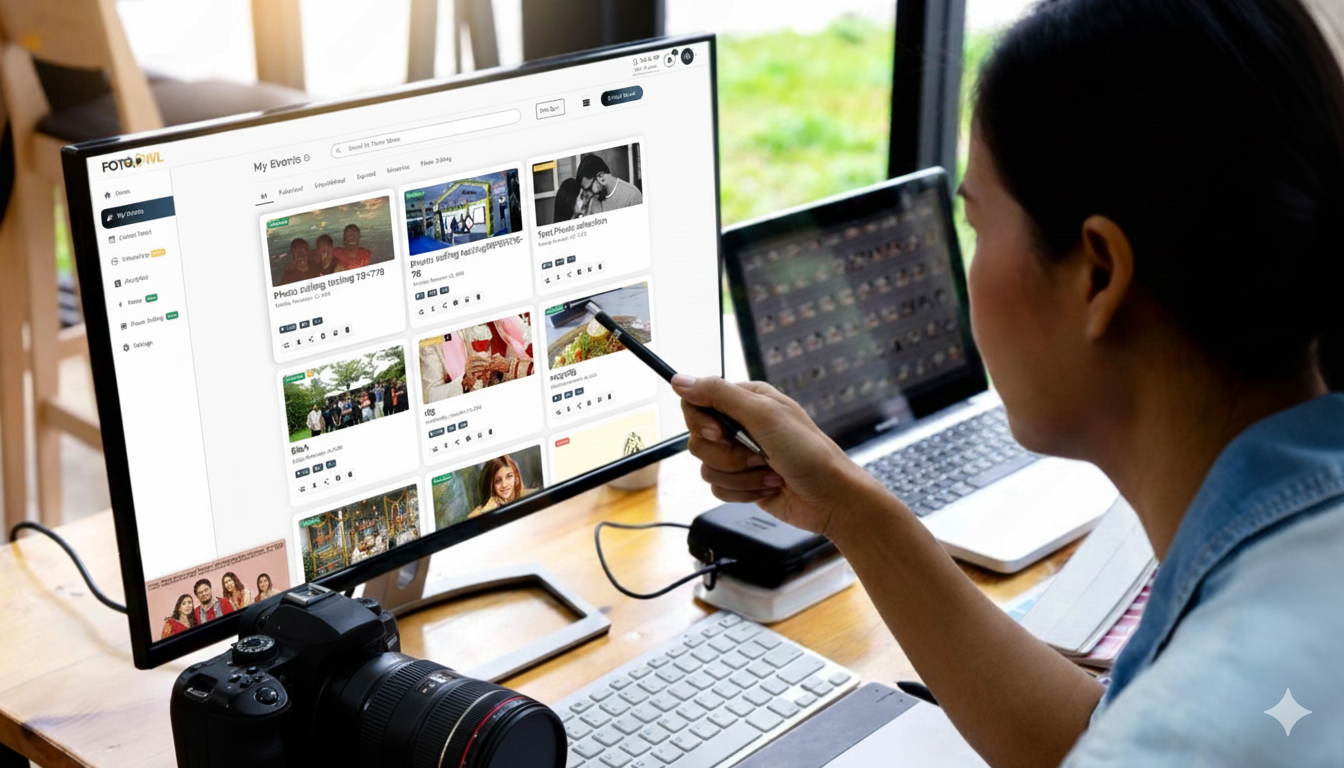
Managing over 1,000 event photos can feel overwhelming, especially when fast delivery and professional workflow are crucial. An organised system not only saves time but ensures accurate selection, smoother editing, and a superior client experience.
Whether you're shooting a wedding, corporate event, or festival, a powerful organisation strategy helps avoid chaos and ensures no special moment gets overlooked.
This guide walks photographers through effective steps, practical tools, and AI-powered solutions like FotoOwl.ai to streamline photo organisation and enhance productivity.
Step-by-Step Process to Organise Large Event Photo Sets
Handling thousands of photos becomes much easier when you follow a structured workflow:
1. Move All Event Photos Immediately After the Shoot
Transfer images to a dedicated storage device.
Never mix photos from different events in one folder.
2. Perform a Fast Culling Session
Use a quick viewer to delete:
- Duplicates
- Blurry shots
- Accidental clicks
- Off-angle or incorrectly exposed frames
This reduces your total workload early.
3. Use AI Tools Like FotoOwl.ai
FotoOwl offers:
- Automated face recognition
- Auto-tagging
- Grouping by people, events, and locations
AI removes hours of manual sorting work.
4. Create an Event-Based Folder Structure
Recommended structure:
2025_11_17_Wedding_Sharma/
• Ceremony
• Reception
• Candid
• Portraits
This helps with faster navigation.
5. Use Standardised File Naming
Example:
WeddingSharma_20251117_003.jpg
Rules:
- No spaces
- Use consistent formats
- Include event + date + sequence
- Add venue/client name if needed
6. Maintain a Log Document
Track:
- Culling progress
- Editing status
- Export batches
- Delivery confirmation
This avoids confusion during busy seasons.
7. Use Batch Editing
Editing in bulk:
- Saves huge time
- Ensures consistent tones
- Keeps your style uniform
8. Back Up Your Photos
Use:
- Cloud storage
- External SSD/HDD
- FotoOwl.ai cloud galleries for instant access

Following these steps ensures you handle large-volume event shoots effortlessly and professionally.
Recommended Tools and Software for Photo Management
The right tools dramatically improve workflow. Here are the top options:
1. FotoOwl.ai (Highly Recommended)
- AI face recognition
- Auto-tagging & auto culling
- Personalised galleries
- Duplicate detection
- Direct camera FTP uploads
- Branded gallery sharing
- Built-in watermarking
- Download-limit controls
- AI moment detection + engagement analytics
Designed for fast-paced event photographers and large galleries.
2. Adobe Lightroom Classic
- Professional cataloging
- Metadata tagging
- Powerful editing
- Photoshop integration
- Ideal for photographers managing multiple events
3. Google Photos
- Easy cloud backup
- Face recognition
- Smart search
- Good for smaller events or mobile shooters
4. ACDSee Photo Studio
- Batch editing
- Facial recognition
- Custom folders
- Great for large collections
5. Capture One
- High-end RAW processing
- Tethered shooting
- Pro-level organisation
- Advanced color grading
Other Notable Tools:
- Luminar Neo AI
- Excire Foto 2025 (AI keywording + face search)
FotoOwl remains the go-to for event photographers due to its automation, tagging, and smart galleries.
Naming, Tagging and Folder Structure Tips
Folder Structure
Tips:
- No spaces
- Use underscores or hyphens
- Keep it short and descriptive
Tagging Tips
Tag with:
- Event type
- Location
- Venue
- Key people (bride, groom, guests)
- Mood (candid, portraits, decor)
Use FotoOwl.ai for automatic AI-powered keyword tagging.
Consistency is crucial for fast search and retrieval.
Common Mistakes to Avoid
Avoid these workflow damaging errors:
- Delaying transfers → leads to misplaced files
- Inconsistent naming → hard to search
- No backups → permanent loss
- Overloaded folders → difficult navigation
- Not using AI tools → more manual work
- Skipping culling → slower editing + delivery delays
Avoiding these mistakes ensures faster workflows and better client satisfaction.
Long Term Maintenance and Backup Strategy
Follow the 3-2-1 backup rule:
- 3 copies of every file
- 2 different storage types
- 1 offsite/cloud backup
Combine:
- External drives
- NAS systems
- FotoOwl.ai or Google Drive cloud storage
Also:
- Check backups regularly
- Update metadata
- Refresh drives every 3–5 years
A solid backup strategy protects against:
- Theft
- Drive failure
- Natural disasters
- Accidental deletion
Conclusion
Organising 1,000+ event photos doesn’t have to be complicated. With a structured workflow, smart naming, effective culling, and powerful AI tools like FotoOwl.ai, you can transform your workflow and deliver outstanding client experiences.
FotoOwl’s:
- AI face recognition
- Auto-tagging
- Smart galleries
- Branded sharing
…make it the ideal solution for high-volume event photographers.
Which option will you try? Start your workflow transformation today with FotoOwl.ai.