
Create Interactive Live Photo Walls and Real-Time Slideshows for Your Event in 2026


Guests scan QR codes to add their photos to a live photo wall in real time.
Quick Answer
Live photo walls and real-time slideshows display guest photos on a big screen as they are captured, turning any event into a shared, interactive experience. To set one up, pick a platform that supports QR-code uploads, brand your display, test your network, and go live. Pair it with an AI-powered delivery tool so guests also receive their own photos after the event.
In This Article:
- What Are Live Photo Walls and Real-Time Slideshows?
- Top Tools to Create Them in 2026
- Step-by-Step Setup Guide
- Why Use Live Photo Walls? Key Benefits
- How to Engage Guests
- Troubleshooting Tips
- Equipment Suggestions
- Frequently Asked Questions
Interactive event experiences are transforming how attendees connect and share memories. In 2026, live photo walls and real-time slideshows have become must-have features that energize any event by showcasing guest photos in dynamic, engaging ways. This guide walks you through everything you need to bring this technology to your next event — from understanding the core concepts to choosing the right tools and setting them up for success.
What Are Live Photo Walls and Real-Time Slideshows?
Simply put, these are digital displays that collect photos from attendees and show them almost instantly.
- Live photo walls display photos in a grid or mosaic, often branded with your logo or event colors. The wall updates continuously as new photos come in.
- Real-time slideshows present photos one after another with smooth transitions, giving a cinematic feel of your event's moments as they happen.
Both formats update live and can include interactive elements like clickable photos, social sharing, and moderation controls. As a rule of thumb, a mosaic wall works best when you want to celebrate the crowd and keep many faces on screen at once, while a slideshow suits moments you want to savor one at a time — speeches, first dances, or award reveals.
You will find these setups at:
- Corporate events, conferences, and trade shows
- Weddings, festivals, and social celebrations
- Hybrid and fully virtual events
Their growing popularity comes from a simple payoff: when guests see themselves on the big screen, they take more photos and share more online. Organizers frequently report a noticeable jump in social sharing once a live wall is in play, which extends the event's reach well beyond the room.
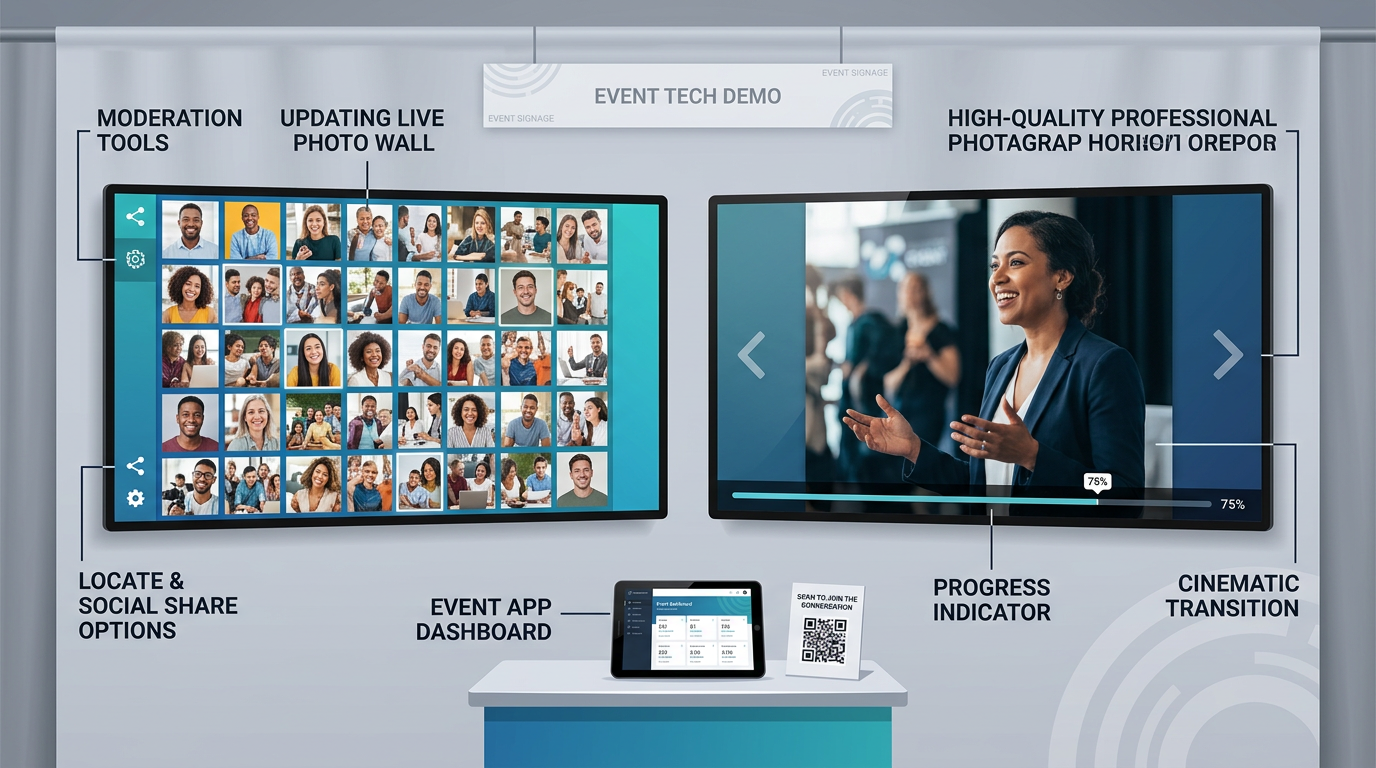
Two formats, one goal — a mosaic photo wall versus a cinematic real-time slideshow.
Top Tools to Create Live Photo Walls and Slideshows in 2026
To create an impactful live photo experience, choose software with these essentials:
- An intuitive interface that guests and organizers can navigate easily
- Customizable layouts, branding, and moderation controls
- Seamless social media integration and analytics
- Real-time photo uploads and instant display updates
- QR code support for hassle-free mobile submissions
Recommended Platforms at a Glance
| Platform | Best For | Highlights | Pricing Tier |
|---|---|---|---|
| SocialWalls | Large corporate events | AI moderation, multi-platform integration | Premium |
| LiveWall | Weddings, social events | Polished templates, easy setup | Mid-range |
| Snapbar | Trade shows | High-res support, detailed analytics | Premium |
| FotoMaster | Budget-friendly setups | Solid core functionality | Budget |
| SlidesWith | Interactive presentations | Collaborative features | Subscription |
Pricing tiers are indicative only. Feature sets and rates change often, so confirm current details directly with each provider before booking.
When you compare options, match the tool to the moment: enterprise-grade platforms shine at large gatherings with heavy content filtering, while template-driven tools are perfect for visually rich weddings.
Don't Forget Photo Delivery After the Event
A photo wall is great for the room, but guests also want their own pictures afterward. This is where an AI-powered platform like Foto Owl AI complements your display: guests upload via QR code, face recognition automatically sorts every photo to the right person, and personalized galleries are delivered straight to each guest on WhatsApp. The live wall creates the buzz in the moment; automated delivery keeps that energy going long after the lights come up.
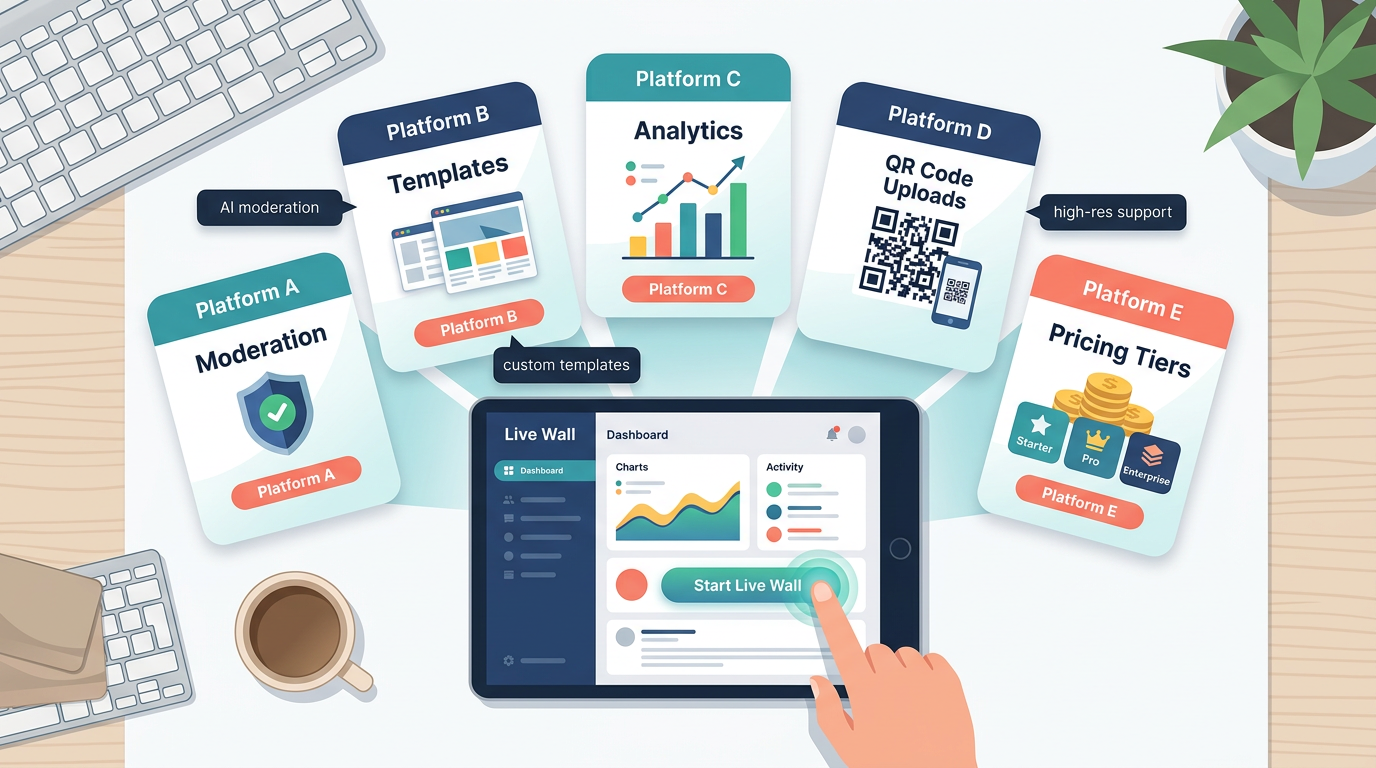
Look for moderation, branding, analytics, and QR support when comparing platforms.
Why QR Codes Are Game-Changers for Photo Submission
QR codes remove friction and speed up sharing, letting attendees simply scan and upload photos without apps or complicated steps.
Key benefits of QR code integration:
- No app downloads — guests just use their phone camera
- Works on any smartphone, iOS or Android
- Instant uploads with minimal fuss
- Easier management and far higher participation
Place QR codes prominently around your venue with simple, friendly instructions to maximize uptake.
Matching Software to Your Event Type
- Corporate events: Prioritize moderation, analytics, and rock-solid platform reliability.
- Social celebrations: Focus on visuals, fun templates, and ease of use.
- Virtual or hybrid: Choose cloud-based tools with strong streaming and cross-device compatibility.
Step-by-Step: Setting Up Your Interactive Photo Experience
Setting up a live photo experience breaks down into three clear phases, from early planning to the moment you go live.
- 1
Plan and choose your platform
- 2
Set up screens and branding
- 3
Test network and QR codes
- 4
Go live and engage guests
1. Plan Ahead (2-4 Weeks Out)
- Define your goals: social buzz, attendee engagement, or content capture
- Choose the right platform and test free trials
- Develop hashtags and photo prompts for social media
2. Technical Prep (1-2 Weeks Out)
- Set up screens or projectors and test all connections
- Customize your photo wall branding and moderation rules
- Confirm Wi-Fi and network strength for smooth uploads
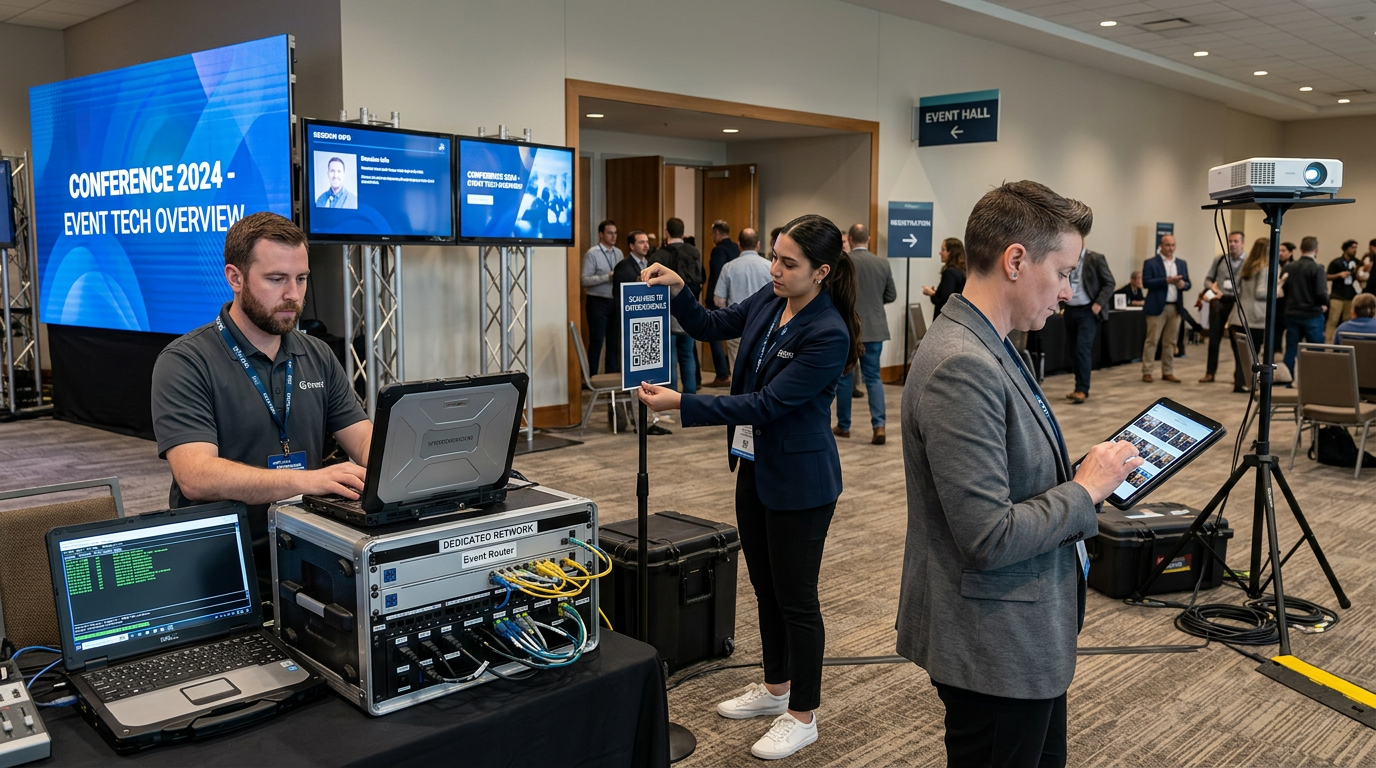
A solid display, network, and moderation setup keeps uploads flowing smoothly.
3. Event Day Execution
- Brief your team on troubleshooting and guest support
- Monitor real-time submissions and adjust display settings as needed
- Engage guests and announce any contests or incentives
Optimizing Your Slideshow
- Set slideshow speed to 3-5 seconds per photo for small events, 2-3 seconds for larger crowds
- Use clean transitions like fades or slides
- Loop photos every 5-10 minutes so new images stay fresh
- Include branding subtly but visibly
Why Use Live Photo Walls? The Benefits at a Glance
- Boost engagement: Attendees love seeing themselves featured live, which keeps them present and participating throughout the event.
- Increase social sharing: Real-time images spark a buzz online and turn guests into organic promoters of your event.
- Promote your brand: A consistent logo and hashtag stay visible on every screen, reinforcing your identity all night.
- Collect valuable data: Track participation and analyze engagement trends to plan smarter events next time.
Engaging Guests With Your Photo Wall
- Use clear signage and approachable instructions
- Encourage staff and early attendees to submit the first photos
- Offer incentives like prizes, social shout-outs, or badges
- Run photo contests or themed challenges
- Use live commentary to keep energy high
Above all, make sure your upload pages are mobile-friendly so guests have a smooth, frustration-free experience from the very first scan.
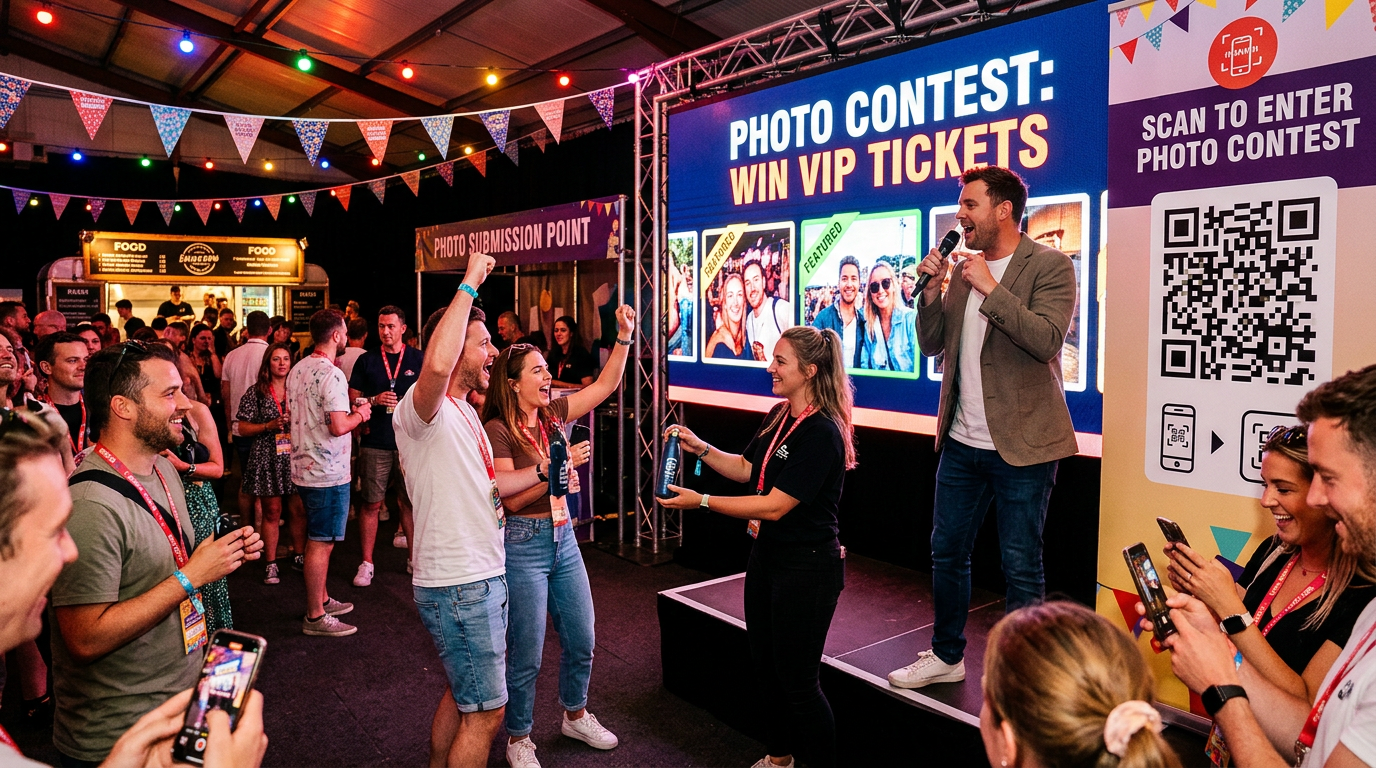
Clear QR signage and small incentives drive guest participation.
Troubleshooting Tips
- Prepare for Wi-Fi strain by setting up a dedicated, high-bandwidth network
- Test QR codes in real venue lighting and adjust placement
- Keep backup hardware ready for displays and projectors
- Set content moderation policies so you can quickly handle inappropriate submissions
- If participation lags, increase incentives or simplify the submission flow
Equipment Suggestions
- LED video walls: Ideal for large venues, offering crisp 4K displays
- Projectors: Great for medium-sized rooms; prioritize brightness
- Large monitors: Best for intimate settings and flexible setups
- Network gear: Always pair your display with enterprise-grade Wi-Fi and a backup internet connection
Frequently Asked Questions
What is a live photo wall? A live photo wall is a digital display that collects photos from event guests — usually via a QR code — and shows them on a big screen in a grid or mosaic that updates in real time as new images arrive.
How do guests upload photos to the wall? In most setups, guests scan a QR code with their phone camera, which opens a mobile upload page. They select a photo, and it appears on the wall within seconds. No app download is required.
How is a real-time slideshow different from a photo wall? A slideshow shows photos one at a time with cinematic transitions, while a photo wall displays many photos at once in a grid. Many platforms let you switch between or combine both formats.
Do guests still get their own photos after the event? Only if you pair the wall with a delivery tool. Platforms like Foto Owl AI use face recognition to sort photos by guest and send personalized galleries on WhatsApp after the event.
What internet setup do I need? A dedicated, high-bandwidth Wi-Fi network is strongly recommended, with a backup connection. Shared venue Wi-Fi often struggles once dozens of guests start uploading at once.
Deliver every guest their own photos, automatically
A live wall lights up the room. Foto Owl AI keeps the magic going — QR uploads, AI face recognition, and instant WhatsApp galleries for every guest after the event.
Start Free Trial10,000 photos per year · No credit card required
Conclusion
Interactive live photo walls and real-time slideshows bring your event to life in 2026. Planned well and paired with the right technology, they create unforgettable shared experiences that extend your event's impact far beyond the day itself.
Whether you are running a corporate conference, a wedding, or a virtual gathering, the formula is the same: choose a platform that fits your event type, lean on QR codes to remove friction, test your network early, and give guests a reason to participate. Add an automated, AI-powered delivery layer on top, and every attendee walks away with their own memories — not just a glimpse of the wall.
Planning a live photo wall for your next event? Drop your questions in the comments below — we would love to help you build an experience your guests will talk about for years.