
Best AI Tools for Content Creators in 2026

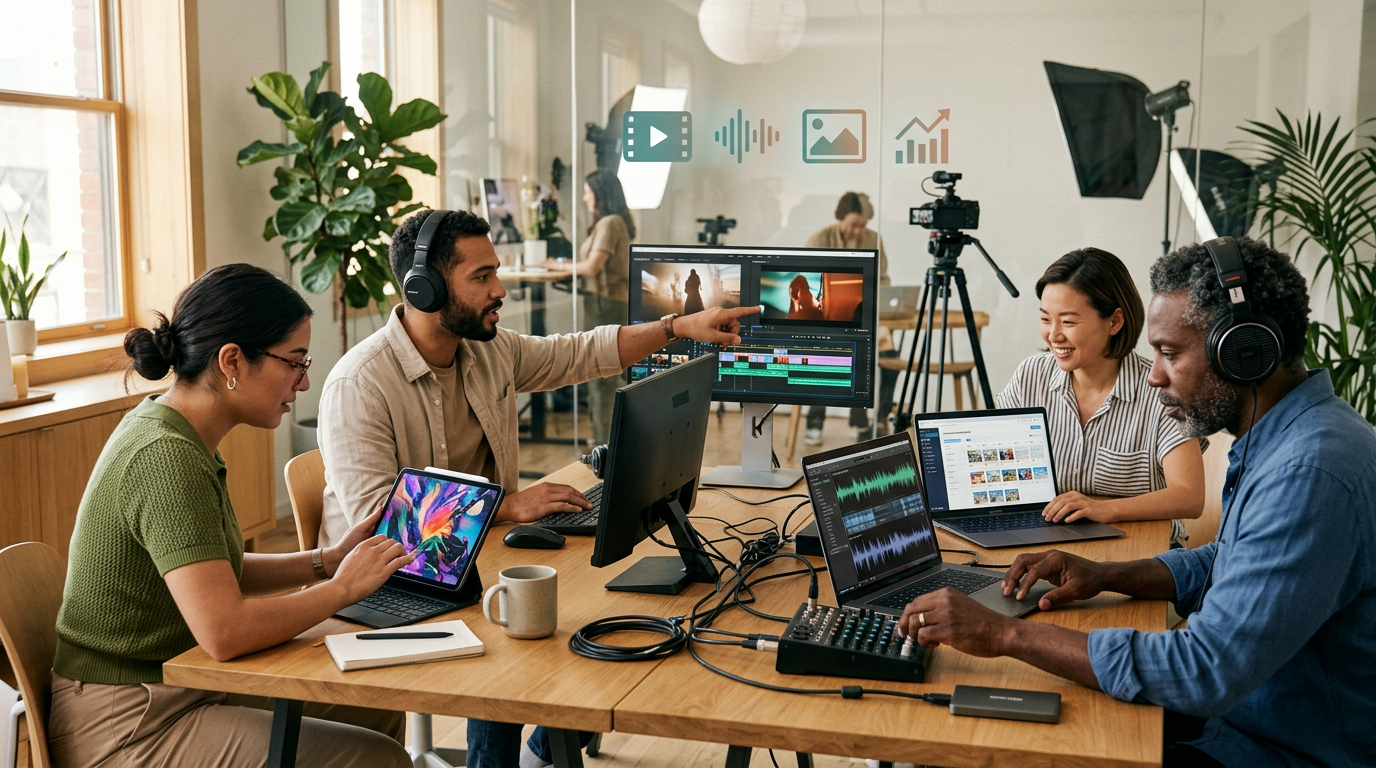
The 2026 AI creator toolkit spans video, image, audio, and automation — choosing the right mix is what separates efficient workflows from overwhelmed ones.
The AI content creation landscape in 2026 is packed with powerful tools — but most roundups just list names without helping you choose. This guide compares what actually matters: output quality, pricing, integration, and who each tool is really built for.
Quick Answer
The best AI tools for content creators in 2026 depend on your primary format. For video, Sora and Veo lead the pack. For images, Midjourney and DALL·E remain the strongest options. ElevenLabs dominates AI audio, and Zapier handles workflow automation. Match the tool to your content type, budget, and existing software stack — and test before committing.
In This Article:
- What Are AI Content Creation Tools?
- Who Uses These Tools — And How?
- Top AI Video Creation Platforms
- Best AI Image Creation Tools
- Leading AI Audio Tools
- Workflow Automation Platforms
- Pricing Overview
- How to Choose the Right AI Tools
- Frequently Asked Questions
- Conclusion
The best AI tools for content creators in 2026 have moved well past the novelty stage. What used to require a full production team — scripting, shooting, editing, voiceover, scheduling — can now be handled by a single creator armed with the right stack. But that's precisely the problem: there are too many tools, and most comparison lists just skim the surface.
This guide cuts through the noise. We cover the leading platforms across video, image, audio, and automation — with honest assessments of pricing, output quality, and who each tool is genuinely built for. No hype, no affiliate padding, just a practical framework for choosing what fits your workflow.
1. What Are AI Content Creation Tools?
AI content creation tools use artificial intelligence to help you generate, enhance, or automate various types of content. In 2026, these platforms go far beyond simple text generation — they now handle video, images, audio, and cross-platform workflow automation with increasing sophistication.
Here's how they generally break down: AI video creation platforms let you generate, edit, and polish video content with minimal manual effort. AI image generation tools create custom visuals from text prompts. AI audio solutions produce voiceovers, podcasts, music, and sound effects with near-human quality. Content automation platforms handle scheduling, posting, and tool-to-tool integration.
The biggest shift this year is cross-format support. Most leading platforms now handle multiple content types and offer robust API access, making it possible to build end-to-end production pipelines that drastically cut turnaround time while keeping output professional.
2. Who Uses These Tools — And How?
Freelancers use AI to compete with larger teams. A solo video editor, for example, can use AI-assisted drafting to cut project turnaround significantly — freeing time to take on more clients rather than grinding through repetitive edits.
Marketing teams scale content production across channels by combining AI video tools with automation platforms, turning out dozens of assets weekly that previously required much larger headcount.
Agencies expand service offerings without proportional staff increases by leaning on AI for video, audio, and graphic production — serving more clients without sacrificing quality.
Solo entrepreneurs create professional videos, images, and audio without outsourcing, keeping thousands in monthly costs in-house.
The key in 2026 is strategic AI integration — using AI to amplify human creativity, not replace it. The creators seeing the best results treat these tools as collaborators, not autopilots.
3. Top AI Video Creation Platforms
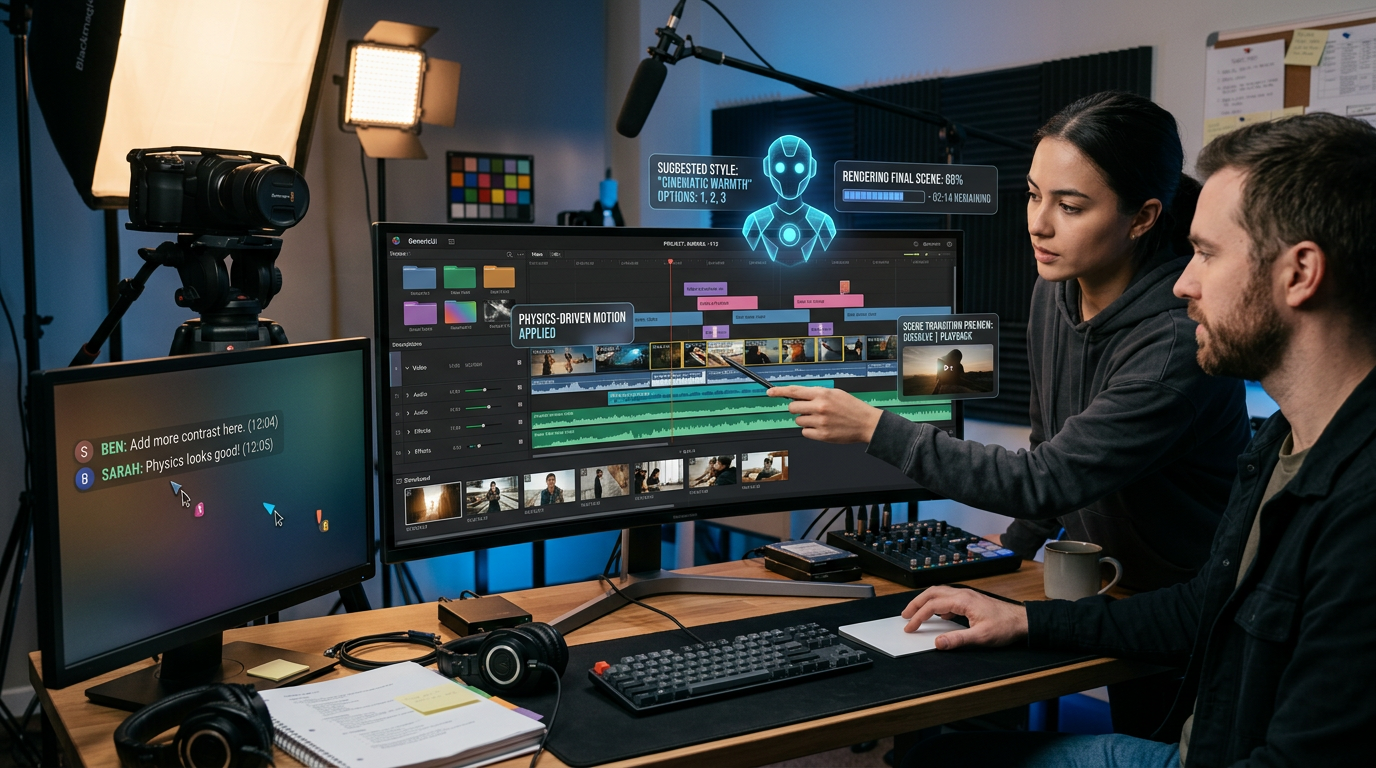
AI video platforms now handle multi-scene editing, motion graphics, and collaborative workflows — all from a single interface.
Sora
What it does: Converts text prompts into high-quality videos featuring realistic scene dynamics and physics. Multi-scene storytelling support makes it particularly strong for promotional and concept content.
Pricing: Plans start around $89/month for 100 video minutes (verify current pricing — plans may have shifted since early 2026).
Why it stands out: Cinema-quality output with the most convincing physics simulation in the market. Ideal for brand content, product demos, and creative concept work.
Considerations: Limited post-generation editing capabilities. High computational requirements mean rendering can be slow during peak hours. Some creators report a waitlist for new accounts.
Veo
What it does: Offers real-time collaborative video editing with AI-powered motion graphics, auto-subtitling, and team-based workflow tools.
Pricing: Ranges from approximately $45/month for individuals to $199–$299/month for agency-tier plans.
Why it stands out: Purpose-built for teams. If your workflow involves multiple editors, reviewers, or client stakeholders, Veo's collaboration layer is genuinely useful — not just a bolt-on feature.
Considerations: Steeper learning curve than Sora, and performance depends heavily on stable internet. Not the best choice for solo creators with simple needs.
4. Best AI Image Creation Tools
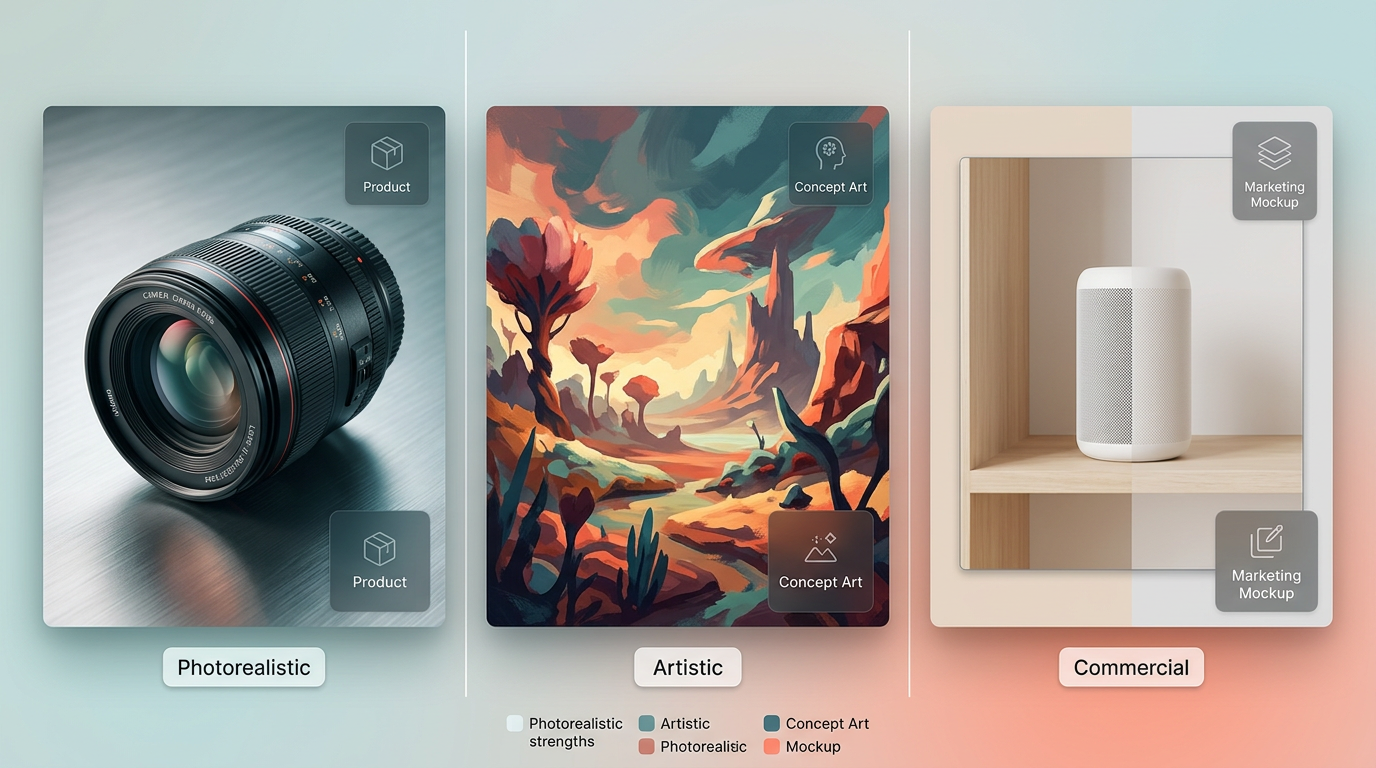
AI image tools now span photorealism, artistic concepts, and commercial design — each platform has a distinct sweet spot.
Midjourney
The go-to for artistic and conceptual visuals. Midjourney's style consistency and creative flair make it the default choice for creators who need evocative, visually distinctive imagery. Pricing sits around $30/month for the standard plan. The Discord-based workflow can feel clunky for newcomers, but a dedicated web interface has improved accessibility.
DALL·E
Excels in photorealistic images with strong prompt accuracy. Available through ChatGPT Plus, DALL·E is ideal for product shots, realistic scene generation, and situations where precision matters more than artistic flair. Pricing is bundled with the ChatGPT subscription (verify current tier pricing, as OpenAI updates plans frequently).
Adobe Firefly
Integrated directly into Adobe's Creative Cloud suite, Firefly is the strongest option for professionals who need commercial usage rights built in and want AI generation embedded in their existing Photoshop/Illustrator workflow. Pricing varies by Creative Cloud plan — standalone Firefly access starts lower, but most professional users access it through their existing CC subscription.
5. Leading AI Audio Tools
ElevenLabs
What it does: Creates lifelike voice cloning and text-to-speech across 29+ languages. The voice quality is the best in the market — convincing enough for professional podcast intros, e-learning narration, and audiobook production.
Pricing: From approximately $22/month for individual creators up to $330/month for enterprise-level API access.
Why it stands out: Voice quality, language breadth, and API support for automation pipelines. If you need scalable, natural-sounding voiceover without hiring voice talent for every project, ElevenLabs is the current standard.
Considerations: Voice cloning raises legitimate ethical questions — use responsibly. Costs scale quickly at high volume.
Other Noteworthy Audio Platforms
Soundraw generates custom, royalty-free music tailored to your content's mood and pacing — a strong fit for video creators who need background tracks without licensing headaches. Pricing starts around $19.99/month.
Descript combines audio and video editing with AI transcription and overdubbing in a single interface. At roughly $24/month, it's particularly useful for podcasters and creators who work across both audio and video formats.
6. Workflow Automation Platforms
Automation tools tie your creative stack together, handling the repetitive logistics that eat into production time.
Zapier AI connects 6,000+ apps with smart workflow suggestions. At around $29.99/month, it's the most versatile option for building custom pipelines — for example, auto-posting finished videos to multiple platforms or triggering email sequences when new content goes live.
Buffer AI handles social media scheduling with AI-optimized captions and posting times. At roughly $12/month, it's the lowest-friction option for creators focused primarily on social distribution.
Notion AI organizes content calendars and editorial workflows with built-in AI writing assistance. At approximately $10/user/month, it works best as a planning and coordination layer rather than a production tool.
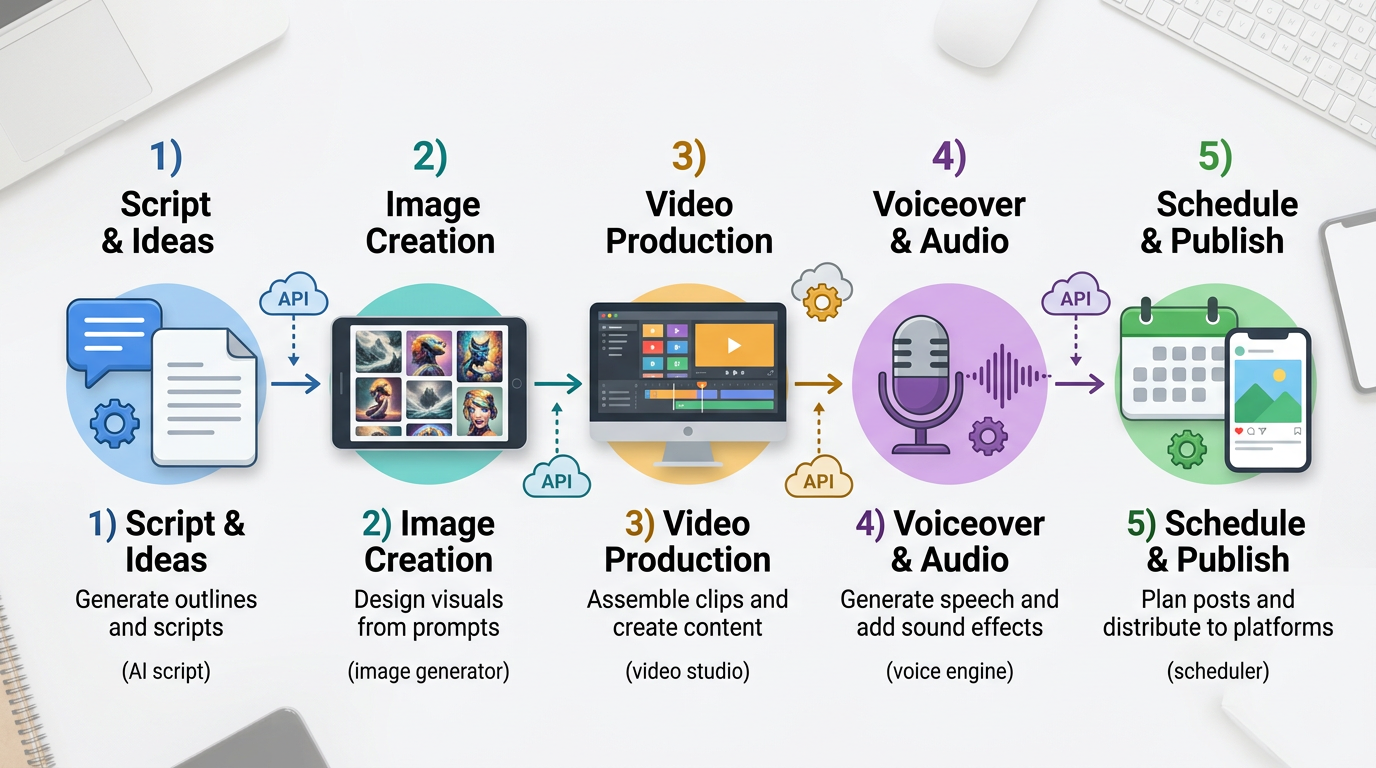
A typical AI-assisted content pipeline — each stage can be handled by a dedicated tool, connected through API integrations or automation platforms.
- 1
Generate script with AI
- 2
Create visuals in Midjourney
- 3
Produce video with Sora
- 4
Add voiceover via ElevenLabs
- 5
Schedule and post through Buffer
This kind of end-to-end pipeline is increasingly common among professional creators. Most leading AI tools now offer API access, making it possible to connect stages automatically rather than manually exporting and importing between platforms.
7. Pricing Overview
| Category | Budget Option | Professional Choice | Enterprise Solution |
|---|---|---|---|
| Video Creation | Synthesia (~$30/mo) | Sora (~$89/mo) | Veo Agency ($199–$299/mo) |
| Image Generation | Canva AI (~$15/mo) | Midjourney (~$30/mo) | Adobe Firefly (via CC subscription) |
| Audio Tools | Soundraw (~$20/mo) | ElevenLabs Pro (~$99/mo) | ElevenLabs Enterprise (~$330/mo) |
| Automation | IFTTT (~$5/mo) | Zapier Pro (~$30/mo) | Microsoft Power Automate (~$40/mo) |
Prices are approximate as of early 2026 and subject to change. Always verify current pricing on each platform's website before committing.
A few patterns worth noting: video creation tools carry the highest per-month cost, reflecting the computational intensity of video generation. Image and audio tools cluster in the $20–$30/month range for professional-tier access. Automation tools are the most affordable category but deliver disproportionate ROI by eliminating repetitive manual tasks across your entire stack.
8. How to Choose the Right AI Tools
Choosing the right tools isn't about picking the most powerful platform — it's about matching capabilities to your actual workflow. Here's a practical framework.
Start with your primary content format. Video-first creators should evaluate Sora or Veo before anything else. Image-heavy workflows benefit most from Midjourney or DALL·E. Audio-first creators — podcasters, course builders — should trial ElevenLabs or Soundraw. If you work across multiple formats, prioritize platforms with strong API support so you can connect them later.
Factor in budget and volume. Estimate your monthly content output honestly. A creator publishing two videos per week has very different needs than someone producing one per month. Compare cost-per-asset across platforms, not just the subscription price, and remember that learning curve has a real cost too.
Check integration capabilities. The most productive stacks aren't the ones with the best individual tools — they're the ones where tools connect cleanly. Prioritize platforms that integrate with your existing software through APIs, Zapier, or native connections.
Test before you commit. Nearly every platform listed here offers a free trial or a free tier. Create a real sample project — not just a toy prompt — and assess output quality, editing flexibility, and how naturally the tool fits into your existing workflow. Two hours of testing saves months of frustration.
9. Frequently Asked Questions
What is the best all-in-one AI tool for content creators?
No single tool covers every format well. The most effective approach is a focused stack: one strong tool for your primary format (video, image, or audio) connected to an automation platform like Zapier. Trying to do everything in one platform usually means mediocre output across the board.
Are AI-generated videos good enough for professional use?
Platforms like Sora produce cinema-quality output that works well for promotional content, social media, and concept work. For high-end commercial production, AI-generated video typically serves as a starting point that still benefits from professional editing and color grading.
How much should a content creator budget for AI tools?
A solid professional stack typically costs between $60 and $150 per month — one video tool, one image tool, and an automation platform. Solo creators can start lower by using free tiers strategically and upgrading only the tools they use most.
Can AI tools replace human creativity?
AI tools excel at execution speed and eliminating repetitive tasks, but the strategic and creative decisions — what to make, who it's for, what tone to strike — remain distinctly human. The creators getting the best results treat AI as a collaborator, not a replacement.
Is AI-generated content safe to use commercially?
This varies by platform. Adobe Firefly is specifically designed for commercial use with built-in IP protections. Midjourney and DALL·E have their own commercial terms that depend on your subscription tier. Always review the specific platform's licensing terms before using AI-generated content in commercial projects.
How do I avoid AI-generated content looking generic?
Develop a clear style guide before you start generating. Use detailed, specific prompts rather than generic ones. Edit and refine AI output rather than publishing it raw. The most distinctive AI-assisted content comes from creators who use AI for the heavy lifting but apply their own creative eye to the final product.
Shoot Events? Automate Your Photo Delivery with AI
Foto Owl AI uses face recognition to sort, match, and deliver event photos to every guest automatically — so you can focus on creating, not sorting.
Start Free Trial10,000 photos per year · No credit card required
10. Conclusion
The best AI tools for content creators in 2026 are not the flashiest or the most expensive — they are the ones that genuinely fit your workflow and amplify what you already do well. Video creators benefit most from Sora or Veo. Image-focused workflows thrive with Midjourney or DALL·E. Audio-first creators should look at ElevenLabs. And every creator benefits from tying their stack together with an automation layer.
The real competitive advantage is not which tools you pick — it's how thoughtfully you integrate them. Start with your primary format, test rigorously, and build outward from there. The creators who master these tools in 2026 will gain meaningful advantages in speed, consistency, and creative range without losing their distinctive voice.
Which AI tools are powering your content workflow this year? Share your go-to stack in the comments — we'd love to hear what's working for you.